




hopaxom869
MyBoerse.bz Pro Member
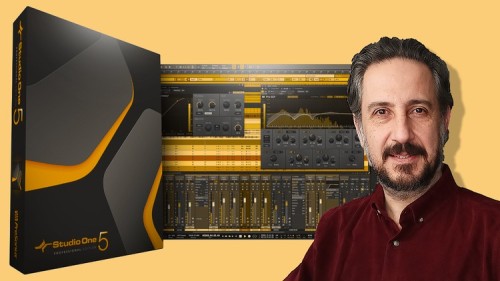
Create Awesome Music With Presonus Studio One
Last updated 10/2021
Created by Doruk Somunkiran
MP4 | Video: h264, 1280x720 | Audio: AAC, 44.1 KHz, 2 Ch
Genre: eLearning | Language: English + subtitle | Duration: 41 Lectures ( 2h 20m ) | Size: 1 GB
Turn your ideas into finished songs even if you don't know music theory!
What you'll learn:
Create your own, original song in Studio One
Sing a melody and convert it to MIDI
Work with all instruments that come with Studio One
Add chords to your melody (even if you don't know music theory)
Add jazzy, complex chords (even if you don't know music theory)
Program drum beats in a variety of styles
Add bass, pads and arpeggios
Add an improvised solo (even if you can't play)
Arrange your song
Basic mixing & mastering
Export your song for major digital platforms
Configure Studio One to work smoothly on your system
Requirements:
Studio One 4 or 5 Pro must be installed on your computer.
A sound interface (your computer's built-in sound card is fine).
A microphone (your computer's built-in mic is fine).
Speakers or headphones.
Description:
Do you have a musical idea? If you can sing it, you can turn it into a complete song!This course is designed for
 eople with no knowledge of music theory,People with no experience of using Studio One,Hobby musicians looking to write their first songs,Professionals looking for different and creative ways to create new songs,Rap artists, music producers or DJ's who want to explore new methods of creating original material.The most common challenge people face when trying to create new music is that they can hear the music inside their head, but they don't know how to get it out there. Technology today has reached a point where this is now possible, even if you don't know anything about music theory and technology.Studio One is equipped with extremely powerful tools that help musicians create new music, and in this course I'm going to show you how to take your musical ideas and turn them into finished songs using these tools. I'm going to guide you through every step of the process.There is no magic, mystery or sci-fi level artificial intelligence at work here. You'll be using YOUR talent and creativity, make YOUR choices to create YOUR unique song. You'll just be getting some super quality assistance and suggestions from software. Think of it as a songwriting partner that knows a lot about music.Please note that this is not a course that claims to teach songwriting from A to Z, or teach Studio One from A to Z (and beware of courses that promise that!). In this course we're going to focus on your project. We're going to focus on the step by step process of how to turn your musical ideas into finished songs.So what do you need in order to get the most out of this course? Do you need fancy equipment? Acoustic treatment? A degree in music theory? You don't need any of that. While I totally encourage you to learn all you can about music, that should not stop you from starting to create awesome music NOW. This is what this course is for.You just need:A fairly new computer with a properly installed and running version of Studio One 4 Pro,An audio interface to hear what you're doing (your computer's built-in sound card is fine),Speakers or headphones,A microphone to sing your musical idea into Studio One (your computer's built-in microphone is fine).That's all you need. A MIDI keyboard adds immensely to the fun, but it's by no means essential.As for not needing a music degree, I'll show you how to polish your musical ideas and turn them into professional grade material. I'll show you how to write great chords and chord progressions using Studio One's Chord Track and Chord Selector, and even how to come up with improvised/randomized melodies when you get stuck.I'll also show you how to build a great arrangement to give your song that extra hook to keep your audience coming back.Each section of the course will show you how to complete a fundamental part of your song. Just do it and send it over to me for a personal review. I'd love to give you feedback on your work.By the end of this course, you'll be able to take a rough musical idea that only you can hear inside your head and turn it into a finished song to share with the world. So what are you waiting for? Let's start making music!
Who this course is for:
Hobby musicians who want to create their first songs
Experienced musicians who want to try out new ideas
Music producers looking for a different creative style
DJ's seeking to use harmony better in their remixes
Homepage
