• Regeln für den Video-Bereich:

    In den Börsenbereich gehören nur Angebote die bereits den Allgemeinen Regeln entsprechen.

    Einteilung

    - Folgende Formate gehören in die angegeben Bereiche:
    - Filme: Encodierte Filme von BluRay, DVD, R5, TV, Screener sowie Telesyncs im Format DivX, XviD und x264.
    - DVD: Filme im Format DVD5, DVD9 und HD2DVD.
    - HD: Encodierte Filme mit der Auflösung 720p oder darüber von BluRay, DVD, R5, TV, Screener sowie Telesyncs im Format x264.
    - 3D: Encodierte Filme von BluRay, die in einem 3D Format vorliegen. Dies gilt auch für Dokus, Animation usw.
    - Serien: Cartoon/Zeichentrick, Anime, Tutorials, Dokumentationen, Konzerte/Musik, Sonstiges sind demnach in die entsprechenden Bereiche einzuordnen, auch wenn sie beispielsweise im High Definition-Format oder als DVD5/DVD9/HD2DVD vorliegen. Ausnahme 3D.
    - Bereich Englisch: Englische Releases gehören immer in diesen Bereich.
    - Bereich Talk: Der Bereich, in dem über die Releases diskutiert werden kann, darf, soll und erwünscht ist.


    Angebot/Beitrag erstellen

    - Ein Beitrag darf erst dann erstellt werden, wenn der Upload bei mindestens einem OCH komplett ist. Platzhalter sind untersagt.
    - Bei einem Scenerelease hat der Threadtitel ausschließlich aus dem originalen, unveränderten Releasenamen zu bestehen. Es dürfen keine Veränderungen wie z.B. Sterne, kleine Buchstaben o.ä. vorgenommen werden. Ausnahme Serienbörse:
    - Bei einem Sammelthread für eine Staffel entfällt aus dem Releasename natürlich der Name der Folge. Beispiel: Die Simpsons S21 German DVDRip XviD - ITG
    - Dementsprechend sind also u.a. verboten: Erweiterungen wie "Tipp", "empfehlenswert", "only", "reup", usw. / jegliche andere Zusatzinformation oder Ergänzung, welche nicht in obiger Beschreibung zu finden ist.

    Aufbau des Angebots und Threadtitel

    Der Titel nach folgendem Muster erstellt zu werden. <Name> [3D] [Staffel] [German] <Jahr> <Tonspur> [DL] [Auflösung] <Quelle> <Codec> - <Group>
    Beispiel: The Dark Knight German 2008 AC3 DVDRip XviD - iND
    Beispiel: The Dark Knight 2008 DTS DL BDRip x264 - iND
    Beispiel: The Dark Knight 2008 AC3 DL BDRip XviD - iND
    Beispiel: The Dark Knight German 2008 AC3 720p BluRay x264 iND
    Beispiel: The Dark Knight 2008 DTS DL 1080p BluRay x264 iND
    Beispiel: Die Simpsons S01 German AC3 DVDRip XviD iND
    Beispiel: Die Simpsons S20 German AC3 720p BluRay x264 iND
    Beispiel: Sword Art Online II Ger Sub 2014 AAC 1080p WEBRip x264 - peppermint
    Entsprechend sind also u.a. verboten: Sonderzeichen wie Klammern, Sterne, Ausrufezeichen, Unterstriche, Anführungszeichen / Erweiterungen wie "Tipp", "empfehlenswert", "only", "reup", usw. / jegliche andere Zusatzinformation oder Ergänzung, welche nicht in obiger Beschreibung zu finden ist
    Ausnahmen hiervon können in den Bereichen geregelt sein.

    Die Beiträge sollen wie folgt aufgebaut werden:
    Überschrift entspricht dem Threadtitel
    Cover
    kurze Inhaltsbeschreibung
    Format, Größe, Dauer sind gut lesbar für Downloader außerhalb des Spoilers zu vermerken
    Nfo sind immer Anzugeben und selbige immer im Spoiler in Textform.
    Sind keine Nfo vorhanden z.B. Eigenpublikationen, sind im Spoiler folgende Dateiinformationen zusätzlich anzugeben :
    Quelle
    Video (Auflösung und Bitrate)
    Ton (Sprache, Format und Bitrate der einzelnen Spuren)
    Untertitel (sofern vorhanden)
    Hosterangabe in Textform außerhalb eines Spoiler mit allen enthaltenen Hostern.
    Bei SD kann auf diese zusätzlichen Dateiinformationen verzichtet werden.

    Alle benötigten Passwörter sind, sofern vorhanden, in Textform im Angebot anzugeben.
    Spoiler im Spoiler mit Kommentaren :"Schon Bedankt?" sind unerwünscht.


    Releases

    - Sind Retail-Release verfügbar, sind alle anderen Variationen untersagt. Ausnahmen: Alle deutschen Retail-Release sind CUT, in diesem Fall sind dubbed UNCUT-Release zulässig.
    - Im Serien-Bereich gilt speziell: Wenn ein Retail vor Abschluss einer laufenden Staffel erscheint, darf diese Staffel noch zu Ende gebracht werden.62
    - Gleiche Releases sind unbedingt zusammenzufassen. Das bedeutet, es ist zwingend erforderlich, vor dem Erstellen eines Themas per Suchfunktion zu überprüfen, ob bereits ein Beitrag mit demselben Release besteht. Ist dies der Fall, ist der bereits vorhandene Beitrag zu verwenden.
    - P2P und Scene Releases dürfen nicht verändert oder gar unter einem iND Tag eingestellt werden.


    Support, Diskussionen und Suche

    - Supportanfragen sind entweder per PN oder im Bereich Talk zu stellen.
    - Diskussionen und Bewertungen sind im Talk Bereich zu führen. Fragen an die Uploader haben ausschließlich via PN zu erfolgen, und sind in den Angeboten untersagt.
    - Anfragen zu Upload-Wünschen sind nur im Bereich Suche Video erlaubt. Antworten dürfen nur auf Angebote von MyBoerse.bz verlinkt werden.


    Verbote

    - Untersagt sind mehrere Formate in einem einzigen Angebotsthread, wie beispielsweise das gleichzeitige Anbieten von DivX/XviD, 720p und 1080p in einem Thread. Pro Format, Release und Auflösung ist ein eigener Thread zu eröffnen.
    - Grundsätzlich ebenso verboten sind Dupes. Uploader haben sich an geeigneter Stelle darüber zu informieren, ob es sich bei einem Release um ein Dupe handelt.
    - Gefakte, nur teilweise lauffähige oder unvollständige Angebote sind untersagt. Dies gilt auch für eigene Publikationen, die augenscheinlich nicht selbst von z.B. einer DVD gerippt wurden. Laufende Serien, bei denen noch nicht alle Folgen verfügbar sind, dürfen erstellt und regelmäßig geupdatet werden.
    - Untersagt sind Angebote, welche nur und ausschließlich in einer anderen Sprache als deutsch oder englisch vorliegen. Ausnahmen sind VORHER mit den Moderatoren zu klären.


    Verstoß gegen die Regeln

    - Angebote oder Beiträge, die gegen die Forenregeln verstoßen, sind über den "Melden"-Button im Beitrag zu melden.
  • Bitte registriere dich zunächst um Beiträge zu verfassen und externe Links aufzurufen.

*** Bestes IPTV *** bester Preis *** gratis Test ***


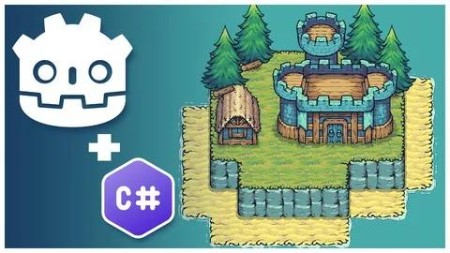
Create a Complete Grid-Based Puzzle Game in Godot 4 with C#

babymore87

MyBoerse.bz Pro Member
954b58a09a538fc22896963c87732c9a.jpeg

Free Download Create a Complete Grid-Based Puzzle Game in Godot 4 with C#
Published 9/2024
Created by Firebelley Games
MP4 | Video: h264, 1280x720 | Audio: AAC, 44.1 KHz, 2 Ch
Genre: eLearning | Language: English | Duration: 107 Lectures ( 24h 36m ) | Size: 16.4 GB

Learn how to create a complete 2D grid-based puzzle game from start to finish in Godot engine 4.3+ with C#!
What you'll learn:
Grid-based puzzle mechanics - placing buildings on a grid, updating grid state, and querying the grid
Godot fundamentals - scene composition using a variety of nodes, signal definition and handling, scripting, custom resources, export variables, and more
Godot 4.3+ TileSet and new TileMapLayer - y-sorting multiple stacked layers, tile animations, custom user-defined tile data, and auto tiling
C# scripting - using C# effectively in Godot 4, C# data structures, using LINQ for filtering and querying data, using Nuget packages, and extension methods
Publishing - export your game for distribution
UI - using containers for layout, using custom themes, defining theme variations, textures and nine-slice, and buttons
Saving and loading - using JSON to store and load game save data to a custom user directory
Audio - implementing sound effects and music
Requirements:
Some programming experience with statically-typed languages is strongly recommended
Description:
This course will cover everything you need to know about creating a small 2D grid-based puzzle game from start to finish in the Godot Engine 4.3+ using C# scripting. This course covers many aspects of creating a grid-based puzzle game including:Building placement on a grid with variable tile sizesQuerying grid state using LINQ with C# data structures like HashSets and DictionariesCreating levels using the new Godot 4.3 TileMapLayer, including multi-level maps with y-sorting, animated tiles, and custom tile dataSaving and loading level completion progressImplementing audio including building placement and destruction effects and musicThis list is not exhaustive - please see the course outline for a glimpse into the topics that are covered.The goal of this course is to show you how to take an empty project and turn it into a small, complete game. In doing so, this course will give you a robust exposure to many aspects of the Godot engine from C# scripting, to input handling, to tile maps, to saving and loading data, to audio, and more. By the time you complete this course, you will feel comfortable working on your own projects in Godot 4.3+ and C#. You will walk away from this course with a solid foundational understanding of making games that are not only functional but also fun.This course will help you greatly if:You are ready to dive into a crash course for Godot 4.3+ with C#You are comfortable in Unity and want to transfer your C# scripting skills to GodotYou have some game development knowledge and want to learn GodotYou have some programming knowledge and want to make gamesYou struggle to complete games and want to start and finish a projectPlease note that this course is focused purely on the start-to-finish process of making a grid-based puzzle game. With that goal in mind, there is no time spent explaining fundamental programming concepts of statically typed languages. Familiarity with programming and statically typed languages is strongly recommended before taking this course.Several lessons are available to for you to preview for free. Please take a look at those videos before enrolling to determine if the pace of this course is right for you!
Who this course is for:
Beginner game developers with programming experience
Individuals looking for a complete 2D development guide for Godot 4 with C#
Intermediate programmers
Intermediate game developers
Homepage


Recommend Download Link Hight Speed | Please Say Thanks Keep Topic Live
No Password - Links are Interchangeable
 

b72f684eddef779f205499717600dbc1.jpg

Create A Complete Grid-Based Puzzle Game In Godot 4 With C#
Published 9/2024
MP4 | Video: h264, 1920x1080 | Audio: AAC, 44.1 KHz
Language: English | Size: 22.87 GB | Duration: 24h 36m​

Learn how to create a complete 2D grid-based puzzle game from start to finish in Godot engine 4.3+ with C#!

What you'll learn

Grid-based puzzle mechanics - placing buildings on a grid, updating grid state, and querying the grid

Godot fundamentals - scene composition using a variety of nodes, signal definition and handling, scripting, custom resources, export variables, and more

Godot 4.3+ TileSet and new TileMapLayer - y-sorting multiple stacked layers, tile animations, custom user-defined tile data, and auto tiling

C# scripting - using C# effectively in Godot 4, C# data structures, using LINQ for filtering and querying data, using Nuget packages, and extension methods

Publishing - export your game for distribution

UI - using containers for layout, using custom themes, defining theme variations, textures and nine-slice, and buttons

Saving and loading - using JSON to store and load game save data to a custom user directory

Audio - implementing sound effects and music

Requirements

Some programming experience with statically-typed languages is strongly recommended

Description

This course will cover everything you need to know about creating a small 2D grid-based puzzle game from start to finish in the Godot Engine 4.3+ using C# scripting. This course covers many aspects of creating a grid-based puzzle game including:Building placement on a grid with variable tile sizesQuerying grid state using LINQ with C# data structures like HashSets and DictionariesCreating levels using the new Godot 4.3 TileMapLayer, including multi-level maps with y-sorting, animated tiles, and custom tile dataSaving and loading level completion progressImplementing audio including building placement and destruction effects and musicThis list is not exhaustive - please see the course outline for a glimpse into the topics that are covered.The goal of this course is to show you how to take an empty project and turn it into a small, complete game. In doing so, this course will give you a robust exposure to many aspects of the Godot engine from C# scripting, to input handling, to tile maps, to saving and loading data, to audio, and more. By the time you complete this course, you will feel comfortable working on your own projects in Godot 4.3+ and C#. You will walk away from this course with a solid foundational understanding of making games that are not only functional but also fun.This course will help you greatly if:You are ready to dive into a crash course for Godot 4.3+ with C#You are comfortable in Unity and want to transfer your C# scripting skills to GodotYou have some game development knowledge and want to learn GodotYou have some programming knowledge and want to make gamesYou struggle to complete games and want to start and finish a projectPlease note that this course is focused purely on the start-to-finish process of making a grid-based puzzle game. With that goal in mind, there is no time spent explaining fundamental programming concepts of statically typed languages. Familiarity with programming and statically typed languages is strongly recommended before taking this course.Several lessons are available to for you to preview for free. Please take a look at those videos before enrolling to determine if the pace of this course is right for you!

Overview

Section 1: Introduction and Setup

Lecture 1 Godot and C# Installation and Setup

Lecture 2 C# and VSCode Configuration

Lecture 3 Godot Editor Orientation

Lecture 4 The First C# Script

Lecture 5 Instantiating New Scenes

Lecture 6 Introduction to Signals

Lecture 7 Modifying Window Settings

Section 2: Foundational Mechanics

Lecture 8 Basic Grid Operations and TileMapLayer Introduction

Lecture 9 Using a HashSet to Mark Occupied Tiles

Lecture 10 Minor Code Cleanup

Lecture 11 Adding the Asset Pack and Tower Art

Lecture 12 Introduction to Autotiling

Lecture 13 Refactoring Code Into a GridManager

Lecture 14 Defining and Using TileSet Custom Data

Lecture 15 Adding a Base Building

Lecture 16 Using Autoloads and Custom Signals for Grid State Updating

Lecture 17 Using Grid State for More Sophisticated Building Rules

Lecture 18 Highlighting Expandable Building Area

Lecture 19 Adding Animated Tree Tiles

Lecture 20 Accounting for Trees in GridManager

Lecture 21 Applying Y-Sorting for Proper Draw Order

Lecture 22 Adding Village Buildings

Lecture 23 Introduction to Custom Resources

Lecture 24 Highlighting Resource Tiles

Lecture 25 Tracking Collected Resource Tiles

Section 3: Refining Gameplay Mechanics

Lecture 26 Introduction to Control Nodes

Lecture 27 Streamlining Building Placement

Lecture 28 Creating a Building Manager

Lecture 29 Creating a Building Placement Ghost

Lecture 30 Indicating Whether Building Ghost is Valid

Lecture 31 Cancelling Building Placement

Lecture 32 Refactoring Building Manager to Support States

Lecture 33 Refunding Resources and Updating Grid on Building Destruction

Lecture 34 Adding a Win Condition

Lecture 35 Transforming the Main Scene Into a Base Level Scene

Lecture 36 Adding Terrains to the Tileset

Lecture 37 Adding Water to the Tileset

Lecture 38 Adding Shadows to the Tileset

Lecture 39 Designing Your First Level

Lecture 40 Adding Camera Panning

Lecture 41 Fixing Tileset, Centering the Camera, and Adding Configurable Starting Resources

Lecture 42 Fixing Shadow Tiles Invalidating Buildable Tiles

Lecture 43 Making UI Buttons Follow Camera

Section 4: Expanding the Game Mechanics, UI, and Levels

Lecture 44 Making Buildings Occupy Multiple Tiles

Lecture 45 Adding Base Building Art and Preventing Deletion

Lecture 46 Allowing Building Deletion by Clicking Into Occupied Area

Lecture 47 Preventing Building Placement on Differing Elevation Layers

Lecture 48 Introduction to Extension Methods

Lecture 49 Making Building Radius Circular

Lecture 50 Introduction to UI Theming

Lecture 51 Theme Files and Theme Variations

Lecture 52 Styling Building Selection UI

Lecture 53 Fonts and Button Styling

Lecture 54 Improving the Design of Building Sections

Lecture 55 Displaying Resource Count in Game UI

Lecture 56 Building a Main Menu Skeleton UI

Lecture 57 Building a Framework for Changing Levels

Lecture 58 Creating a Level Complete Screen

Lecture 59 Moving to the Next Level from the Level Complete Screen

Lecture 60 Designing More Levels

Lecture 61 Addressing Some Errors and Issues

Lecture 62 Creating a Level Select Screen

Lecture 63 Moving Level Definitions to Custom Resources

Lecture 64 Showing Levels on the Level Select Screen

Lecture 65 Integrating the Level Select Screen With the Main Menu

Section 5: Adding Animations, Goblin Camps, and Other Polish Elements

Lecture 66 Improving the Look of Building Placement

Lecture 67 Introduction to Animation Player

Lecture 68 Using Tweens to Animate Building Position

Lecture 69 Centering Building Placement on Mouse Position

Lecture 70 Animating Building Placement

Lecture 71 Call Building Placement Animation on Demand

Lecture 72 Building Destruction Animation

Lecture 73 Adding a Mask to Building Destruction

Lecture 74 Fixing Destruction-Related Bugs

Lecture 75 Building Placement Particles

Lecture 76 Building Destruction Particles

Lecture 77 Creating a Goblin Camp

Lecture 78 Making the Goblin Camp Functional

Lecture 79 Creating a Barracks Building

Lecture 80 Allowing Barracks to Be Placed in Goblin Camps

Lecture 81 Showing Barracks Attack Area

Lecture 82 Making the Barracks Destroy Goblin Camps

Lecture 83 Handling Goblin Camp Restoration on Barracks Destroy

Section 6: Finalizing the Game

Lecture 84 Preventing Invalid Building Destruction

Lecture 85 Fixing Bugs in Building Destruction

Lecture 86 Preventing Invalid Barracks Destruction

Lecture 87 Cleaning Up Code and Tile Improvements

Lecture 88 Adding Pagination to Level Select Screen

Lecture 89 Introducing Nuget Packages

Lecture 90 Saving and Loading Lesson Data to Disk

Lecture 91 Showing Saved Level Completion State

Lecture 92 Window Scaling Configuration

Lecture 93 Adding Camera Shake

Lecture 94 Updating Particles for Barracks

Lecture 95 Adding Resource Indicators

Lecture 96 Adding Error Messaging

Lecture 97 Adding a Custom Cursor

Lecture 98 Animating Goblin Camp Destruction

Lecture 99 Adding Sound Effects

Lecture 100 Adding Final Sound Effects and Music

Lecture 101 Fixing Gold Mine Indicator

Lecture 102 Creating an Options Menu

Lecture 103 Integrating the Options Menu Into the Game

Lecture 104 Creating an Escape Menu

Lecture 105 Handling the Last Level in the Level Complete Screen

Lecture 106 Exporting Your Game

Lecture 107 Congratulations, Your Game is Complete!

Beginner game developers with programming experience,Individuals looking for a complete 2D development guide for Godot 4 with C#,Intermediate programmers,Intermediate game developers

VIUJG1wp_o.jpg

 
Zurück
Oben Unten