




AgentofHeart
MyBoerse.bz Pro Member
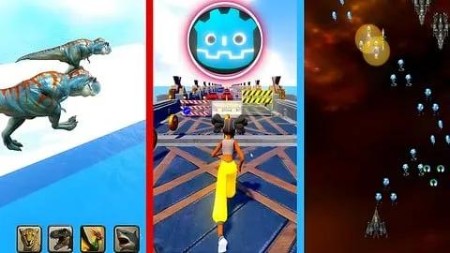
Complete Godot 4 -Build 3 Games (2D , 3D Adventure & Runner)
Published 8/2025
MP4 | Video: h264, 1920x1080 | Audio: AAC, 44.1 KHz
Language: English | Size: 6.71 GB | Duration: 8h 58m
Master Game Development with Godot 4 and build complete games: Space Shooter 2D - 3D Animal Transform - Endless Runner
What you'll learn
Learn Godot 4 and GD Script From Scratch
Build a complete 2D space shooter game using Godot 4 and GDScript, including player controls, enemy AI, shooting mechanics, and UI systems.
Create a 3D Animal Transform adventure game, covering 3D scene setup, animal movement, and environment interaction.
Develop an Endless Runner (Subway-style) game, implementing procedural level generation, character movement, animation blending, collision detection,and scoring
Requirements
No programming experience needed: you will learn everything you need to know
A computer connected to the internet
Description
Do you dream of creating games ? With simplified steps from beginner to professional, you can achieve exactly that.Don't let things seem complicated - we're here to guide you step by step. Why hesitate? We'll be with you not only through tutorials and videos, but also in every step you take. Ask your questions and get our feedback directly in the Discord group.Just like many before you, including myself, who learned and built a career in this field, you can do the same. Your presence here is no coincidence - it's proof of your determination and dedication. You can succeed just like I did, or even better! This is a rare opportunity to develop your skills.You'll learn game development from scratch with no prior experience required. If you face any challenges or find something unclear, we'll explain it to you on our Discord server.You will learn:How to use Godot 4.How to program with GDScript inside Godot 4.The physical properties of objects in Godot.How to create animations in both 2D and 3D.How to add sound effects to your games.How to apply visual effects like water, lighting, and color enhancements.How to use the different types of lighting available in the engine.How to work with advanced visual effects.- And you'll build 3 complete games during the course -A 2D Space Shooter game, where you'll learn the essentials of 2D game development.A 3D Animal Transform-style game, inspired by the hit mobile game Animal Transform, which achieved over 100 million downloads on Android and iOS and generated massive profits.An Endless Runner game, inspired by the global hit Subway Surfers, the second most popular game on Google Play worldwide, which also generated huge revenue.
Overview
Section 1: Introduction
Lecture 1 Introduction
Section 2: Learn Godot 4 & GDScript Fundamentals
Lecture 2 Downloading the Godot Game Engine
Lecture 3 2- Getting to Know the Godot Engine Interface
Lecture 4 "Writing GDScript Scripts: Defining and Using Functions"
Lecture 5 "Understanding Variables in GDScript"
Lecture 6 Variable Types in GDScript
Lecture 7 Arithmetic Operations in GDScript
Lecture 8 Conditional Statements - Part 1
Lecture 9 Conditions - Part 2
Lecture 10 Loops
Lecture 11 Arrays
Section 3: Space Shooter 2D Game
Lecture 12 Downloading Assets for the SpaceShooter Game
Lecture 13 Setting Up the Player Spaceship Model
Lecture 14 Coding Player Movement
Lecture 15 Spawning a Bullet in the Game
Lecture 16 Adding Enemies to the Game
Lecture 17 Creating and Firing Enemy Bullets
Lecture 18 Destroy Enemy on Bullet Collision
Lecture 19 Destroy Player on Enemy Bullet Collision
Lecture 20 Adding Sounds in the Game
Lecture 21 Moving the Game Background
Lecture 22 UI Design - Win & Lose Screens
Lecture 23 Displaying the UI on Win/Loss
Lecture 24 Programming the UI Buttons
Lecture 25 Making the player and enemies shoot multiple bullets
Lecture 26 Making the Player's Ship Require Multiple Hits to Destroy
Lecture 27 Creating Asteroids - Part 1
Lecture 28 Destroying Asteroids on Player Collision
Lecture 29 Adding a Small Missile and Adjusting Ship & Bullet Sizes
Lecture 30 Random Enemy Generation
Lecture 31 Rewarding the Player After Time & Adding a Score Counter
Lecture 32 Increasing Difficulty Over Time
Section 4: Animal Transform Adventure Game
Lecture 33 Download Godot 4.4 and Explore Its Main Features
Lecture 34 Animal Transform Racing Game: Animal Transform Tutorial
Lecture 35 Importing Game Assets
Lecture 36 Enhancing Lighting & Colors in the Game
Lecture 37 Adding Water Effect to the Game
Lecture 38 Setting Up the Cheetah Model & Animating It
Lecture 39 Setting Up the Other Animals in the Game
Lecture 40 Switching between animals by clicking on the animal icons
Lecture 41 Making the Camera Follow the Player
Lecture 42 Adding Rocks & Making Only the Terex Drop Them
Lecture 43 Pushing Rocks Away & Destroying Them After a Time
Lecture 44 Prevent the Shark from "Walking" on Land
Lecture 45 Adding Water and Allowing Only the Shark to Pass Through
Lecture 46 Adding an Empty Area and Allowing Only the Bird to Pass Through
Lecture 47 Generating Terrain Randomly
Lecture 48 Creating Animals to Race the Player and Automatically Change at Obstacles - Part
Lecture 49 Making Enemies Automatically Change at Obstacles - Part 2
Lecture 50 Creating a Finish Line for the Game
Lecture 51 Creating the Game Start Screen UI and Game Over Screen UI
Lecture 52 Programming the Game Over Screen
Lecture 53 Adding Sound Effects to the Game
Section 5: Endless Running Game
Lecture 54 Downloading assets
Lecture 55 Adding Water Inside the Game
Lecture 56 Improving Game Colors and Lighting
Lecture 57 Setting Up the Player and Animations
Lecture 58 Moving the Player Left, Right, and Jumping
Lecture 59 Improving the Player's Animation
Lecture 60 Adding Sliding Animation and a Game Timer
Lecture 61 Generating Map Within the Game
Lecture 62 Creating the First Obstacle and Making the Player Lose Upon Collision
Lecture 63 Creating the Remaining Obstacles in the Game
Lecture 64 Making the Player Slide Under Obstacles
Lecture 65 Automatically Generating Obstacles Along the Path
Lecture 66 Making Obstacles Continuously Spawn
Lecture 67 Creating and Spawning Coins Along the Path
Lecture 68 Adding Speed and Flying Abilities
Lecture 69 Creating a Shield Skill and Spawning Skill Icons Along the Path
Lecture 70 Creating the Game UI
Lecture 71 Improving the Game and Adding Sound Effects
Aspiring game developers with no prior experience,Programmers or game creators with some experience,Enthusiasts seeking diverse real-world projects,Learners interested in mastering Godot 4 workflows,who want to learn Godot 2D,Those who want to learn Godot 3D

RapidGator
NitroFlare
DDownload
