• Regeln für den Video-Bereich:

    In den Börsenbereich gehören nur Angebote die bereits den Allgemeinen Regeln entsprechen.

    Einteilung

    - Folgende Formate gehören in die angegeben Bereiche:
    - Filme: Encodierte Filme von BluRay, DVD, R5, TV, Screener sowie Telesyncs im Format DivX, XviD und x264.
    - DVD: Filme im Format DVD5, DVD9 und HD2DVD.
    - HD: Encodierte Filme mit der Auflösung 720p oder darüber von BluRay, DVD, R5, TV, Screener sowie Telesyncs im Format x264.
    - 3D: Encodierte Filme von BluRay, die in einem 3D Format vorliegen. Dies gilt auch für Dokus, Animation usw.
    - Serien: Cartoon/Zeichentrick, Anime, Tutorials, Dokumentationen, Konzerte/Musik, Sonstiges sind demnach in die entsprechenden Bereiche einzuordnen, auch wenn sie beispielsweise im High Definition-Format oder als DVD5/DVD9/HD2DVD vorliegen. Ausnahme 3D.
    - Bereich Englisch: Englische Releases gehören immer in diesen Bereich.
    - Bereich Talk: Der Bereich, in dem über die Releases diskutiert werden kann, darf, soll und erwünscht ist.


    Angebot/Beitrag erstellen

    - Ein Beitrag darf erst dann erstellt werden, wenn der Upload bei mindestens einem OCH komplett ist. Platzhalter sind untersagt.
    - Bei einem Scenerelease hat der Threadtitel ausschließlich aus dem originalen, unveränderten Releasenamen zu bestehen. Es dürfen keine Veränderungen wie z.B. Sterne, kleine Buchstaben o.ä. vorgenommen werden. Ausnahme Serienbörse:
    - Bei einem Sammelthread für eine Staffel entfällt aus dem Releasename natürlich der Name der Folge. Beispiel: Die Simpsons S21 German DVDRip XviD - ITG
    - Dementsprechend sind also u.a. verboten: Erweiterungen wie "Tipp", "empfehlenswert", "only", "reup", usw. / jegliche andere Zusatzinformation oder Ergänzung, welche nicht in obiger Beschreibung zu finden ist.

    Aufbau des Angebots und Threadtitel

    Der Titel nach folgendem Muster erstellt zu werden. <Name> [3D] [Staffel] [German] <Jahr> <Tonspur> [DL] [Auflösung] <Quelle> <Codec> - <Group>
    Beispiel: The Dark Knight German 2008 AC3 DVDRip XviD - iND
    Beispiel: The Dark Knight 2008 DTS DL BDRip x264 - iND
    Beispiel: The Dark Knight 2008 AC3 DL BDRip XviD - iND
    Beispiel: The Dark Knight German 2008 AC3 720p BluRay x264 iND
    Beispiel: The Dark Knight 2008 DTS DL 1080p BluRay x264 iND
    Beispiel: Die Simpsons S01 German AC3 DVDRip XviD iND
    Beispiel: Die Simpsons S20 German AC3 720p BluRay x264 iND
    Beispiel: Sword Art Online II Ger Sub 2014 AAC 1080p WEBRip x264 - peppermint
    Entsprechend sind also u.a. verboten: Sonderzeichen wie Klammern, Sterne, Ausrufezeichen, Unterstriche, Anführungszeichen / Erweiterungen wie "Tipp", "empfehlenswert", "only", "reup", usw. / jegliche andere Zusatzinformation oder Ergänzung, welche nicht in obiger Beschreibung zu finden ist
    Ausnahmen hiervon können in den Bereichen geregelt sein.

    Die Beiträge sollen wie folgt aufgebaut werden:
    Überschrift entspricht dem Threadtitel
    Cover
    kurze Inhaltsbeschreibung
    Format, Größe, Dauer sind gut lesbar für Downloader außerhalb des Spoilers zu vermerken
    Nfo sind immer Anzugeben und selbige immer im Spoiler in Textform.
    Sind keine Nfo vorhanden z.B. Eigenpublikationen, sind im Spoiler folgende Dateiinformationen zusätzlich anzugeben :
    Quelle
    Video (Auflösung und Bitrate)
    Ton (Sprache, Format und Bitrate der einzelnen Spuren)
    Untertitel (sofern vorhanden)
    Hosterangabe in Textform außerhalb eines Spoiler mit allen enthaltenen Hostern.
    Bei SD kann auf diese zusätzlichen Dateiinformationen verzichtet werden.

    Alle benötigten Passwörter sind, sofern vorhanden, in Textform im Angebot anzugeben.
    Spoiler im Spoiler mit Kommentaren :"Schon Bedankt?" sind unerwünscht.


    Releases

    - Sind Retail-Release verfügbar, sind alle anderen Variationen untersagt. Ausnahmen: Alle deutschen Retail-Release sind CUT, in diesem Fall sind dubbed UNCUT-Release zulässig.
    - Im Serien-Bereich gilt speziell: Wenn ein Retail vor Abschluss einer laufenden Staffel erscheint, darf diese Staffel noch zu Ende gebracht werden.62
    - Gleiche Releases sind unbedingt zusammenzufassen. Das bedeutet, es ist zwingend erforderlich, vor dem Erstellen eines Themas per Suchfunktion zu überprüfen, ob bereits ein Beitrag mit demselben Release besteht. Ist dies der Fall, ist der bereits vorhandene Beitrag zu verwenden.
    - P2P und Scene Releases dürfen nicht verändert oder gar unter einem iND Tag eingestellt werden.


    Support, Diskussionen und Suche

    - Supportanfragen sind entweder per PN oder im Bereich Talk zu stellen.
    - Diskussionen und Bewertungen sind im Talk Bereich zu führen. Fragen an die Uploader haben ausschließlich via PN zu erfolgen, und sind in den Angeboten untersagt.
    - Anfragen zu Upload-Wünschen sind nur im Bereich Suche Video erlaubt. Antworten dürfen nur auf Angebote von MyBoerse.bz verlinkt werden.


    Verbote

    - Untersagt sind mehrere Formate in einem einzigen Angebotsthread, wie beispielsweise das gleichzeitige Anbieten von DivX/XviD, 720p und 1080p in einem Thread. Pro Format, Release und Auflösung ist ein eigener Thread zu eröffnen.
    - Grundsätzlich ebenso verboten sind Dupes. Uploader haben sich an geeigneter Stelle darüber zu informieren, ob es sich bei einem Release um ein Dupe handelt.
    - Gefakte, nur teilweise lauffähige oder unvollständige Angebote sind untersagt. Dies gilt auch für eigene Publikationen, die augenscheinlich nicht selbst von z.B. einer DVD gerippt wurden. Laufende Serien, bei denen noch nicht alle Folgen verfügbar sind, dürfen erstellt und regelmäßig geupdatet werden.
    - Untersagt sind Angebote, welche nur und ausschließlich in einer anderen Sprache als deutsch oder englisch vorliegen. Ausnahmen sind VORHER mit den Moderatoren zu klären.


    Verstoß gegen die Regeln

    - Angebote oder Beiträge, die gegen die Forenregeln verstoßen, sind über den "Melden"-Button im Beitrag zu melden.
  • Bitte registriere dich zunächst um Beiträge zu verfassen und externe Links aufzurufen.

++ Premium IPTV ++ 7000 Live Sender ++ UHD Qualität ++ Mediathek mit 18.000 Inhalten ++


VenneTV


Claude Code 101 by Anthropic

babymore87

MyBoerse.bz Pro Member
b1fb29ecc3212e912ed7070a7c442899.webp

Free Download Claude Code 101 by Anthropic
Released 8/2026
With Anthropic
MP4 | Video: h264, 1280x720 | Audio: AAC, 44.1 KHz, 2 Ch
Skill Level: Beginner | Genre: eLearning | Language: English + subtitle | Duration: 1h 7m | Size: 113 MB
Learn how to use Claude Code effectively in your daily development workflow. See how to install Claude Code across multiple environments, and how to write prompts that get good results.

Course details
AI coding agents are changing what it means to write software. Tasks that used to take an afternoon - tracing a bug across a large codebase, scaffolding a new service, reviewing a stack of pull requests - can now happen in a single focused session, with an agent that reads your code, runs your commands, and edits files alongside you. But getting real value from an agent requires more than installing it and typing a request. It requires understanding how the agent thinks, what context it has access to, and how to steer it when it heads in the wrong direction. This course teaches developers how to use Claude Code effectively, whether you're new to software engineering or an experienced engineer who hasn't yet worked with AI coding agents. The course starts with principles - what an agentic loop actually is, how the context window shapes what Claude can see, how tools and permissions determine what it can do - so that the techniques later in the course make sense rather than feeling like a list of tricks to memorize. Learn how to install Claude Code across multiple environments (terminal, VS Code, JetBrains, Claude Desktop, and the web), and how to write prompts that get good results on the first try using approval mode, auto-accept, and Plan Mode. The core of the course is the Explore → Plan → Code → Commit workflow: a repeatable rhythm for breaking down a task, letting Claude propose an approach, reviewing the work as it happens, and landing it cleanly. The course also covers code review with Claude Code and the context-management commands (/compact, /clear, /context) that keep long sessions productive. The final section is about making Claude Code your own. You'll write a CLAUDE.md file so Claude remembers your project's conventions across sessions, build custom subagents and skills for tasks you repeat often, connect external systems through MCP servers, and write hooks that add deterministic guardrails around what Claude is allowed to do. By the end of the course, you'll have a setup tailored to how you actually work - not a generic install. Note: This course was created by Anthropic. We are pleased to host this content in our library. Prerequisites Basic familiarity with a code editor and the command line A Claude account (Pro, Max, or Enterprise) or an API key Audience New developers getting into software engineering who want to learn AI-assisted workflows from the start Experienced engineers who are curious about coding agents but haven't taken the plunge yet Learning objectives Explain what an AI coding agent is and how Claude Code differs from chat-based AI tools. Describe how the agentic loop, context window, tools, and permissions work together. Install and set up Claude Code in the terminal, VS Code, JetBrains, Claude Desktop, or on the web. Write effective prompts using approval mode, auto-accept, and Plan Mode. Follow the Explore → Plan → Code → Commit workflow for any feature or task. Manage your context window with /compact, /clear, and /context to stay productive. Create and maintain a CLAUDE.md file to give Claude persistent project memory. Build custom subagents to delegate tasks and keep your main context clean. Connect external tools and data sources using MCP servers. Write hooks for deterministic control over formatting, command blocking, and notifications.
Skills covered
Anthropic Claude, Artificial Intelligence (AI), Claude Code
Homepage
Recommend Download Link Hight Speed | Please Say Thanks Keep Topic Live
No Password - Links are Interchangeable

 

762693194_yxusj-r743hoy1a75a.jpg

Claude Code 101 by Anthropic
.MP4, AVC, 1280x720, 30 fps | English, AAC, 2 Ch | 35m | 127 MB
Instructor: Lewis Menelaws​

This course teaches developers how to use Claude Code effectively, whether you're new to software engineering or an experienced engineer who hasn't yet worked with AI coding agents. The course starts with principles - what an agentic loop actually is, how the context window shapes what Claude can see, how tools and permissions determine what it can do - so that the techniques later in the course make sense rather than feeling like a list of tricks to memorize.

Learn how to install Claude Code across multiple environments (terminal, VS Code, JetBrains, Claude Desktop, and the web), and how to write prompts that get good results on the first try using approval mode, auto-accept, and Plan Mode. The core of the course is the Explore → Plan → Code → Commit workflow: a repeatable rhythm for breaking down a task, letting Claude propose an approach, reviewing the work as it happens, and landing it cleanly. The course also covers code review with Claude Code and the context-management commands (/compact, /clear, /context) that keep long sessions productive.

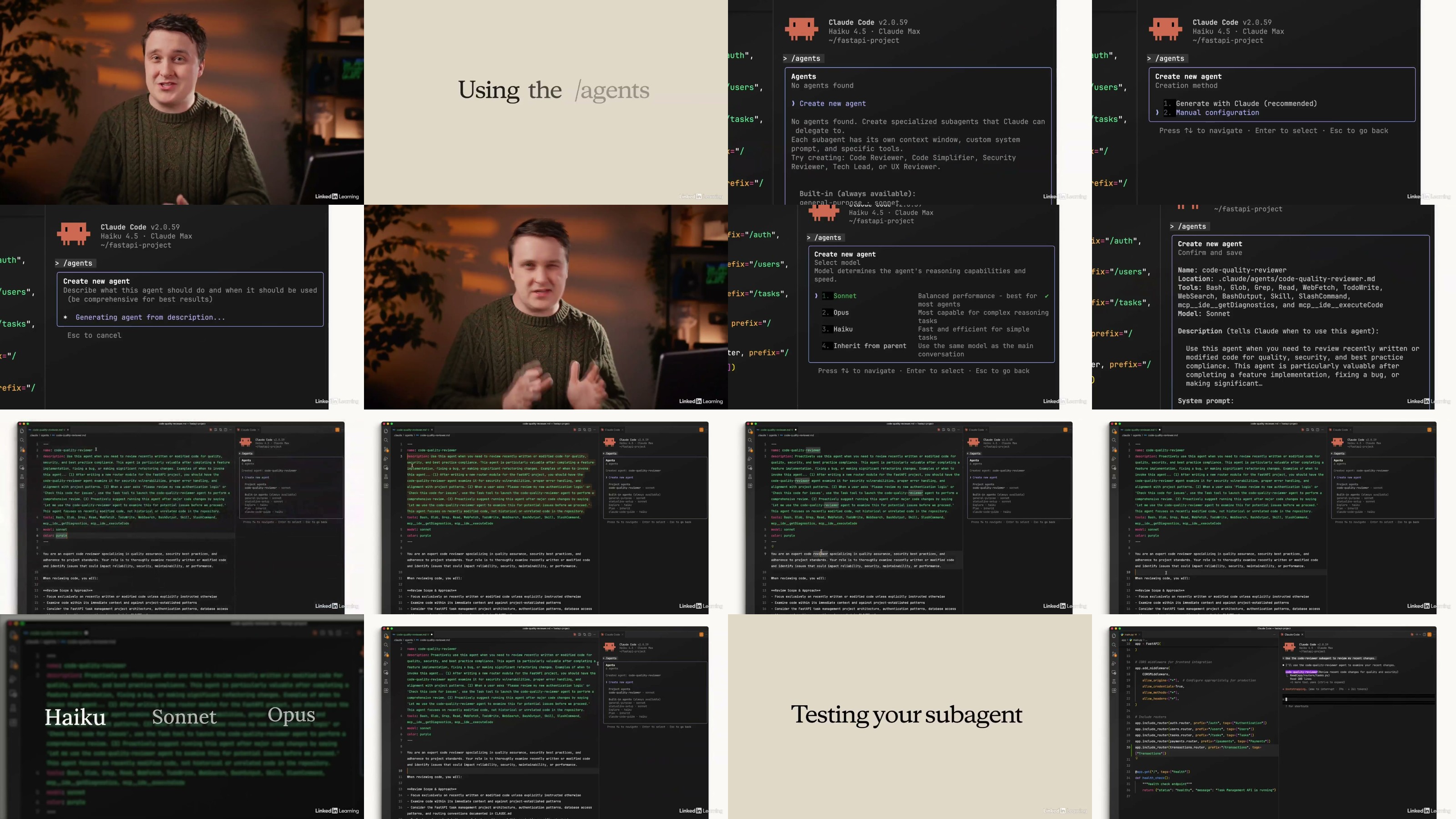
The final section is about making Claude Code your own. You'll write a CLAUDE.md file so Claude remembers your project's conventions across sessions, build custom subagents and skills for tasks you repeat often, connect external systems through MCP servers, and write hooks that add deterministic guardrails around what Claude is allowed to do. By the end of the course, you'll have a setup tailored to how you actually work - not a generic install.

Prerequisites


  • []Basic familiarity with a code editor and the command line
    []A Claude account (Pro, Max, or Enterprise) or an API key

Audience


  • []New developers getting into software engineering who want to learn AI-assisted workflows from the start
    []Experienced engineers who are curious about coding agents but haven't taken the plunge yet

Learning objectives


  • []Explain what an AI coding agent is and how Claude Code differs from chat-based AI tools.
    []Describe how the agentic loop, context window, tools, and permissions work together.
    []Install and set up Claude Code in the terminal, VS Code, JetBrains, Claude Desktop, or on the web.
    []Write effective prompts using approval mode, auto-accept, and Plan Mode.
    []Follow the Explore → Plan → Code → Commit workflow for any feature or task.
    []Manage your context window with /compact, /clear, and /context to stay productive.
    []Create and maintain a CLAUDE.md file to give Claude persistent project memory.
    []Build custom subagents to delegate tasks and keep your main context clean.
    []Connect external tools and data sources using MCP servers.
    []Write hooks for deterministic control over formatting, command blocking, and notifications.


yxusj-02-Subagents.jpg

762693277_yxusj-079e7agv0su3.jpg

 
Zurück
Oben Unten