




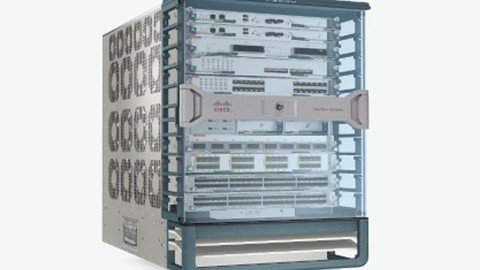
MP4 | Video: h264, 1280x720 | Audio: AAC, 44.1 KHz
Language: English | Size: 10.7 GB | Duration: 34h 11m
Deep dive in Policies & Network Configuration of Cisco Nexus 9K (ACI), 7K, 5K, FEX, OTV, VDC, VPC, Fabric Path, Python
What you'll learn
Understand the Models and Overview of Nexus 2000 aka Fabric Extender, 5000, 7000 Series Devices
Understand the Models and Overview of Nexus 9000 as known as ACI (Application Centric Infrastructure)
Understand Cisco Nexus's Licenses and way to Configure
Understand Features and Feature-Set in NXOS
Understand the Command Line Interface of NXOS
Understand the Initial Setup and Reload of Nexus 5000
Understand Port Profiles in Nexus Platform
Understand CFS (Cisco Fabric Services)
Understand the concept and operation of VDC (Virtual Device Context)
Learn to Create and Delete VDC and it's naming convention
Configure and Operate FEX ( Fabric Extender)
Understand the Concept of vPC (Virtual Port Channel)
Configure vPC PeerKeepalive and vPC Peer Link between Peer Switches
Configure vPC on Cisco Nexus 7000
Configure Multiple vPC
Configure vPC between 5K and FEX
Understand the Case Studies in vPC
Understand the concept of Fabric Path
Understand Traditional versus Conversational Mac Learning
Initial Configuration of FabricPath
Configure Switch ID and Verify FabricPath
Understand Fabric Path Database
Configure vPC+ in FabricPath and Verify it's operation
Understand OTV( Overlay Transport Virtualization)
Configure OTV and Verify it's operation
Understand and Configure SPAN, ERSPAN
Setup and Configure CheckPoint and Rollback Options
Configure Wireshark Capture in Control Plane and Data Plane
Configure Netflow, RBAC, DHCP Snooping in NXOS
Configure Storm Control and GOLD (Generic Online Diagnostics)
Configure RPVST+ and verify it's operaton
Understand PVLAN and Configure on Cisco Nexus Platform
Configure EIGRP and OSPF In Cisco Nexus
Configure HSRP, VRRP and GLBP in Cisco Nexus
Understand ACI( Application Centric Infrastructure)
Understand APIC Hardware and it's functionality
Discovery and Initial config of switches
Understand System and Device Healthscore and Dashboard
Understand and Configure Tenant, Context and Bridge Domain in ACI
Understand the Forwarding in ACI
Configure Interface Policy and Interface Policy Groups
Configure Switch Profile and Interface Profile
OSI Model, Routing Protocols, Switching Technologies, Port channels, RSTP, Subnetting
Students should be having understanding of Basic to Medium Size Network
GNS3 will NOT work for Nexus. It's Student's responsibility to test and practice these on REAL Devices such as Nexus 7000 and 5000 Series.
Those taking this course should have a basic knowledge of Networking e.g Static Routing, IP Addressing, Average Knowledge of Dynamic Routing.
Description
Become a Datacenter Engineer and learn one of employer's most request skills of 2021!
This is the most comprehensive, yet straight-forward, course for the "Cisco Nexus Training" on Udemy!
You probably have heard the word "Datacenter" or "Cisco Nexus" in your career. It is a place where most critical servers and network devices are hosted. You also understand the fact that these server and network devices such as Cisco Nexus 7000 provide 100% Uptime to clients. Cisco Nexus Switch has features such as VDC ( Virtual Device Contexts), VPC (Virtual Port Channel), Fabric Path , FEX, OTV, CheckPoint and Rollback, TrustSec, Ethereal/Wireshark and Many more. All of these features are unique in Cisco Nexus 7000 and Cisco Nexus 5000.
NX-OS is the operating System used in Nexus Devices. It is very different from IOS however, once you start using it, you will notice that It is very easy to operate. Some of the other benefits and advantages it has are - Virtualization, Flexibility, Resiliency, Scalability, Security, Unified Datacenter OS etc.
Following Topics will be covered in this Cisco Nexus Training Course.
1. NX-OS Basic Operations
NX-OS Functionality
Licenses detailed explanation
Features and Feature-Set
Initial Setup of Cisco Nexus 5000 and Reload
Cisco Fabric Services ( CFS)
2. Virtual Device Context ( VDC)
VDC concepts explanation
VDC creation and Deletion
Port movement between VDCs
VDC Combined Name Options
3. Cisco Nexus 2000 ( FEX )
Labs on Fabric Extenders
FEX Troubleshooting
4. vPC ( Virtual Port Channel)
Understanding vPC
Configuring vPC Peer Keepalive
Configuring vPC Peer Link
Configuring Port Channels
Simple vPC Lab
Multiple vPC Lab ( Double vPC)
vPC between 5K and 2K
Case Studies of Link Down
5. Fabric Path in Cisco Nexus 7000 & 5000
Fabric Path Overview
Traditional MAC Learning
Conversational MAC Learning
Initial Configuration
Switch ID in Fabric Path
Understanding vPC+ in FabricPath
vPC+ Lab
Verification and Troubleshooting Labs of vPC+
6. FHRP ( First Hop Redundancy Protocols)
HSRP Configuration in Cisco Nexus Environment
Securing HSRP
Lab on VRRP
Lab on GLBP
7. Routing Protocols
EIGRP Lab
8. Additional Labs
Setting up Checkpoints
Setting up Rollbacks
PVLAN in Cisco Nexus
RPVST+ Configuration
Altering Timers in STP
9. OTV (Overlay Transport Virtualization )
10. RBAC & DHCP Snooping
11. Ethereal/Wireshark in Cisco Nexus 7000
12. Gift of Python course is also added.
Many more Labs of Cisco Nexus Switches will be added whenever I get opportunity. As you can see that it has more than 10000+ students and count increasing every day. It is bestseller and highly rated course
So this Cisco Nexus Training Course is going to be really helpful.
You will get lifetime access to over 60 lectures plus corresponding Notebooks for the lectures!
This course comes with a 30 day money back guarantee! If you are not satisfied in any way, you'll get your money back. Plus you will keep access to the Notebooks as a thank you for trying out the course!
So what are you waiting for? Learn "Cisco Nexus Training: Go from Beginner to Advanced!" in a way that will advance your career and increase your knowledge, all in a fun and practical way!
Here are some of the users who appreciated the course with below comments
Ajaz Ahmed - One of the finest course on Udemy for learning Cisco Nexus Devices, the Instructor ( Ashish ) used his best way to explain everything about Nexus which you can find in Production Networks. I was just a beginner when I started this, but after completing this course, I got a very good grip / Knowledge on Nexus Family. The instructor is always ready to clear your doubts. I insist ,if anyone wants to learn about Cisco Nexus, then this course is FOR YOU!!Thanks Ashish for the course, the way you explain it just OUTSTANDING.
Justin Swanson - Exceptional course put on by Ashish. I just started having to configure some Nexus switches at work; mainly 3500 series but the concepts, etc. are the same. I gave 4 stars at first as some of the drawings/handwriting using MS paint are a bit messy, but after continuing through the course, the content far outweighs this. I especially like in the vPC portion that he doesn't just go over a configuration once and the subsequent expects you remember it all already; he really drills into your head all the necessary steps. I would whole heartedly recommend for anyone interested in learning NX-OS and its features.
Cyrus Ramirez - Excellent detail.. Real world information. I've used these videos to help me with my day to day work in my nexus environment. Thank you
Sandeep Prajapati - It's a Good Overview course of nexus 5K, 7K learning. Trainer is skilled pretty good & enough.
I wish this could have been in more details. But over all it's a nice one for grabbing a fair understanding to pick up the other advanced learning materials comfortably.
Ron Ferriolo - I thought the course was very good. It was much more than just an overview of Nexus. It contained theory, detailed configuration, and numerous show command outputs from beginning-to-end including many real world scenarios such as installing, updating, and backing up license files. There was a lot of emphasis on vPC & FabricPath configuration and troubleshooting which will be the focus of any interview. There were also several "show" commands that I never encountered in my CCIE Data Center studies. I would recommend this course to anyone, whether they have studied Nexus previously or not. If you have access to Nexus physical or virtual devices, the course will be even that much more valuable. Hopefully there will be more to follow.
Tim Pastick - Love it have been working on Nexus switches for 6 months now in a production environment and never had one show me so much useful information behind the scenes. Normally just adding port-profiles etc.
Darby Weaver - Excellent Review Course. Clear Essentials. Much needed. Thanks Darby Weaver The Cisco Network Architect
Devinder Sharma - Excellent course at great price. The OS version used is bit old based on what is best available to him ,and instructor can add a slide lecture, without actual configuration tutorial, highlighting the new features in versions 7 and 8 as well as mention newer platforms like 7700 and 9000 and new line cards. Overall great product.
If you have any issues or questions, send it to me or ask in course forum. I will jump to assist you.
Who this course is for:
Students who have experience of Cisco Switches and Routers should go for this Cisco Nexus NX-OS Lab course
Network students who are aspiring to work in Datacenter Networks should apply for this.
Students should have uderstanding on IOS, STP, Port channels, OSI Model, Subnetting can apply for this
Homepage
Recommend Download Link Hight Speed | Please Say Thanks Keep Topic Live
Links are Interchangeable - No Password - Single Extraction
