




KAMAL
MyBoerse.bz Pro Member
Cimatron 14.0 SP6 x64 with Catalogs
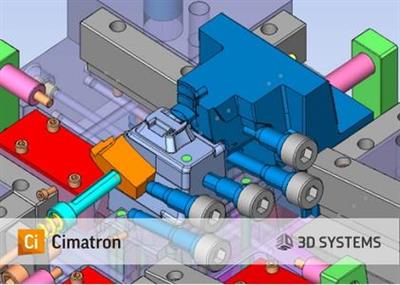
Cimatron 14.0 SP6 x64 with Catalogs | 2.6 GB | Language: English
The 3D Systems CAD/CAM development team is pleased to announce the availability Cimatron 14.0 SP6. Base release introduces new and enhanced capabilities that can dramatically accelerate productivity and minimize overhead in the design and manufacturing of molds, dies and discrete parts.
CimatronE is an integrated CAD/CAM solution for toolmakers and manufacturers of discrete parts, which provides full associativity across the manufacturing process from quoting, through design and up to delivery. Products include: Mold Design, Electrode Design, Die Design, 2.5 to 5-Axis NC Programming and 5-Axis Discrete part production. CimatronE is designed for concurrent engineering (multi-user or single-user) and works on the principle of flexible automation, providing a wealth of automated features but always ensuring full user control.
With over 200 new features and enhancements, Cimatron 14 offers major benefits and more user value to manufacturing shops across their entire range of operations. From Tool design through NC programming, this latest version helps to ensure that our customers are more productive than ever, in their competitive marketplace.
NC- New cutting strategies allow faster machining time with the use of cutters such as Barrel, Oval, Lens Tools. Overall reducing Rough machining time by an average of 20%. A new Guided Cleanup process allows controlling the milling direction of each region in Cleanup. Improved 5-axis Tilting toolpath and guiding curves for user controlled tilting.A large number of new and improved capabilities that boost programming automation for plate machining, such as the Facing procedure, automatic Chamfer Recognition, wider Pocket Recognition capabilities and more functionality of Automated Drill as well as using templates for pocket automation.
Die- New integrated incremental analysis options enable the user to accurately simulate the design, and find design flaws before the manufacturing process. Users can see whether they have carrier or material problems, non-desirable punch results or SpringBack, as well as incorrect press force definitions. New advanced Die design geometry tools such as Addendum faces and Fuzzy Offset were added to extend the application capabilities.
CAD for Tooling - Many long requested enhancements in Part, Assembly and Drafting were implemented for faster and easier design. New enhancements to the Mesh kernel of Cimatron with operations such as a new robust selection tool that was introduce for Split/Copy and Add/Remove commands. In addition, Advance 3D Text capability is now available for mesh and solid.
Mold & Electrode - New functions and enhancements for faster and safer Mold design such as Hole (Cooling) verification, Hole (Library) recognition and handling of ejectors with different diameters.
PLM Integration with Windchill - An integration with PTC Windchill PLM system. This Integration allows Windchill users who work with Cimatron files to perform Windchill operations (such as sync, check out/in, etc.) from within a Cimatron assembly or from the Cimatron browser.
Learn how you can reduce number of Die Design tryouts with the integration between Cimatron Die Design and Autoform ProgSim Simulation tool.
3D Systems Corporation is the originator of 3D printing and an innovator of future 3D solutions. It has spent its 30-year history enabling professionals and companies to optimize their designs, transform their workflows, bring groundbreaking products to market and drive new business models. This is achieved with the Company's best of breed digital manufacturing ecosystem. It's comprised of plastic and metal 3D printers, print materials, on demand manufacturing services and end-to-end manufacturing software solutions. Combinations of these products and services address a variety of advanced applications- ranging from Aerospace, Automotive, and Consumer Goods to Medical, Dental, and Jewelry. For example, 3D Systems' precision healthcare capabilities include simulation, Virtual Surgical Planning, and printing of medical and dental devices as well as patient-specific surgical instruments.
Product: Cimatron
Version: 14 SP6 with Catalogs
Supported Architectures: x64
Website Home Page :
Language: english
System Requirements: PC *
Size: 2.6 Gb
Note: Only 64-bit operating systems and hardware are supported.
Processor:
Minimum: Intel Pentium or AMD Athlon processor, with a dual-core processor.
Recommended: Quad-core 64-bit processors (Intel core i7 4th generation and up).
Memory (RAM):
Minimum: 4 Gb
Recommended: 16 Gb
Large Tooling assemblies: 32 Gb
To gain better I/O performance, it is recommended to use a solid state hard Drive (SSD). Windows and Cimatron should be installed on the SSD.
Data files should be kept on a different hard drive, local or network based.
Graphics Card:
Cimatron will test graphics compatibility during as it installs. As of version 14, the graphics card must support OpenGL 3.3.
The graphics compatibility test can also be ran from the Ciamtron external control panel.
Graphics Memory:
Minimum: 1 Gb of memory
Recommended: 2 Gb of memory
Quadro cards from NVidia and FireGL/FirePro cards from ATI are the most recommended cards for CAD/CAM software.
The performance of graphics cards is tightly related to driver version and memory size. The newer the driver and the greater the memory, the better the graphics card performance.
3 Button mouse
Ethernet:
Recommended: 1000mbps from server to switch.
Recommended: 100mbps from switch to CAD workstations.
Hubs are ok, but switches are much better for efficiently managing network traffic.
DOWNLOAD LINKS:
Cimatron 14.0 SP6 x64 with Catalogs | 2.6 GB | Language: English
The 3D Systems CAD/CAM development team is pleased to announce the availability Cimatron 14.0 SP6. Base release introduces new and enhanced capabilities that can dramatically accelerate productivity and minimize overhead in the design and manufacturing of molds, dies and discrete parts.
CimatronE is an integrated CAD/CAM solution for toolmakers and manufacturers of discrete parts, which provides full associativity across the manufacturing process from quoting, through design and up to delivery. Products include: Mold Design, Electrode Design, Die Design, 2.5 to 5-Axis NC Programming and 5-Axis Discrete part production. CimatronE is designed for concurrent engineering (multi-user or single-user) and works on the principle of flexible automation, providing a wealth of automated features but always ensuring full user control.
With over 200 new features and enhancements, Cimatron 14 offers major benefits and more user value to manufacturing shops across their entire range of operations. From Tool design through NC programming, this latest version helps to ensure that our customers are more productive than ever, in their competitive marketplace.
NC- New cutting strategies allow faster machining time with the use of cutters such as Barrel, Oval, Lens Tools. Overall reducing Rough machining time by an average of 20%. A new Guided Cleanup process allows controlling the milling direction of each region in Cleanup. Improved 5-axis Tilting toolpath and guiding curves for user controlled tilting.A large number of new and improved capabilities that boost programming automation for plate machining, such as the Facing procedure, automatic Chamfer Recognition, wider Pocket Recognition capabilities and more functionality of Automated Drill as well as using templates for pocket automation.
Die- New integrated incremental analysis options enable the user to accurately simulate the design, and find design flaws before the manufacturing process. Users can see whether they have carrier or material problems, non-desirable punch results or SpringBack, as well as incorrect press force definitions. New advanced Die design geometry tools such as Addendum faces and Fuzzy Offset were added to extend the application capabilities.
CAD for Tooling - Many long requested enhancements in Part, Assembly and Drafting were implemented for faster and easier design. New enhancements to the Mesh kernel of Cimatron with operations such as a new robust selection tool that was introduce for Split/Copy and Add/Remove commands. In addition, Advance 3D Text capability is now available for mesh and solid.
Mold & Electrode - New functions and enhancements for faster and safer Mold design such as Hole (Cooling) verification, Hole (Library) recognition and handling of ejectors with different diameters.
PLM Integration with Windchill - An integration with PTC Windchill PLM system. This Integration allows Windchill users who work with Cimatron files to perform Windchill operations (such as sync, check out/in, etc.) from within a Cimatron assembly or from the Cimatron browser.
Learn how you can reduce number of Die Design tryouts with the integration between Cimatron Die Design and Autoform ProgSim Simulation tool.
3D Systems Corporation is the originator of 3D printing and an innovator of future 3D solutions. It has spent its 30-year history enabling professionals and companies to optimize their designs, transform their workflows, bring groundbreaking products to market and drive new business models. This is achieved with the Company's best of breed digital manufacturing ecosystem. It's comprised of plastic and metal 3D printers, print materials, on demand manufacturing services and end-to-end manufacturing software solutions. Combinations of these products and services address a variety of advanced applications- ranging from Aerospace, Automotive, and Consumer Goods to Medical, Dental, and Jewelry. For example, 3D Systems' precision healthcare capabilities include simulation, Virtual Surgical Planning, and printing of medical and dental devices as well as patient-specific surgical instruments.
Product: Cimatron
Version: 14 SP6 with Catalogs
Supported Architectures: x64
Website Home Page :
Code:
System Requirements: PC *
Size: 2.6 Gb
Note: Only 64-bit operating systems and hardware are supported.
Processor:
Minimum: Intel Pentium or AMD Athlon processor, with a dual-core processor.
Recommended: Quad-core 64-bit processors (Intel core i7 4th generation and up).
Memory (RAM):
Minimum: 4 Gb
Recommended: 16 Gb
Large Tooling assemblies: 32 Gb
To gain better I/O performance, it is recommended to use a solid state hard Drive (SSD). Windows and Cimatron should be installed on the SSD.
Data files should be kept on a different hard drive, local or network based.
Graphics Card:
Cimatron will test graphics compatibility during as it installs. As of version 14, the graphics card must support OpenGL 3.3.
The graphics compatibility test can also be ran from the Ciamtron external control panel.
Graphics Memory:
Minimum: 1 Gb of memory
Recommended: 2 Gb of memory
Quadro cards from NVidia and FireGL/FirePro cards from ATI are the most recommended cards for CAD/CAM software.
The performance of graphics cards is tightly related to driver version and memory size. The newer the driver and the greater the memory, the better the graphics card performance.
3 Button mouse
Ethernet:
Recommended: 1000mbps from server to switch.
Recommended: 100mbps from switch to CAD workstations.
Hubs are ok, but switches are much better for efficiently managing network traffic.
DOWNLOAD LINKS:
Code:
Code:
Code:
