




hopaxom869
MyBoerse.bz Pro Member
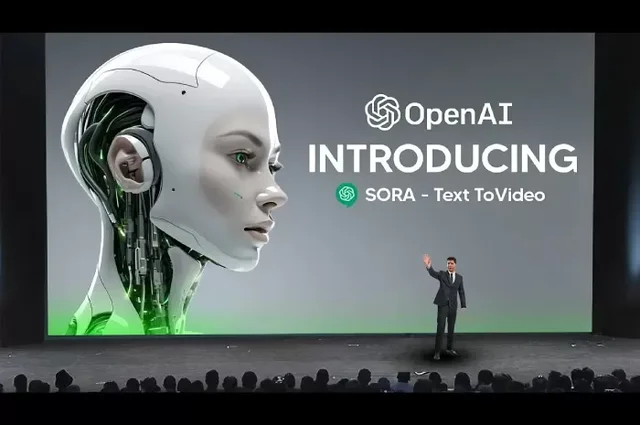
Chatgpt-4 & Sora: From Words To Videos, The Future Of A.I
Published 2/2025
Created by Ed Rubuliak
MP4 | Video: h264, 1280x720 | Audio: AAC, 44.1 KHz, 2 Ch
Level: All | Genre: eLearning | Language: English | Duration: 30 Lectures ( 9h 26m ) | Size: 4.44 GB
ATTENTION SOLOPRENEURS: The ChatGPT-4 & Sora Blueprint: Transforming Ideas into Stunning AI Videos
What you'll learn
How to generate professional-quality AI videos using ChatGPT-4 & Sora
Best practices for structuring, editing, and refining AI-generated content
How to use images and existing videos as input for AI video transformations
Advanced video editing techniques, including Recut, Blend, and Loop
How to seamlessly merge AI-generated and real-world footageHow to create smooth, cinematic transitions between AI clips
Strategies for optimizing and sharing AI videos on YouTube, Instagram, TikTok, and more
Requirements
A ChatGPT Plus or Pro account (as Sora is currently available through OpenAI's platform)
A basic understanding of video concepts (helpful but not mandatory)
A laptop or desktop computer with a stable internet connection
A passion for creative storytelling, AI technology, and digital content creation
Description
Unlock the Future of AI Video Creation with ChatGPT-4 & Sora!The world of AI-generated video content is evolving rapidly, and with ChatGPT-4 and Sora, you now have the tools to turn simple text prompts into visually stunning, high-quality videos. Whether you're a content creator, filmmaker, marketer, educator, or business professional, mastering AI-powered video creation can revolutionize the way you communicate, engage audiences, and bring ideas to life.In this comprehensive Udemy course, you'll learn how to harness the power of Sora to generate, edit, enhance, and share AI-generated videos effortlessly. We'll take you through a step-by-step journey, starting from the basics of Sora's interface to advanced techniques like blending AI videos with real footage, remixing clips, and creating seamless loops. By the end of the course, you'll have the skills and confidence to produce professional-quality AI videos with ease.What Makes This Course Unique?Unlike other AI video courses that merely introduce tools, this course is designed to give you hands-on expertise. You'll learn not just how to use Sora, but also how to refine and edit AI-generated videos, structure compelling video sequences, and optimize your content for different platforms.Step-by-Step Tutorials - From basic video generation to advanced AI filmmaking techniquesReal-World Applications - Learn how AI video can be used for marketing, storytelling, education, social media, and moreIn-Depth Editing & Enhancements - Go beyond basic video generation and master recutting, blending, looping, and remixing techniquesExport & Share Like a Pro - Understand video resolution, compression, and platform-specific optimizationsWho Should Take This Course?Content creators & social media influencers who want to generate stunning AI-powered videos effortlesslyMarketers & business owners looking for a cost-effective way to produce engaging promotional videosFilmmakers & video editors interested in blending AI-generated content with traditional footageEducators & trainers who need AI-assisted tools to create instructional videos quicklyArtists & storytellers eager to explore new frontiers in AI-driven storytelling and creativityWhat You'll Learn in This CourseThis course is structured into six modules, each packed with valuable lessons to help you become proficient in AI video creation with Sora.Module 1: Getting Started with SoraWhat is Sora? Understanding its capabilities and how it compares to other AI video toolsHow to sign up, log in, and navigate the Sora interfaceFrequently Asked Questions (FAQ) about SoraModule 2: Creating and Editing Videos in SoraHow to structure your AI video using the Storyboard featureStep-by-step guide to creating your first AI-generated videoEditing and enhancing AI videos for better quality and visual appealModule 3: Advanced Video Creation TechniquesUsing images and existing videos as input for AI-generated transformationsCombining multiple clips using Sora's StoryboardBest practices for editing, structuring, and refining AI-generated video sequencesModule 4: Taking Your Videos to the Next LevelHow to use 'Recut' to trim and refine AI-generated clipsRemixing videos for unique visual effects and storytelling approachesOrganizing AI-generated content efficiently for professional workflow managementUsing Blending techniques to merge AI-generated and real-world footage seamlesslyModule 5: Mastering Sora's Creative FeaturesCreating perfect looping videos for social media and ambient contentExploring and learning from community videos for inspirationHow to ethically and creatively leverage community-created videos in your own projectsModule 6: Wrapping Up & Sharing Your WorkExporting your AI videos in optimal format, resolution, and qualityBest practices for compressing files without losing qualityHow to distribute your AI videos effectively across platforms like YouTube, Instagram, and TikTokCourse ConclusionRecap of what you've learnedNext steps to continue growing as an AI video creatorFinal challenge to put your new skills into practiceSECTION 2: Learning ObjectivesBy the end of this course, you will be able to:Create AI-generated videos using Sora with custom prompts, images, and video inputsEdit and refine AI-generated videos using built-in tools like Recut, Blend, and LoopMaster advanced video techniques such as remixing, structuring scenes, and blending AI content with real-world footageOptimize AI videos for different platforms, ensuring high-quality resolution and smooth playbackLeverage community videos and collaborate with other AI creators for enhanced creative outputExport and share AI videos effectively, applying professional techniques for compression, distribution, and social media engagementSECTION 3: What You'll LearnHow to generate professional-quality AI videos using ChatGPT-4 & SoraBest practices for structuring, editing, and refining AI-generated contentHow to use images and existing videos as input for AI video transformationsAdvanced video editing techniques, including Recut, Blend, and LoopHow to seamlessly merge AI-generated and real-world footageHow to create smooth, cinematic transitions between AI clipsStrategies for optimizing and sharing AI videos on YouTube, Instagram, TikTok, and moreSECTION 4: Course RequirementsNo prior experience with AI video generation is required! However, to get the most out of this course, we recommend:A ChatGPT Plus or Pro account (as Sora is currently available through OpenAI's platform)A basic understanding of video concepts (helpful but not mandatory)A laptop or desktop computer with a stable internet connectionA passion for creative storytelling, AI technology, and digital content creationSECTION 5: Who This Course Is ForContent Creators & Social Media Managers - Learn how to create engaging AI-generated videos for platforms like TikTok, YouTube, and Instagram.Marketers & Business Owners - Quickly produce cost-effective, AI-driven promotional videos for marketing and branding.Filmmakers & Video Editors - Enhance your storytelling with AI-generated cinematic scenes, transitions, and motion effects.Educators & Trainers - Use AI to streamline video creation for online courses, instructional content, and educational materials.Artists & Storytellers - Experiment with new creative possibilities, blending AI visuals with artistic storytelling.Are You Ready to Master AI Video Creation? Enroll Now!This course is your gateway into the future of AI-powered video production. Whether you're looking to boost your content creation workflow, enhance your professional skills, or explore AI as a creative tool, this course will equip you with everything you need to succeed.Join us today and take your video storytelling to the next level with ChatGPT-4 & Sora!
Who this course is for
Content Creators & Social Media Managers - Learn how to create engaging AI-generated videos for platforms like TikTok, YouTube, and Instagram.
Marketers & Business Owners - Quickly produce cost-effective, AI-driven promotional videos for marketing and branding.
Filmmakers & Video Editors - Enhance your storytelling with AI-generated cinematic scenes, transitions, and motion effects.
Educators & Trainers - Use AI to streamline video creation for online courses, instructional content, and educational materials.
Artists & Storytellers - Experiment with new creative possibilities, blending AI visuals with artistic storytelling.
Homepage
