



• Regeln für den Video-Bereich:

    In den Börsenbereich gehören nur Angebote die bereits den Allgemeinen Regeln entsprechen.

    Einteilung

    - Folgende Formate gehören in die angegeben Bereiche:
    - Filme: Encodierte Filme von BluRay, DVD, R5, TV, Screener sowie Telesyncs im Format DivX, XviD und x264.
    - DVD: Filme im Format DVD5, DVD9 und HD2DVD.
    - HD: Encodierte Filme mit der Auflösung 720p oder darüber von BluRay, DVD, R5, TV, Screener sowie Telesyncs im Format x264.
    - 3D: Encodierte Filme von BluRay, die in einem 3D Format vorliegen. Dies gilt auch für Dokus, Animation usw.
    - Serien: Cartoon/Zeichentrick, Anime, Tutorials, Dokumentationen, Konzerte/Musik, Sonstiges sind demnach in die entsprechenden Bereiche einzuordnen, auch wenn sie beispielsweise im High Definition-Format oder als DVD5/DVD9/HD2DVD vorliegen. Ausnahme 3D.
    - Bereich Englisch: Englische Releases gehören immer in diesen Bereich.
    - Bereich Talk: Der Bereich, in dem über die Releases diskutiert werden kann, darf, soll und erwünscht ist.


    Angebot/Beitrag erstellen

    - Ein Beitrag darf erst dann erstellt werden, wenn der Upload bei mindestens einem OCH komplett ist. Platzhalter sind untersagt.
    - Bei einem Scenerelease hat der Threadtitel ausschließlich aus dem originalen, unveränderten Releasenamen zu bestehen. Es dürfen keine Veränderungen wie z.B. Sterne, kleine Buchstaben o.ä. vorgenommen werden. Ausnahme Serienbörse:
    - Bei einem Sammelthread für eine Staffel entfällt aus dem Releasename natürlich der Name der Folge. Beispiel: Die Simpsons S21 German DVDRip XviD - ITG
    - Dementsprechend sind also u.a. verboten: Erweiterungen wie "Tipp", "empfehlenswert", "only", "reup", usw. / jegliche andere Zusatzinformation oder Ergänzung, welche nicht in obiger Beschreibung zu finden ist.

    Aufbau des Angebots und Threadtitel

    Der Titel nach folgendem Muster erstellt zu werden. <Name> [3D] [Staffel] [German] <Jahr> <Tonspur> [DL] [Auflösung] <Quelle> <Codec> - <Group>
    Beispiel: The Dark Knight German 2008 AC3 DVDRip XviD - iND
    Beispiel: The Dark Knight 2008 DTS DL BDRip x264 - iND
    Beispiel: The Dark Knight 2008 AC3 DL BDRip XviD - iND
    Beispiel: The Dark Knight German 2008 AC3 720p BluRay x264 iND
    Beispiel: The Dark Knight 2008 DTS DL 1080p BluRay x264 iND
    Beispiel: Die Simpsons S01 German AC3 DVDRip XviD iND
    Beispiel: Die Simpsons S20 German AC3 720p BluRay x264 iND
    Beispiel: Sword Art Online II Ger Sub 2014 AAC 1080p WEBRip x264 - peppermint
    Entsprechend sind also u.a. verboten: Sonderzeichen wie Klammern, Sterne, Ausrufezeichen, Unterstriche, Anführungszeichen / Erweiterungen wie "Tipp", "empfehlenswert", "only", "reup", usw. / jegliche andere Zusatzinformation oder Ergänzung, welche nicht in obiger Beschreibung zu finden ist
    Ausnahmen hiervon können in den Bereichen geregelt sein.

    Die Beiträge sollen wie folgt aufgebaut werden:
    Überschrift entspricht dem Threadtitel
    Cover
    kurze Inhaltsbeschreibung
    Format, Größe, Dauer sind gut lesbar für Downloader außerhalb des Spoilers zu vermerken
    Nfo sind immer Anzugeben und selbige immer im Spoiler in Textform.
    Sind keine Nfo vorhanden z.B. Eigenpublikationen, sind im Spoiler folgende Dateiinformationen zusätzlich anzugeben :
    Quelle
    Video (Auflösung und Bitrate)
    Ton (Sprache, Format und Bitrate der einzelnen Spuren)
    Untertitel (sofern vorhanden)
    Hosterangabe in Textform außerhalb eines Spoiler mit allen enthaltenen Hostern.
    Bei SD kann auf diese zusätzlichen Dateiinformationen verzichtet werden.

    Alle benötigten Passwörter sind, sofern vorhanden, in Textform im Angebot anzugeben.
    Spoiler im Spoiler mit Kommentaren :"Schon Bedankt?" sind unerwünscht.


    Releases

    - Sind Retail-Release verfügbar, sind alle anderen Variationen untersagt. Ausnahmen: Alle deutschen Retail-Release sind CUT, in diesem Fall sind dubbed UNCUT-Release zulässig.
    - Im Serien-Bereich gilt speziell: Wenn ein Retail vor Abschluss einer laufenden Staffel erscheint, darf diese Staffel noch zu Ende gebracht werden.62
    - Gleiche Releases sind unbedingt zusammenzufassen. Das bedeutet, es ist zwingend erforderlich, vor dem Erstellen eines Themas per Suchfunktion zu überprüfen, ob bereits ein Beitrag mit demselben Release besteht. Ist dies der Fall, ist der bereits vorhandene Beitrag zu verwenden.
    - P2P und Scene Releases dürfen nicht verändert oder gar unter einem iND Tag eingestellt werden.


    Support, Diskussionen und Suche

    - Supportanfragen sind entweder per PN oder im Bereich Talk zu stellen.
    - Diskussionen und Bewertungen sind im Talk Bereich zu führen. Fragen an die Uploader haben ausschließlich via PN zu erfolgen, und sind in den Angeboten untersagt.
    - Anfragen zu Upload-Wünschen sind nur im Bereich Suche Video erlaubt. Antworten dürfen nur auf Angebote von MyBoerse.bz verlinkt werden.


    Verbote

    - Untersagt sind mehrere Formate in einem einzigen Angebotsthread, wie beispielsweise das gleichzeitige Anbieten von DivX/XviD, 720p und 1080p in einem Thread. Pro Format, Release und Auflösung ist ein eigener Thread zu eröffnen.
    - Grundsätzlich ebenso verboten sind Dupes. Uploader haben sich an geeigneter Stelle darüber zu informieren, ob es sich bei einem Release um ein Dupe handelt.
    - Gefakte, nur teilweise lauffähige oder unvollständige Angebote sind untersagt. Dies gilt auch für eigene Publikationen, die augenscheinlich nicht selbst von z.B. einer DVD gerippt wurden. Laufende Serien, bei denen noch nicht alle Folgen verfügbar sind, dürfen erstellt und regelmäßig geupdatet werden.
    - Untersagt sind Angebote, welche nur und ausschließlich in einer anderen Sprache als deutsch oder englisch vorliegen. Ausnahmen sind VORHER mit den Moderatoren zu klären.


    Verstoß gegen die Regeln

    - Angebote oder Beiträge, die gegen die Forenregeln verstoßen, sind über den "Melden"-Button im Beitrag zu melden.
  • Bitte registriere dich zunächst um Beiträge zu verfassen und externe Links aufzurufen.

*** Bestes IPTV *** bester Preis *** gratis Test ***


Ccna 200 - 301: Your First Step To Become A NetWork Engineer!

ad-team

MyBoerse.bz Pro Member
32399d24b6a097c97daef56a0d712547.jpg


Ccna 200-301: Your First Step To Become A Network Engineer!
Published 5/2024
MP4 | Video: h264, 1920x1080 | Audio: AAC, 44.1 KHz
Language: English​
| Size: 3.10 GB[/center]
| Duration: 11h 39m
CCNA 200-301 Complete Course in English

What you'll learn

You will have in-depth Networking Fundamentals knowledge

You will be introduced to Networking Protocols

You will have Security Foundational Skills

How IP Addressing & IP Services work?

Intoduction to Automation & Programmability

Requirements

No technical or networking knowledge needed

Description

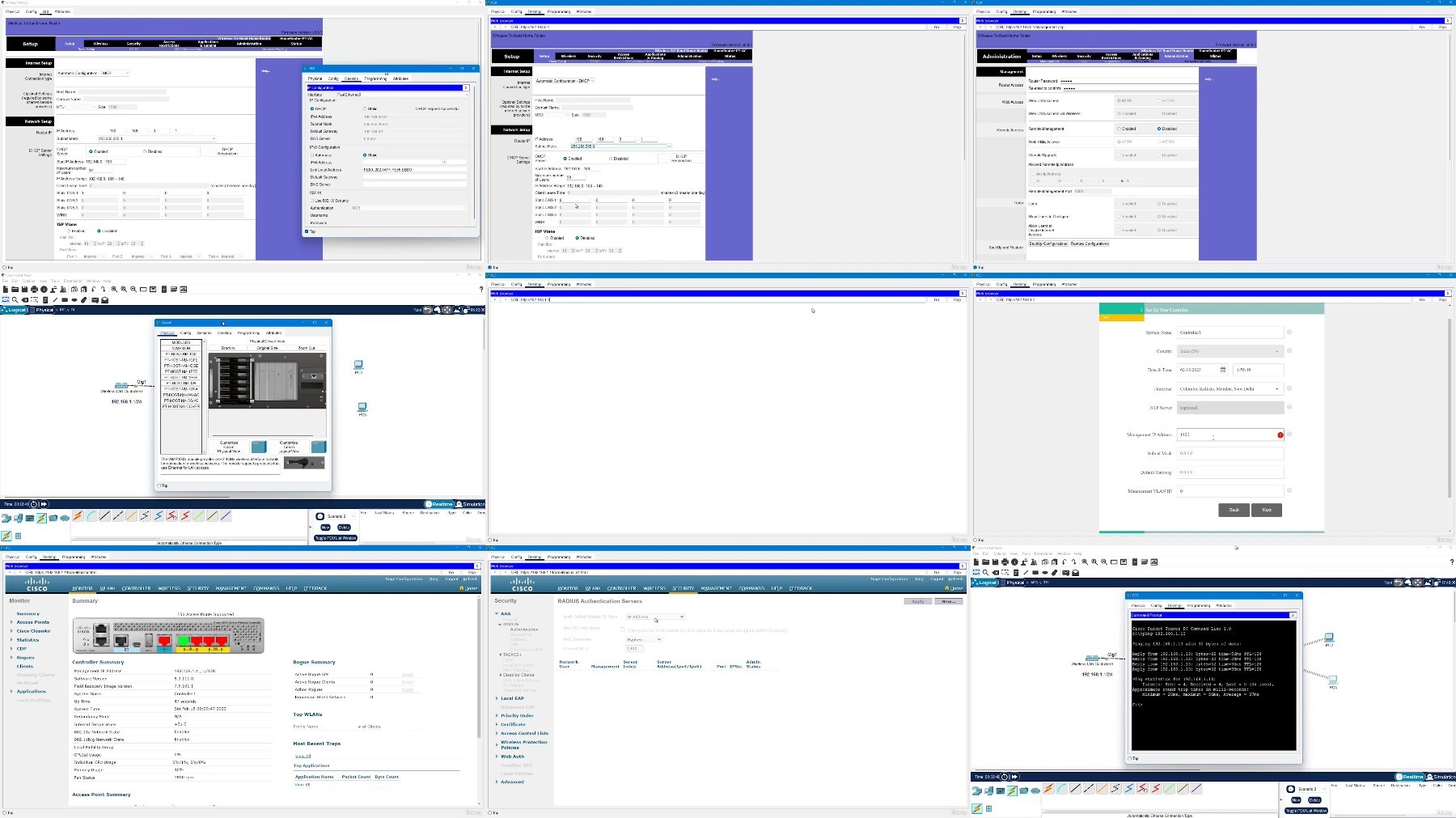
Welcome to PyNet Labs' CCNA 200-301 Course. Our CCNA course is a great fit for both, experienced and fresher in the networking domain as we cover CCNA 200-301, the latest version of Cisco Certified Network Associate.Our CCNA full course comes with all-inclusive videos, study notes, lab exercises, assignments, and some active Q&A/quizzes to make this learning experience more interactive.In the CCNA course, you will get an understanding of the networking fundamentals theoretically as well as practically. CCNA course provides conceptual knowledge of the latest networking technologies, security, automation, and programmability.The modules have the required lab sessions to provide the step-by-step process to work with the networks. All the concepts are explained from the very basics to the intermediate level, and it comprises studying network fundamentals, network access, IP connectivity, IP services, security fundamentals, automation, and programmability.Major Course Outline to be covered during the CCNA 200-301 course:Network FundamentalsNetwork AccessIP ConnectivityIP ServicesSecurity FundamentalsAutomation and ProgrammabilityLearning outcomes include:Learning about networking devices, and how to install, operate, and configure them. What are the various routing protocols, how to verify IPv4 and IPv6, and basic security protocols to protect your network from threat.

Overview

Section 1: Chapter 1: Exploring Networks

Lecture 1 Exploring the Functions of Networking

Lecture 2 Introduction To LANs, Working of Switch

Lecture 3 Fundamentals of a Router

Lecture 4 Explaining the Evolution of Intelligent Networks

Lecture 5 Introducing System Monitoring

Lecture 6 Managing Cisco Devices

Lecture 7 Exploring the Functions of Routing

Section 2: Communication Protocol

Lecture 8 Introduction to Host-to-Host Communication Model

Lecture 9 Exploring Data Link Layer

Lecture 10 Introducing the TCP/IP Internet Layer, IPv4 Addressing and Subnets

Lecture 11 Introduction to Subnetting

Lecture 12 Explaining the TCP/IP Transport Layer And Application Layer

Lecture 13 Operating Cisco IOS Software

Lecture 14 Introducing Architectures and Virtualization

Section 3: Introduction to CCNA 200-301 Labs over Cisco Packet Tracer

Lecture 15 Get started with Cisco Command Line Interface

Lecture 16 Configuring Interface

Lecture 17 Configure Default Gateway

Lecture 18 Exploring The Packet Delivery Process

Lecture 19 Observe How A Switch Operates

Lecture 20 Perform Basic Switch Configuration

Lecture 21 Implement The Initial Switch Configuration

Lecture 22 Inspect TCP/IP Applications Part 1

Lecture 23 Inspect TCP/IP Applications Part 2

Lecture 24 Troubleshooting A Simple Network

Section 4: OSPF (Open Shortest Path First)

Lecture 25 Introducing OSPF

Lecture 26 Configuring and Verifying Single Area OSPF

Section 5: VLAN (Virtual LAN)

Lecture 27 Configuring VLANs and Trunk

Lecture 28 Troubleshooting VLANs and Trunks

Lecture 29 Configuring Router On A Stick

Lecture 30 Implement An Initial Router Configuration

Lecture 31 Configure and Verify Layer 2 Discovery Protocols

Lecture 32 Configuring Inter-VLAN (SVI)

Section 6: NTP

Lecture 33 Configure and Verify NTP

Lecture 34 Configure System Message Logging

Lecture 35 Create The Cisco iOS Image Backup

Lecture 36 Upgrade Cisco iOS Image

Section 7: EtherChannel

Lecture 37 Configuring a PAgP EtherChannel

Lecture 38 Configuring a LACP EtherChannel

Lecture 39 Configuring a Static EtherChannel

Lecture 40 Building Redundant Switched Topologies

Lecture 41 Improving Redundant Switched Topologies with EtherChannel

Section 8: Security

Lecture 42 Implement Port Address Translation (PAT)

Lecture 43 Configure And Verify Port Security

Lecture 44 Troubleshoot Port Duplex Issues

Lecture 45 Troubleshoot Switch Media and Port Issues

Section 9: DHCP

Lecture 46 Configure a DHCP Scope

Section 10: ACL

Lecture 47 Configuring Numbered ACL

Lecture 48 Configuring Named ACL

Section 11: NAT

Lecture 49 Configuring Static NAT

Lecture 50 Configure Dynamic NAT and Port Address Translation

Lecture 51 Introducing QoS

Section 12: Wireless

Lecture 52 Explaining Wireless Fundamentals

Lecture 53 Introducing WAN Technologies

Section 13: Internet Protocol

Lecture 54 Configuring and Implementing IPV4 Static Routes

Lecture 55 Configure a Provider - Assigned IPv4 Address

Lecture 56 IPv6

Lecture 57 Configure Basic IPv6 Connectivity

Lecture 58 Configuring and Implementing IPV6 Static Routing

Section 14: Network Security

Lecture 59 Examining the Security Threat Landscape

Lecture 60 Log into the WLC

Section 15: Automation & Programmability

Lecture 61 Secure Console and Remote Access

Lecture 62 Define a Remote Access Dial-In User Service (RADIUS) Server

Lecture 63 Explore the Cisco DNA™ CenterExplore the Cisco DNA™ Center

Section 16: Quiz

Entry-level network engineers,Freshers
DYkvQFSk_o.jpg


Free search engine download: CCNA 200301 Your First Step to Become a Network Engineer

 
Zurück
Oben Unten