• Regeln für den Video-Bereich:

    In den Börsenbereich gehören nur Angebote die bereits den Allgemeinen Regeln entsprechen.

    Einteilung

    - Folgende Formate gehören in die angegeben Bereiche:
    - Filme: Encodierte Filme von BluRay, DVD, R5, TV, Screener sowie Telesyncs im Format DivX, XviD und x264.
    - DVD: Filme im Format DVD5, DVD9 und HD2DVD.
    - HD: Encodierte Filme mit der Auflösung 720p oder darüber von BluRay, DVD, R5, TV, Screener sowie Telesyncs im Format x264.
    - 3D: Encodierte Filme von BluRay, die in einem 3D Format vorliegen. Dies gilt auch für Dokus, Animation usw.
    - Serien: Cartoon/Zeichentrick, Anime, Tutorials, Dokumentationen, Konzerte/Musik, Sonstiges sind demnach in die entsprechenden Bereiche einzuordnen, auch wenn sie beispielsweise im High Definition-Format oder als DVD5/DVD9/HD2DVD vorliegen. Ausnahme 3D.
    - Bereich Englisch: Englische Releases gehören immer in diesen Bereich.
    - Bereich Talk: Der Bereich, in dem über die Releases diskutiert werden kann, darf, soll und erwünscht ist.


    Angebot/Beitrag erstellen

    - Ein Beitrag darf erst dann erstellt werden, wenn der Upload bei mindestens einem OCH komplett ist. Platzhalter sind untersagt.
    - Bei einem Scenerelease hat der Threadtitel ausschließlich aus dem originalen, unveränderten Releasenamen zu bestehen. Es dürfen keine Veränderungen wie z.B. Sterne, kleine Buchstaben o.ä. vorgenommen werden. Ausnahme Serienbörse:
    - Bei einem Sammelthread für eine Staffel entfällt aus dem Releasename natürlich der Name der Folge. Beispiel: Die Simpsons S21 German DVDRip XviD - ITG
    - Dementsprechend sind also u.a. verboten: Erweiterungen wie "Tipp", "empfehlenswert", "only", "reup", usw. / jegliche andere Zusatzinformation oder Ergänzung, welche nicht in obiger Beschreibung zu finden ist.

    Aufbau des Angebots und Threadtitel

    Der Titel nach folgendem Muster erstellt zu werden. <Name> [3D] [Staffel] [German] <Jahr> <Tonspur> [DL] [Auflösung] <Quelle> <Codec> - <Group>
    Beispiel: The Dark Knight German 2008 AC3 DVDRip XviD - iND
    Beispiel: The Dark Knight 2008 DTS DL BDRip x264 - iND
    Beispiel: The Dark Knight 2008 AC3 DL BDRip XviD - iND
    Beispiel: The Dark Knight German 2008 AC3 720p BluRay x264 iND
    Beispiel: The Dark Knight 2008 DTS DL 1080p BluRay x264 iND
    Beispiel: Die Simpsons S01 German AC3 DVDRip XviD iND
    Beispiel: Die Simpsons S20 German AC3 720p BluRay x264 iND
    Beispiel: Sword Art Online II Ger Sub 2014 AAC 1080p WEBRip x264 - peppermint
    Entsprechend sind also u.a. verboten: Sonderzeichen wie Klammern, Sterne, Ausrufezeichen, Unterstriche, Anführungszeichen / Erweiterungen wie "Tipp", "empfehlenswert", "only", "reup", usw. / jegliche andere Zusatzinformation oder Ergänzung, welche nicht in obiger Beschreibung zu finden ist
    Ausnahmen hiervon können in den Bereichen geregelt sein.

    Die Beiträge sollen wie folgt aufgebaut werden:
    Überschrift entspricht dem Threadtitel
    Cover
    kurze Inhaltsbeschreibung
    Format, Größe, Dauer sind gut lesbar für Downloader außerhalb des Spoilers zu vermerken
    Nfo sind immer Anzugeben und selbige immer im Spoiler in Textform.
    Sind keine Nfo vorhanden z.B. Eigenpublikationen, sind im Spoiler folgende Dateiinformationen zusätzlich anzugeben :
    Quelle
    Video (Auflösung und Bitrate)
    Ton (Sprache, Format und Bitrate der einzelnen Spuren)
    Untertitel (sofern vorhanden)
    Hosterangabe in Textform außerhalb eines Spoiler mit allen enthaltenen Hostern.
    Bei SD kann auf diese zusätzlichen Dateiinformationen verzichtet werden.

    Alle benötigten Passwörter sind, sofern vorhanden, in Textform im Angebot anzugeben.
    Spoiler im Spoiler mit Kommentaren :"Schon Bedankt?" sind unerwünscht.


    Releases

    - Sind Retail-Release verfügbar, sind alle anderen Variationen untersagt. Ausnahmen: Alle deutschen Retail-Release sind CUT, in diesem Fall sind dubbed UNCUT-Release zulässig.
    - Im Serien-Bereich gilt speziell: Wenn ein Retail vor Abschluss einer laufenden Staffel erscheint, darf diese Staffel noch zu Ende gebracht werden.62
    - Gleiche Releases sind unbedingt zusammenzufassen. Das bedeutet, es ist zwingend erforderlich, vor dem Erstellen eines Themas per Suchfunktion zu überprüfen, ob bereits ein Beitrag mit demselben Release besteht. Ist dies der Fall, ist der bereits vorhandene Beitrag zu verwenden.
    - P2P und Scene Releases dürfen nicht verändert oder gar unter einem iND Tag eingestellt werden.


    Support, Diskussionen und Suche

    - Supportanfragen sind entweder per PN oder im Bereich Talk zu stellen.
    - Diskussionen und Bewertungen sind im Talk Bereich zu führen. Fragen an die Uploader haben ausschließlich via PN zu erfolgen, und sind in den Angeboten untersagt.
    - Anfragen zu Upload-Wünschen sind nur im Bereich Suche Video erlaubt. Antworten dürfen nur auf Angebote von MyBoerse.bz verlinkt werden.


    Verbote

    - Untersagt sind mehrere Formate in einem einzigen Angebotsthread, wie beispielsweise das gleichzeitige Anbieten von DivX/XviD, 720p und 1080p in einem Thread. Pro Format, Release und Auflösung ist ein eigener Thread zu eröffnen.
    - Grundsätzlich ebenso verboten sind Dupes. Uploader haben sich an geeigneter Stelle darüber zu informieren, ob es sich bei einem Release um ein Dupe handelt.
    - Gefakte, nur teilweise lauffähige oder unvollständige Angebote sind untersagt. Dies gilt auch für eigene Publikationen, die augenscheinlich nicht selbst von z.B. einer DVD gerippt wurden. Laufende Serien, bei denen noch nicht alle Folgen verfügbar sind, dürfen erstellt und regelmäßig geupdatet werden.
    - Untersagt sind Angebote, welche nur und ausschließlich in einer anderen Sprache als deutsch oder englisch vorliegen. Ausnahmen sind VORHER mit den Moderatoren zu klären.


    Verstoß gegen die Regeln

    - Angebote oder Beiträge, die gegen die Forenregeln verstoßen, sind über den "Melden"-Button im Beitrag zu melden.
  • Bitte registriere dich zunächst um Beiträge zu verfassen und externe Links aufzurufen.

*** Bestes IPTV *** bester Preis *** gratis Test ***


CBTNuggets - Cisco CCNA - 200-301 - Cisco Certification Training

Tutorials

MyBoerse.bz Pro Member
28b4495ed1273ba5fa80c83e09733680.jpeg

Free Download Cisco CCNA - 200-301 - Cisco Certification Training - CBTNuggets
Last updated 3/2023
MP4 | Video: h264, 1280x720 | Audio: AAC, 44.1 KHz, 2 Ch
Genre: eLearning | Language: English | Duration: 433 Lessons (58h 50m) | Size: 24.4 GB
In this entry-level Cisco CCNA training, Keith Barker, Jeremy Cioara, and Chuck Keith prepare learners to take the 200-301 CCNA exam - the one exam required to earn the Cisco Certified Network Associate certification.

Cisco technologies are everywhere, which means properly trained professionals with the CCNA certification will continue to be sought after. After taking this CCNA course, you'll be ready to take the 200-301 CCNA, and validate the entry-level skills expected of a network administrator.
For anyone who manages network administrators, this training can be used for 200-301 CCNA exam prep, on-boarding new network administrators, or as part of a team training plan.
Free Download 200-301 CCNA: What You Need to Know
For any network administrator using this training for exam preparation, our CCNA course maps to the Cisco 200-301 CCNA exams objectives, and covers topics such as
Routing protocols, including OSPFv2 for IPv4, OSPFv3 for IPv6, EIGRP for IPv4, and EIGRP for IPv6
VLANs, STP, and EtherChannel (static, PAGP, and LACP)
WAN technologies, such as PPP, MLPPP, PPPoE, and GRE
Quality of server (QoS), including marking, shaping, and prioritization of voice, video, and data
Device monitoring protocols, including SNMPv2 and SNMPv3
Device management using AAA (authentication, authorization, and accounting) with TACACS+ and RADIUS
Who Should Take 200-301 CCNA Training?
This CCNA training is considered associate-level Cisco training, which means it was designed for junior network administrators. This 200-301 CCNA course is valuable for new IT professionals with at least a year of experience with networks and experienced network administrators looking to validate their Cisco skills.
New or aspiring network administrators. Learning networking technologies for the first time can seem like a daunting task. From subnetting to spanning trees, there is a lot to study and understand. Our CCNA training lays it all out for the new network professional. The course is both broad and deep, covering important topics in a way that prepares you for the challenging CCNA exams.
Experienced network administrators. The technologies associated with Cisco routing and switching have been around for a long time now. But in the fast-paced telecommunications industry, a good deal of the technology changes every year. That's why Cisco requires regular recertification for CCNA professionals. CCNA training will help experienced professionals refresh their skills and prepare for recertification.
Homepage


Recommend Download Link Hight Speed | Please Say Thanks Keep Topic Live
Links are Interchangeable - Single Extraction

 

8588df4ecab009b2be80d8fc6d5dc874.jpg

Cisco Certification Training | 200-301 | Cisco CCNA
.TS, AVC, 1280x720, 30 fps | English, AAC, 2 Ch | 58h | 15.05 GB
Instructors: Jeremy Cioara, Keith Barker, Chuck Keith​

Networking, IP connectivity, network security, and network automation are some of the topics you'll cover as you prepare for the 200-301 CCNA, the one exam you need to pass to earn the new Cisco Certified Network Associate v2.0 certification.

Cover a broad range of networking fundamentals you'll need for your career in IT technologies:

Understand routers, L2 and L3 switches, next-generation firewalls (NGFWs), and wireless access points (WAPs)
Implement static routing and dynamic routing protocols, such as OSPF (Open Shortest Path First)
Explain and configure IP services, including NAT, NTP, DHCP, DNS, SNMP, QoS, and SSH
Understanding Spanning Tree Protocol (STP), trunk ports, 802.1Q, and Native VLAN
Configure and verify IPv4 and IPv6 Internet Protocol addressing
Define security concepts, such as threats, vulnerabilities, and multi-factor authentication (MFA)
Implement site-to-site VPN, access control lists (ACLs), and Layer 2 security features
Understand wireless LAN (WLAN) and wireless security protocols, such as WPA, WPA2, and WPA3
Configure the Cisco Discovery Protocol (CDP), Link Layer Discovery Protocol (LLDP), and EtherChannel (LACP)
Describe controller-based networks, software-defined networks (SDN), network programmability, Cisco DNA Center, Puppet, Chef, and Ansible

Start this series today to prepare for the new CCNA certification, which goes live on February 24, 2020.

Introduction to CCNA (200-301) with Jeremy 1 Jeremy Cioara
Introduction to CCNA (200-301) with Keith 1 Keith Barker
Introduction to CCNA (200-301) with NetworkChuck 1 Chuck Keith
Build a Physical Cisco Lab Environment 8 Jeremy Cioara
Set Up Packet Tracer for Hands-On Cisco Practice 9 Keith Barker
Describe Network Functions and Equipment 6 Jeremy Cioara
Explain Network Communication Using the OSI and TCP/IP Model 8 Jeremy Cioara
Describe Common Network Architectures 9 Jeremy Cioara
Discern Copper and Fiber Optic Network Cable Characteristics 6 Jeremy Cioara
Connect and Navigate Cisco Internetwork Operating System (IOS) 10 Jeremy Cioara
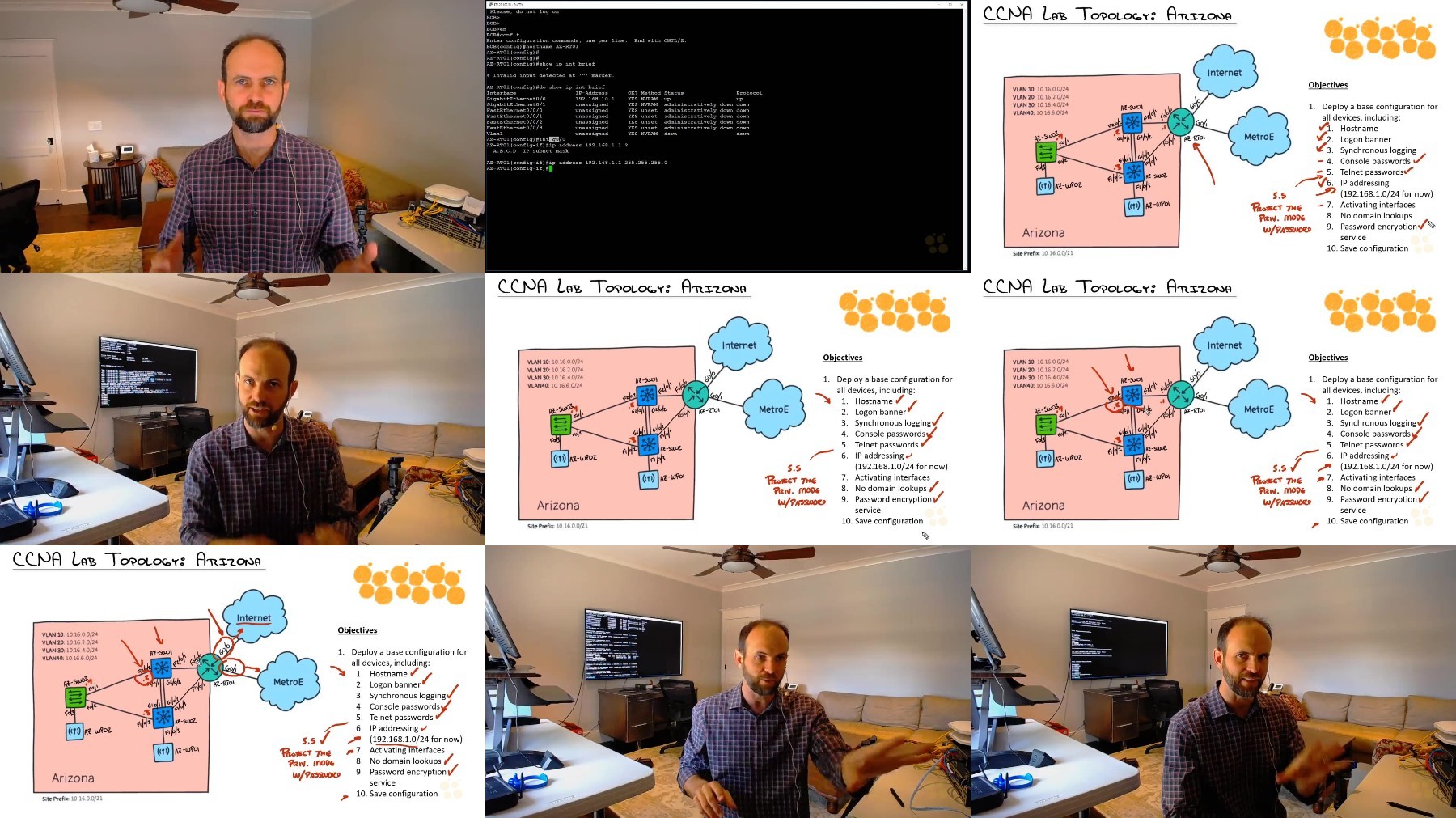
Create a Base Configuration for Cisco Devices 8 Jeremy Cioara
Create a Base Configuration for Cisco Devices Hands-On Lab 7 Keith Barker
Wireshark Fundamentals: Capturing, Viewing, and Filtering Data 9 Jeremy Cioara
Describe and Analyze TCP and UDP Communication 6 Jeremy Cioara
Configure Windows, MAC, or Linux for Network Access 5 Jeremy Cioara
Describe Network Switch Functions and How to Locate Network Devices 7 Jeremy Cioara
Diagnose Interface Status, Errors, and Cabling Issues on a Cisco Switch 6 Jeremy Cioara
Describe Power over Ethernet (PoE) Capabilities and Standards 5 Jeremy Cioara
Explain IP Addressing and Subnetting Concepts 6 Jeremy Cioara
Convert Decimal to Binary and Back 4 Jeremy Cioara
Perform Subnetting Based on Network Requirements 6 Jeremy Cioara
Perform Subnetting Based on Host Requirements 6 Jeremy Cioara
Reverse Engineering Subnets and Using VLSM 5 Jeremy Cioara
Describe IPv6 Core Addressing Concepts 9 Jeremy Cioara
Design a Basic Wireless Network 5 Jeremy Cioara
Explain VLANs and Configure VLANs on a Single Switch 7 Jeremy Cioara
Configure Trunking Between Switches, WAPs, and Servers 10 Jeremy Cioara
Create a Network Diagram with Cisco CDP and LLDP 6 Jeremy Cioara
Design and Configure a Rapid Spanning Tree Protocol (STP) Network 8 Jeremy Cioara
Increase Network Capacity Using EtherChannel 5 Jeremy Cioara
Configure a Basic Cisco Wireless Network using the WLC GUI 5 Jeremy Cioara
Explain End-To-End IP Communications 8 Keith Barker
Configure and Verify Cisco IPv4 Static Routes 13 Keith Barker
Configure and Verify Cisco IPv6 Static Routes 9 Keith Barker
Describe Cisco Dynamic IPv4 Routing with OSPF 14 Keith Barker
Implement Cisco Dynamic IPv4 Routing with OSPF 11 Keith Barker
Configure and Verify First Hop Redundancy Protocols (FHRP) 7 Keith Barker
Interpret and Describe a Cisco IP Routing Table 9 Keith Barker
Predict a Cisco Router's IP Forwarding Decisions 10 Keith Barker
Configure and Verify Cisco's Router on a Stick 5 Keith Barker
Troubleshoot an IP Network 7 Keith Barker
Cisco NAT Concepts and Base Configurations: Static and Overload 7 Jeremy Cioara
Configure and Verify Cisco NTP 5 Jeremy Cioara
Configure DHCP Server and Relay Functions 6 Jeremy Cioara
Explain Common Network Services: SNMP, Syslog, QoS, and TFTP-FTP 6 Jeremy Cioara
Define Key Concepts Regarding Network Security 7 Keith Barker
Describe Security Program Elements 4 Keith Barker
Describe Elements of Secure Password Policies 5 Keith Barker
Configure Cisco Device Access Control Using Local Passwords 8 Keith Barker
Summarize and Differentiate AAA Concepts 7 Keith Barker
Apply and Verify Cisco Access Control Lists 12 Keith Barker
Configure and Verify Cisco Port Security 8 Keith Barker
Configure and Verify Cisco DHCP Snooping 7 Keith Barker
Configure and Verify Cisco Dynamic ARP Inspection 8 Keith Barker
Describe Remote Access and Site-to-Site VPNs 8 Keith Barker
Describe, Configure, and Verify Wireless Security protocols 7 Keith Barker
What is Network Automation? 6 Chuck Keith
Use REST APIs and JSON 11 Chuck Keith
Controller-Based Networking 11 Chuck Keith
Network Automation Tools: Ansible, Puppet, and Chef 6 Chuck Keith


IEqrcvx8_o.jpg


59e29283e7ac4b8e668489a4edc38d7b.jpg

Cisco Certification Training | 200-301 | Cisco CCNA
.TS, AVC, 1280x720, 30 fps | English, AAC, 2 Ch | 58h | 15.05 GB
Instructors: Jeremy Cioara, Keith Barker, Chuck Keith​

Networking, IP connectivity, network security, and network automation are some of the topics you'll cover as you prepare for the 200-301 CCNA, the one exam you need to pass to earn the new Cisco Certified Network Associate v2.0 certification.

Cover a broad range of networking fundamentals you'll need for your career in IT technologies:

Understand routers, L2 and L3 switches, next-generation firewalls (NGFWs), and wireless access points (WAPs)
Implement static routing and dynamic routing protocols, such as OSPF (Open Shortest Path First)
Explain and configure IP services, including NAT, NTP, DHCP, DNS, SNMP, QoS, and SSH
Understanding Spanning Tree Protocol (STP), trunk ports, 802.1Q, and Native VLAN
Configure and verify IPv4 and IPv6 Internet Protocol addressing
Define security concepts, such as threats, vulnerabilities, and multi-factor authentication (MFA)
Implement site-to-site VPN, access control lists (ACLs), and Layer 2 security features
Understand wireless LAN (WLAN) and wireless security protocols, such as WPA, WPA2, and WPA3
Configure the Cisco Discovery Protocol (CDP), Link Layer Discovery Protocol (LLDP), and EtherChannel (LACP)
Describe controller-based networks, software-defined networks (SDN), network programmability, Cisco DNA Center, Puppet, Chef, and Ansible

Start this series today to prepare for the new CCNA certification, which goes live on February 24, 2020.

Introduction to CCNA (200-301) with Jeremy 1 Jeremy Cioara
Introduction to CCNA (200-301) with Keith 1 Keith Barker
Introduction to CCNA (200-301) with NetworkChuck 1 Chuck Keith
Build a Physical Cisco Lab Environment 8 Jeremy Cioara
Set Up Packet Tracer for Hands-On Cisco Practice 9 Keith Barker
Describe Network Functions and Equipment 6 Jeremy Cioara
Explain Network Communication Using the OSI and TCP/IP Model 8 Jeremy Cioara
Describe Common Network Architectures 9 Jeremy Cioara
Discern Copper and Fiber Optic Network Cable Characteristics 6 Jeremy Cioara
Connect and Navigate Cisco Internetwork Operating System (IOS) 10 Jeremy Cioara
Create a Base Configuration for Cisco Devices 8 Jeremy Cioara
Create a Base Configuration for Cisco Devices Hands-On Lab 7 Keith Barker
Wireshark Fundamentals: Capturing, Viewing, and Filtering Data 9 Jeremy Cioara
Describe and Analyze TCP and UDP Communication 6 Jeremy Cioara
Configure Windows, MAC, or Linux for Network Access 5 Jeremy Cioara
Describe Network Switch Functions and How to Locate Network Devices 7 Jeremy Cioara
Diagnose Interface Status, Errors, and Cabling Issues on a Cisco Switch 6 Jeremy Cioara
Describe Power over Ethernet (PoE) Capabilities and Standards 5 Jeremy Cioara
Explain IP Addressing and Subnetting Concepts 6 Jeremy Cioara
Convert Decimal to Binary and Back 4 Jeremy Cioara
Perform Subnetting Based on Network Requirements 6 Jeremy Cioara
Perform Subnetting Based on Host Requirements 6 Jeremy Cioara
Reverse Engineering Subnets and Using VLSM 5 Jeremy Cioara
Describe IPv6 Core Addressing Concepts 9 Jeremy Cioara
Design a Basic Wireless Network 5 Jeremy Cioara
Explain VLANs and Configure VLANs on a Single Switch 7 Jeremy Cioara
Configure Trunking Between Switches, WAPs, and Servers 10 Jeremy Cioara
Create a Network Diagram with Cisco CDP and LLDP 6 Jeremy Cioara
Design and Configure a Rapid Spanning Tree Protocol (STP) Network 8 Jeremy Cioara
Increase Network Capacity Using EtherChannel 5 Jeremy Cioara
Configure a Basic Cisco Wireless Network using the WLC GUI 5 Jeremy Cioara
Explain End-To-End IP Communications 8 Keith Barker
Configure and Verify Cisco IPv4 Static Routes 13 Keith Barker
Configure and Verify Cisco IPv6 Static Routes 9 Keith Barker
Describe Cisco Dynamic IPv4 Routing with OSPF 14 Keith Barker
Implement Cisco Dynamic IPv4 Routing with OSPF 11 Keith Barker
Configure and Verify First Hop Redundancy Protocols (FHRP) 7 Keith Barker
Interpret and Describe a Cisco IP Routing Table 9 Keith Barker
Predict a Cisco Router's IP Forwarding Decisions 10 Keith Barker
Configure and Verify Cisco's Router on a Stick 5 Keith Barker
Troubleshoot an IP Network 7 Keith Barker
Cisco NAT Concepts and Base Configurations: Static and Overload 7 Jeremy Cioara
Configure and Verify Cisco NTP 5 Jeremy Cioara
Configure DHCP Server and Relay Functions 6 Jeremy Cioara
Explain Common Network Services: SNMP, Syslog, QoS, and TFTP-FTP 6 Jeremy Cioara
Define Key Concepts Regarding Network Security 7 Keith Barker
Describe Security Program Elements 4 Keith Barker
Describe Elements of Secure Password Policies 5 Keith Barker
Configure Cisco Device Access Control Using Local Passwords 8 Keith Barker
Summarize and Differentiate AAA Concepts 7 Keith Barker
Apply and Verify Cisco Access Control Lists 12 Keith Barker
Configure and Verify Cisco Port Security 8 Keith Barker
Configure and Verify Cisco DHCP Snooping 7 Keith Barker
Configure and Verify Cisco Dynamic ARP Inspection 8 Keith Barker
Describe Remote Access and Site-to-Site VPNs 8 Keith Barker
Describe, Configure, and Verify Wireless Security protocols 7 Keith Barker
What is Network Automation? 6 Chuck Keith
Use REST APIs and JSON 11 Chuck Keith
Controller-Based Networking 11 Chuck Keith
Network Automation Tools: Ansible, Puppet, and Chef 6 Chuck Keith


OYXs0UMi_o.jpg


b6e21ad4350a6e53129236e573f1a8d7.jpg

Cisco Certification Training | 200-301 | Cisco CCNA
.TS, AVC, 1280x720, 30 fps | English, AAC, 2 Ch | 58h | 15.05 GB
Instructors: Jeremy Cioara, Keith Barker, Chuck Keith​

Networking, IP connectivity, network security, and network automation are some of the topics you'll cover as you prepare for the 200-301 CCNA, the one exam you need to pass to earn the new Cisco Certified Network Associate v2.0 certification.

Cover a broad range of networking fundamentals you'll need for your career in IT technologies:

Understand routers, L2 and L3 switches, next-generation firewalls (NGFWs), and wireless access points (WAPs)
Implement static routing and dynamic routing protocols, such as OSPF (Open Shortest Path First)
Explain and configure IP services, including NAT, NTP, DHCP, DNS, SNMP, QoS, and SSH
Understanding Spanning Tree Protocol (STP), trunk ports, 802.1Q, and Native VLAN
Configure and verify IPv4 and IPv6 Internet Protocol addressing
Define security concepts, such as threats, vulnerabilities, and multi-factor authentication (MFA)
Implement site-to-site VPN, access control lists (ACLs), and Layer 2 security features
Understand wireless LAN (WLAN) and wireless security protocols, such as WPA, WPA2, and WPA3
Configure the Cisco Discovery Protocol (CDP), Link Layer Discovery Protocol (LLDP), and EtherChannel (LACP)
Describe controller-based networks, software-defined networks (SDN), network programmability, Cisco DNA Center, Puppet, Chef, and Ansible

Start this series today to prepare for the new CCNA certification, which goes live on February 24, 2020.

Introduction to CCNA (200-301) with Jeremy 1 Jeremy Cioara
Introduction to CCNA (200-301) with Keith 1 Keith Barker
Introduction to CCNA (200-301) with NetworkChuck 1 Chuck Keith
Build a Physical Cisco Lab Environment 8 Jeremy Cioara
Set Up Packet Tracer for Hands-On Cisco Practice 9 Keith Barker
Describe Network Functions and Equipment 6 Jeremy Cioara
Explain Network Communication Using the OSI and TCP/IP Model 8 Jeremy Cioara
Describe Common Network Architectures 9 Jeremy Cioara
Discern Copper and Fiber Optic Network Cable Characteristics 6 Jeremy Cioara
Connect and Navigate Cisco Internetwork Operating System (IOS) 10 Jeremy Cioara
Create a Base Configuration for Cisco Devices 8 Jeremy Cioara
Create a Base Configuration for Cisco Devices Hands-On Lab 7 Keith Barker
Wireshark Fundamentals: Capturing, Viewing, and Filtering Data 9 Jeremy Cioara
Describe and Analyze TCP and UDP Communication 6 Jeremy Cioara
Configure Windows, MAC, or Linux for Network Access 5 Jeremy Cioara
Describe Network Switch Functions and How to Locate Network Devices 7 Jeremy Cioara
Diagnose Interface Status, Errors, and Cabling Issues on a Cisco Switch 6 Jeremy Cioara
Describe Power over Ethernet (PoE) Capabilities and Standards 5 Jeremy Cioara
Explain IP Addressing and Subnetting Concepts 6 Jeremy Cioara
Convert Decimal to Binary and Back 4 Jeremy Cioara
Perform Subnetting Based on Network Requirements 6 Jeremy Cioara
Perform Subnetting Based on Host Requirements 6 Jeremy Cioara
Reverse Engineering Subnets and Using VLSM 5 Jeremy Cioara
Describe IPv6 Core Addressing Concepts 9 Jeremy Cioara
Design a Basic Wireless Network 5 Jeremy Cioara
Explain VLANs and Configure VLANs on a Single Switch 7 Jeremy Cioara
Configure Trunking Between Switches, WAPs, and Servers 10 Jeremy Cioara
Create a Network Diagram with Cisco CDP and LLDP 6 Jeremy Cioara
Design and Configure a Rapid Spanning Tree Protocol (STP) Network 8 Jeremy Cioara
Increase Network Capacity Using EtherChannel 5 Jeremy Cioara
Configure a Basic Cisco Wireless Network using the WLC GUI 5 Jeremy Cioara
Explain End-To-End IP Communications 8 Keith Barker
Configure and Verify Cisco IPv4 Static Routes 13 Keith Barker
Configure and Verify Cisco IPv6 Static Routes 9 Keith Barker
Describe Cisco Dynamic IPv4 Routing with OSPF 14 Keith Barker
Implement Cisco Dynamic IPv4 Routing with OSPF 11 Keith Barker
Configure and Verify First Hop Redundancy Protocols (FHRP) 7 Keith Barker
Interpret and Describe a Cisco IP Routing Table 9 Keith Barker
Predict a Cisco Router's IP Forwarding Decisions 10 Keith Barker
Configure and Verify Cisco's Router on a Stick 5 Keith Barker
Troubleshoot an IP Network 7 Keith Barker
Cisco NAT Concepts and Base Configurations: Static and Overload 7 Jeremy Cioara
Configure and Verify Cisco NTP 5 Jeremy Cioara
Configure DHCP Server and Relay Functions 6 Jeremy Cioara
Explain Common Network Services: SNMP, Syslog, QoS, and TFTP-FTP 6 Jeremy Cioara
Define Key Concepts Regarding Network Security 7 Keith Barker
Describe Security Program Elements 4 Keith Barker
Describe Elements of Secure Password Policies 5 Keith Barker
Configure Cisco Device Access Control Using Local Passwords 8 Keith Barker
Summarize and Differentiate AAA Concepts 7 Keith Barker
Apply and Verify Cisco Access Control Lists 12 Keith Barker
Configure and Verify Cisco Port Security 8 Keith Barker
Configure and Verify Cisco DHCP Snooping 7 Keith Barker
Configure and Verify Cisco Dynamic ARP Inspection 8 Keith Barker
Describe Remote Access and Site-to-Site VPNs 8 Keith Barker
Describe, Configure, and Verify Wireless Security protocols 7 Keith Barker
What is Network Automation? 6 Chuck Keith
Use REST APIs and JSON 11 Chuck Keith
Controller-Based Networking 11 Chuck Keith
Network Automation Tools: Ansible, Puppet, and Chef 6 Chuck Keith


fUsUQj3G_o.jpg

 
Zurück
Oben Unten