




babymore87
MyBoerse.bz Pro Member
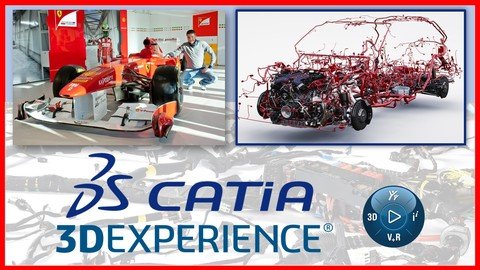
Free Download Catia 3Dexperience (Catia V6) Electrical Harness Design
Published: 12/2024
MP4 | Video: h264, 1920x1080 | Audio: AAC, 44.1 KHz
Language: English | Size: 5.47 GB | Duration: 9h 37m
Learn Catia 3DEXPERIENCE (Catia V6 ) from a design engineer with over 18 years experience in CAD design with CATIA V5/V6
What you'll learn
Catia 3DEXPERIENCE commands used to design Electrical Harnesses in 3D
3D Harness commands are explained using real industry examples
Practice projects and exercises are provided in specific videos
Main electrical components are explained in specific videos for non-electrical engineers (mechanical engineers)
Step files are provided to use the course with any CAD software
Videos with information and theory about materials and components used in electrical harness manufacturing
Requirements
You need to know Catia 3DEXPERIENCE platform usage, basics, Part Design and Assembly Design to take this course
You need to have Catia 3DEXPERIENCE installed and working before you take this course
Description
HiMy name is Alex, and I am a Design Engineer.I have been working for more than 18 years with Catia in automotive engineering, racing and industrial design.All the knowledge and experience that I gained helped me work with companies likeFerrari Formula One Team, Red Bull Racing, Jaguar Land Rover, Aston Martin and othersIn this course I teach Electrical 3D Harness Design with Catia 3DEXPERIENCECatia 3D EXPERIENCE is a cloud-based software released by Dassault Systemes that is very similar with Catia V5 and Catia V6This software currently replaces Catia V5 Student Edition and can be purchased at a very low price from their website. This cost is for a 1-year license.I talk about more details in the "Watch this first" video that is free to view if you check out this courseCatia 3D EXPERIENCE is a cloud-based software released by Dassault Systemes that is very similar with Catia V5 and Catia V6First, I show the commands we will use and then we make a project to practice what we have learnedAt the end I made some videos with information and theory about materials and components used in electrical harness manufacturingIf you are not an electrical engineer, I made some videos where I explain electrical components that will help you understand this course betterYou can use Catia 3D Experience instead of Catia V5 with my other courses where I provide step files to do the exercises.Thanks for watching this video and see you in the course.
Overview
Section 1: Introduction
Lecture 1 Intro
Lecture 2 Add subtitles in your own language
Lecture 3 Watch this video first - very important
Lecture 4 3DX Electrical
Section 2: Device definition and connection points
Lecture 5 Definition and electrification
Lecture 6 Define connector
Lecture 7 Connector connection point
Lecture 8 Define support
Lecture 9 Rail definition
Lecture 10 Define duct
Lecture 11 Define backshell
Lecture 12 Define contact
Lecture 13 Define filler plug
Lecture 14 Define seal
Lecture 15 Define mounting equipment
Lecture 16 Define module
Lecture 17 Define shell
Lecture 18 Define equipment
Lecture 19 Add/remove electrical behavior
Lecture 20 Backshell connection point
Lecture 21 Shell connection point
Lecture 22 Define Cavity
Lecture 23 Cavity connection point
Lecture 24 Segment connection point
Lecture 25 Define splice
Lecture 26 Segment position point
Lecture 27 Junction point
Section 3: Electrical geometry and branch creation
Lecture 28 Electrical geometry
Lecture 29 Electrical branch geometry
Lecture 30 Route definition
Lecture 31 Branch definition
Lecture 32 How to delete a branch
Lecture 33 Quick exercise
Lecture 34 Add/delete electrical branch geometry
Lecture 35 Add/delete electrical geometry
Lecture 36 Branch definition options
Lecture 37 Branch build mode
Lecture 38 Route definition options
Lecture 39 Add/remove branch point
Lecture 40 Segments definition
Lecture 41 Guide curve
Lecture 42 External curve routing
Section 4: Electrical harness protection
Lecture 43 Protective Covering
Lecture 44 Multiple Protective Covering
Lecture 45 Green line and adjust
Section 5: Electrical harness practice exercises
Lecture 46 Project planning
Lecture 47 Connector positioning
Lecture 48 Connector electrification and structure
Lecture 49 Routing the wires - version 1
Lecture 50 Routing the wires - version 2
Lecture 51 Adding retainers
Lecture 52 Positioning studs
Lecture 53 Add new components and planning
Section 6: Electrical components and devices theory
Lecture 54 Electrical components and industrial automations
Lecture 55 Fuses and circuit breakers
Lecture 56 Relays
Lecture 57 Contactors
Lecture 58 Programmable logic controller - PLC
Lecture 59 Electrical motors
Lecture 60 Electrical automation example - diagram #1
Lecture 61 Temperature sensors
Lecture 62 Pressure sensors
Lecture 63 Proximity sensors
Lecture 64 LVDT sensors
Lecture 65 Accelerometers and G-force sensors
Lecture 66 Limit switches
Lecture 67 Load cells
Lecture 68 Pneumatic electro-valves and actuators
Lecture 69 Electrical industrial automation example - diagram #2
Lecture 70 Hydraulic electro-valves and actuators
Lecture 71 Hydraulic manifolds and installation
Lecture 72 Electrical sensors and devices in hydraulics - diagram #3
Lecture 73 Electrical automations control panel
Section 7: Automotive harnesses and wirings - mass production
Lecture 74 Automotive harness construction introduction
Lecture 75 Automotive connectors
Lecture 76 Automotive harness construction materials - design and production
Lecture 77 Automotive harness families and inline connections
Section 8: Formula One, moto-sport, aircraft, military & defense electrical harnesses
Lecture 78 Formula One, moto-sport, aircraft, military & defense harnesses introduction
Lecture 79 Formula One and moto-sport electrical harness materials and construction
Lecture 80 Formula One electrical harness families and inline connections
Lecture 81 Formula One wiring and harnesses
Catia V5 Users that want to learn Catia 3DEXPERIENCE,Catia 3DEXPERIENCE users that want to learn Catia 3DEXPERIENCE Electrical Harness Design,Students that don't have access to Catia V5 and want to use any of my courses where I teach with Catia V5
Homepage:
DOWNLOAD NOW: Catia 3Dexperience (Catia V6) Electrical Harness Design
Recommend Download Link Hight Speed | Please Say Thanks Keep Topic Live
No Password - Links are Interchangeable
