



Farid_Khan
MyBoerse.bz Pro Member
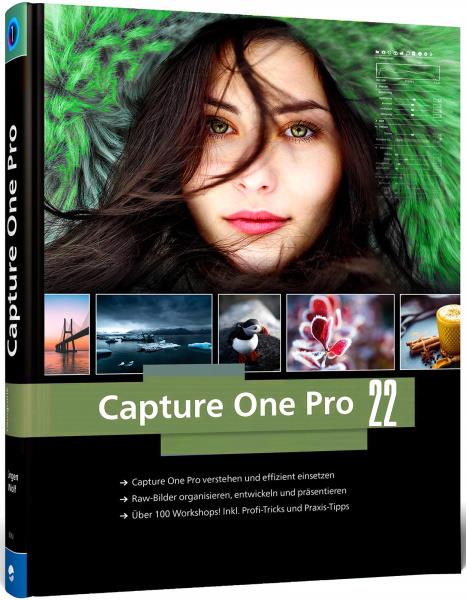
Capture One 22 Pro 15.1.2.3
Languages: Multilingual
File Size: 469.06 MB
Photo editing tools that keep your imagery one step ahead. Capture One creates powerful photo editing software for all kinds of photographers. Its authentic true-to-life color processing, seamless editing experience, and fastest tethering in the industry gives you total creative control, making it a household name in studios across the world. Based in Copenhagen, Denmark, Capture One empowers photographers with cutting-edge features to keep your photography one step ahead.
The extensive toolkit to edit the world as you see it
Create large panoramic stitches and HDR photos, boost shadows, contrast and more, and make advanced color adjustments, masks and layers - all in Capture One, giving you an expanded creative toolkit and bringing your artistic vision to life.
Colors that stay true to life
At its core, Capture One is a powerful RAW image converter with true-to-life color processing customized for over 500 camera profiles - meaning you can spend less time color correcting and more time on creativity in your images with the most superb and accurate colors right from the start. As part of Capture One's toolkit, you also have advanced color control over every hue in your photo to ensure you bring your artistic vision to life.
Precise, powerful editing
Our extensive range of powerful adjustment tools and advanced layering capabilities give you full creative control over the editing process. Make precise changes to multiple elements of your photo to brighten, darken, saturate and more; remove flaws and clone objects; use layers to apply specific edits without affecting the entire photo. Bring your photos to life even quicker with speedy keyboard shortcuts that let you adjust multiple photos at once for the fastest ever batch edit.
Fastest tethering in the industry
Considered the standard in studios across the globe, Capture One has the fastest and most reliable tethered shooting in the industry - giving you one less thing to worry about while working on a fast-paced shoot. Photograph directly to a computer and get an instant live view from your connected camera - perfect for quality controlling shots in the moment among teams and clients and organizing images from the get-go. You can even cut the cord with our Wireless Tethering for Canon, taking photoshoots to the next level without any cables holding you back and having even more space to create.
New Features in Capture One 22:
Explore the world as you see it
Your photographic journey is an exploration - of yourself and the narrative you want to tell. It all starts with getting out of your routines and comfort zone and out your front door - so you can tell your stories and showcase the world as you uniquely see it. With an expanded toolkit in Capture One 22, we are there to support your creative journey - wherever it may take you.
Multi-row stitching in all directions
Build stunning panoramic stitches of landscapes, cityscapes, architectural scenes and more with incredible resolution and total detail from edge to edge. Produce superb wide-angle shots without warping and distorting corners. And don't let the word "panorama" hold back your imagination - with multi-row stitching, you can build an extremely high-resolution image in all directions, giving you a huge DNG file to work with that's fully editable directly in Capture One.
Capture high contrast scenes perfectly
Combining multiple RAW images with different exposures, HDR Merging gives you a single high dynamic range image in just a few clicks - perfect for landscapes set during sunrise or sunset, interior shots showing both an indoor and outdoor setting, or any scene with big differences in exposure. Use the full creative freedom of Capture One's powerful editing tools to finalize your image - boost shadows, create rich contrast, and much more.
More space to create with Wireless Tethering for Canon
The industry's fastest tethering goes wireless. With wireless tethering, take photoshoots to the next level without any cables holding you back - feel the freedom of more dynamic shoots, taking your camera to new angles and having all the space you need to create.
Broaden your horizons with Auto Rotate
Time is money - spare yourself hours of manual rotation in your workflow with our first AI-driven tool, letting you automatically rotate huge image batches simultaneously.
Faster filtering, loading and image browsing on Windows
Used for organizing large image collections, Catalog performance on Windows in Capture One 22 has been heavily improved, making it significantly faster to browse, filter, and search albums and folders.
Release Notes
Microsoft® Windows® Minimum Requirements
- Intel or AMD CPU with 2 cores
- 8 GB of RAM
- 10 GB of free hard disk space
- Calibrated monitor with 1280x800, 24-bit resolution at 96dpi
- Windows 8.1® 64-bit or Windows 10® 64-bit* or Windows 11®
* Windows 10 is supported for builds from 1607 through to build 21H2.
Recommended System Requirements
If working with high-resolution images and doing calculation-heavy adjustments we recommend the following
- Intel CPU with 4+ cores
- 16+ GB of RAM
- Solid State Disk (SSD)
- Dual (matching) Graphics card from NVIDIA or AMD with 4GB+ RAM per card
- Calibrated monitor with at least 1920x1200, 24-bit resolution at 96dpi

Languages: Multilingual
File Size: 469.06 MB
Photo editing tools that keep your imagery one step ahead. Capture One creates powerful photo editing software for all kinds of photographers. Its authentic true-to-life color processing, seamless editing experience, and fastest tethering in the industry gives you total creative control, making it a household name in studios across the world. Based in Copenhagen, Denmark, Capture One empowers photographers with cutting-edge features to keep your photography one step ahead.
The extensive toolkit to edit the world as you see it
Create large panoramic stitches and HDR photos, boost shadows, contrast and more, and make advanced color adjustments, masks and layers - all in Capture One, giving you an expanded creative toolkit and bringing your artistic vision to life.
Colors that stay true to life
At its core, Capture One is a powerful RAW image converter with true-to-life color processing customized for over 500 camera profiles - meaning you can spend less time color correcting and more time on creativity in your images with the most superb and accurate colors right from the start. As part of Capture One's toolkit, you also have advanced color control over every hue in your photo to ensure you bring your artistic vision to life.
Precise, powerful editing
Our extensive range of powerful adjustment tools and advanced layering capabilities give you full creative control over the editing process. Make precise changes to multiple elements of your photo to brighten, darken, saturate and more; remove flaws and clone objects; use layers to apply specific edits without affecting the entire photo. Bring your photos to life even quicker with speedy keyboard shortcuts that let you adjust multiple photos at once for the fastest ever batch edit.
Fastest tethering in the industry
Considered the standard in studios across the globe, Capture One has the fastest and most reliable tethered shooting in the industry - giving you one less thing to worry about while working on a fast-paced shoot. Photograph directly to a computer and get an instant live view from your connected camera - perfect for quality controlling shots in the moment among teams and clients and organizing images from the get-go. You can even cut the cord with our Wireless Tethering for Canon, taking photoshoots to the next level without any cables holding you back and having even more space to create.
New Features in Capture One 22:
Explore the world as you see it
Your photographic journey is an exploration - of yourself and the narrative you want to tell. It all starts with getting out of your routines and comfort zone and out your front door - so you can tell your stories and showcase the world as you uniquely see it. With an expanded toolkit in Capture One 22, we are there to support your creative journey - wherever it may take you.
Multi-row stitching in all directions
Build stunning panoramic stitches of landscapes, cityscapes, architectural scenes and more with incredible resolution and total detail from edge to edge. Produce superb wide-angle shots without warping and distorting corners. And don't let the word "panorama" hold back your imagination - with multi-row stitching, you can build an extremely high-resolution image in all directions, giving you a huge DNG file to work with that's fully editable directly in Capture One.
Capture high contrast scenes perfectly
Combining multiple RAW images with different exposures, HDR Merging gives you a single high dynamic range image in just a few clicks - perfect for landscapes set during sunrise or sunset, interior shots showing both an indoor and outdoor setting, or any scene with big differences in exposure. Use the full creative freedom of Capture One's powerful editing tools to finalize your image - boost shadows, create rich contrast, and much more.
More space to create with Wireless Tethering for Canon
The industry's fastest tethering goes wireless. With wireless tethering, take photoshoots to the next level without any cables holding you back - feel the freedom of more dynamic shoots, taking your camera to new angles and having all the space you need to create.
Broaden your horizons with Auto Rotate
Time is money - spare yourself hours of manual rotation in your workflow with our first AI-driven tool, letting you automatically rotate huge image batches simultaneously.
Faster filtering, loading and image browsing on Windows
Used for organizing large image collections, Catalog performance on Windows in Capture One 22 has been heavily improved, making it significantly faster to browse, filter, and search albums and folders.
Release Notes
Microsoft® Windows® Minimum Requirements
- Intel or AMD CPU with 2 cores
- 8 GB of RAM
- 10 GB of free hard disk space
- Calibrated monitor with 1280x800, 24-bit resolution at 96dpi
- Windows 8.1® 64-bit or Windows 10® 64-bit* or Windows 11®
* Windows 10 is supported for builds from 1607 through to build 21H2.
Recommended System Requirements
If working with high-resolution images and doing calculation-heavy adjustments we recommend the following
- Intel CPU with 4+ cores
- 16+ GB of RAM
- Solid State Disk (SSD)
- Dual (matching) Graphics card from NVIDIA or AMD with 4GB+ RAM per card
- Calibrated monitor with at least 1920x1200, 24-bit resolution at 96dpi

