




wowojeh111
MyBoerse.bz Pro Member
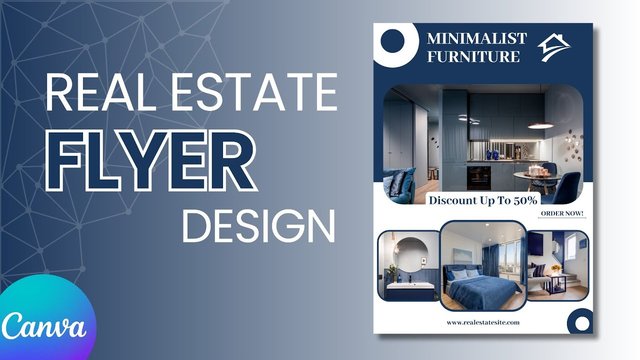
Canva Design For Real Estate - Beginner To Advanced
Published 7/2025
MP4 | Video: h264, 1920x1080 | Audio: AAC, 44.1 KHz
Language: English | Size: 4.19 GB | Duration: 9h 31m
Master Canva to Create Flyers, Social Media Posts, Brochures & More for Real Estate
What you'll learn
Master Canva fundamentals by exploring its interface and tools and learning how to create and edit designs using beginner-friendly templates.
Create stunning property flyers, brochures, and listing presentations to effectively showcase real estate properties.
Craft engaging social media posts and advertisements to attract buyers and sellers on platforms like Facebook and Instagram.
Explore advanced tools like layers, effects, animations, and video editing to create dynamic property presentations and branding materials.
Design logos, business cards, and branded content to establish a consistent identity for your real estate business.
Export designs in multiple formats and collaborate with clients or team members to create professional, market-ready visuals.
Requirements
Basic computer skills and familiarity with using a web browser.
A free or paid Canva account (no prior experience required).
Stable internet connection to access Canva and download materials.
Interest in real estate marketing and design.
Description
Canva Design for Real Estate - Beginner to AdvancedLearn Canva from scratch and specialize in real estate marketing design-perfect for agents, property managers, and freelancers who want to break into a profitable niche.RequirementsA laptop or desktop with internet accessNo graphic design experience needed, perfect for beginners!Course DescriptionWant to master Canva and start creating professional real estate marketing materials-even if you've never designed anything before?This is the ultimate Canva course for real estate professionals and freelancers looking to design scroll-stopping property listings, stunning social media graphics, brochures, and flyers that convert.Fully updated for 2025 with the newest Canva AI tools, interface updates, and time-saving featuresWho this course is for:Beginners who want to learn Canva from scratch-the easy wayReal estate agents, brokers & property managers needing beautiful, consistent marketingFreelancers & virtual assistants who want to offer real estate design as a serviceAirbnb/short-term rental hosts creating property promosMarketing assistants in real estate agencies or startupsWhat makes this course different?1. Real-World Real Estate FocusYou're not just learning Canva. You're creating actual property marketing content you can use immediately: flyers, brochures, listing videos, IG posts, and more.2. Easy-to-Follow for BeginnersWe start with Canva basics and walk you step-by-step to advanced real estate marketing designs. If you're new to Canva or design, don't worry, we've got you covered.3. Built for Real Estate + FreelancersYou'll also learn how to position yourself as a Canva expert in the real estate niche and an in-demand skillset perfect for building freelance income on platforms like Fiverr and Upwork.What You'll Learn:1. Navigate Canva's tools, templates, and interface with easeYou'll get a full walkthrough of Canva's user interface, from the homepage and search bar to the drag-and-drop editor. Learn how to quickly find real estate templates, access your design folders, and work efficiently using Canva's intuitive design panel.2. Design real estate flyers, brochures, listing posts, and open house materials from scratchMaster the core skills needed to create high-impact, custom property marketing materials. Whether you're promoting a luxury home, a rental unit, or an open house event, you'll learn how to lay out visuals, include key property details, and present them in a clean, attractive format that catches attention.3. Create social media designs from scratchDesign stunning Instagram posts, Facebook ads, LinkedIn graphics, and story carousels tailored for real estate audiences. You'll also learn best practices for image sizing, call-to-action placement, and formatting content to boost engagement across platforms.4. Build a professional brand kit for your real estate business or clientYou'll learn how to define a color palette, choose fonts, design a logo, design a brand guideline, and save them all in a reusable Canva Brand Kit-ensuring all your marketing materials look consistent and professional across print and digital channels.5. Use Canva Pro features (like Magic Resize & Background Remover)Discover time-saving Pro tools that make designing even faster. For example:Use Magic Resize to instantly repurpose a flyer into social media posts.Use the Background Remover to clean up property photos for a better visual impact.6. Export for web, print, and ad platformsLearn how to export your designs in the right formats for every purpose, from high-resolution PDFs for print to optimized PNGs and MP4s for web or social media. You'll also learn when to use CMYK vs. RGB, how to maintain quality, and how to prepare materials for professional printing or real estate CRMs.Real-World Projects You'll Create:A real estate brand kit: logo, business cards, email signature, brand guideline, etc.A professional flyer for a residential listingA professional tri-fold brochure for a residential listingA social media campaign for Instagram & FacebookA bi-fold brochure for a commercial propertyStill Thinking About It!?This course is your shortcut to mastering Canva from the ground up and launching or enhancing a real estate design system-whether you're promoting your own listings or offering it as a service to clients.No more relying on expensive toolsNo design degree neededNo gatekeeping, just practical design power in your handsEnroll now and unlock:A complete real estate design toolkitThe freedom to create marketing content on your ownA new income opportunity as a real estate design freelancerLet's get started. Your Canva journey begins here.Click Enroll Now, and let's build your real estate brand with Canva!
This course is for real estate agents, professionals, and small business owners who want to learn how to create engaging marketing materials using Canva. It's ideal for beginners, providing step-by-step guidance to craft professional property flyers, social media content, and branding assets. Whether you're looking to improve your marketing or build a stronger brand, this course is perfect for anyone passionate about design in real estate.
