0daytutorial
MyBoerse.bz Pro Member
Bms(Building Management System) Fundamentals: From A To Z
Published 3/2023
MP4 | Video: h264, 1280x720 | Audio: AAC, 44.1 KHz
Language: English | Size: 3.26 GB | Duration: 7h 0m
BMS course covering concepts of HVAC, Electrical, Controls, IT networking, communication protocols and much more.
What you'll learn
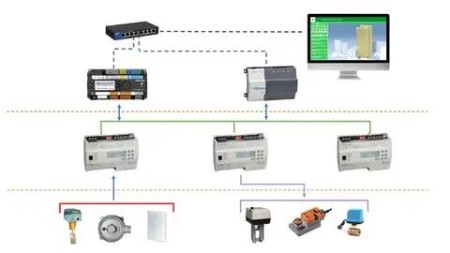
Understand the BMS architecture and different components of BMS
Understand the functionally of input and output field devices
Understand how to terminate BMS cables on different field device
Identity different types of IO and software points
To be able to read and understand important BMS documents (IO list, schematic diagrams, Riser diagram, DGP drawings)
Learn about the different DDC controllers and IO modules.
Understand the operation of different HVAC equipment(Chillers, AHUs, FCU, VAVs)
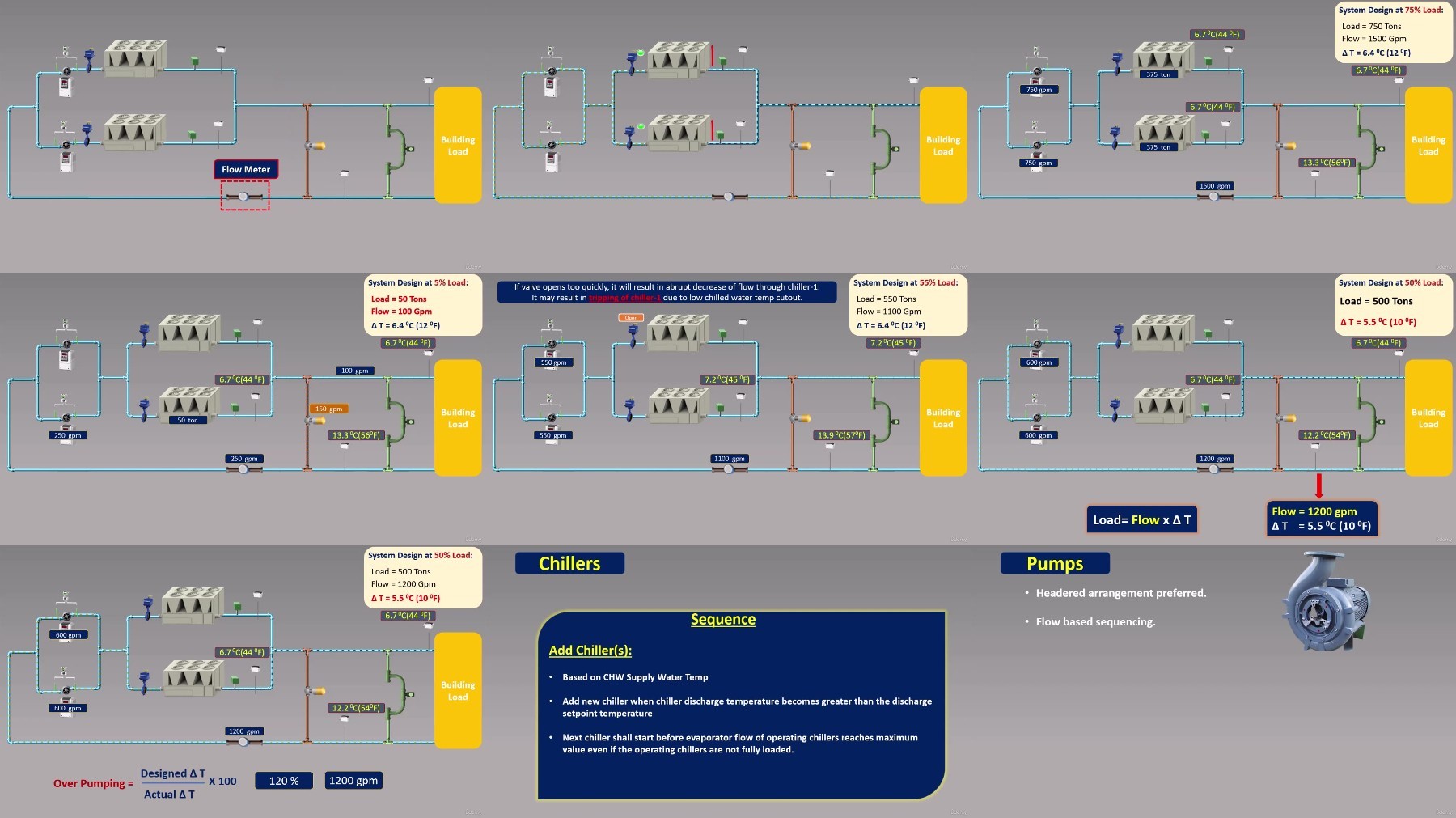
Demonstrate the difference between different types of chilled water system and understand their sequence of operation.
Understand different motor starter circuits used in MCC panel including VFDs.
Understand basics of IT networking including IP & MAC address, VLAN, Subnet.
To be able to operate the BMS from workstation and create trends in Niagara workstation.
Requirements
No prior experience is required. All you need is a laptop or mobile and open mind to learn.
Description
Welcome to the Building Management System (BMS) Fundamentals course, the ultimate guide to mastering the essentials of BMS. If you're an electrical or mechanical engineer or a technician who wants to learn more about BMS, this course is for you!With years of experience working in the building management industry, we have designed this course to equip you with the knowledge and skills you need to succeed in this dynamic field.Throughout this course, you'll gain a deep understanding of BMS fundamentals, including sensors, controllers, and actuators, as well as the basics of electrical, HVAC systems and IT Networking. Knowledge gained through this course will help you to boost your skills in BMS design, programming, installation and Testing & Commissioning.Whether you're a BMS engineer, consultant, facility manager, or technician, this course is the perfect resource to take your skills to the next level. Through this course you will gain practical skills that you can apply immediately on the job.In this course you will learn:What are different architectures used in BMS.Basics of Electrical and control systems.Functionally of different field devices including input (sensors & actuators) and output devices (actuators).How to make cable termination for different field devices.What are different types of DDC controllers and IO modules.How different HVAC systems(AHUs, FCUs, Chillers) work and how to control and monitor them from BMS.How to read and understand important BMS documents (IO list, schematic diagrams, Riser diagram, SOO etc.)Different motor start circuits used in MCC panels and how to control & monitor them BMS.What is an IT network, IP address, MAC address, VLAN and Subnet.Details about BACnet and Modbus protocol.How to perform point by point testing of BMS.How to use graphical user interface to control and monitor equipment connected to BMS.With 7 hours of video content, quizzes and downloadable resources this is the most comprehensive course about BMS on Udemy, which covers in details about fundamental of electricity, operation of HVAC systems, IT networking concepts, BMS protocols.Enroll today and start your journey into the world of BMS. Take the first step toward elevating your career and enhancing your skill set!Important Note:This course doesn't teach how to develop programs for DDC controllers however it will help you to deeply understand the sequence of operation of different HVAC equipment (different types of chiller plants, AHUs, FCUs, VAVs) which will enable to develop optimized control programs for your projects.
Overview
Section 1: Introduction to BMS
Lecture 1 Introduction to BMS
Lecture 2 BMS Architecture
Section 2: Electricity Fundamentals
Lecture 3 Basics of Electricity
Lecture 4 Transformer
Lecture 5 Fuse,MCB
Lecture 6 Relay
Lecture 7 Contactor
Section 3: Basics of Control Systems
Lecture 8 What is a Control System
Lecture 9 Open vs Closed Loop System
Lecture 10 Types of Control Systems
Lecture 11 What is a Control loop response
Lecture 12 Types of control loop responses
Lecture 13 Common Control terms
Section 4: Input Field Devices
Lecture 14 Input devices introduction and temperature sensors explanation
Lecture 15 Relative Humidity Sensors
Lecture 16 Pressure Transmitters
Lecture 17 Flow Meters
Lecture 18 Gas sensors
Lecture 19 Switches
Section 5: Controlled(Output) Field Devices
Lecture 20 Dampers & Damper actuators
Lecture 21 Valves introduction and selection guide
Lecture 22 Pressure independent control valve(PICV)
Section 6: Termination of Field Devices
Lecture 23 Outdoor Temperature & Humidity sensor
Lecture 24 Duct Temperature & Humidity transmitter
Lecture 25 Immersion Temperature sensor
Lecture 26 Space Temperature sensor
Lecture 27 Air Differential Pressure Transmitter(DPT)
Lecture 28 Water Differential Pressure Transmitter
Lecture 29 Air Differential Pressure Switch(DPS)
Lecture 30 Water Differential Pressure Switch(DPS)
Lecture 31 Water Flow Switch
Lecture 32 AHU Valve Actuator
Lecture 33 FCU Valve Actuator
Lecture 34 FCU Thermostat
Lecture 35 Damper Actuator
Section 7: BMS Points
Lecture 36 What are different types of points
Lecture 37 IO points inside a Workstation
Section 8: DDC Controller and IO Modules
Lecture 38 DDC controller introduction
Lecture 39 IO Modules Part-1
Lecture 40 IO Modules Part-2
Lecture 41 Practical Video of a DDC Panel
Section 9: HVAC
Lecture 42 Basics of HVAC
Lecture 43 Absolute Humidity and Relative Humidity
Lecture 44 Dry and Wet Bulb Temperature
Lecture 45 CAV (Constant Air Volume) System
Lecture 46 VAV (Variable Air Volume) System
Lecture 47 AHU introduction and sequence of operation
Lecture 48 FCU introduction and sequence of operation
Lecture 49 Constant Primary Chilled Water System
Lecture 50 Primary Secondary Chilled Water System
Lecture 51 Variable Primary Flow(VPF) Chilled Water system
Section 10: MCC Panel
Lecture 52 MCC Panel Introduction
Lecture 53 MCC Panel Practical Video
Lecture 54 VFD Introduction
Lecture 55 How to read MCC drawings
Section 11: BMS Documents
Lecture 56 IO List and Schematic Diagrams
Lecture 57 Riser Diagram
Lecture 58 DGP Drawings
Lecture 59 Sequence of Operation (SOO)
Section 12: IT Newtworking Basics
Lecture 60 What is a Network
Lecture 61 IP address, MAC address and Subnetting Explained
Lecture 62 Subnet and VLAN explained
Lecture 63 BMS Network Examples
Section 13: Communication Protocols(BACnet & Modbus)
Lecture 64 What is a protocol?
Lecture 65 Introduction to BACnet
Lecture 66 BACnet Objects Explained
Lecture 67 BACnet Services Explained
Lecture 68 BACnet IP and MSTP Explained
Lecture 69 Introduction to Modbus
Lecture 70 Modbus RTU
Lecture 71 Modbus Mapping Explained
Lecture 72 Modbus Practical Video
Section 14: Testing & Commissioning
Lecture 73 What is Testing & Commissioning?
Lecture 74 How to perform point by point testing?
Section 15: Graphic Workstation
Lecture 75 Introduction to the GUI workstation
Lecture 76 How to create trends in Niagara workstation
Electrical & Mechanical Engineers, Consultants, Contractors or technicians who wants to begin their career in BMS or want to deeply understand the BMS if they are already working in the field.