




AgentofHeart
MyBoerse.bz Pro Member

Blender To Unreal Engine 5 The Complete Beginners Guide
Published 10/2023
MP4 | Video: h264, 1920x1080 | Audio: AAC, 44.1 KHz
Language: English | Size: 30.06 GB | Duration: 17h 52m
What you'll learn
Kickstarting your 3D modelling journey in Blender whether you are a seasoned artist or a newcomer
Using Blender 3 and understanding its new interface and shortcuts
A course within a course introduction into (a) Blender basics, (b) materials and textures, © seams, sharps, and UVs
Speeding up your 3D modelling workflow with a comprehensive overview and demonstration of using Blender's asset manager
Starting projects the right way with our complete referencing guide focusing on the symbiotic relationship between different types of specialist software and
Creating Viking curves using cool tools like Boolean operations and the grease pencil
Learning how to create realistic roof thatching and layering your roof to make it voluptuous
Diving into the world of seamless textures, and harnessing Blender's particle system to design your very own texture maps
Crafting different shaders from the same texture maps to see how you can tweak not only colours but the overall vibe
Experimenting with varying levels of transparency and exploring different water types using Blender's node system
Mastering the power of compositing and layers in Blender with a complete 3D modelling pipeline from greybox to high poly render
Exploring practical approaches that elevate the realism and visual appeal of your renders
Embarking on a smooth transition from Blender to Unreal Engine 5 (UE5), as we unveil the ease of importing glTF files
Creating a volumetric fog that interacts with lighting, followed by a complete guide and introduction to the UE5 Lumen lighting system
Unlock the ability to craft realistic water bodies, be it a peaceful lake or a flowing river using UE5's water plugin
Elevating your landscapes further with terrain displacement, and blending water bodies with Nanite-enabled terrain
Uncovering the transformative power of colour calibration, tweaking colour settings to achieve a harmonious palette
Enriching your scenes through the use of Quixel assets and create rich environments and open worlds with or without foliage
Engaging in hands-on colour grading exercises, and witnessing your scene's transformation towards a professional, realistic finish
Requirements
To own a computer (Microsoft, Linux or Mac)
To have downloaded Blender and Unreal Engine 5 (UE5) or one of the two if you choose to only do Part 1 (Blender) or Part 2 (UE5) of this course
A thirst to learn and excitement about 3D modelling, game art, game engine integration, and 3D environment design
To download all course resources including 1 x completed Viking hut .blend file if you choose to skip to part 2 of this course and focus on UE5 only, 1 x thatched roof full Blender set up, 1 x human reference .obj, 13 different textures, 3 thatching textures (normal, colour, and AO), and over 500 texture maps.
Description
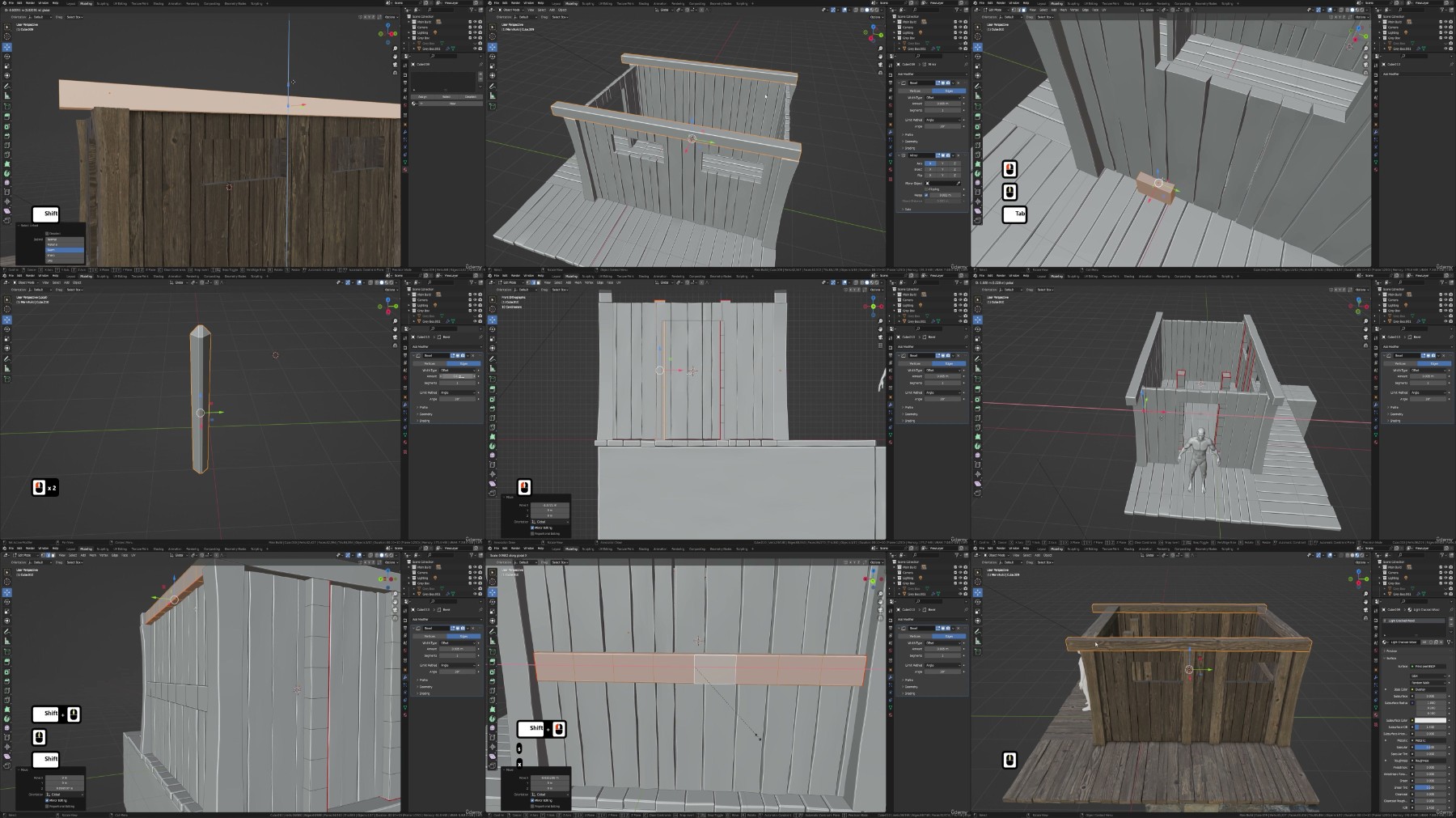
Are you looking for a complete Blender to Unreal Engine 5 professional pipeline project?Kickstart an exciting adventure moving from the user-friendly Blender to the lively and real-time Unreal Engine 5. 'Blender to Unreal Engine 5 The Complete Beginner's Guide' is an easy-to-follow guide that is perfect for beginners, but also has cool stuff for the experienced folks, showing you a step-by-step route to make real-looking scenes in Blender and then bringing them into Unreal Engine 5, making a full scene come to life.This is your starting line into the fun world of game development, helping you chase your dreams, whether you're into 3D printing for fun, want to get better at Blender, looking to become a pro at making game assets, or even dreaming about making your games someday.So, if any of these sparks your interest, 'Blender to Unreal Engine 5 The Complete Beginner's Guide' is your one-stop shop to make those dreams a reality!Simply put, 6 best parts about 'Blender to Unreal Engine 5 The Complete Beginner's Guide':1. Kickstart your 3D modelling journey whether you are a seasoned artist or a newcomer2. Start projects the right way with our complete referencing guide focusing on the symbiotic relationship between different types of specialist software and social media3. Learn how to create realistic roof thatching and layer your roof to make it voluptuous4. Master the power of compositing and layers in Blender with a complete 3D modelling pipeline from grey box to high poly render5. Enrich your scenes through the use of Quixel assets and create rich environments and open worlds with or without foliageOrganized from the Get-Go'Blender to Unreal Engine 5 The Complete Beginner's Guide' is split into two main parts:a) first up is Blender, where you'll create your modelb) next is Unreal Engine 5, where you'll set up your model in a gaming environmentThis way, you can choose what you want to learn based on what interests you more or dive into both to see the full process from start to finish. Now, let's dig in deeper to see what cool things you'll learn and discover in this course.Part 1: BlenderGetting the Basics Down and Then SomeKick things off with 3D modelling a Viking hut, a fun project that not only sharpens your basic modelling skills but also introduces you to some expert tips and tricks. Discover the cool tools like Boolean operations and the grease pencil to create those classic Viking curves, laying a solid foundation for the realistic models you'll be crafting next.You'll also learn the best ways to add a touch of realism to your models, including how adding a bit of randomness can make a big difference, and the power of beveling to give your models a finished, professional look.Tackling the UV Unwrapping ChallengeWe dedicate a significant chunk of 'Blender to Unreal Engine 5 The Complete Beginner's Guide' to the often-dreaded UV unwrapping.- We'll demystify the process, making it a straightforward and enjoyable part of your modelling journey- Plus, we'll dive into the world of seamless textures, exploring their advantages and understanding their limitationsTexture and Shader Magic'Blender to Unreal Engine 5 The Complete Beginner's Guide' will see us unlock the mysteries of Blender's built-in node system, changing imported texture maps into special shaders for your model.- Journey through the ins and outs of RGB curves, a trip that makes your model more than just a visual, but an experience- Get a detailed guide on crafting different shaders from the same texture maps, and see how you can tweak not only colours but the overall vibeMastering Thatched Roof with TransparencyThe quaint allure of a Viking hut is brought to life with a realistic thatched roof. Dive into the art of crafting transparent roof thatching from scratch:- Start with the basics of creating simple wheat structures- Move on to harnessing Blender's particle system to design your very own texture maps.This segment doesn't just provide you with ready-made transparent thatching texture maps but empowers you with the skills to create your own.Reflecting Reality with Blender's Water CreationThe calm lake by the Viking hut is more than just scenery; it's a silent storyteller of the Viking tale.While creating basic water in Blender is straightforward, we elevate this skill to match the realism of our scene:- Learn about using Blender's node system, so that no extra texture maps are needed- Craft varying levels of transparency and exploring different water typesWhether you aim to depict the crystal clear waters of a tranquil desert island or the cold, murky ripples characteristic of Scandinavian waters, this section equips you with the knowledge to do so with a touch of realism.Unlocking the Potential of Cycles X and EeveeDive deep into the heart of Blender's Cycles X and Eevee render engines. 'Blender to Unreal Engine 5 The Complete Beginner's Guide' will show you how to significantly accelerate your render times, and introduce an incredible add-on called Turbo Tools, designed to expedite the creation of stunning images.Learn about rendering specifics like the optimal number of samples to use and the ideal tile size for your projects. Through a blend of theory and practical insights, you'll be well on your way to producing visually arresting renders with improved efficiency and precision.Shedding Light on Your SceneLighting is the lifeblood of realism in any 3D scene.This thorough guide unfolds the nuances of utilizing the sky texture node in Blender, casting a natural radiance over your Viking abode, and echoing the serene yet wild essence of the ancient North.'Blender to Unreal Engine 5 The Complete Beginner's Guide' will not only enhance your understanding of lighting but also provide practical approaches that elevate the realism and visual appeal of your renders, making each scene you create not just a visual spectacle, but an emotionally resonant narrative.Crafting Layered Realities through Compositing'Blender to Unreal Engine 5 The Complete Beginner's Guide' reaches its first crescendo with Blender's compositor, where rendering in layers transcends the process to become an art form.- Embark on a learning curve to render different layers like normal maps and ambient occlusion- Discover how, with the potent Blender compositor, you can weave these layers together to not merely craft an awe-inspiring scene, but also gain the prowess to tweak any facet of your renderDesire darker shadows, or perhaps a vibrancy akin to a Pixar movie? Or maybe a sombre, Dark Souls-esque ambience? All these and more are achievable through this 'Blender to Unreal Engine 5 The Complete Beginner's Guide' segment on compositing.Part 2: Unreal Engine 5Importing glTF File with Auto-Setup Textures and MaterialsEmbark on a smooth transition from Blender to UE5, as we unveil the ease of importing glTF files.We've streamlined the process, automating the setup of textures and materials, making asset importing a breeze. You'll find how seamlessly your creations from Blender integrate into UE5's lively environment.Creating Environmental Lighting From ScratchUtilize the powerhouse of the Lumen lighting system to achieve photorealistic lighting in real time.- Begin by understanding how to create and manage light sources, setting the perfect tone for your scene- Transition into crafting a lively sky with a dynamic cloud system, bringing a layer of realism and dynamism- Delve into creating a volumetric fog that interacts with lighting, adding an atmospheric touch- Master ambient lighting to achieve a natural, soft illumination that brings a cohesive feel to your scene. With the Lumen lighting system, environmental lighting is demystified, offering a vast realm of possibilities for achieving realism and setting the mood in your scenesWhether aiming for a serene dawn, a bright noon, or a spooky night, the skills learned in 'Blender to Unreal Engine 5 The Complete Beginner's Guide' will equip you with a robust lighting toolbox for any UE5 project.Setting Up a Landscape SceneStep into the expansive world of UE5 with our segment on setting up a landscape scene, perfect for those keen on crafting natural, engaging environments.- Get your feet wet with the UE5 water plugin, unlocking the ability to craft realistic water bodies, be it a peaceful lake or a flowing river- Embrace the power of UE5's Nanite virtualized geometry for creating detailed yet performance-friendly terrains, exploring the visual uplift it brings to your scenes- Elevate your landscapes further with terrain displacement, adding a touch of natural undulations and features, making your terrains feel alive and organic- Finally, learn the art of blending water bodies with Nanite-enabled terrain, while ensuring optimal performance without sacrificing qualityCrafting Terrific Terrain MaterialThis section of 'Blender to Unreal Engine 5 The Complete Beginner's Guide' is your pathway to mastering terrain material creation, each lesson bringing you closer to fashioning large, immersive environments ripe for exploration.- Uncover the magic of weight painting to control texture distribution across your terrain, painting nature's essence like rocky highlands or lush grasslands with ease- Discover distance blending, a feature that facilitates seamless texture transitions, enhancing detail both from afar and up close- Delve into techniques for large environment texturing- Craft seamless textures that flow naturally across your terrain, enhancing the cohesion and aesthetic appeal of your digital landscapesEnriching Scenes with Quixel Assets & FoliageThe next step for us to take in 'Blender to Unreal Engine 5 The Complete Beginner's Guide' is to create visually captivating scenes rich in detail and storytelling, making each digital environment not just a scene, but a narrative.- Dive into the Quixel assets library, learning to select and import high-quality assets that significantly uplift your scene's visual appeal- Understand the essence of infusing natural vibrancy with foliage in your scenes, based on strategic asset placement for visual appeal and storytelling- Delve deeper into fine-tuning material setups for Quixel assets, ensuring seamless blending with your scene for enhanced aesthetics and realismMastering Material AdjustmentsIn this section, we will begin with a guided tour of the node system within the material graph, discovering the magic of granular material manipulation to nail the perfect aesthetic step-by-step.- Explore texture tweaking techniques in the image details tab, learning how minor adjustments can dramatically alter your material's appearance to match your scene's ambience- Uncover the transformative power of colour calibration, tweaking colour settings to achieve a harmonious palette- Engage in practical material adjustments through hands-on exercises- Enjoy real-time feedback as you tweak, seeing the instant impact of your adjustments, and deepening your understanding of material manipulationColor Grading Mastery'Blender to Unreal Engine 5 The Complete Beginner's Guide' will kickstart your journey with a primer on post-processing tools, unveiling their potential to elevate your scenes.- Delve into the art of achieving realism through colour, learning the balance that ensnares players into your game world- Engage in hands-on colour grading exercises, witnessing your scene's transformation towards a professional, realistic finishSumming it all upAlright, as we wrap up, let's get real.'Blender to Unreal Engine 5 The Complete Beginner's Guide' is your straight shot to going from where you are now, to rocking it out as a pro in the 3D world.Ever looked at those cool game environments and thought, "Hey, I wish I could create something like that?" Well, this is your chance to stop wishing and start doing.Step-by-step guidanceDiscover everything you need to know to create your 3D environments. Even if you have never touched Blender or Unreal Engine 5 before, this course offers step-by-step guidance to help you with the basics so that you can feel comfortable using the software.With 17+ hours of video content, this course takes you from complete beginner to proficiency.What is included in this course?The 'Blender to Unreal Engine 5 The Complete Beginner's Guide' resource pack includes 1 x completed Viking hut .blend file if you choose to skip to part 2 of this course and focus on UE5 only, 1 x thatched roof full Blender set up, 1 x human reference .obj, 13 different textures, 3 thatching texures (normal, colour, and AO), and over 500 texture maps.By the end of this course, you'll not only have a solid project to show off but also the skills to take on new projects on your own.Imagine the possibilities, the creations waiting for your touch. Cool, right?So, if you're serious about levelling up your skills and diving into the world of 3D and game development, this course is your golden ticket!See you in the course and happy modelling everyone,Neil - 3D Tudor
Overview
Section 1: Introduction
Lecture 1 Introduction
Section 2: Section 2: Getting Started and References + [DOWNLOAD PACK]
Lecture 2 Lesson 1 - The Basics of Blender & [DOWNLOAD PACK]
Lecture 3 Lesson 2 - Getting Started with References
Section 3: Section 3: Grey Boxes and Collections
Lecture 4 Lesson 3 - Creating Grey Boxes
Lecture 5 Lesson 4 - Working with Collections
Section 4: Section 4: Seams, Sharps, and UV Mapping
Lecture 6 Lesson 5 - Seams & Sharps
Lecture 7 Lesson 6 - An Introduction to UV Mapping
Section 5: Section 5: Optimization and Asset Management
Lecture 8 Lesson 7 - Scene Optimization
Lecture 9 Lesson 8 - The Blender Asset Manager
Section 6: Section 6: Materials and Shaders
Lecture 10 Lesson 9 - Materials & Texture Map Introduction
Lecture 11 Lesson 10 - Applying Our First Materials
Lecture 12 Lesson 11 - Creating Unique Shaders
Section 7: Section 7: Mesh Editing Techniques
Lecture 13 Lesson 12 - Working with Proportional Editing
Lecture 14 Lesson 13 - Working with Mirrors
Lecture 15 Lesson 14 - The Power of Booleans
Lecture 16 Lesson 15 - Creating the Base
Lecture 17 Lesson 16 - Linking Object Data
Section 8: Section 8: Advanced Mesh Techniques
Lecture 18 Lesson 17 - Working with Subdivision
Lecture 19 Lesson 18 - Creating Realism Within Our Model
Lecture 20 Lesson 19 - Optimizing Meshes
Lecture 21 Lesson 20 - What Are Normals
Lecture 22 Lesson 21 - Fine-Tuning Our Shader
Section 9: Section 9: Refining and Texturing
Lecture 23 Lesson 22 - Cleaning Up Meshes
Lecture 24 Lesson 23 - Creating Metallic Shaders
Lecture 25 Lesson 24 - Working with Pipe Joints
Lecture 26 Lesson 25 - Finishing the Door Handle
Section 10: Section 10: Structural Elements
Lecture 27 Lesson 26 - Creating Realistic Supports
Lecture 28 Lesson 27 - Speeding Up Our Workflow
Lecture 29 Lesson 28 - Adding Bolts to Our Structure
Lecture 30 Lesson 29 - Creating the Roof Supports
Section 11: Section 11: Curves and Viking Details
Lecture 31 Lesson 30 - Introduction to Curves
Lecture 32 Lesson 31 - Adding a Touch of Viking
Lecture 33 Lesson 32 - Creating the Thatching Supports
Lecture 34 Lesson 33 - Refining Meshes for Realism
Section 12: Section 12: Sculpting and Finalization
Lecture 35 Lesson 34 - Sculpting Basics
Lecture 36 Lesson 35 - Turning Sculpting into Mesh
Lecture 37 Lesson 36 - Finalizing the Main House
Section 13: Section 13: Additional Elements
Lecture 38 Lesson 37 - Creating a Viking Shield
Lecture 39 Lesson 38 - Creating the Chimney
Lecture 40 Lesson 39 - An Easy Way to Create Stairs
Lecture 41 Lesson 40 - Creating the Stair Supports
Lecture 42 Lesson 41 - Creating the Posts
Section 14: Section 14: Advanced Shader Techniques
Lecture 43 Lesson 42 - Creating More Complex Shaders
Lecture 44 Lesson 43 - Starting the Main Window
Lecture 45 Lesson 44 - Adding Realism to the Main Window
Lecture 46 Lesson 45 - Adding Materials to the Main Window
Lecture 47 Lesson 46 - Finishing the Main Window
Section 15: Section 15: Modeling Boats and Lattices
Lecture 48 Lesson 47 - How to Model Boats
Lecture 49 Lesson 48 - Adding Realism to Our Viking Boat
Lecture 50 Lesson 49 - Creating the Keel
Lecture 51 Lesson 50 - Working with Lattices
Section 16: Section 16: Rope, Remesh, and Water
Lecture 52 Lesson 51 - Creating Rope
Lecture 53 Lesson 52 - Adding Textures to the Rope
Lecture 54 Lesson 53 - Blender Remesh Modifier
Lecture 55 Lesson 54 - Creating a Water Shader
Section 17: Section 17: Cameras, Particles, and Rendering
Lecture 56 Lesson 55 - Basic Camera Setup
Lecture 57 Lesson 56 - Blender Particle Systems
Lecture 58 Lesson 57 - Rendering Out Our Wheat
Section 18: Section 18: Texture Mapping in Blender
Lecture 59 Lesson 58 - Creating Texture Maps in Blender
Lecture 60 Lesson 59 - Creating the Thatching
Lecture 61 Lesson 60 - Adding Depth to the Thatching
Lecture 62 Lesson 61 - Creating the Viking Roof
Section 19: Section 19: Workflow Enhancement
Lecture 63 Lesson 62 - Blender Turbo Tools Addon
Lecture 64 Lesson 63 - Finishing the Scene
Lecture 65 Lesson 64 - The Blender Compositor
Lecture 66 Lesson 65 - Final Render
Section 20: Section 20: Exporting to Unreal Engine 5
Lecture 67 Lesson 66 - GLTF Blender 3D Scene Export
Lecture 68 Lesson 67 - Introduction to Unreal Engine 5 and UI
Lecture 69 Lesson 68 - Introduction to UE5 Viewport Controls
Section 21: Section 21: UE5 Scene Setup
Lecture 70 Lesson 69 - Basics of Unreal Engine 5 Scene Lighting
Lecture 71 Lesson 70 - Terrain and Water Base Setup
Lecture 72 Lesson 71 - Fixing Water Color for Realism
Section 22: Section 22: Asset Integration and Materials in UE5
Lecture 73 Lesson 72 - Importing an Asset Collection to Unreal Engine 5
Lecture 74 Lesson 73 - Fixing 3D Asset and Reimporting Scene to UE5
Lecture 75 Lesson 74 - Material Basics
Lecture 76 Lesson 75 - Material Instances
Lecture 77 Lesson 76 - Fixing Roof Thatching
Section 23: Section 23: Environment and Landscape
Lecture 78 Lesson 77 - Environment Planning and Landscape Tool Overview
Lecture 79 Lesson 78 - Landscape Adjustments in UE5
Lecture 80 Lesson 79 - Landscape Displacement in Unreal Engine 5
Section 24: Section 24: Advanced Landscape Materials
Lecture 81 Lesson 80 - Creating Landscape Material
Lecture 82 Lesson 81 - Fixing Material Scale and Color
Lecture 83 Lesson 82 - Distance-Based Blending for Nanite Tesselated Material
Lecture 84 Lesson 83 - Setting up Nanite Landscape Material Blend
Section 25: Section 25: Finishing Touches and Lighting
Lecture 85 Lesson 84 - Painting in Stone Material and Creating a Puddle
Lecture 86 Lesson 85 - Tweaking Lighting Parameters
Section 26: Section 26: Quixel Assets and Foliage
Lecture 87 Lesson 86 - Selecting Quixel Assets for the Scene
Lecture 88 Lesson 87 - Unreal Engine 5 Quixel Props for 3D Scene
Lecture 89 Lesson 88 - Planning Prop Placement for UE5 Environment
Lecture 90 Lesson 89 - Fences and Rope Color in UE5 Scene
Section 27: Section 27: Foliage and Asset Tweaking
Lecture 91 Lesson 90 - UE5 Foliage Mode for Asset Placement
Lecture 92 Lesson 91 - UE5 Foliage and Tree Placement
Lecture 93 Lesson 92 - Tweaking Foliage Values
Section 28: Section 28: Post Processing and Final Render
Lecture 94 Lesson 93 - Material Parameters for 3D Assets
Lecture 95 Lesson 94 - UE5 Post Processing and Color Grading
- Beginner 3D modellers eager to learn how to use Blender to create Viking-themed buildings and assets,- Enthusiasts of Blender who want to fast-track their understanding of its new and exciting changes,- Mid-level 3D modellers who want to take their modelling to a new level and improve their workflow with tips and tricks,- Advanced 3D modellers who want to take their skills to the next level and create more immersive environments,- Enthusiasts of Unreal Engine 5 who want to fast-track their understanding of its new and exciting changes,- Game designers and artists who want to specialize in environment design for games or other virtual experiences,- Students who are interested in 3D modelling or game design and want to learn more about asset creation and the Blender to Unreal Engine 5 workflow
RapidGator
DDownload
NitroFlare
UsersDrive

