babymore87
MyBoerse.bz Pro Member

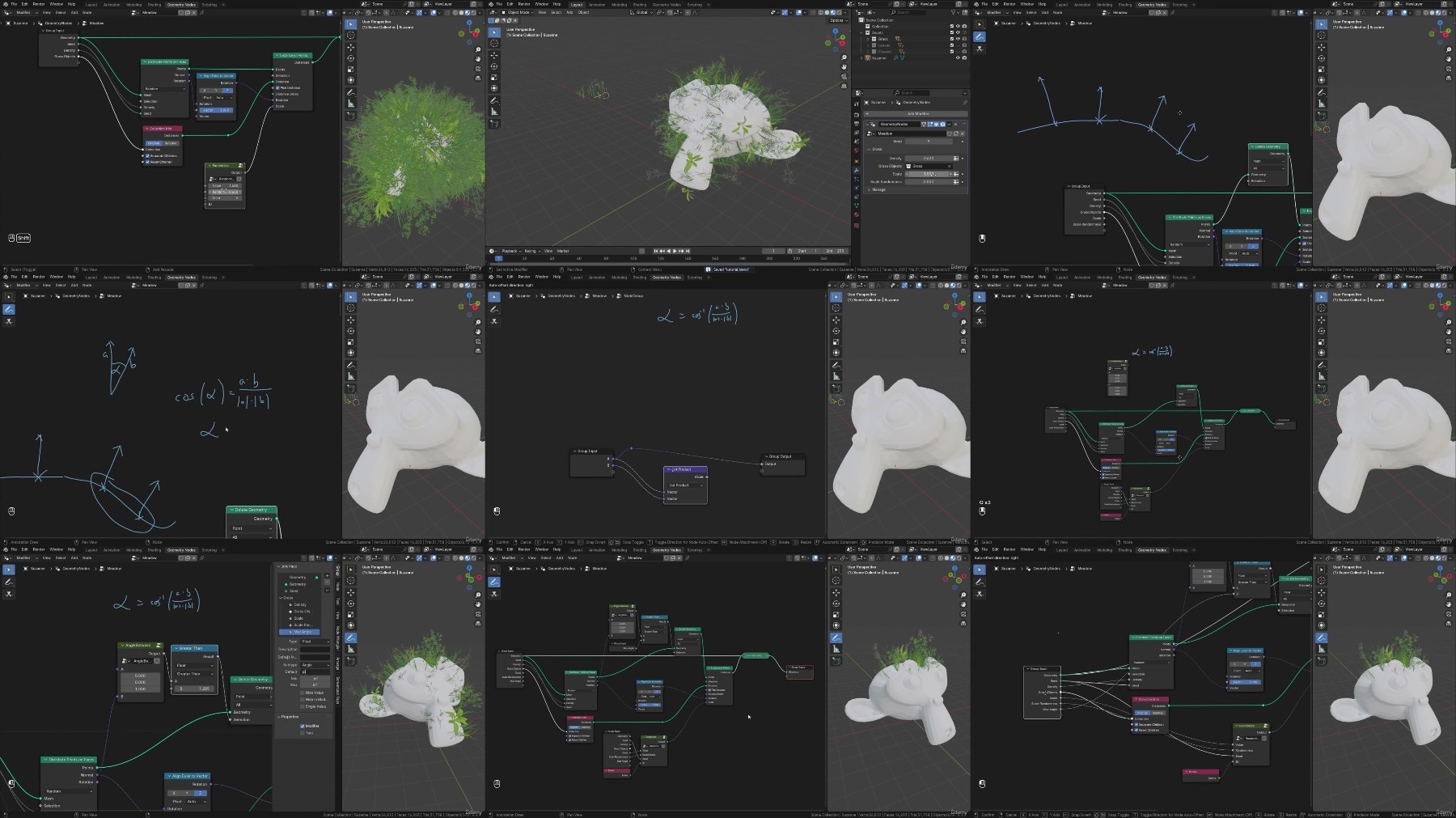
Free Download Blender Geometry Nodes for Beginners - Foliage Scatter
Published 9/2024
Created by 3D Tudor,Vladan Trhlík
MP4 | Video: h264, 1280x720 | Audio: AAC, 44.1 KHz, 2 Ch
Genre: eLearning | Language: English | Duration: 12 Lectures ( 2h 19m ) | Size: 2 GB
Master Procedural Grass and Plant Creation with Geometry Nodes in Blender
What you'll learn:
Master Blender's Geometry Nodes for Procedural 3D Modeling: Build a solid foundation by using Geometry Nodes to scatter objects and design detailed environments
Create Natural-Looking Grass Distributions with Precision: Learn the secrets to scattering grass across any surface in Blender, with complete control over densi
Add Realism with Diverse Foliage and Custom Node Groups: Enhance your environments with varied, lifelike vegetation using pre-made flower tops, leaves, and cust
Take Full Control of Foliage Placement for Professional Results: Master advanced techniques to control where your grass, flowers, and plants appear, ensuring a
Organize and Reuse Geometry Node Groups for Maximum Efficiency: Learn how to manage and store your Geometry Node setups, allowing you to easily reuse them acros
Streamline Your Workflow with Ready-Made Assets and Materials: Speed up your creative process by utilizing pre-made assets like flower tops and leaves, along wi
Requirements:
To own a computer (Microsoft, Linux or Mac)
To have downloaded Blender
The course is designed for all levels, so no previous experience in Blender or 3D modelling is necessary.
A thirst to learn and excitement about 3D modelling, game art, and lighting to take your portfolio to the next level
Description:
Unlock Your Creative Potential with 'Blender Geometry Nodes for Beginners - Foliage Scatter'!Are you ready to bring your 3D environments to life with lush, vibrant vegetation?'Blender Geometry Nodes for Beginners - Foliage Scatter' is your gateway to mastering one of Blender's most powerful tools for creating natural, dynamic landscapes. With this course, you'll learn to scatter grass, flowers, and other foliage across any surface using Geometry Nodes, without needing complex techniques. Whether you're a beginner or a more advanced user, this course will teach you how to create lifelike outdoor scenes with precision and creativity.What to Expect
 icture yourself designing breathtaking landscapes with tall, wind-swept grass, delicate flower petals, and leaves scattered naturally along flower stems-all effortlessly generated with Blender's procedural Geometry Nodes.Imagine the freedom to place each element exactly where it belongs, adapting to the natural flow of the terrain. In 'Blender Geometry Nodes for Beginners - Foliage Scatter,' you'll explore the fundamentals of Geometry Nodes and develop the ability to control every aspect of your foliage's growth and distribution.Each lesson will guide you through creating realistic vegetation, from basic grass blades to fully fleshed-out flowers.You'll be equipped with a comprehensive resource pack filled with ready-made assets like flower tops and leaves, allowing you to focus on the artistic aspects without worrying about complex modeling. You'll also get hands-on experience controlling where foliage appears, adapting your scenes to different terrains, and ensuring each plant looks natural and organic.By the end of the course, you'll be able to craft vibrant, detailed landscapes in Blender with ease.Top 6 Points About Blender Geometry Nodes for Beginners - Foliage Scatter:Master Blender's Geometry Nodes for Procedural 3D Modeling: Build a solid foundation by using Geometry Nodes to scatter objects and design detailed environments, perfect for creating professional-quality 3D scenes.Create Natural-Looking Grass Distributions with Precision: Learn the secrets to scattering grass across any surface in Blender, with complete control over density, placement, and terrain, bringing your 3D landscapes to life.Add Realism with Diverse Foliage and Custom Node Groups: Enhance your environments with varied, lifelike vegetation using pre-made flower tops, leaves, and customizable node groups for rich, vibrant landscapes.Take Full Control of Foliage Placement for Professional Results: Master advanced techniques to control where your grass, flowers, and plants appear, ensuring a natural and believable look that adapts to surface slopes and terrain characteristics.Streamline Your Workflow with Ready-Made Assets and Materials: Speed up your creative process by utilizing pre-made assets like flower tops and leaves, along with specially designed materials to achieve high-quality results with minimal effort.Organize and Reuse Geometry Node Groups for Maximum Efficiency: Learn how to manage and store your Geometry Node setups, allowing you to easily reuse them across different projects for faster and more efficient workflows.Visual Course Breakdown:Lesson 1: Introduction to Geometry NodesImagine opening up Blender and seeing how Geometry Nodes can revolutionize your workflow. In this lesson, you'll explore the basics of this node-based system and how to use it for creating dynamic, procedural models.Lesson 2: Grass Creation - Point Distribution and InstancingVisualize a vast meadow, with grass swaying gently in the breeze. Learn to scatter grass across a surface using point distribution, setting up the foundation for your natural-looking landscapes.Lesson 3: Randomizing Grass Scale for RealismPicture varied blades of grass, some short, others tall, all randomly scattered. In this lesson, you'll add randomness to your grass, creating a more realistic meadow.Lesson 4: Controlling Grass Placement with Max AngleImagine a mountain with grass only growing on gentle slopes. Learn how to control where your grass appears by adjusting the placement based on terrain angles.Lesson 5: Creating Stems with CurvesPicture wildflowers rising out of the earth, with their long stems curving toward the sky. You'll learn to procedurally generate these flower stems using curves.Lesson 6: Generating Flower Stems Using CurvesTake it a step further by refining those curves into lifelike flower stems, giving your scene a realistic, organic touch.Lesson 7: Mesh Conversion and Material Setup for StemsImagine adding lifelike textures to your flower stems, making them look realistic. Learn to convert your procedural curves into meshes and apply materials.Lesson 8: Spawning Flower Petals on StemsVisualize a field of flowers, with petals blooming in various colors. Use Geometry Nodes to procedurally generate these vibrant flower petals and place them naturally on your stems.Lesson 9: Placing Leaves Along StemsImagine leaves naturally scattered along the length of the flower stems. You'll learn to procedurally place leaves along stems for added detail.Lesson 10: Controlling Flower Density with Weight PaintingPicture a meadow where flowers appear densely in some areas and sparsely in others. Learn to control the distribution of flowers across your terrain with weight painting.Lesson 11: Special Materials for Terrain and Texture PaintingVisualize a beautifully textured meadow, with grass blending seamlessly into the ground. You'll apply custom materials to your terrain, adding the final touch to your scene.Summing It All UpImagine standing amidst a beautifully crafted 3D landscape, where every blade of grass and every flower stem was placed perfectly, reacting to the terrain's natural flow. By the end of 'Blender Geometry Nodes for Beginners - Foliage Scatter,' you'll have the skills to scatter grass, flowers, and foliage across your environments with the precision and creativity of a professional artist.This course provides you with pre-made assets and materials to fast-track your projects, so you can focus on the creative process instead of starting from scratch.Whether you're designing game environments, animations, or personal projects, this course will equip you with the tools and techniques to create beautiful, lifelike outdoor scenes in Blender.Your journey to mastering Geometry Nodes and creating stunning 3D environments starts here!Until next time, keep tweaking those geo nodes, everyone!Vlad - 3D Tudor
Who this course is for:
Blender Beginners and Intermediate Users: Artists who want to get comfortable using Geometry Nodes to create lifelike foliage and landscapes.
3D Modelers and Environment Designers: Anyone looking to improve their skills in procedural modeling and bring their environments to the next level.
Game Designers and Developers: Professionals or indie developers aiming to create detailed and efficient 3D landscapes for games.
Hobbyists and DIY Creators: Enthusiasts eager to explore the power of Geometry Nodes for personal or creative projects in 3D modeling.
Homepage
Recommend Download Link Hight Speed | Please Say Thanks Keep Topic Live
No Password - Links are Interchangeable