• Regeln für den Video-Bereich:

    In den Börsenbereich gehören nur Angebote die bereits den Allgemeinen Regeln entsprechen.

    Einteilung

    - Folgende Formate gehören in die angegeben Bereiche:
    - Filme: Encodierte Filme von BluRay, DVD, R5, TV, Screener sowie Telesyncs im Format DivX, XviD und x264.
    - DVD: Filme im Format DVD5, DVD9 und HD2DVD.
    - HD: Encodierte Filme mit der Auflösung 720p oder darüber von BluRay, DVD, R5, TV, Screener sowie Telesyncs im Format x264.
    - 3D: Encodierte Filme von BluRay, die in einem 3D Format vorliegen. Dies gilt auch für Dokus, Animation usw.
    - Serien: Cartoon/Zeichentrick, Anime, Tutorials, Dokumentationen, Konzerte/Musik, Sonstiges sind demnach in die entsprechenden Bereiche einzuordnen, auch wenn sie beispielsweise im High Definition-Format oder als DVD5/DVD9/HD2DVD vorliegen. Ausnahme 3D.
    - Bereich Englisch: Englische Releases gehören immer in diesen Bereich.
    - Bereich Talk: Der Bereich, in dem über die Releases diskutiert werden kann, darf, soll und erwünscht ist.


    Angebot/Beitrag erstellen

    - Ein Beitrag darf erst dann erstellt werden, wenn der Upload bei mindestens einem OCH komplett ist. Platzhalter sind untersagt.
    - Bei einem Scenerelease hat der Threadtitel ausschließlich aus dem originalen, unveränderten Releasenamen zu bestehen. Es dürfen keine Veränderungen wie z.B. Sterne, kleine Buchstaben o.ä. vorgenommen werden. Ausnahme Serienbörse:
    - Bei einem Sammelthread für eine Staffel entfällt aus dem Releasename natürlich der Name der Folge. Beispiel: Die Simpsons S21 German DVDRip XviD - ITG
    - Dementsprechend sind also u.a. verboten: Erweiterungen wie "Tipp", "empfehlenswert", "only", "reup", usw. / jegliche andere Zusatzinformation oder Ergänzung, welche nicht in obiger Beschreibung zu finden ist.

    Aufbau des Angebots und Threadtitel

    Der Titel nach folgendem Muster erstellt zu werden. <Name> [3D] [Staffel] [German] <Jahr> <Tonspur> [DL] [Auflösung] <Quelle> <Codec> - <Group>
    Beispiel: The Dark Knight German 2008 AC3 DVDRip XviD - iND
    Beispiel: The Dark Knight 2008 DTS DL BDRip x264 - iND
    Beispiel: The Dark Knight 2008 AC3 DL BDRip XviD - iND
    Beispiel: The Dark Knight German 2008 AC3 720p BluRay x264 iND
    Beispiel: The Dark Knight 2008 DTS DL 1080p BluRay x264 iND
    Beispiel: Die Simpsons S01 German AC3 DVDRip XviD iND
    Beispiel: Die Simpsons S20 German AC3 720p BluRay x264 iND
    Beispiel: Sword Art Online II Ger Sub 2014 AAC 1080p WEBRip x264 - peppermint
    Entsprechend sind also u.a. verboten: Sonderzeichen wie Klammern, Sterne, Ausrufezeichen, Unterstriche, Anführungszeichen / Erweiterungen wie "Tipp", "empfehlenswert", "only", "reup", usw. / jegliche andere Zusatzinformation oder Ergänzung, welche nicht in obiger Beschreibung zu finden ist
    Ausnahmen hiervon können in den Bereichen geregelt sein.

    Die Beiträge sollen wie folgt aufgebaut werden:
    Überschrift entspricht dem Threadtitel
    Cover
    kurze Inhaltsbeschreibung
    Format, Größe, Dauer sind gut lesbar für Downloader außerhalb des Spoilers zu vermerken
    Nfo sind immer Anzugeben und selbige immer im Spoiler in Textform.
    Sind keine Nfo vorhanden z.B. Eigenpublikationen, sind im Spoiler folgende Dateiinformationen zusätzlich anzugeben :
    Quelle
    Video (Auflösung und Bitrate)
    Ton (Sprache, Format und Bitrate der einzelnen Spuren)
    Untertitel (sofern vorhanden)
    Hosterangabe in Textform außerhalb eines Spoiler mit allen enthaltenen Hostern.
    Bei SD kann auf diese zusätzlichen Dateiinformationen verzichtet werden.

    Alle benötigten Passwörter sind, sofern vorhanden, in Textform im Angebot anzugeben.
    Spoiler im Spoiler mit Kommentaren :"Schon Bedankt?" sind unerwünscht.


    Releases

    - Sind Retail-Release verfügbar, sind alle anderen Variationen untersagt. Ausnahmen: Alle deutschen Retail-Release sind CUT, in diesem Fall sind dubbed UNCUT-Release zulässig.
    - Im Serien-Bereich gilt speziell: Wenn ein Retail vor Abschluss einer laufenden Staffel erscheint, darf diese Staffel noch zu Ende gebracht werden.62
    - Gleiche Releases sind unbedingt zusammenzufassen. Das bedeutet, es ist zwingend erforderlich, vor dem Erstellen eines Themas per Suchfunktion zu überprüfen, ob bereits ein Beitrag mit demselben Release besteht. Ist dies der Fall, ist der bereits vorhandene Beitrag zu verwenden.
    - P2P und Scene Releases dürfen nicht verändert oder gar unter einem iND Tag eingestellt werden.


    Support, Diskussionen und Suche

    - Supportanfragen sind entweder per PN oder im Bereich Talk zu stellen.
    - Diskussionen und Bewertungen sind im Talk Bereich zu führen. Fragen an die Uploader haben ausschließlich via PN zu erfolgen, und sind in den Angeboten untersagt.
    - Anfragen zu Upload-Wünschen sind nur im Bereich Suche Video erlaubt. Antworten dürfen nur auf Angebote von MyBoerse.bz verlinkt werden.


    Verbote

    - Untersagt sind mehrere Formate in einem einzigen Angebotsthread, wie beispielsweise das gleichzeitige Anbieten von DivX/XviD, 720p und 1080p in einem Thread. Pro Format, Release und Auflösung ist ein eigener Thread zu eröffnen.
    - Grundsätzlich ebenso verboten sind Dupes. Uploader haben sich an geeigneter Stelle darüber zu informieren, ob es sich bei einem Release um ein Dupe handelt.
    - Gefakte, nur teilweise lauffähige oder unvollständige Angebote sind untersagt. Dies gilt auch für eigene Publikationen, die augenscheinlich nicht selbst von z.B. einer DVD gerippt wurden. Laufende Serien, bei denen noch nicht alle Folgen verfügbar sind, dürfen erstellt und regelmäßig geupdatet werden.
    - Untersagt sind Angebote, welche nur und ausschließlich in einer anderen Sprache als deutsch oder englisch vorliegen. Ausnahmen sind VORHER mit den Moderatoren zu klären.


    Verstoß gegen die Regeln

    - Angebote oder Beiträge, die gegen die Forenregeln verstoßen, sind über den "Melden"-Button im Beitrag zu melden.
  • Bitte registriere dich zunächst um Beiträge zu verfassen und externe Links aufzurufen.

*** Bestes IPTV *** bester Preis *** gratis Test ***


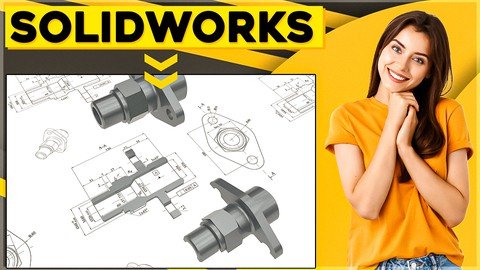
Become Solidworks Drawings Professional In Just 3 Hrs

Tutorials

MyBoerse.bz Pro Member
2a62fcd99518d77a2036a28f9783bb98.jpeg


Last updated 11/2021
MP4 | Video: h264, 1280x720 | Audio: AAC, 44.1 KHz
Language: English | Size: 1.37 GB | Duration: 3h 7m
Learn To Create Drawings Like SOLIDWORKS Professional In Just 3 hrs Without Drawings Experience + (CSWPA-DT) Exam Prep

What you'll learn
Learning to create drawing sheet, how to inert views, how to put dimensions, how to edit sheet and how to save drawing file.
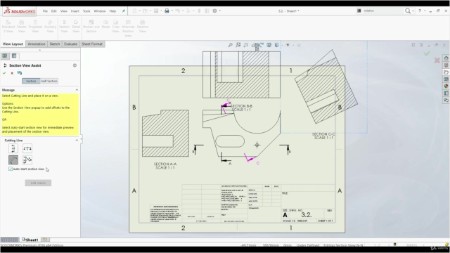
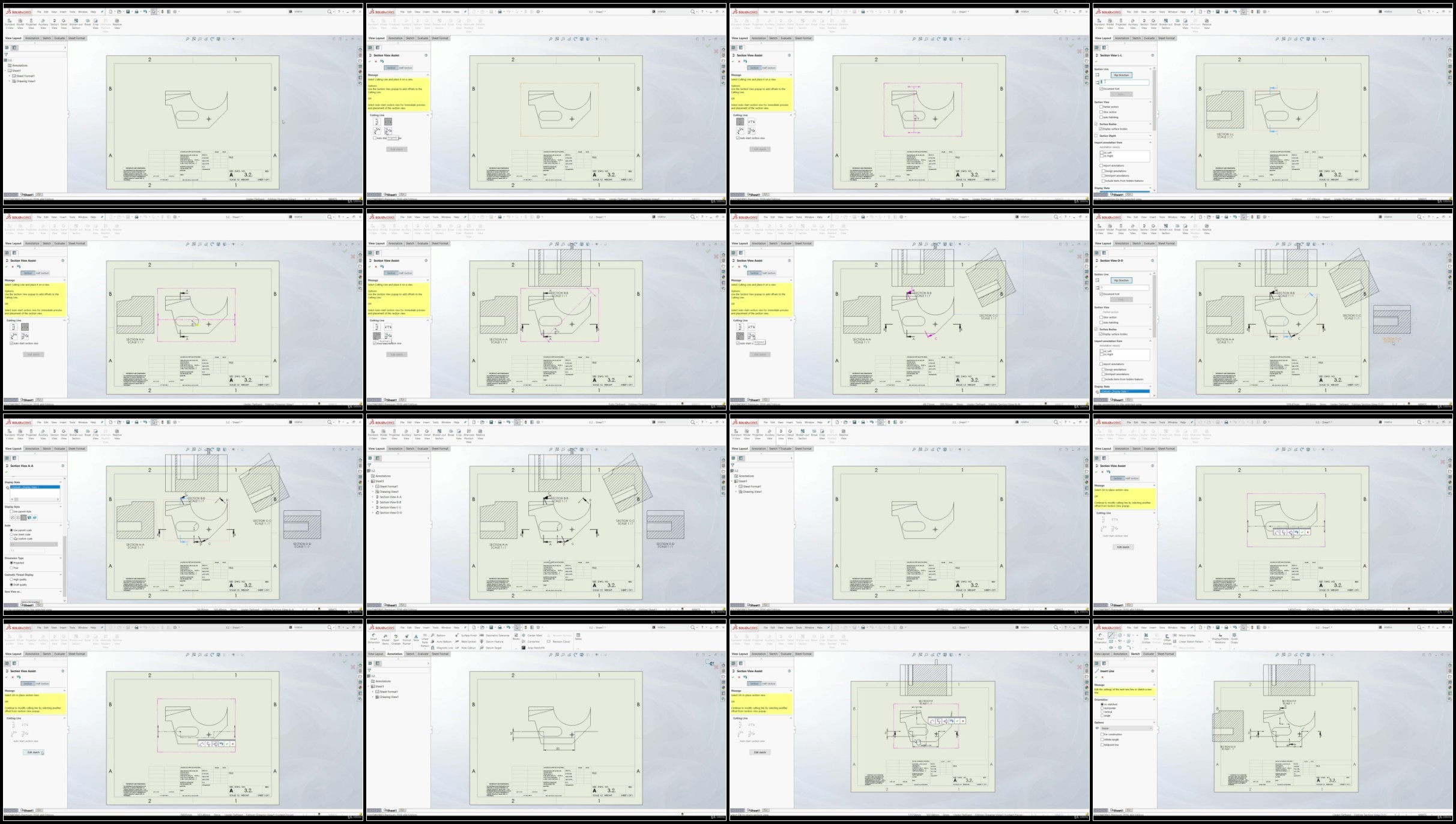
Learning to create different views such as section view, relative view, auxiliary view, detail view, broken-out section view ...
Learning Surface finish tool, Weld symbol tools, Measure tool and some other tools and techniques.
Learning to create a Bill of Materials table (BOM), how to create BOM, how to sort BOM, how to find missing items, how to edit properties ...
Learning sample questions, those questions are similar are will find on the exam
2 CSWPA-DT Drawing Tools Professional exams. In Solidworks is all about practicing . Your skills will be sharpen if you dive in directly by yourself.
You'll gain confidence to negotiate for bigger salary
You'll be able to start your Solidworks CAD Drawings designer career and start making money
You'll start to think like a CAD designer
You'll be able to confidently list your SOLIDWORKS Drawings skills in your resume
Requirements
PC
Solidworks 2016 software or newer version
Basic knowledge of Windows PC
Basic knowledge of Solidworks part modeling
Description
★★★ Learn To Create Drawings Like SOLIDWORKS Professional In Just 3 Hours Without Drawings Experience + (CSWPA-DT) Exam Prep! ★★★The problem is that most of the students...1. Don't have the right mind strategy to think like a designer2. They are not able to find the quickest way to find the design solution 3. They don't know how to approach to the design problemIf you want come on the exam relaxed and full of confidence in your Solidworks drawing skills let me introduce you to the training that will get you prepare even if you never touched Solidworks Drawings before.In this course you will get skills, training and examples to overcome those obstacles and pass Solidworks CSWPA - DT exam easily even with spare time left by going through.1. Learning to create drawing sheet, how to inert views, how to put dimensions, how to edit sheet and how to save drawing file. Then we will continue with showing how to create different views such as section view, relative view, auxiliary view, detail view, broken-out section view, break view, alternate position view, crop view and isometric section view.2. Learning Surface finish tool, Weld symbol tools, Measure tool and some other tools and techniques.3. Learning to create a Bill of Materials table (BOM), how to create BOM, how to sort BOM, how to find missing items, how to edit properties, how to use equations, how to show/hide components, how to use linked notes and how to measure drawing views.4. Learning sample questions, those questions are similar are will find on the exam. I advise you to go through those question by yourself. If you stuck somewhere you can always watch video tutorial or contact me via email. 5. 2 CSWPA-DT Drawing Tools Professional exams. In Solidworks is all about practicing . Your skills will be sharpen if you dive in directly by yourself. That's why this course is providing bunch of exercises that you have to solve individually. But everything you need to know will be shown in the lectures.6. You'll gain confidence to negotiate for bigger salary7. You'll be able to start your Solidworks CAD Drawings designer career and start making money8. You'll start to think like a CAD designer9. You'll be able to confidently list your SOLIDWORKS Drawings skills in your resumeNow what makes me credible to teach you this topic?I have master's degree in mechanical engineering and I'm Solidworks certified professional designer. I have over 5 years industry experience in using Solidworks, CATIA and AutoCAD where I was designing resistance welding machines.On the other hand last two years I have enrolled over 30 000 students on my 12 courses with my average courses rate 4.6 out of 5.This course can transform your Solidworks skills, your career and at the end your life as you know but don't take my word for it.Read just few of these raving student testimonials for yourself.★★★★★ " Simple, well presented, and easy to follow." - Matthew C.★★★★★ " Great course with lectures presented in short and simple manner." - Hizami H.BONUS: Students who enroll today will receive my lifetime personal email support. So you can contact me anytime regarding any question you have.30-DAY GUARANTEE: If you don't see incredible results from this course within the next 30 days, Udemy will refund your entire investment!You literally have nothing to lose and so much to gain!ADD TO CART now to truly change your life forever.
Overview
Section 1: INTRODUCTION
Lecture 1 Introduction
Lecture 2 About The CSWPA-DT
Lecture 3 Tips For CSWPA-DT Exam
Lecture 4 Note!!!
Section 2: BASIC DRAWING TOOLS
Lecture 5 Setting Up A Drawing Sheet
Lecture 6 Orthographic Views
Lecture 7 View Properties And Projected View
Lecture 8 Driving Vs Driven Dimensions
Lecture 9 Driving Dimensions
Lecture 10 Driven Dimensions
Lecture 11 Baseline Dimensions
Lecture 12 Ordinate Dimensions
Lecture 13 Angular Dimensions
Lecture 14 Chamfer Dimensions
Lecture 15 Model Items - Assembly
Lecture 16 Dimension Properties
Lecture 17 Dimension Style
Lecture 18 Document Properties
Lecture 19 View Focus
Section 3: VIEWS
Lecture 20 Custom Type View
Lecture 21 3D Drawing View Tool
Lecture 22 Predefined View
Lecture 23 Relative View
Lecture 24 Section View
Lecture 25 Auxiliary View
Lecture 26 Detail View
Lecture 27 Broken-out Section View
Lecture 28 Break View
Lecture 29 Alternate Position View
Lecture 30 Crop View
Lecture 31 Isometric Section View
Section 4: ADVANCED TOOLS
Lecture 32 Measuring Tool
Lecture 33 Dimension Rounding
Lecture 34 Convert View
Lecture 35 Centermark And Centerline
Lecture 36 Hole Callout
Lecture 37 Surface Finish
Lecture 38 Weld Symbols
Lecture 39 Hatch Pattern
Lecture 40 Exploded View
Lecture 41 Balloon And Magnetic Line
Lecture 42 Autoballoon
Section 5: TABLE CREATION
Lecture 43 Hole Table
Lecture 44 Bill Of Materials Table (BOM)
Lecture 45 BOM Sorting And Item Numbers
Lecture 46 Missing Item In BOM
Lecture 47 Custom Properties
Lecture 48 Equations
Lecture 49 Show/Hide Components
Lecture 50 Linked Notes
Lecture 51 Generate Table
Section 6: WORKING WITH SHEET
Lecture 52 Layers
Lecture 53 Multiple Sheets
Lecture 54 Edit Sheet
Lecture 55 Sheet Properties
Lecture 56 Saving Options
Section 7: SAMPLE EXAM QUESTIONS
Lecture 57 Download Exam
Lecture 58 Question 1
Lecture 59 Question 2
Lecture 60 Question 3
Lecture 61 Question 4
Lecture 62 Question 5
Lecture 63 Question 6
Section 8: OFFICIAL EXAM SAMPLE
Lecture 64 Download Exam
Lecture 65 Question 1
Lecture 66 Question 2
Lecture 67 Question 3
Lecture 68 Question 4
Lecture 69 Question 5
Lecture 70 Question 6
Section 9: CONCLUSION
Lecture 71 Congratulations!!!
Lecture 72 Bonus Lecture
Beginners,Experienced users who want to expand knowledge,Individuals intending to take SOLIDWORKS Professional-Advanced Drawing Tools Certificate (CSWPA-DT),Anyone interested in Solidworks Drawing Tools skills


Homepage


Recommend Download Link Hight Speed | Please Say Thanks Keep Topic Live
Links are Interchangeable - No Password - Single Extraction

 

f35834c8f4d84b90c6aa6329da3f0333.jpg

Become Solidworks Drawings Professional In Just 3 Hrs
Last updated 11/2021
MP4 | Video: h264, 1280x720 | Audio: AAC, 44.1 KHz
Language: English | Size: 1.37 GB | Duration: 3h 7m​

Learn To Create Drawings Like SOLIDWORKS Professional In Just 3 hrs Without Drawings Experience + (CSWPA-DT) Exam Prep

What you'll learn
Learning to create drawing sheet, how to inert views, how to put dimensions, how to edit sheet and how to save drawing file.
Learning to create different views such as section view, relative view, auxiliary view, detail view, broken-out section view .
Learning Surface finish tool, Weld symbol tools, Measure tool and some other tools and techniques.
Learning to create a Bill of Materials table (BOM), how to create BOM, how to sort BOM, how to find missing items, how to edit properties .
Learning sample questions, those questions are similar are will find on the exam
2 CSWPA-DT Drawing Tools Professional exams. In Solidworks is all about practicing . Your skills will be sharpen if you dive in directly by yourself.
You'll gain confidence to negotiate for bigger salary
You'll be able to start your Solidworks CAD Drawings designer career and start making money
You'll start to think like a CAD designer
You'll be able to confidently list your SOLIDWORKS Drawings skills in your resume
Requirements
PC
Solidworks 2016 software or newer version
Basic knowledge of Windows PC
Basic knowledge of Solidworks part modeling
Description
★★★ Learn To Create Drawings Like SOLIDWORKS Professional In Just 3 Hours Without Drawings Experience + (CSWPA-DT) Exam Prep! ★★★The problem is that most of the students.1. Don't have the right mind strategy to think like a designer2. They are not able to find the quickest way to find the design solution 3. They don't know how to approach to the design problemIf you want come on the exam relaxed and full of confidence in your Solidworks drawing skills let me introduce you to the training that will get you prepare even if you never touched Solidworks Drawings before.In this course you will get skills, training and examples to overcome those obstacles and pass Solidworks CSWPA - DT exam easily even with spare time left by going through.1. Learning to create drawing sheet, how to inert views, how to put dimensions, how to edit sheet and how to save drawing file. Then we will continue with showing how to create different views such as section view, relative view, auxiliary view, detail view, broken-out section view, break view, alternate position view, crop view and isometric section view.2. Learning Surface finish tool, Weld symbol tools, Measure tool and some other tools and techniques.3. Learning to create a Bill of Materials table (BOM), how to create BOM, how to sort BOM, how to find missing items, how to edit properties, how to use equations, how to show/hide components, how to use linked notes and how to measure drawing views.4. Learning sample questions, those questions are similar are will find on the exam. I advise you to go through those question by yourself. If you stuck somewhere you can always watch video tutorial or contact me via email. 5. 2 CSWPA-DT Drawing Tools Professional exams. In Solidworks is all about practicing . Your skills will be sharpen if you dive in directly by yourself. That's why this course is providing bunch of exercises that you have to solve individually. But everything you need to know will be shown in the lectures.6. You'll gain confidence to negotiate for bigger salary7. You'll be able to start your Solidworks CAD Drawings designer career and start making money8. You'll start to think like a CAD designer9. You'll be able to confidently list your SOLIDWORKS Drawings skills in your resumeNow what makes me credible to teach you this topic?I have master's degree in mechanical engineering and I'm Solidworks certified professional designer. I have over 5 years industry experience in using Solidworks, CATIA and AutoCAD where I was designing resistance welding machines.On the other hand last two years I have enrolled over 30 000 students on my 12 courses with my average courses rate 4.6 out of 5.This course can transform your Solidworks skills, your career and at the end your life as you know but don't take my word for it.Read just few of these raving student testimonials for yourself.★★★★★ " Simple, well presented, and easy to follow." - Matthew C.★★★★★ " Great course with lectures presented in short and simple manner." - Hizami H.BONUS: Students who enroll today will receive my lifetime personal email support. So you can contact me anytime regarding any question you have.30-DAY GUARANTEE: If you don't see incredible results from this course within the next 30 days, Udemy will refund your entire investment!You literally have nothing to lose and so much to gain!ADD TO CART now to truly change your life forever.

Overview

Section 1: INTRODUCTION

Lecture 1 Introduction

Lecture 2 About The CSWPA-DT

Lecture 3 Tips For CSWPA-DT Exam

Lecture 4 Note!!!

Section 2: BASIC DRAWING TOOLS

Lecture 5 Setting Up A Drawing Sheet

Lecture 6 Orthographic Views

Lecture 7 View Properties And Projected View

Lecture 8 Driving Vs Driven Dimensions

Lecture 9 Driving Dimensions

Lecture 10 Driven Dimensions

Lecture 11 Baseline Dimensions

Lecture 12 Ordinate Dimensions

Lecture 13 Angular Dimensions

Lecture 14 Chamfer Dimensions

Lecture 15 Model Items - Assembly

Lecture 16 Dimension Properties

Lecture 17 Dimension Style

Lecture 18 Document Properties

Lecture 19 View Focus

Section 3: VIEWS

Lecture 20 Custom Type View

Lecture 21 3D Drawing View Tool

Lecture 22 Predefined View

Lecture 23 Relative View

Lecture 24 Section View

Lecture 25 Auxiliary View

Lecture 26 Detail View

Lecture 27 Broken-out Section View

Lecture 28 Break View

Lecture 29 Alternate Position View

Lecture 30 Crop View

Lecture 31 Isometric Section View

Section 4: ADVANCED TOOLS

Lecture 32 Measuring Tool

Lecture 33 Dimension Rounding

Lecture 34 Convert View

Lecture 35 Centermark And Centerline

Lecture 36 Hole Callout

Lecture 37 Surface Finish

Lecture 38 Weld Symbols

Lecture 39 Hatch Pattern

Lecture 40 Exploded View

Lecture 41 Balloon And Magnetic Line

Lecture 42 Autoballoon

Section 5: TABLE CREATION

Lecture 43 Hole Table

Lecture 44 Bill Of Materials Table (BOM)

Lecture 45 BOM Sorting And Item Numbers

Lecture 46 Missing Item In BOM

Lecture 47 Custom Properties

Lecture 48 Equations

Lecture 49 Show/Hide Components

Lecture 50 Linked Notes

Lecture 51 Generate Table

Section 6: WORKING WITH SHEET

Lecture 52 Layers

Lecture 53 Multiple Sheets

Lecture 54 Edit Sheet

Lecture 55 Sheet Properties

Lecture 56 Saving Options

Section 7: SAMPLE EXAM QUESTIONS

Lecture 57 Download Exam

Lecture 58 Question 1

Lecture 59 Question 2

Lecture 60 Question 3

Lecture 61 Question 4

Lecture 62 Question 5

Lecture 63 Question 6

Section 8: OFFICIAL EXAM SAMPLE

Lecture 64 Download Exam

Lecture 65 Question 1

Lecture 66 Question 2

Lecture 67 Question 3

Lecture 68 Question 4

Lecture 69 Question 5

Lecture 70 Question 6

Section 9: CONCLUSION

Lecture 71 Congratulations!!!

Lecture 72 Bonus Lecture

Beginners,Experienced users who want to expand knowledge,Individuals intending to take SOLIDWORKS Professional-Advanced Drawing Tools Certificate (CSWPA-DT),Anyone interested in Solidworks Drawing Tools skills

nBDE8lzE_o.jpg

 
Zurück
Oben Unten