• Regeln für den Video-Bereich:

    In den Börsenbereich gehören nur Angebote die bereits den Allgemeinen Regeln entsprechen.

    Einteilung

    - Folgende Formate gehören in die angegeben Bereiche:
    - Filme: Encodierte Filme von BluRay, DVD, R5, TV, Screener sowie Telesyncs im Format DivX, XviD und x264.
    - DVD: Filme im Format DVD5, DVD9 und HD2DVD.
    - HD: Encodierte Filme mit der Auflösung 720p oder darüber von BluRay, DVD, R5, TV, Screener sowie Telesyncs im Format x264.
    - 3D: Encodierte Filme von BluRay, die in einem 3D Format vorliegen. Dies gilt auch für Dokus, Animation usw.
    - Serien: Cartoon/Zeichentrick, Anime, Tutorials, Dokumentationen, Konzerte/Musik, Sonstiges sind demnach in die entsprechenden Bereiche einzuordnen, auch wenn sie beispielsweise im High Definition-Format oder als DVD5/DVD9/HD2DVD vorliegen. Ausnahme 3D.
    - Bereich Englisch: Englische Releases gehören immer in diesen Bereich.
    - Bereich Talk: Der Bereich, in dem über die Releases diskutiert werden kann, darf, soll und erwünscht ist.


    Angebot/Beitrag erstellen

    - Ein Beitrag darf erst dann erstellt werden, wenn der Upload bei mindestens einem OCH komplett ist. Platzhalter sind untersagt.
    - Bei einem Scenerelease hat der Threadtitel ausschließlich aus dem originalen, unveränderten Releasenamen zu bestehen. Es dürfen keine Veränderungen wie z.B. Sterne, kleine Buchstaben o.ä. vorgenommen werden. Ausnahme Serienbörse:
    - Bei einem Sammelthread für eine Staffel entfällt aus dem Releasename natürlich der Name der Folge. Beispiel: Die Simpsons S21 German DVDRip XviD - ITG
    - Dementsprechend sind also u.a. verboten: Erweiterungen wie "Tipp", "empfehlenswert", "only", "reup", usw. / jegliche andere Zusatzinformation oder Ergänzung, welche nicht in obiger Beschreibung zu finden ist.

    Aufbau des Angebots und Threadtitel

    Der Titel nach folgendem Muster erstellt zu werden. <Name> [3D] [Staffel] [German] <Jahr> <Tonspur> [DL] [Auflösung] <Quelle> <Codec> - <Group>
    Beispiel: The Dark Knight German 2008 AC3 DVDRip XviD - iND
    Beispiel: The Dark Knight 2008 DTS DL BDRip x264 - iND
    Beispiel: The Dark Knight 2008 AC3 DL BDRip XviD - iND
    Beispiel: The Dark Knight German 2008 AC3 720p BluRay x264 iND
    Beispiel: The Dark Knight 2008 DTS DL 1080p BluRay x264 iND
    Beispiel: Die Simpsons S01 German AC3 DVDRip XviD iND
    Beispiel: Die Simpsons S20 German AC3 720p BluRay x264 iND
    Beispiel: Sword Art Online II Ger Sub 2014 AAC 1080p WEBRip x264 - peppermint
    Entsprechend sind also u.a. verboten: Sonderzeichen wie Klammern, Sterne, Ausrufezeichen, Unterstriche, Anführungszeichen / Erweiterungen wie "Tipp", "empfehlenswert", "only", "reup", usw. / jegliche andere Zusatzinformation oder Ergänzung, welche nicht in obiger Beschreibung zu finden ist
    Ausnahmen hiervon können in den Bereichen geregelt sein.

    Die Beiträge sollen wie folgt aufgebaut werden:
    Überschrift entspricht dem Threadtitel
    Cover
    kurze Inhaltsbeschreibung
    Format, Größe, Dauer sind gut lesbar für Downloader außerhalb des Spoilers zu vermerken
    Nfo sind immer Anzugeben und selbige immer im Spoiler in Textform.
    Sind keine Nfo vorhanden z.B. Eigenpublikationen, sind im Spoiler folgende Dateiinformationen zusätzlich anzugeben :
    Quelle
    Video (Auflösung und Bitrate)
    Ton (Sprache, Format und Bitrate der einzelnen Spuren)
    Untertitel (sofern vorhanden)
    Hosterangabe in Textform außerhalb eines Spoiler mit allen enthaltenen Hostern.
    Bei SD kann auf diese zusätzlichen Dateiinformationen verzichtet werden.

    Alle benötigten Passwörter sind, sofern vorhanden, in Textform im Angebot anzugeben.
    Spoiler im Spoiler mit Kommentaren :"Schon Bedankt?" sind unerwünscht.


    Releases

    - Sind Retail-Release verfügbar, sind alle anderen Variationen untersagt. Ausnahmen: Alle deutschen Retail-Release sind CUT, in diesem Fall sind dubbed UNCUT-Release zulässig.
    - Im Serien-Bereich gilt speziell: Wenn ein Retail vor Abschluss einer laufenden Staffel erscheint, darf diese Staffel noch zu Ende gebracht werden.62
    - Gleiche Releases sind unbedingt zusammenzufassen. Das bedeutet, es ist zwingend erforderlich, vor dem Erstellen eines Themas per Suchfunktion zu überprüfen, ob bereits ein Beitrag mit demselben Release besteht. Ist dies der Fall, ist der bereits vorhandene Beitrag zu verwenden.
    - P2P und Scene Releases dürfen nicht verändert oder gar unter einem iND Tag eingestellt werden.


    Support, Diskussionen und Suche

    - Supportanfragen sind entweder per PN oder im Bereich Talk zu stellen.
    - Diskussionen und Bewertungen sind im Talk Bereich zu führen. Fragen an die Uploader haben ausschließlich via PN zu erfolgen, und sind in den Angeboten untersagt.
    - Anfragen zu Upload-Wünschen sind nur im Bereich Suche Video erlaubt. Antworten dürfen nur auf Angebote von MyBoerse.bz verlinkt werden.


    Verbote

    - Untersagt sind mehrere Formate in einem einzigen Angebotsthread, wie beispielsweise das gleichzeitige Anbieten von DivX/XviD, 720p und 1080p in einem Thread. Pro Format, Release und Auflösung ist ein eigener Thread zu eröffnen.
    - Grundsätzlich ebenso verboten sind Dupes. Uploader haben sich an geeigneter Stelle darüber zu informieren, ob es sich bei einem Release um ein Dupe handelt.
    - Gefakte, nur teilweise lauffähige oder unvollständige Angebote sind untersagt. Dies gilt auch für eigene Publikationen, die augenscheinlich nicht selbst von z.B. einer DVD gerippt wurden. Laufende Serien, bei denen noch nicht alle Folgen verfügbar sind, dürfen erstellt und regelmäßig geupdatet werden.
    - Untersagt sind Angebote, welche nur und ausschließlich in einer anderen Sprache als deutsch oder englisch vorliegen. Ausnahmen sind VORHER mit den Moderatoren zu klären.


    Verstoß gegen die Regeln

    - Angebote oder Beiträge, die gegen die Forenregeln verstoßen, sind über den "Melden"-Button im Beitrag zu melden.
  • Bitte registriere dich zunächst um Beiträge zu verfassen und externe Links aufzurufen.

*** Bestes IPTV *** bester Preis *** gratis Test ***


Basic & Motion Food Photography Create Motion & Basic Food Photos using DSLR/Mirrorless at Home

Tutorials

MyBoerse.bz Pro Member
191e07e0e69b15692183af61b6f46013.jpeg

Free Download Basic & Motion Food Photography: Create Motion & Basic Food Photos using DSLR/Mirrorless at Home.
File Name:Basic & Motion Food Photography: Create Motion & Basic Food Photos using DSLR/Mirrorless at Home --->Home Page : --->Genre / Category:photography --->File Size :1.2 GB-->Publisher:skillshare| Updated and Published:December 29, 2023 -->Product Details

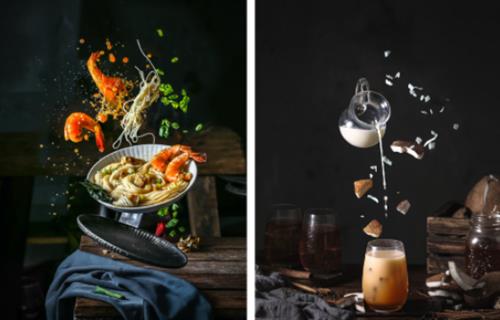
The Best tutorial to Shoot Basic & Motion Food Photography using Your DSLR/Mirrorless Camera. Hello, welcome to our course ! In this course you'll learn all about DSLR/Mirrorless Food Photography especially for Basic & Motion Shot. We'll explain to you step by step to create an impressive bright mood & dark mood food photography from basic to motion shot, start from introduction of camera & lighting, preparation before doing photoshoot, arrangement the scene, to photoshoot session so you can compose a very very beautiful bright mood & dark mood food photos at your home. Hi there, my name is Berry Phann, a Professional Food Photographer Trainer from Indonesia. At my first five years, I was shoot food and beverage with all my own creation everyday. Now, you can see that my works have been published globally! Not only in Indonesia, but the works have been jumping around Asia Pacific, like South Korea, Japan, China, Singapore, Malaysia, Cambodia, and many else. More than 2000 projects have been finished. More than 5000 clients have been handled. JUST IN 4 YEARS!

The 7 Steps to Create Amazing Basic & Motion Food Photography:
INTRODUCTION :We'll teach you to learn about all the lighting we use, and all the lecture that will be discussed in this course.
PROPS & BACKGROUNDS :Learn the fundamentals of shooting with your DSLR/Mirrorless Camera. We'll teach you how to focus, balance, and use your DSLR/Mirrorless to get the perfect food photography shot!
LIGHTING AND CAMERA SETTING :Learn the principles of how to set the very beautiful bright mood & dark mood food photography scene by setting the right lighting with DSLR/Mirrorless
PROPS & BACKGROUND SETTING : Learn how to choose props & background without dishing out tons of cash!
BONUS LEVITATION SHOT :We'll teach you all the tips in setting the movement of levitation food photography to create a great shot
SHOOTING: Learn how to get the beautiful levitation food photos using DSLR/Mirrorless Camera
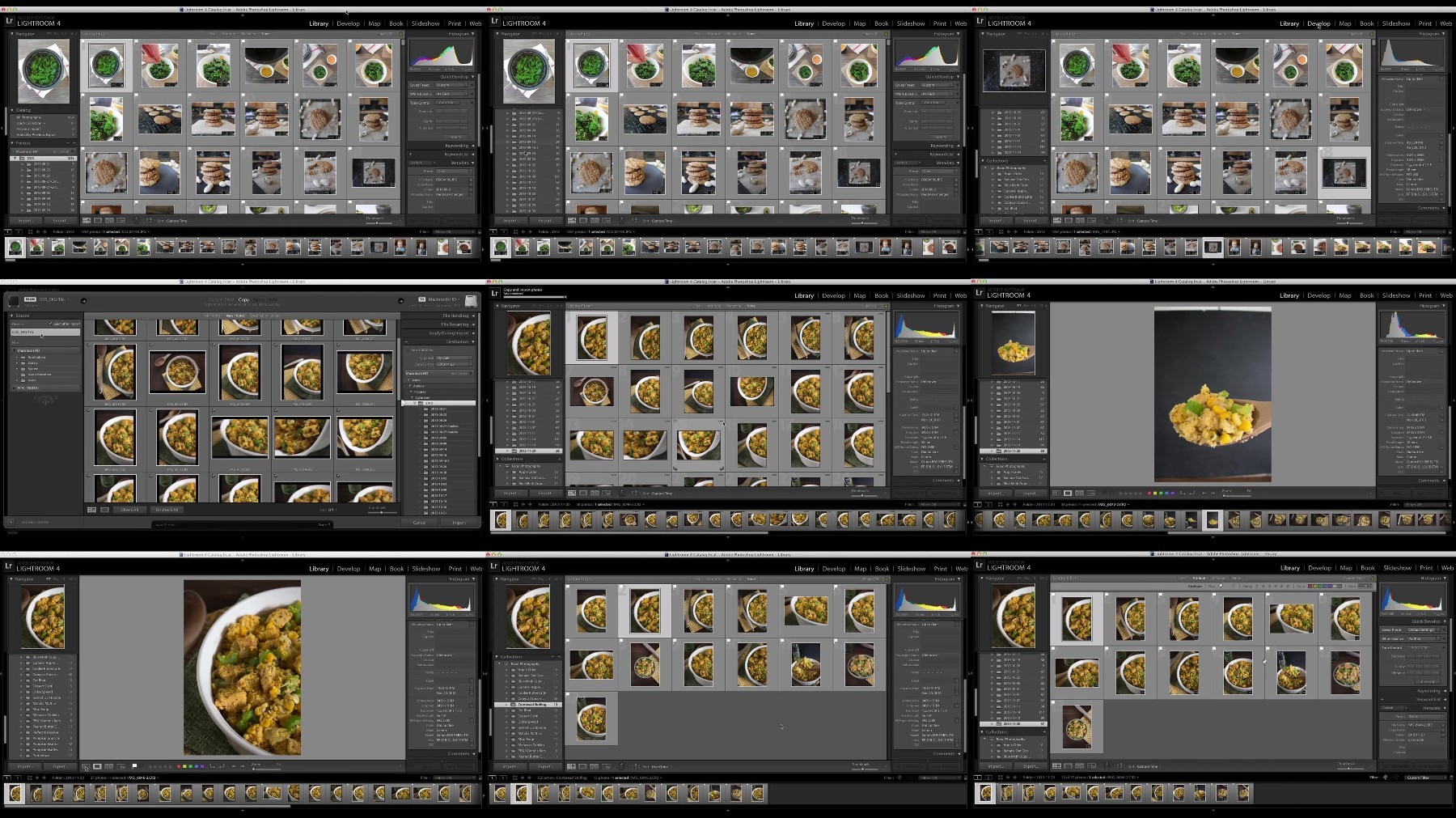
EDITING : we'll take you through our favourite steps of editing session using Adobe Photoshop & Adobe Lightroom to make your finished photo POP

Recommend Download Link Hight Speed | Please Say Thanks Keep Topic Live
Links are Interchangeable - No Password - Single Extraction
 

48e4a30fb52eb569ea55bbfef2b8180a.jpg

Basic Food Photography
Last updated 2/2021
MP4 | Video: h264, 1280x720 | Audio: AAC, 44.1 KHz
Language: English | Size: 1.10 GB | Duration: 5h 58m​

Learn how to take delicious food photos from scratch

What you'll learn
How to tell a powerful and engaging story through food photos.
How to style your food in ways that are aesthetically appealing to the camera.
How to create dynamic lighting setups that make food scenes look stunning.
How to create and use a variety of surfaces that create dramatic backdrops for your pictures.
How to use props & accents that add depth and complete your scenes.
How to choose the type of camera that meets your food photography needs.
How to take stunning food photos on a smartphone.
How to frame your shots with the perfect composition for food photography.
How to conduct a successful food photo shoot from start to finish.
How to adjust the essential editing effects that make your food photos look more stunning and realistic.
How to use Adobe Lightroom to create an efficient workflow and apply key editing effects.
How to export and share your photos with the right dimensions and quality settings.
How to use social media as a food photographer in ways that gain recognition for your pictures.
Requirements
The information is this course is designed to apply equally to all levels of equipment. Whether you're using an iPhone or a pro-level DSLR, you'll still get maximum value from this course.
A camera. Any category of camera (camera phone, point & shoot, or DSLR) will work for this course.
Adobe Lightroom 4+ for Mac or PC is suggested. The editing section of this course introduces Lightroom. If you do not have this software, the course provides information on getting a free trial.
Description
[New Updated Lectures for 2020! Including an all-new head to head comparison between smartphone vs. "pro camera" food photos.]With Basic Food Photography, you can quickly learn to take stunning food photos even if you've never picked up a camera and never styled a plate of food! Thanks to social media, food photography is now a big deal. Sites like Instagram and Pinterest make it easier than ever to take pictures of food and share them with millions of viewers. But getting your pictures noticed requires so much more than just a well-composed snapshot. The problem is, Food photography is uniquely challenging because it demands the perfect balance of artistic and technical skills. A great food photographer knows how to combine the technical skills of taking well-composed pictures with the artistic skills of styling gorgeous food scenes. That's the goal of Basic Food Photography - this 27-lesson video course weaves together the art and the technology behind food photography in a way that you can put into practice. The skills you learn here will help you take stunning photos from start to finish - anytime, anywhere, with any camera. Specifically, Basic Food Photography will teach you these core skills: Food Storytelling - Learn to give your pictures power by telling a delicious story through the food and the scene.Food Styling - If the food looks unappealing, so will the photos. Learn to style your food in ways that are photogenic to create stunning pictures.Scene Composition - Compose beautiful and structured food scenes that make best use of lighting, surfaces, accents, and more.Photo Shooting - Learn how to get the most from your equipment (from iPhone to DSLR) to take gorgeous, well-composed food photos every time.Image Processing - The goal with any food photo is to make it look realistic. This can be enhanced with a few key editing effects that you'll learn how to apply.Sharing - Gain recognition for your work by applying techniques that engage the social web around the delicious photos you've learned how to create.In this course, I am sharing all the photography techniques that have helped my food blog grow to over 125,000 monthly views in less than a year. Whether you want to start a food blog, or simply share more rewarding food photos with friends, Basic Food Photography is designed to give you the confidence you need to take stunning food photos that get noticed. In addition to over 5.5 hours of practical, hands-on instruction, this course includes a printable 17-page "cheat sheet" with key points that you can reference time and time again to make your photo shoots more successful. This dynamic Udemy platform also gives you direct access to me where I can offer you personalized instruction and feedback along the way. In just over 5 hours of lessons, you will gain the skills and confidence to shoot more rewarding food photos that you can be proud to share with others. I cannot wait to see the amazing pictures you're going to take! Andrew Olson Photographer & Recipe Developer,One Ingredient ChefReady to get started? Click the "Take This Course" button aboveEnter your details and click "Confirm Purchase"You'll have instant access to all the information in this courseP.S. Basic Food Photography comes with a 30 day money back guarantee. Sign up today and check out all the material. If it doesn't help you take stunning food photos in 30 days, you'll get a full refund. No questions asked. Go ahead and click the "Take This Course" button now - there's absolutely no risk.

Overview

Section 1: Learning Food Photography

Lecture 1 Why Learn Food Photography?

Lecture 2 Get Started Now

Lecture 3 Food + Camera = Story

Section 2: Food Styling

Lecture 4 Pretty Pictures of Ugly Food

Lecture 5 Choosing the Right Dish

Lecture 6 Food Styling 101

Lecture 7 Styling Within the Story

Section 3: Setting the Scene

Lecture 8 Seeing Like a Camera

Lecture 9 Setting Up Your Lighting

Lecture 10 Choosing the Right Surface

Lecture 11 Bonus: A Marble Surface for. $15?!

Lecture 12 Using Accents & Props

Section 4: Getting the Best Shots

Lecture 13 Using The Right Camera

Lecture 14 Mobile Food Photography

Lecture 15 BONUS: iPhone Vs. Pro Camera in 2020

Lecture 16 Point & Shoot Food Photography

Lecture 17 DSLR Food Photography

Lecture 18 Composition & Framing

Lecture 19 The Successful Photo Shoot

Section 5: Image Processing

Lecture 20 The Goal of Editing

Lecture 21 Types of Editing Effects

Lecture 22 The Lightroom Workflow

Lecture 23 Editing in Lightroom

Lecture 24 Editing on a Mobile Device

Section 6: Sharing Your Photos

Lecture 25 Exporting & Compression

Lecture 26 Getting the Most from Social Media

Lecture 27 The Perfect Pinterest Picture

Lecture 28 An Introduction to Food Blogging

Lecture 29 Taking the Next Steps

Section 7: Extras

Lecture 30 All Cheat Sheets & Homework

Anyone who wants to develop the skill of taking delicious food photos - amateurs looking for an introduction to photography, or experienced photographers wanting to learn the specifics of working with food.

pQBg4NEf_o.jpg

 
Zurück
Oben Unten