babymore87
MyBoerse.bz Pro Member
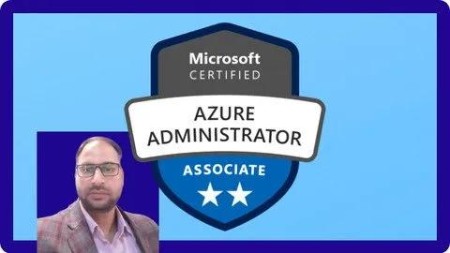
Free Download Az-104 - A Complete Hand-On Azure Administrator Training
Published 10/2024
MP4 | Video: h264, 1920x1080 | Audio: AAC, 44.1 KHz
Language: English | Size: 2.01 GB | Duration: 6h 1m
Master Azure Administration with Hands-On Labs & Demos to Become a Certified Azure Administrator (AZ-104)
What you'll learn
Azure identity and governance management.
Implementation and management of Azure storage.
Configuring and managing Azure virtual networks.
Azure compute resources deployment and management.
Azure security features and tools.
Azure monitoring and backup strategies.
Managing Azure workloads and scaling them.
Optimizing Azure resource performance.
Handling Azure disaster recovery and failover strategies.
Cost management and Azure pricing models.
Requirements
Nothing, we start from scratch
Will and attitude to learn new skills
Description
Master the skills required to become a certified Azure Administrator (AZ-104) with this comprehensive, hands-on training course. Designed for both beginners and IT professionals, this course dives deep into the core concepts of Microsoft Azure, from cloud computing basics to advanced Azure services and networking configurations. Learn how to deploy, manage, and secure Azure resources through practical demos and real-world use cases.Course Modules and Detailed Breakdown:Basics of Cloud Computing:Understand the key concepts of cloud computing.Learn the shared responsibility model and explore different cloud models (IaaS, PaaS, SaaS).Grasp CapEx & OpEx models in cloud computing.Core Architectural Components of Azure
 ive into Azure datacenters, availability zones, and the global infrastructure.Understand regions, region pairs, and how they influence high availability.Management Structure of Microsoft Azure:Explore Azure resources, resource groups, and subscriptions.Learn how to organize Azure assets using management groups.Azure Resource Management Tools:Get hands-on with Azure tools like the Azure Portal, Azure Cloud Shell, PowerShell, and Azure CLI.Practical demos to create, manage, and monitor Azure resources.Azure Resource Manageriscover how to manage Azure resources with the Azure Resource Manager.Learn to create resource groups, apply resource locks, and move resources between subscriptions.Understanding & Configuring Azure Networking Services:Understand Azure Virtual Networks (VNet), subnets, and Network Security Groups.Set up public and private endpoints, and manage DNS configurations.Understanding and Configuring Network Security Groups:Learn how to configure Azure Network Security Groups to control inbound and outbound traffic.Implement security rules in Azure for enhanced protection.Deploying Azure Infrastructure with JSON ARM Templates:Learn infrastructure as code (IaC) principles and Azure Resource Manager templates.Practice deploying resources via ARM templates using Visual Studio Code.Managing Microsoft Entra ID:Understand Microsoft Entra ID (formerly Azure AD) and directory services.Manage users and groups, configure role-based access control, and implement self-service password resets.Configuring Azure Storage Solutions:Master Azure Storage Accounts, blob storage, file shares, and the different redundancy options.Implement storage security using encryption and shared access signatures.Configuring Azure Virtual Networks:Learn to plan and create Azure Virtual Networks, including configuring public/private IPs and endpoints.Configure Network Routing and Endpoints:Understand system routes and user-defined routes (UDRs) for advanced network configurations.Implement private links and service endpoints.Configure Azure Load Balancer:Learn about public and internal load balancers and their use cases in Azure.Implement load balancers with backend pools, health probes, and session persistence.Managing Virtual Machines and Availability:Explore virtual machine deployment, scaling, and availability options in Azure.Implement Virtual Machine Scale Sets for high availability.Azure App Services:Learn about Azure App Service plans, auto-scaling, and deployment options.Secure and monitor your Azure web apps with Application Insights.Configuring File and Folder Backups:Understand Azure Backup services and configure backup for on-premises and cloud data.Implement restore and recovery processes for critical data.Monitoring and Incident Response in Azure:Learn how to configure Azure Monitor, set up alerts, and create diagnostic logs.Implement incident response strategies using metric and log-based alerts.Why Take This Course?Hands-on, practical approach with real-world demos.Comprehensive coverage of all Azure Administrator exam (AZ-104) objectives.Step-by-step guidance on configuring and managing Azure infrastructure.Learn from experienced instructors with deep expertise in Azure services.Ideal For:IT professionals looking to shift to cloud-based roles.System administrators aiming to enhance their skills in Microsoft Azure.Aspiring Azure administrators preparing for the AZ-104 certification exam.Cloud enthusiasts seeking hands-on experience in a structured learning environment.This course is designed to give you in-depth knowledge and practical skills to manage Azure services efficiently, making you fully equipped to pass the AZ-104 exam and excel as an Azure Administrator.Join today to take your career to the next level!
Overview
Section 1: Basics Of Cloud Computing
Lecture 1 Understanding Cloud Computing & Service Types
Lecture 2 Shared Responsibility Model
Lecture 3 Cloud models
Lecture 4 Understanding CapEx & OpEx (consumption-based model )
Section 2: Core Architectural Components of Azure
Lecture 5 Azure Datacenters & Azure Availability Zones
Lecture 6 Demo: Azure Global Infra
Lecture 7 Understanding Regions
Lecture 8 Region Pairs
Section 3: Management Structure Of Microsoft Azure
Lecture 9 Azure Resources and Resource Groups
Lecture 10 Azure Subscriptions
Lecture 11 Management Groups
Lecture 12 Hierarchy of Resource Groups, Subscriptions, and Management Groups
Section 4: Azure Resource Managements Tools
Lecture 13 Demo: Installing Azure CLI
Lecture 14 Login to Azure Tenant Using Azure CLI
Lecture 15 Creating Resources in Azure Using Azure CLI
Section 5: Azure Resource Manager
Lecture 16 Creating & Applying Resource Locks
Section 6: Configure Azure Files and Azure File Sync
Lecture 17 Understanding Azure File Share
Lecture 18 Create Azure File Share
Lecture 19 Connecting Azure File Share on Local System as a Drive
Lecture 20 Understanding and Discussing Azure File Sync components
Lecture 21 Creating Azure Sync Service and Installing Agent
Lecture 22 Creating Azure Sync Group and Testing the Sync of Data
Section 7: Configure Azure Storage with Tools
Lecture 23 Installing Storage Explorer
Lecture 24 Using Azure Storage Explorer To Connect and Manipulate Storage Accounts
Section 8: Understanding & Configuring Azure Networking Services
Lecture 25 Get to Know About Azure Virtual Network (Vnet)
Lecture 26 Demo: Creating Azure Virtual Network (Vnet)
Lecture 27 Demo: Creating Public & Private Subnets
Section 9: Understanding and Configuring Network Security Groups
Lecture 28 Understanding Azure Network Security Groups
Lecture 29 Demo: Creating Network Security Group
Lecture 30 Demo: Attaching Network Security Group To Subnet
Lecture 31 Demo: Creating Rule In Our Azure Security Group
Section 10: Managing Users & Groups in Microsoft Entra ID
Lecture 32 Creating A User in Microsoft Entra ID
Lecture 33 Deleting & Restoring a User in Microsoft Entra ID
Lecture 34 Creating Guest User Accounts In Microsoft Entra ID
Lecture 35 Understanding Groups With Key points in Microsoft Entra ID
Lecture 36 Group Types In Microsoft Entra ID
Lecture 37 Creating Static Groups In Microsoft Entra ID
Lecture 38 Creating Dynamic Groups In Microsoft Entra ID
Lecture 39 Creating Administrative Units
Section 11: Configuring role-based access control
Lecture 40 Understanding Components, Use Case & Key Points of Role Based Access Control
Lecture 41 Creating Custom Roles in Azure
Lecture 42 Assigning Custom or In-Built Roles To Users
Lecture 43 Exploring Activity Logs To Do Forensics
Section 12: Self Service Password Reset & Directory Branding
Lecture 44 Understanding self-service password reset (SSPR) in Microsoft Entra ID
Lecture 45 License Requirements for Self Service Password Reset Feature
Lecture 46 Implementing Microsoft Entra self-service password reset
Lecture 47 Customize Directory Branding
Section 13: Configure Virtual Machines
Lecture 48 Adding Data Disk to a VM to Increase Storage and Efficiency
Lecture 49 De-Attaching Disk from VM
Section 14: Configure file and folder backups
Lecture 50 Creating & Configuring Azure Recovery Services vault backup options
Lecture 51 Installing & Configuring Microsoft Azure Recovery Services (MARS) agent
Lecture 52 Configuring Backup On On-Prem Server Using MARS Agent
Lecture 53 Restoring Data On On-Prem Server Using MARS Agent
Section 15: Configure virtual machine backups
Lecture 54 Configuring Backup, Creating Policy & Initializing Backup Of Azure VM
Lecture 55 Recovering Files & Folders From Azure VM Backup
Lecture 56 Restoring Complete Virtual Machine or Only Disk From Azure Backup
Lecture 57 Implementing & Exploring Soft Delete For Backup Data of Our Azure VMs
Section 16: Configure File Share Backup & Recovery
Lecture 58 Configuring Backup of Azure File Share
Lecture 59 Restoring Data in File Share
Individuals Preparing for the AZ-104 Certification to validate their Azure Administrator skills,Aspiring Azure Administrators looking to build foundational cloud skills,IT Professionals transitioning to cloud-based roles,System Administrators seeking to expand their expertise to Azure environments,Students and New Graduates eager to enter the cloud computing field with practical Azure knowledge
Screenshot
Homepage
Recommend Download Link Hight Speed | Please Say Thanks Keep Topic Live
No Password - Links are Interchangeable