• Regeln für den Software-Bereich:


    Allgemeines:

    - In erster Linie sind unsere Boardregeln zu beachten, zu finden HIER.
    - Software zur Audiobearbeitung sollte ausschließlich im Unterforum "Audio" eingestellt werden.
    - Für Cracks, Keygens oder sonstige Freischaltungssoftware gibt es das Unterforum "Freischaltung".
    - Portable Software bitte im entsprechenden Unterforum "Portable Software" eintragen.
    - Diskussionen zur Installation und anderen Problemen mit der Software, bitte im enstprechenden Unterforum "Talk" führen.
    - Bei Unklarheiten und Fragen zu den Regeln bitte die Moderatoren kontaktieren.


    Angebot erstellen

    - Die Struktur des Threadtitels muss wie folgt umgesetzt werden: Herstellername - Softwarename - Versionsnummer
    - Unnötige Zusätze im Threadtitel wie "HOT", "NEW" oder Punkte zwischen den Wörtern sind nicht erlaubt.
    - Achtet darauf immer nur die Hauptversion und deren Updates in einem Thread zusammenfassen, konkretes Beispiel: SoftwareXY v3.12 gehört in den selben Thread mit SoftwareXY v3.13; SoftwareXY v.4.1 gehört in einen neuen eigenen Thread. Ausgenommen hiervon sind Sammelthreads und Dauerangebote.
    - Bei nicht bekannten Herstellern oder Angebote einer privaten Software, ist die Programmbezeichnung + Versionsnummer ausreichend.
    - Besondere Beachtung gilt für den ersten Beitrag eines Angebots. Dort muss eine kurze Beschreibung der Software in deutscher Sprache angegeben werden. Für offizielle Releases ist es Pflicht die NFO im Beitrag einzustellen(Spoiler, siehe nächster Punkt).
    - Weitere Informationen wie NFOs oder Changelogs, versteckt ihr bitte in einem Spoiler.


    Software Suche

    - Für Suchanfragen haben wir das Unterforum "Suche" erstellt.
    - Auch hier sollte vorher die Suchfunktion benutzt werden, um Doppelthreads vorzubeugen. Sollte es bereits eine Suchanfrage geben, könnt ihr den Thread gerne mit einem "Danke" pushen.


    Trojaner- und Virusalarm

    - Falls Euer Virenscanner bei einem Angebot Alarm schlägt, solltet ihr zunächst Ruhe bewahren. Viele Virenscanner erkennen Cracks/Keygens oft fälschlicherweise als Bedrohung.
    - Prüft die verdächtige Datei zuerst mit http://virustotal.com , sollte es sich hierbei wirklich um eine Bedrohung handeln, meldet den Beitrag und/oder wendet euch mit dem Bericht von VirusTotal.com an einen Moderator.


    Unerwünschte Angebote

    - Keylogger, Spionagetools, alles rund ums Thema Hacking/Cracking ist nicht erwünscht.
  • Bitte registriere dich zunächst um Beiträge zu verfassen und externe Links aufzurufen.


Automatic Email Processor Ultimate v2

Meera169

Banned
eu6fgbu7djed.jpg


Automatic Email Processor Ultimate 2.5.2 + Key | 33.32 MB

Information:


Automatic Email Processor Ultimate 2.9.0
Requirements: Windows 10, 8, 7 or Server (32-bit or 64-bit version).
Overview:
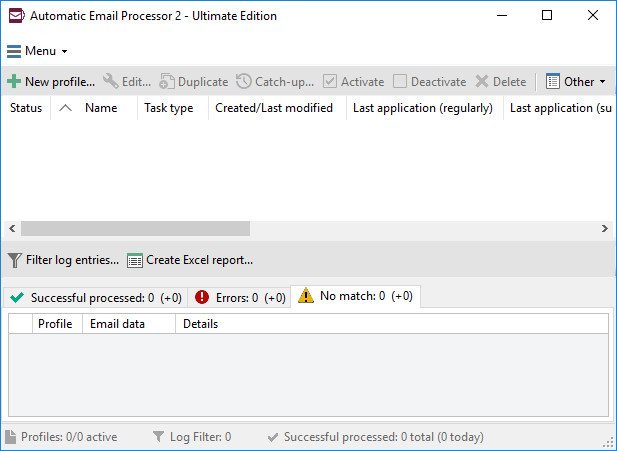
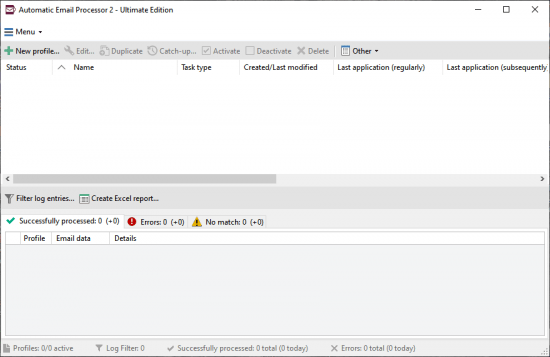
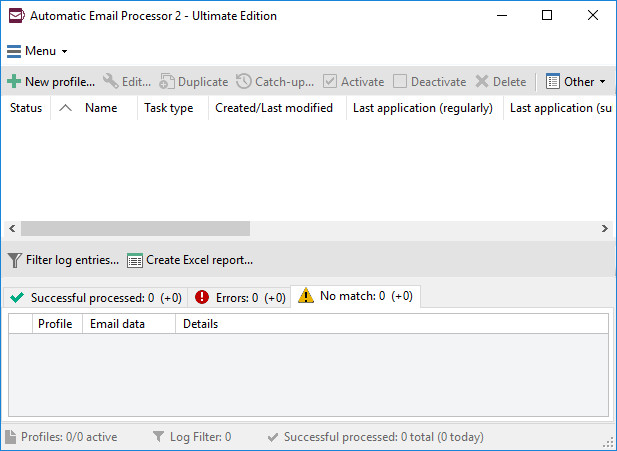
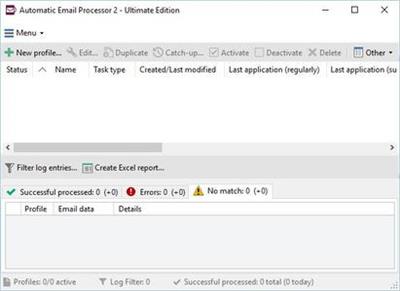
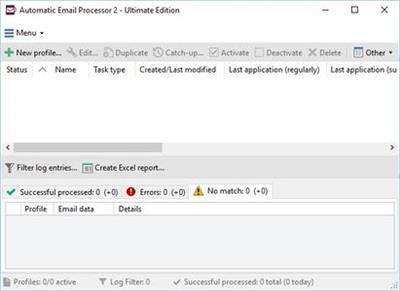
Automatic Email Processor is the complete solution for Outlook to store and print incoming emails and their attachments automatically. For this, various filters, flexible configuration options, such as individually definable storage folders and the possibility of subsequent processing are available. For example, the path of the location where you want Automatic Email Processor to save certain emails or email attachments, can be assembled dynamically from individual properties of an email.

For storing email messages, among other things, the output format can be specified (e.g. PDF, RTF or HTML). The standard Outlook message format (save email as MSG file) is particularly suitable for archiving important messages. The program supports the creation of an unlimited number of rules in order to be able to make separate settings for different email accounts. In addition, rules can be applied to emails of a certain period of time or to all emails already received in an Outlook folder.

ExzBfnn.jpg

Monitor Outlook folders
Examine incoming emails and apply appropriate rules.

Automatically save emails and attachments
Save emails and email attachments from Outlook automatically into dynamically created folders.

Print emails automatically
Send certain emails and attachments directly to the printer (for example, fax emails).

Optional further processing
Perform subsequent tasks, e.g., run a program with the filename of a saved attachment passed as parameter.

With Automatic Email Processor, you can:
* save emails automatically (as PDF file or in the original format)
* automatically print emails and email attachments (PDF files, Office documents etc.)
* save attachments automatically (save all or certain attachments of an email by using a filter)
* extract or print certain or all files from ZIP files
* monitor an unlimited number of Outlook folders
* create custom rules for different tasks
* filter by subject, sender, recipient, attachment file name ...
* receive status reports by email, forward messages or inform the sender
* use command line parameters: only one run, exit, catch-up
* create storage folders dynamically from properties of an email
* perform subsequent actions such as start a program with parameters, mark the message as read, or move the email into another Outlook folder
* re-process all emails (with certain criteria) of an Outlook email folder
* archive emails from any Outlook folder and period (e.g. as MSG files)
* have the email moved to a different Outlook folder after processing and have subfolders generated dynamically from properties of the email
* have an Excel report with an overview and detailed information sent to you on a regular basis
* limit the automatic processing of email messages to certain days and times

Automatically print emails and attachments from Outlook
Automatic Email Processor monitors Outlook and allows you to send emails or attachments that meet pre-defined criteria directly to a printer upon receipt. Different print settings can be defined for each rule, for example to be able to print certain emails in a different quality. The respective printer can be defined individually for each rule as well as separately for printing the email message or attachment. You can also specify that only certain pages of the email should be printed automatically (for example, print only the first or last page of a PDF attachment of the email).

Automatically save incoming emails as PDF files
With Automatic Email Processor, emails received in Outlook can automatically be saved into a specified directory as PDF file, for example, in order to keep a copy of the message for backup purposes. Attachments and the email itself can also be embedded (as MSG file with or without digital signature) in the PDF file. The path as well as the folder and file name of the PDF file to be saved can be composed of various properties of the email, such as the date and, for example, a part of the subject.

Automatically save and optionally detach Outlook email attachments
In addition to archiving the complete email, Automatic Email Processor can also automatically save attachments. The properties of the email and the name of the attachment can become part of the path, i.e. properties such as the sender name can be integrated in the folder and file name. After successfully saving the attachments, they can be detached or, more precisely, replaced by a link file containing only the path of the saved attachment. This can prevent problems caused by too large Outlook PST files and save storage space. The detachment of the attachment can optionally be done with a time delay - for example, two weeks.

More Info:
Download Instructions:
Platform: Windows
Size: 34.4 Mb
Format:".rar/.zip" archive.. ".exe" after extracting
Language: English
Hoster: uploadship / uploaded



 
Zuletzt bearbeitet:
Automatic Email Processor Ultimate v2.9.3


f49276ae0311d1acf37fa2da4ef0d182.jpg


Automatic Email Processor Ultimate v2.9.3 | 33 MB | Language: English


Automatic Email Processor is the complete solution for Outlook to store and print incoming emails and their attachments automatically. For this, various filters, flexible configuration options, such as individually definable storage folders and the possibility of subsequent processing are available. For example, the path of the location where you want Automatic Email Processor to save certain emails or email attachments, can be assembled dynamically from individual properties of an email. For storing email messages, inter alia, the output format can be specified (for example, PDF, RTF, or HTML). The Outlook message format (MSG files) is for example particularly suitable to back up e-mails. The program supports the creation of an unlimited number of rules to allow separate settings for different email accounts. Rules can be additionally applied to emails of a specific time period or to any previously received emails of an Outlook folder.


WITH AUTOMATIC EMAIL PROCESSOR, YOU CAN:
Automatically store respectively archive email attachments
Save emails automatically (as PDF file or in the original format)
Automatically print emails and email attachments (PDF files, Office documents etc.)
Monitor an unlimited number of Outlook folders
Create custom rules for different tasks
Filter by subject, sender, recipient, attachment file name ...
Receive information about the processing status via email
Create storage folders dynamically from properties of an email
Perform subsequent actions such as start a program with parameters, mark the message as read, or move the email into another Outlook folder
Re-process all emails (with certain criteria) of an Outlook email folder
Archive emails from any Outlook folder and period (e.g. as MSG files)

Whats New:
A problem with CSV import/export was fixed.

Homepage:


DOWNLOAD LINKS:


Automatic Email Processor Ultimate v2.10.1


de1fc9b4c8b293bd8081c5c8139612bd.png


Automatic Email Processor Ultimate v2.10.1 | 33 MB | Language: English


Automatic Email Processor is the complete solution for Outlook to store and print incoming emails and their attachments automatically. For this, various filters, flexible configuration options, such as individually definable storage folders and the possibility of subsequent processing are available. For example, the path of the location where you want Automatic Email Processor to save certain emails or email attachments, can be assembled dynamically from individual properties of an email. For storing email messages, inter alia, the output format can be specified (for example, PDF, RTF, or HTML). The Outlook message format (MSG files) is for example particularly suitable to back up e-mails. The program supports the creation of an unlimited number of rules to allow separate settings for different email accounts. Rules can be additionally applied to emails of a specific time period or to any previously received emails of an Outlook folder.


WITH AUTOMATIC EMAIL PROCESSOR, YOU CAN:
Automatically store respectively archive email attachments
Save emails automatically (as PDF file or in the original format)
Automatically print emails and email attachments (PDF files, Office documents etc.)
Monitor an unlimited number of Outlook folders
Create custom rules for different tasks
Filter by subject, sender, recipient, attachment file name ...
Receive information about the processing status via email
Create storage folders dynamically from properties of an email
Perform subsequent actions such as start a program with parameters, mark the message as read, or move the email into another Outlook folder
Re-process all emails (with certain criteria) of an Outlook email folder
Archive emails from any Outlook folder and period (e.g. as MSG files)

Whats New:
New task type Click Confirmation Link.
Support of regular expressions when using the subject for dynamic subfolders.
New filter Sender Type to distinguish internal and external senders.
Messages can be flagged for follow up.
Categories can be assigned to messages.
Some optimizations.

Homepage:


Größe: 33 MB
Sprache: English
Format: .rar / .exe
Plattform: Windows (32 Bit 64 Bit)


HOSTER:

K2s.cc (Keep2Share)

Rapidgator.net

Nitroflare.com

Uploadgig.com


DOWNLOAD


Automatic Email Processor Ultimate v2.12.0


aeb244d2b089f3de1808438de8c8218a.jpg


Automatic Email Processor Ultimate v2.12.0 | 33 MB | Language: English


Automatic Email Processor is the complete solution for Outlook to store and print incoming emails and their attachments automatically. For this, various filters, flexible configuration options, such as individually definable storage folders and the possibility of subsequent processing are available. For example, the path of the location where you want Automatic Email Processor to save certain emails or email attachments, can be assembled dynamically from individual properties of an email. For storing email messages, inter alia, the output format can be specified (for example, PDF, RTF, or HTML). The Outlook message format (MSG files) is for example particularly suitable to back up e-mails. The program supports the creation of an unlimited number of rules to allow separate settings for different email accounts. Rules can be additionally applied to emails of a specific time period or to any previously received emails of an Outlook folder.


WITH AUTOMATIC EMAIL PROCESSOR, YOU CAN:
Automatically store respectively archive email attachments
Save emails automatically (as PDF file or in the original format)
Automatically print emails and email attachments (PDF files, Office documents etc.)
Monitor an unlimited number of Outlook folders
Create custom rules for different tasks
Filter by subject, sender, recipient, attachment file name ...
Receive information about the processing status via email
Create storage folders dynamically from properties of an email
Perform subsequent actions such as start a program with parameters, mark the message as read, or move the email into another Outlook folder
Re-process all emails (with certain criteria) of an Outlook email folder
Archive emails from any Outlook folder and period (e.g. as MSG files)

Whats New:
Options --> Other: New option to ignore custom recipients when using recipient placeholders.
Fixed bug: Messages without subject could not be embedded in PDF files.
Some optimizations and bug fixes.

Homepage:


Größe: 33 MB
Sprache: English
Format: .rar / .exe
Plattform: Windows (32 Bit 64 Bit)


HOSTER:

K2s.cc (Keep2Share)

Rapidgator.net

Nitroflare.com

Uploadgig.com


DOWNLOAD


Automatic Email Processor Ultimate v2.13.1


887e4b50e9b4f89afcf43244530a84e9.jpg


Automatic Email Processor Ultimate v2.13.1 | 33 MB | Language: English


Automatic Email Processor is the complete solution for Outlook to store and print incoming emails and their attachments automatically. For this, various filters, flexible configuration options, such as individually definable storage folders and the possibility of subsequent processing are available. For example, the path of the location where you want Automatic Email Processor to save certain emails or email attachments, can be assembled dynamically from individual properties of an email. For storing email messages, inter alia, the output format can be specified (for example, PDF, RTF, or HTML). The Outlook message format (MSG files) is for example particularly suitable to back up e-mails. The program supports the creation of an unlimited number of rules to allow separate settings for different email accounts. Rules can be additionally applied to emails of a specific time period or to any previously received emails of an Outlook folder.


WITH AUTOMATIC EMAIL PROCESSOR, YOU CAN:
Automatically store respectively archive email attachments
Save emails automatically (as PDF file or in the original format)
Automatically print emails and email attachments (PDF files, Office documents etc.)
Monitor an unlimited number of Outlook folders
Create custom rules for different tasks
Filter by subject, sender, recipient, attachment file name ...
Receive information about the processing status via email
Create storage folders dynamically from properties of an email
Perform subsequent actions such as start a program with parameters, mark the message as read, or move the email into another Outlook folder
Re-process all emails (with certain criteria) of an Outlook email folder
Archive emails from any Outlook folder and period (e.g. as MSG files)

Whats New?
Bug fix: Incompatible category determination when using Outlook 2007.

Homepage:


Größe: 33 MB
Sprache: English
Format: .rar / .exe
Plattform: Windows (32 Bit 64 Bit)


HOSTER:

K2s.cc (Keep2Share)

Rapidgator.net

Nitroflare.com

Uploadgig.com


DOWNLOAD


Automatic Email Processor Ultimate v2.17.4


d8656ce9323ebf16d34ecb3401e8ff8d.jpeg


Automatic Email Processor Ultimate v2.17.4 | 37 MB | Language: English


Größe: 37 MB
Sprache: English
Format: .rar / .exe
Medizin: Present
Plattform: Windows 10 , Windows 8/8.1 , Windows 7 , Server 2008 to 2019
Bit depth: 32bit 64bit


HOSTER:

K2s.cc (Keep2share)

Rapidgator.net

Nitroflare.com

Uploadgig.com


DOWNLOAD


Gillmeister Automatic Email Processor 2.17.4 Ultimate


a635cac5acf75a1e836beab16290a41a.png


Gillmeister Automatic Email Processor 2.17.4 Ultimate


Automatic Email Processor ist die Komplettlösung für Outlook, um eingehende E-Mails und deren Anhänge automatisch zu speichern und zu drucken. Dafür stehen verschiedene Filter, flexible Konfigurationsmöglichkeiten, wie individuell definierbare Ablageordner und die Möglichkeit der Nachbearbeitung zur Verfügung. Beispielsweise kann der Pfad des Ortes, an dem der Automatic Email Processor bestimmte E-Mails oder E-Mail-Anhänge speichern soll, dynamisch aus einzelnen Eigenschaften einer E-Mail zusammengesetzt werden.


Sprache: English | Größe: 37 MB | Format: RAR, EXE | Plattform: Windows 7, 8, 8.1, 10 (32 oder 64Bit)


Hoster:
UploadGig.com | RapidGator.net | DDownload.com


DOWNLOAD Links:


Automatic Email Processor Ultimate v2.17.5


7b6ca60bd52a72a141c0f31b592ad513.jpeg


Automatic Email Processor Ultimate v2.17.5 | 36 MB | Language: English


Homepage:


Größe: 36 MB
Sprache: English
Format: .rar / .exe
Medizin: Present
Plattform: Windows 10 , Windows 8/8.1 , Windows 7 , Server
Bit depth: 32bit 64bit


HOSTER:

K2s.cc (Keep2share)

Rapidgator.net

Nitroflare.com

Uploadgig.com


DOWNLOAD


Automatic Email Processor Ultimate 2.17.5


a635cac5acf75a1e836beab16290a41a.png


Automatic Email Processor Ultimate 2.17.5


Automatic Email Processor ist die Komplettlösung für Outlook, um eingehende E-Mails und deren Anhänge automatisch zu speichern und zu drucken. Dafür stehen verschiedene Filter, flexible Konfigurationsmöglichkeiten, wie individuell definierbare Ablageordner und die Möglichkeit der Nachbearbeitung zur Verfügung. Beispielsweise kann der Pfad des Ortes, an dem der Automatic Email Processor bestimmte E-Mails oder E-Mail-Anhänge speichern soll, dynamisch aus einzelnen Eigenschaften einer E-Mail zusammengesetzt werden.


Sprache: English | Größe: 36 MB | Format: RAR, EXE | Plattform: Windows 7, 8, 8.1, 10 (32 oder 64Bit)


Hoster:
UploadGig.com | RapidGator.net | DDownload.com


DOWNLOAD Links:


Automatic Email Processor Ultimate v2.21.1


78753cd797215887103069c9c0e759a1.jpeg


Automatic Email Processor Ultimate v2.21.1 | 35 MB | Language: English


Homepage:


Größe: 35 MB
Sprache: English
Format: .rar / .exe
Medizin: Present
Plattform: Windows 10/8.1/8/7/Server
Bit depth: 32bit 64bit


HOSTER:

K2s.cc (Keep2share)

Rapidgator.net

Nitroflare.com

Uploadgig.com


DOWNLOAD


Zurück
Oben Unten