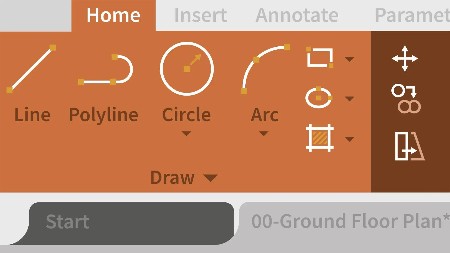
AutoCAD 2025 Best Practices, Tips, and Techniques Boost productivity with interface tips

English | ISBN: 1837636729 | 2024 | True EPUB | 444 pages | 26.24 MB
Make AutoCAD work for you with the help of a CAD productivity expert and master techniques that would take years to learn on your own in this part-color guide
Key Features
Discover new ways to use common commands to improve your productivity in AutoCAD
Learn how to customize your AutoCAD environment to fit your workflow
Automate routine tasks to streamline your AutoCAD processes
Purchase of the print or Kindle book includes a free PDF eBook
Book Description
Learning AutoCAD can be overwhelming, and even years of experience might not uncover all that it has to offer. Internationally renowned CAD expert Jeanne Aarhus condenses her extensive experience of over 35 years into many manageable AutoCAD tips and techniques in this guide. Through engaging, easy-to-follow exercise illustrated with real-world examples, you’ll uncover insider knowledge to master AutoCAD’s features.
This book provides insights into interface navigation, keyboard shortcuts, blocks, layers, annotation, dimensions, tables, and hidden commands that can significantly streamline your workflow. No matter your experience level, you’ll learn how to make AutoCAD work for you, not the other way around. You’ll also be able to leverage system variables that can affect how your AutoCAD responds. Aarhus guides you through specific commands and best practices to improve your understanding of AutoCAD’s features, helping you standardize your environment, with practical suggestions and customizations.
By the end of this book, you’ll have transformed your daily use of AutoCAD with practical advice to apply new methods to improve your productivity.
What you will learn
Recognize hidden features in commonly used commands
Explore innovative methods to make AutoCAD streamline your work for you
Complete AutoCAD tasks in fewer steps using dynamic blocks and customizations
Gain insider tips from AutoCAD veterans and gurus, saving you years of trial and error
Use underutilized features of AutoCAD such as tables for data import and export
Control how AutoCAD responds to your daily workflow and real-world environment
Who this book is for
If you are an intermediate user with a solid understanding of AutoCAD basics and want to become the go-to person in your organization, this book is for you. Whether you’re a designer, engineer, or CAD manager, this book offers valuable insights to elevate your AutoCAD skills to a level typically attained after years of experience.

English | ISBN: 1837636729 | 2024 | True EPUB | 444 pages | 26.24 MB
Make AutoCAD work for you with the help of a CAD productivity expert and master techniques that would take years to learn on your own in this part-color guide
Key Features
Discover new ways to use common commands to improve your productivity in AutoCAD
Learn how to customize your AutoCAD environment to fit your workflow
Automate routine tasks to streamline your AutoCAD processes
Purchase of the print or Kindle book includes a free PDF eBook
Book Description
Learning AutoCAD can be overwhelming, and even years of experience might not uncover all that it has to offer. Internationally renowned CAD expert Jeanne Aarhus condenses her extensive experience of over 35 years into many manageable AutoCAD tips and techniques in this guide. Through engaging, easy-to-follow exercise illustrated with real-world examples, you’ll uncover insider knowledge to master AutoCAD’s features.
This book provides insights into interface navigation, keyboard shortcuts, blocks, layers, annotation, dimensions, tables, and hidden commands that can significantly streamline your workflow. No matter your experience level, you’ll learn how to make AutoCAD work for you, not the other way around. You’ll also be able to leverage system variables that can affect how your AutoCAD responds. Aarhus guides you through specific commands and best practices to improve your understanding of AutoCAD’s features, helping you standardize your environment, with practical suggestions and customizations.
By the end of this book, you’ll have transformed your daily use of AutoCAD with practical advice to apply new methods to improve your productivity.
What you will learn
Recognize hidden features in commonly used commands
Explore innovative methods to make AutoCAD streamline your work for you
Complete AutoCAD tasks in fewer steps using dynamic blocks and customizations
Gain insider tips from AutoCAD veterans and gurus, saving you years of trial and error
Use underutilized features of AutoCAD such as tables for data import and export
Control how AutoCAD responds to your daily workflow and real-world environment
Who this book is for
If you are an intermediate user with a solid understanding of AutoCAD basics and want to become the go-to person in your organization, this book is for you. Whether you’re a designer, engineer, or CAD manager, this book offers valuable insights to elevate your AutoCAD skills to a level typically attained after years of experience.