




Arduino Timers: Basics To Advance
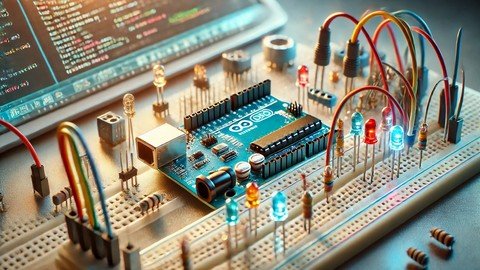
Harness the full potential of Arduino by mastering timers for precise control and automation in your projects.
What you'll learn
Understand the fundamentals of Arduino timers and their role in project automation.
Configure and implement timers for various Arduino projects, such as LED blinking and motor control.
Apply advanced timer techniques like interrupts and pulse width modulation (PWM).
Troubleshoot and optimize timer-based projects for precise and reliable performance.
Requirements
Basic familiarity with Arduino programming and the Arduino IDE.
An Arduino board (e.g., Uno, Nano, Mega) and a USB cable for connection.
Access to basic electronic components like LEDs, resistors, and jumper wires.
A willingness to experiment with coding and electronics.
Description
Unlock the full potential of your Arduino projects by mastering the art of using timers! This course, "Mastering Arduino Timers," is designed to take you from a beginner to an advanced level in using timers for precise control and automation within your Arduino projects. Whether you are building a simple LED blinking sequence or a complex automation system, understanding timers is essential for ensuring accurate timing and synchronization.In this course, you'll dive deep into the intricacies of Arduino timers, exploring their various modes, functionalities, and practical applications. You'll learn how to configure and utilize timers to manage multiple tasks, enhance your project's efficiency, and avoid common pitfalls that can lead to timing errors. By the end of this course, you will have the skills and confidence to implement advanced timing functions in your Arduino projects, making them more robust and reliable.Why Choose This Course?Comprehensive Curriculum: This course covers everything from basic timer concepts to advanced applications, ensuring you gain a thorough understanding.Hands-on Projects: Apply what you learn immediately with practical projects that reinforce each lesson.Expert Instruction: Learn from seasoned professionals with years of experience in Arduino programming and electronics.Lifetime Access: Enjoy lifetime access to the course materials and updates, ensuring you can revisit and review the content anytime.What Our Students Are Saying: "This course was exactly what I needed to take my Arduino skills to the next level. The explanations were clear, and the projects were challenging but rewarding." - Alex P."I never realized how much I was missing out on by not using timers in my Arduino projects. This course changed everything!" - Sarah T.Ready to elevate your Arduino projects? Enroll now and start mastering Arduino timers today!What You Will LearnUnderstanding Arduino Timers: Learn the basics of timers, including their types and how they work within the Arduino framework.Configuring Timers: Step-by-step guidance on setting up and configuring timers for various tasks.Practical Applications: Implement timers in real-world scenarios such as LED blinking, motor control, and sensor data management.Advanced Timer Techniques: Explore advanced techniques like timer interrupts and pulse width modulation (PWM) for more sophisticated projects.Troubleshooting: Learn how to debug and troubleshoot common issues related to timers in Arduino projects.Who Is This Course ForArduino Enthusiasts: Anyone with basic Arduino knowledge who wants to delve deeper into the technical aspects.Electronics Hobbyists: Those looking to enhance their DIY projects with precise timing and automation.Engineering Students: Ideal for students looking to supplement their education with practical, hands-on experience.Professionals: Engineers and developers who want to integrate Arduino timers into their professional projects.RequirementsBasic Arduino Knowledge: Familiarity with Arduino IDE and basic programming concepts.Arduino Board: Any standard Arduino board (e.g., Uno, Nano, Mega) will suffice.USB Cable: For connecting the Arduino board to your computer.Breadboard and Jumper Wires: For setting up your circuits.Basic Electronic Components: Such as LEDs, resistors, and motors for project work.
Overview
Section 1: Arduino Timers
Lecture 1 Introduction
Lecture 2 Understanding Timers
Lecture 3 Importance of Timers
Lecture 4 Timer as a Counter
Lecture 5 Prescalar and Interrupts
Lecture 6 Timer ISR Modes
Lecture 7 Timer Main Registers
Lecture 8 Toggling LED Application pt1
Lecture 9 Toggling LED Application pt2
Arduino enthusiasts eager to enhance their projects with precise timing and automation.,Electronics hobbyists looking to advance their knowledge of Arduino timers.,Engineering students seeking practical, hands-on experience with Arduino.,Professionals interested in integrating Arduino timers into more complex systems.
rapidgator.net:
nitroflare.com:
Published 8/2024
MP4 | Video: h264, 1920x1080 | Audio: AAC, 44.1 KHz
Language: English | Size: 319.42 MB | Duration: 0h 35m
MP4 | Video: h264, 1920x1080 | Audio: AAC, 44.1 KHz
Language: English | Size: 319.42 MB | Duration: 0h 35m
Harness the full potential of Arduino by mastering timers for precise control and automation in your projects.
What you'll learn
Understand the fundamentals of Arduino timers and their role in project automation.
Configure and implement timers for various Arduino projects, such as LED blinking and motor control.
Apply advanced timer techniques like interrupts and pulse width modulation (PWM).
Troubleshoot and optimize timer-based projects for precise and reliable performance.
Requirements
Basic familiarity with Arduino programming and the Arduino IDE.
An Arduino board (e.g., Uno, Nano, Mega) and a USB cable for connection.
Access to basic electronic components like LEDs, resistors, and jumper wires.
A willingness to experiment with coding and electronics.
Description
Unlock the full potential of your Arduino projects by mastering the art of using timers! This course, "Mastering Arduino Timers," is designed to take you from a beginner to an advanced level in using timers for precise control and automation within your Arduino projects. Whether you are building a simple LED blinking sequence or a complex automation system, understanding timers is essential for ensuring accurate timing and synchronization.In this course, you'll dive deep into the intricacies of Arduino timers, exploring their various modes, functionalities, and practical applications. You'll learn how to configure and utilize timers to manage multiple tasks, enhance your project's efficiency, and avoid common pitfalls that can lead to timing errors. By the end of this course, you will have the skills and confidence to implement advanced timing functions in your Arduino projects, making them more robust and reliable.Why Choose This Course?Comprehensive Curriculum: This course covers everything from basic timer concepts to advanced applications, ensuring you gain a thorough understanding.Hands-on Projects: Apply what you learn immediately with practical projects that reinforce each lesson.Expert Instruction: Learn from seasoned professionals with years of experience in Arduino programming and electronics.Lifetime Access: Enjoy lifetime access to the course materials and updates, ensuring you can revisit and review the content anytime.What Our Students Are Saying: "This course was exactly what I needed to take my Arduino skills to the next level. The explanations were clear, and the projects were challenging but rewarding." - Alex P."I never realized how much I was missing out on by not using timers in my Arduino projects. This course changed everything!" - Sarah T.Ready to elevate your Arduino projects? Enroll now and start mastering Arduino timers today!What You Will LearnUnderstanding Arduino Timers: Learn the basics of timers, including their types and how they work within the Arduino framework.Configuring Timers: Step-by-step guidance on setting up and configuring timers for various tasks.Practical Applications: Implement timers in real-world scenarios such as LED blinking, motor control, and sensor data management.Advanced Timer Techniques: Explore advanced techniques like timer interrupts and pulse width modulation (PWM) for more sophisticated projects.Troubleshooting: Learn how to debug and troubleshoot common issues related to timers in Arduino projects.Who Is This Course ForArduino Enthusiasts: Anyone with basic Arduino knowledge who wants to delve deeper into the technical aspects.Electronics Hobbyists: Those looking to enhance their DIY projects with precise timing and automation.Engineering Students: Ideal for students looking to supplement their education with practical, hands-on experience.Professionals: Engineers and developers who want to integrate Arduino timers into their professional projects.RequirementsBasic Arduino Knowledge: Familiarity with Arduino IDE and basic programming concepts.Arduino Board: Any standard Arduino board (e.g., Uno, Nano, Mega) will suffice.USB Cable: For connecting the Arduino board to your computer.Breadboard and Jumper Wires: For setting up your circuits.Basic Electronic Components: Such as LEDs, resistors, and motors for project work.
Overview
Section 1: Arduino Timers
Lecture 1 Introduction
Lecture 2 Understanding Timers
Lecture 3 Importance of Timers
Lecture 4 Timer as a Counter
Lecture 5 Prescalar and Interrupts
Lecture 6 Timer ISR Modes
Lecture 7 Timer Main Registers
Lecture 8 Toggling LED Application pt1
Lecture 9 Toggling LED Application pt2
Arduino enthusiasts eager to enhance their projects with precise timing and automation.,Electronics hobbyists looking to advance their knowledge of Arduino timers.,Engineering students seeking practical, hands-on experience with Arduino.,Professionals interested in integrating Arduino timers into more complex systems.
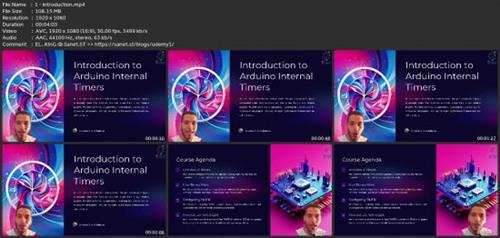
Screenshots
rapidgator.net:
nitroflare.com:
