



• Regeln für den Video-Bereich:

    In den Börsenbereich gehören nur Angebote die bereits den Allgemeinen Regeln entsprechen.

    Einteilung

    - Folgende Formate gehören in die angegeben Bereiche:
    - Filme: Encodierte Filme von BluRay, DVD, R5, TV, Screener sowie Telesyncs im Format DivX, XviD und x264.
    - DVD: Filme im Format DVD5, DVD9 und HD2DVD.
    - HD: Encodierte Filme mit der Auflösung 720p oder darüber von BluRay, DVD, R5, TV, Screener sowie Telesyncs im Format x264.
    - 3D: Encodierte Filme von BluRay, die in einem 3D Format vorliegen. Dies gilt auch für Dokus, Animation usw.
    - Serien: Cartoon/Zeichentrick, Anime, Tutorials, Dokumentationen, Konzerte/Musik, Sonstiges sind demnach in die entsprechenden Bereiche einzuordnen, auch wenn sie beispielsweise im High Definition-Format oder als DVD5/DVD9/HD2DVD vorliegen. Ausnahme 3D.
    - Bereich Englisch: Englische Releases gehören immer in diesen Bereich.
    - Bereich Talk: Der Bereich, in dem über die Releases diskutiert werden kann, darf, soll und erwünscht ist.


    Angebot/Beitrag erstellen

    - Ein Beitrag darf erst dann erstellt werden, wenn der Upload bei mindestens einem OCH komplett ist. Platzhalter sind untersagt.
    - Bei einem Scenerelease hat der Threadtitel ausschließlich aus dem originalen, unveränderten Releasenamen zu bestehen. Es dürfen keine Veränderungen wie z.B. Sterne, kleine Buchstaben o.ä. vorgenommen werden. Ausnahme Serienbörse:
    - Bei einem Sammelthread für eine Staffel entfällt aus dem Releasename natürlich der Name der Folge. Beispiel: Die Simpsons S21 German DVDRip XviD - ITG
    - Dementsprechend sind also u.a. verboten: Erweiterungen wie "Tipp", "empfehlenswert", "only", "reup", usw. / jegliche andere Zusatzinformation oder Ergänzung, welche nicht in obiger Beschreibung zu finden ist.

    Aufbau des Angebots und Threadtitel

    Der Titel nach folgendem Muster erstellt zu werden. <Name> [3D] [Staffel] [German] <Jahr> <Tonspur> [DL] [Auflösung] <Quelle> <Codec> - <Group>
    Beispiel: The Dark Knight German 2008 AC3 DVDRip XviD - iND
    Beispiel: The Dark Knight 2008 DTS DL BDRip x264 - iND
    Beispiel: The Dark Knight 2008 AC3 DL BDRip XviD - iND
    Beispiel: The Dark Knight German 2008 AC3 720p BluRay x264 iND
    Beispiel: The Dark Knight 2008 DTS DL 1080p BluRay x264 iND
    Beispiel: Die Simpsons S01 German AC3 DVDRip XviD iND
    Beispiel: Die Simpsons S20 German AC3 720p BluRay x264 iND
    Beispiel: Sword Art Online II Ger Sub 2014 AAC 1080p WEBRip x264 - peppermint
    Entsprechend sind also u.a. verboten: Sonderzeichen wie Klammern, Sterne, Ausrufezeichen, Unterstriche, Anführungszeichen / Erweiterungen wie "Tipp", "empfehlenswert", "only", "reup", usw. / jegliche andere Zusatzinformation oder Ergänzung, welche nicht in obiger Beschreibung zu finden ist
    Ausnahmen hiervon können in den Bereichen geregelt sein.

    Die Beiträge sollen wie folgt aufgebaut werden:
    Überschrift entspricht dem Threadtitel
    Cover
    kurze Inhaltsbeschreibung
    Format, Größe, Dauer sind gut lesbar für Downloader außerhalb des Spoilers zu vermerken
    Nfo sind immer Anzugeben und selbige immer im Spoiler in Textform.
    Sind keine Nfo vorhanden z.B. Eigenpublikationen, sind im Spoiler folgende Dateiinformationen zusätzlich anzugeben :
    Quelle
    Video (Auflösung und Bitrate)
    Ton (Sprache, Format und Bitrate der einzelnen Spuren)
    Untertitel (sofern vorhanden)
    Hosterangabe in Textform außerhalb eines Spoiler mit allen enthaltenen Hostern.
    Bei SD kann auf diese zusätzlichen Dateiinformationen verzichtet werden.

    Alle benötigten Passwörter sind, sofern vorhanden, in Textform im Angebot anzugeben.
    Spoiler im Spoiler mit Kommentaren :"Schon Bedankt?" sind unerwünscht.


    Releases

    - Sind Retail-Release verfügbar, sind alle anderen Variationen untersagt. Ausnahmen: Alle deutschen Retail-Release sind CUT, in diesem Fall sind dubbed UNCUT-Release zulässig.
    - Im Serien-Bereich gilt speziell: Wenn ein Retail vor Abschluss einer laufenden Staffel erscheint, darf diese Staffel noch zu Ende gebracht werden.62
    - Gleiche Releases sind unbedingt zusammenzufassen. Das bedeutet, es ist zwingend erforderlich, vor dem Erstellen eines Themas per Suchfunktion zu überprüfen, ob bereits ein Beitrag mit demselben Release besteht. Ist dies der Fall, ist der bereits vorhandene Beitrag zu verwenden.
    - P2P und Scene Releases dürfen nicht verändert oder gar unter einem iND Tag eingestellt werden.


    Support, Diskussionen und Suche

    - Supportanfragen sind entweder per PN oder im Bereich Talk zu stellen.
    - Diskussionen und Bewertungen sind im Talk Bereich zu führen. Fragen an die Uploader haben ausschließlich via PN zu erfolgen, und sind in den Angeboten untersagt.
    - Anfragen zu Upload-Wünschen sind nur im Bereich Suche Video erlaubt. Antworten dürfen nur auf Angebote von MyBoerse.bz verlinkt werden.


    Verbote

    - Untersagt sind mehrere Formate in einem einzigen Angebotsthread, wie beispielsweise das gleichzeitige Anbieten von DivX/XviD, 720p und 1080p in einem Thread. Pro Format, Release und Auflösung ist ein eigener Thread zu eröffnen.
    - Grundsätzlich ebenso verboten sind Dupes. Uploader haben sich an geeigneter Stelle darüber zu informieren, ob es sich bei einem Release um ein Dupe handelt.
    - Gefakte, nur teilweise lauffähige oder unvollständige Angebote sind untersagt. Dies gilt auch für eigene Publikationen, die augenscheinlich nicht selbst von z.B. einer DVD gerippt wurden. Laufende Serien, bei denen noch nicht alle Folgen verfügbar sind, dürfen erstellt und regelmäßig geupdatet werden.
    - Untersagt sind Angebote, welche nur und ausschließlich in einer anderen Sprache als deutsch oder englisch vorliegen. Ausnahmen sind VORHER mit den Moderatoren zu klären.


    Verstoß gegen die Regeln

    - Angebote oder Beiträge, die gegen die Forenregeln verstoßen, sind über den "Melden"-Button im Beitrag zu melden.
  • Bitte registriere dich zunächst um Beiträge zu verfassen und externe Links aufzurufen.

*** Bestes IPTV *** bester Preis *** gratis Test ***


Apply Excel Vba In Industry Series - Part I

Tutorials

MyBoerse.bz Pro Member
6afe6e9defad397bb5a774e1f5a3a2b7.jpeg

Published 8/2022
MP4 | Video: h264, 1280x720 | Audio: AAC, 44.1 KHz
Language: English | Size: 3.65 GB | Duration: 7h 18m

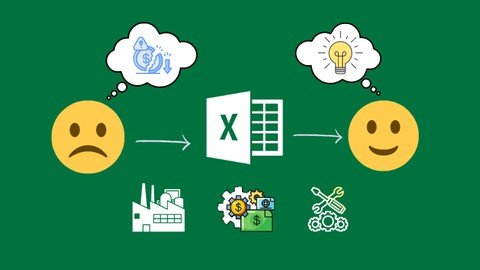
Learn & retain Excel VBA by solving REAL LIFE challenges in Professional Industry. Boost productivity through automation
What you'll learn
Apply Excel VBA in Industry, I'll use REAL LIFE examples for Industry. Every example I present is an actual case that is used in industry.
Save time by Automation! Your daily tasks will take very little time as opposed to what they do today.
Stand out and be the go-to person about VBA. Develop ideas by the end of the course of how Excel VBA can be applied in your work/school.
Don't waste time organizing data, instead focus and reflect more on what the data is telling you. Invest your time in tasks that will benefit YOU.
Learn, Apply and Teach is the best method in order to truly master any skill - and this is the method i will use
By the end of the course you'll be able to pass on basic Excel VBA knowledge to your peers.
Requirements
Frequent Exposure to Microsoft Excel. You have to have some preliminary knowledge of how Excel works
Description
'Comment: You can use MS Excel 2010 and above for this course.Now the fun stuff!!!Why THIS course?- You have been wanting to tip your toes into learning VBA, but not sure where to start! - You are in the right place.I assume you know absolutely nothing, and willing to learn. I bring a very simplified lecture and a thorough explanation., and you bring your eagerness and willingness to learn. You leave with a thorough understanding of how VBA in Excel Works.What will I learn from course? (The non-technical stuff)1. A simplified business case, early in the course, to convince you that learning VBA in 2022 is still worth it!2. A simplified background of VBA, and how it functions on a basic level. It's not just code, but a lot more.3. How day-to-day operations you do in Excel can be done in the back-end with VBA. (Sum, count, average, etc.)4. Put the end user in mind first when designing a VBA tool. Whether it is yourself or for others. Many tips and tricks from industry experience that makes not only your work standout, but more importantly YOU.5. When to use and when to NOT use VBA - Yes! I'm going to steer you away from becoming a person that stretches their Excel muscles.6. And lastly, the WHOLE SELLING point of this course: REAL life examples that I personally applied in Industry! You're not just learning how to code, more importantly you are learning how to SOLVE PROBLEMS!What will I learn from course? (The technical stuff)1. Core VBA functions that include message box, input box, copying and pasting, arithmetic, and MANY more.2. Variables, how to use them in code, and make debugging your code a lot quicker. Quicker coding and debugging = Faster turnaround on your deliverables ?3. 'FOR' Loops, the basis of any VBA coder - the simplest and most applicable loop of all.4. 'IF' Statements in VBA, how to write them, when to use then.and when NOT to.5. 'Select Case' in VBA, the more flexible 'IF' Statement and multiple different examples of its application. Examples are REAL, and PRACTICAL.6. Adding and naming new worksheets and asking the user to provide a desired name.7. Looping through objects (worksheets in the entire workbook) and execute commands.8. Created an automated event log of operations, grab the username of the file opener, keep track of who did what and when.9. Code optimization, making your macros run as much as 300% faster!10. How to 'Record a Macro' and when to NOT rely on it.11. How to make your code dynamic, smarter and flexible if the size of your incoming data changes.12. All resources are downloadable for you take, practice and reference for your use.Multiple examples from INDUSTRY, in different departments, performing different functions and providing thought-provoking scenarios and questions. This course is a must - whether its for VBA or to get more experience in solving industry challenges.Strategically placed assignments and quizzes that will strengthen your understanding and enhance your thought process when approaching a new VBA project. Plus, you get the GRAND Assignment at the very end of the course - I called it the FINISHER - with a video recording of the solution.MOST Importantly, this is a beginning to a journey. The first step, a foundation to get you going, and an introduction to the upcoming PART II and PART III of the 'Apply Excel VBA in Industry' Series. Examples get tougher as you go along, and so do I. I CONSTANTLY CHALLENGE you throughout the course - you would think I'm your gym coach.Finally, my priority is to pass on VALUABLE Knowledge to YOU. To ensure you get your money's worth! I made sure throughout the course to provide you with material that will ADD to your knowledge, and nothing that you will hit the 'Next' button on!Happy Coding and Learning!
Overview
Section 1: Personal & Course Introduction
Lecture 1 Introduction & Course Structure
Section 2: Excel VBA Background
Lecture 2 Why use Excel VBA ?
Lecture 3 What is Excel VBA? And how does it Work?
Section 3: VBA Intro
Lecture 4 Add Developer to Excel
Lecture 5 "I'm Going to Master This"
Section 4: Excel VBA Basics - Part I
Lecture 6 The most common: Copy & Paste - how it's done in code
Lecture 7 Arithmetic[Add, Divide, Multiply, Substract] in Excel VBA
Lecture 8 MsgBox - a convenient way to display information to the user
Lecture 9 Input Box - Ask for user input
Lecture 10 Declare Variables using "Dim"
Lecture 11 Excel VBA Basics Part I Summary Exercise Worksheet
Section 5: Excel VBA Basics - Part II
Lecture 12 "For" the love of VBA
Lecture 13 The "IF" Statement
Lecture 14 Select Case
Section 6: The Industrial Engineering Department, aka "Make more for Less"
Lecture 15 Calculate cycle times for each product on the assembly line
Lecture 16 Put Together Production Challenge Results
Section 7: The Financial Control Department. aka "Captain Crunch"
Lecture 17 Accounts Receivable: Develop an optimized collection strategy
Lecture 18 Accounts Payable: Optimized Procurement Strategy
Section 8: The Human Resources Department
Lecture 19 City Department Workforce Report
Lecture 20 Payroll Earnings Processing
Lecture 21 Lec21/Assignment 6
Section 9: Course Takeaways
Lecture 22 Rule of thumb on Excel VBA, and when is it not worth it?
Lecture 23 When you're stuck - Record a Macro
Lecture 24 What is coming in PART II and Part III of this series
No to little exposure or beginner level Excel VBA developers.


Homepage

Recommend Download Link Hight Speed | Please Say Thanks Keep Topic Live
Links are Interchangeable - No Password - Single Extraction

 

675351131_yxusj-7472hfs42oty.jpg

Apply Excel Vba In Industry Series - Part I
Last updated 8/2022
MP4 | Video: h264, 1280x720 | Audio: AAC, 44.1 KHz
Language: English | Size: 3.65 GB | Duration: 7h 18m​

Learn & retain Excel VBA by solving REAL LIFE challenges in Professional Industry. Boost productivity through automation

What you'll learn

Apply Excel VBA in Industry, I'll use REAL LIFE examples for Industry. Every example I present is an actual case that is used in industry.

Save time by Automation! Your daily tasks will take very little time as opposed to what they do today.

Stand out and be the go-to person about VBA. Develop ideas by the end of the course of how Excel VBA can be applied in your work/school.

Don't waste time organizing data, instead focus and reflect more on what the data is telling you. Invest your time in tasks that will benefit YOU.

Learn, Apply and Teach is the best method in order to truly master any skill - and this is the method i will use

By the end of the course you'll be able to pass on basic Excel VBA knowledge to your peers.

Requirements

Frequent Exposure to Microsoft Excel. You have to have some preliminary knowledge of how Excel works

Description

'Comment: You can use MS Excel 2010 and above for this course.Now the fun stuff!!!Why THIS course?- You have been wanting to tip your toes into learning VBA, but not sure where to start! - You are in the right place.I assume you know absolutely nothing, and willing to learn. I bring a very simplified lecture and a thorough explanation., and you bring your eagerness and willingness to learn. You leave with a thorough understanding of how VBA in Excel Works.What will I learn from course? (The non-technical stuff)1. A simplified business case, early in the course, to convince you that learning VBA in 2022 is still worth it!2. A simplified background of VBA, and how it functions on a basic level. It's not just code, but a lot more.3. How day-to-day operations you do in Excel can be done in the back-end with VBA. (Sum, count, average, etc.)4. Put the end user in mind first when designing a VBA tool. Whether it is yourself or for others. Many tips and tricks from industry experience that makes not only your work standout, but more importantly YOU.5. When to use and when to NOT use VBA - Yes! I'm going to steer you away from becoming a person that stretches their Excel muscles.6. And lastly, the WHOLE SELLING point of this course: REAL life examples that I personally applied in Industry! You're not just learning how to code, more importantly you are learning how to SOLVE PROBLEMS!What will I learn from course? (The technical stuff)1. Core VBA functions that include message box, input box, copying and pasting, arithmetic, and MANY more.2. Variables, how to use them in code, and make debugging your code a lot quicker. Quicker coding and debugging = Faster turnaround on your deliverables ?3. 'FOR' Loops, the basis of any VBA coder - the simplest and most applicable loop of all.4. 'IF' Statements in VBA, how to write them, when to use then.and when NOT to.5. 'Select Case' in VBA, the more flexible 'IF' Statement and multiple different examples of its application. Examples are REAL, and PRACTICAL.6. Adding and naming new worksheets and asking the user to provide a desired name.7. Looping through objects (worksheets in the entire workbook) and execute commands.8. Created an automated event log of operations, grab the username of the file opener, keep track of who did what and when.9. Code optimization, making your macros run as much as 300% faster!10. How to 'Record a Macro' and when to NOT rely on it.11. How to make your code dynamic, smarter and flexible if the size of your incoming data changes.12. All resources are downloadable for you take, practice and reference for your use.Multiple examples from INDUSTRY, in different departments, performing different functions and providing thought-provoking scenarios and questions. This course is a must - whether its for VBA or to get more experience in solving industry challenges.Strategically placed assignments and quizzes that will strengthen your understanding and enhance your thought process when approaching a new VBA project. Plus, you get the GRAND Assignment at the very end of the course - I called it the FINISHER - with a video recording of the solution.MOST Importantly, this is a beginning to a journey. The first step, a foundation to get you going, and an introduction to the upcoming PART II and PART III of the 'Apply Excel VBA in Industry' Series. Examples get tougher as you go along, and so do I. I CONSTANTLY CHALLENGE you throughout the course - you would think I'm your gym coach.Finally, my priority is to pass on VALUABLE Knowledge to YOU. To ensure you get your money's worth! I made sure throughout the course to provide you with material that will ADD to your knowledge, and nothing that you will hit the 'Next' button on!Happy Coding and Learning!

Overview

Section 1: Personal & Course Introduction

Lecture 1 Introduction & Course Structure

Section 2: Excel VBA Background

Lecture 2 Why use Excel VBA ?

Lecture 3 What is Excel VBA? And how does it Work?

Section 3: VBA Intro

Lecture 4 Add Developer to Excel

Lecture 5 "I'm Going to Master This"

Section 4: Excel VBA Basics - Part I

Lecture 6 The most common: Copy & Paste - how it's done in code

Lecture 7 Arithmetic [Add, Divide, Multiply, Substract] in Excel VBA

Lecture 8 MsgBox - a convenient way to display information to the user

Lecture 9 Input Box - Ask for user input

Lecture 10 Declare Variables using "Dim"

Lecture 11 Excel VBA Basics Part I Summary Exercise Worksheet

Section 5: Excel VBA Basics - Part II

Lecture 12 "For" the love of VBA

Lecture 13 The "IF" Statement

Lecture 14 Select Case

Section 6: The Industrial Engineering Department, aka "Make more for Less"

Lecture 15 Calculate cycle times for each product on the assembly line

Lecture 16 Put Together Production Challenge Results

Section 7: The Financial Control Department. aka "Captain Crunch"

Lecture 17 Accounts Receivable: Develop an optimized collection strategy

Lecture 18 Accounts Payable: Optimized Procurement Strategy

Section 8: The Human Resources Department

Lecture 19 City Department Workforce Report

Lecture 20 Payroll Earnings Processing

Lecture 21 Lec21/Assignment 6

Section 9: Course Takeaways

Lecture 22 Rule of thumb on Excel VBA, and when is it not worth it?

Lecture 23 When you're stuck - Record a Macro

Lecture 24 What is coming in PART II and Part III of this series

No to little exposure or beginner level Excel VBA developers.

675351164_yxusj-335d561qress.jpg

U4Ilw6E1_o.jpg

 
Zurück
Oben Unten