• Regeln für den Video-Bereich:

    In den Börsenbereich gehören nur Angebote die bereits den Allgemeinen Regeln entsprechen.

    Einteilung

    - Folgende Formate gehören in die angegeben Bereiche:
    - Filme: Encodierte Filme von BluRay, DVD, R5, TV, Screener sowie Telesyncs im Format DivX, XviD und x264.
    - DVD: Filme im Format DVD5, DVD9 und HD2DVD.
    - HD: Encodierte Filme mit der Auflösung 720p oder darüber von BluRay, DVD, R5, TV, Screener sowie Telesyncs im Format x264.
    - 3D: Encodierte Filme von BluRay, die in einem 3D Format vorliegen. Dies gilt auch für Dokus, Animation usw.
    - Serien: Cartoon/Zeichentrick, Anime, Tutorials, Dokumentationen, Konzerte/Musik, Sonstiges sind demnach in die entsprechenden Bereiche einzuordnen, auch wenn sie beispielsweise im High Definition-Format oder als DVD5/DVD9/HD2DVD vorliegen. Ausnahme 3D.
    - Bereich Englisch: Englische Releases gehören immer in diesen Bereich.
    - Bereich Talk: Der Bereich, in dem über die Releases diskutiert werden kann, darf, soll und erwünscht ist.


    Angebot/Beitrag erstellen

    - Ein Beitrag darf erst dann erstellt werden, wenn der Upload bei mindestens einem OCH komplett ist. Platzhalter sind untersagt.
    - Bei einem Scenerelease hat der Threadtitel ausschließlich aus dem originalen, unveränderten Releasenamen zu bestehen. Es dürfen keine Veränderungen wie z.B. Sterne, kleine Buchstaben o.ä. vorgenommen werden. Ausnahme Serienbörse:
    - Bei einem Sammelthread für eine Staffel entfällt aus dem Releasename natürlich der Name der Folge. Beispiel: Die Simpsons S21 German DVDRip XviD - ITG
    - Dementsprechend sind also u.a. verboten: Erweiterungen wie "Tipp", "empfehlenswert", "only", "reup", usw. / jegliche andere Zusatzinformation oder Ergänzung, welche nicht in obiger Beschreibung zu finden ist.

    Aufbau des Angebots und Threadtitel

    Der Titel nach folgendem Muster erstellt zu werden. <Name> [3D] [Staffel] [German] <Jahr> <Tonspur> [DL] [Auflösung] <Quelle> <Codec> - <Group>
    Beispiel: The Dark Knight German 2008 AC3 DVDRip XviD - iND
    Beispiel: The Dark Knight 2008 DTS DL BDRip x264 - iND
    Beispiel: The Dark Knight 2008 AC3 DL BDRip XviD - iND
    Beispiel: The Dark Knight German 2008 AC3 720p BluRay x264 iND
    Beispiel: The Dark Knight 2008 DTS DL 1080p BluRay x264 iND
    Beispiel: Die Simpsons S01 German AC3 DVDRip XviD iND
    Beispiel: Die Simpsons S20 German AC3 720p BluRay x264 iND
    Beispiel: Sword Art Online II Ger Sub 2014 AAC 1080p WEBRip x264 - peppermint
    Entsprechend sind also u.a. verboten: Sonderzeichen wie Klammern, Sterne, Ausrufezeichen, Unterstriche, Anführungszeichen / Erweiterungen wie "Tipp", "empfehlenswert", "only", "reup", usw. / jegliche andere Zusatzinformation oder Ergänzung, welche nicht in obiger Beschreibung zu finden ist
    Ausnahmen hiervon können in den Bereichen geregelt sein.

    Die Beiträge sollen wie folgt aufgebaut werden:
    Überschrift entspricht dem Threadtitel
    Cover
    kurze Inhaltsbeschreibung
    Format, Größe, Dauer sind gut lesbar für Downloader außerhalb des Spoilers zu vermerken
    Nfo sind immer Anzugeben und selbige immer im Spoiler in Textform.
    Sind keine Nfo vorhanden z.B. Eigenpublikationen, sind im Spoiler folgende Dateiinformationen zusätzlich anzugeben :
    Quelle
    Video (Auflösung und Bitrate)
    Ton (Sprache, Format und Bitrate der einzelnen Spuren)
    Untertitel (sofern vorhanden)
    Hosterangabe in Textform außerhalb eines Spoiler mit allen enthaltenen Hostern.
    Bei SD kann auf diese zusätzlichen Dateiinformationen verzichtet werden.

    Alle benötigten Passwörter sind, sofern vorhanden, in Textform im Angebot anzugeben.
    Spoiler im Spoiler mit Kommentaren :"Schon Bedankt?" sind unerwünscht.


    Releases

    - Sind Retail-Release verfügbar, sind alle anderen Variationen untersagt. Ausnahmen: Alle deutschen Retail-Release sind CUT, in diesem Fall sind dubbed UNCUT-Release zulässig.
    - Im Serien-Bereich gilt speziell: Wenn ein Retail vor Abschluss einer laufenden Staffel erscheint, darf diese Staffel noch zu Ende gebracht werden.62
    - Gleiche Releases sind unbedingt zusammenzufassen. Das bedeutet, es ist zwingend erforderlich, vor dem Erstellen eines Themas per Suchfunktion zu überprüfen, ob bereits ein Beitrag mit demselben Release besteht. Ist dies der Fall, ist der bereits vorhandene Beitrag zu verwenden.
    - P2P und Scene Releases dürfen nicht verändert oder gar unter einem iND Tag eingestellt werden.


    Support, Diskussionen und Suche

    - Supportanfragen sind entweder per PN oder im Bereich Talk zu stellen.
    - Diskussionen und Bewertungen sind im Talk Bereich zu führen. Fragen an die Uploader haben ausschließlich via PN zu erfolgen, und sind in den Angeboten untersagt.
    - Anfragen zu Upload-Wünschen sind nur im Bereich Suche Video erlaubt. Antworten dürfen nur auf Angebote von MyBoerse.bz verlinkt werden.


    Verbote

    - Untersagt sind mehrere Formate in einem einzigen Angebotsthread, wie beispielsweise das gleichzeitige Anbieten von DivX/XviD, 720p und 1080p in einem Thread. Pro Format, Release und Auflösung ist ein eigener Thread zu eröffnen.
    - Grundsätzlich ebenso verboten sind Dupes. Uploader haben sich an geeigneter Stelle darüber zu informieren, ob es sich bei einem Release um ein Dupe handelt.
    - Gefakte, nur teilweise lauffähige oder unvollständige Angebote sind untersagt. Dies gilt auch für eigene Publikationen, die augenscheinlich nicht selbst von z.B. einer DVD gerippt wurden. Laufende Serien, bei denen noch nicht alle Folgen verfügbar sind, dürfen erstellt und regelmäßig geupdatet werden.
    - Untersagt sind Angebote, welche nur und ausschließlich in einer anderen Sprache als deutsch oder englisch vorliegen. Ausnahmen sind VORHER mit den Moderatoren zu klären.


    Verstoß gegen die Regeln

    - Angebote oder Beiträge, die gegen die Forenregeln verstoßen, sind über den "Melden"-Button im Beitrag zu melden.
  • Bitte registriere dich zunächst um Beiträge zu verfassen und externe Links aufzurufen.

*** Bestes IPTV *** bester Preis *** gratis Test ***


Apache Kafka Series - Kafka Cluster Setup & Administration 2022

Tutorials

MyBoerse.bz Pro Member
014de88a3ca0c50c8a91502120fb4e36.jpeg

Genre: eLearning | MP4 | Video: h264, 1280x720 | Audio: AAC, 48.0 KHz
Language: English | Size: 1.0 GB | Duration: 4h 4m
Hands-On Training on ZooKeeper Quorum Setup, Kafka Cluster Setup and Administration in AWS.

What you'll learn
Setup a Zookeeper and Kafka cluster on three machines in AWS
Learn how to deploy Kafka in Production and understand the target architecture for clusters in AWS
Setup ZooKeeper Cluster, learn its role for Kafka and usage
Setup Kafka in Cluster Mode with 3 brokers, including configuration, usage and maintenance
Shutdown and Recover Kafka brokers, to overcome the common Kafka broker problems
Configure Kafka Cluster with production settings and optimisations for better performances based on your workload
Setup web administration tools using Docker: ZooNavigator, Kafka Manager, Confluent Schema Registry, Confluent REST Proxy, Landoop Kafka Topics UI
Administer Kafka using Kafka Manager
Description
Attention all struggling System Administrators, Architects or even Developers! Here is course on how to set up and deploy Apache Kafka in Cluster mode.
Do you want to learn how to setup a Kafka Cluster on multiple servers and stop struggling with it?
Do you want to understand all the steps to perform a Kafka setup and Kafka Deployment in Production?
Have you been trying endlessly to deploy a Kafka Cluster, but haven't had any luck?
If you have answered YES, then you are at the right place.
Learn from Stephane Maarek, the Best-Selling Instructor on Udemy in Apache Kafka and Big Data!
This course is designed for System Administrators, Architects and Developers. It includes a step by step guide for installing a ZooKeeper Quorum and a Kafka Cluster. Hands-on training on Kafka Administration is also provided.
This course has Amazon Web Services for our cloud environment, which is used by many companies around the world. AWS Knowledge is a pre-requisite.
In this course, we will cover what ZooKeeper is, its architecture, its role in Apache Kafka, and the setup, installation and configuration on multiple machines!
This course reveals exactly how your Kafka Cluster on multiple machines should be setup and configured. We will start with understanding the Kafka basics, cluster size and the configuration. We will also have a hands-on learning on AWS Setup, Single Broker Setup, Multi Broker Setup, Testing the Cluster, Kafka Manager (Cluster Management), Demonstrating Kafka Resiliency etc. We will enlighten you on Kafka Performance with respect to I/Os, Network, RAM, CPU, OS (Operating System) etc. You will have hands on learning on how to run Kafka in Production on AWS, how to change a Kafka Broker Configuration and we will also cover the Advanced Kafka Configurations.
Why I should take this course?
With over 4 hours of videos and around 50 classes, you will get a great understanding of how to deploy Kafka in production and you will understand the target architecture for clusters in AWS
You will learn what ZooKeeper? is, it's role for Kafka, How to setup ZooKeeper? and its usage
You will have a complete understanding Kafka setup including setup, configuration, usage and maintenance etc.
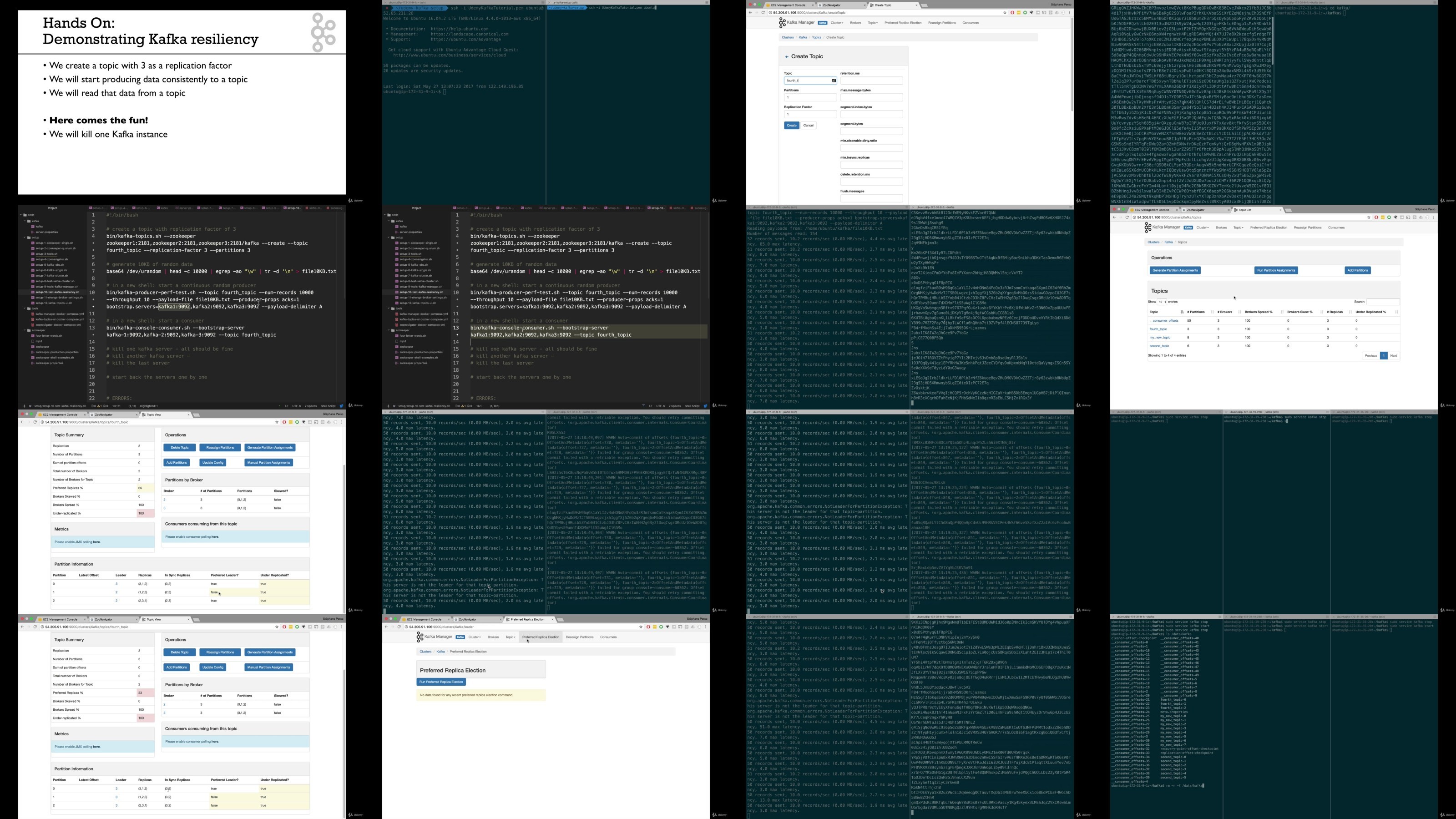
You will have a Kafka broker shutdown and recovery demonstration, which will help you to understand how to overcome the Kafka broker problems
You will learn Kafka production settings and how to optimise settings for better performance
You will learn all the required tool setups such as ZooNavigator, Kafka Manager, Confluent Schema Registry, Confluent REST Proxy, Landoop Kafka Topics UI.
You will get hands-on learning on Kafka common Administrative tasks using Kafka Manager
You have life-time access to this course and a 30-day satisfaction guaranteed with this course
Overview of the Course Contents -
Section 1 - Course Introduction: In this section, we will have introduction to the course. We will talk about what are the course pre-requisites, course objectives, who are the targeted students for this course. You will also have course material for download in this section!
Section 2 - Target Architecture: In this section, we will see the cloud providers such as AWS and explore other alternatives for AWS. We will also cover ZooKeeper Quorum Architecture and Kafka Cluster Architecture in this section.
Section 3 - Zookeeper Quorum Setup: In this sections, we will learn what is ZooKeeper, the Zookeeper role in Kafka Cluster, and ZooKeeper Configuration. We will have hands-on labs on AWS Setup, Zookeeper Single Machine Setup and Zookeeper Quorum Setup.
Section 4 - Kafka Cluster Setup: In this section, we will gain some practical hands-on experience on further AWS Setup, Single Kafka Broker Setup, Multi Kafka Broker Setup etc. Before that we will see Apache Kafka Basics on Kafka Configurations. We will have a demonstration on how to change the Kafka Broker configuration and we will also cover advanced Kafka configurations in this section.
After taking this course, you will become proficient in deploying Kafka in production! You will know all the required setups and installations and Kafka production settings and will be able to set-up Kafka in cluster mode in your own environment!
=
Instructor
My name is Stephane Maarek, and I'll be your instructor in this course. I teach about Apache Kafka, the Kafka ecosystem and Kafka Certifications with my focus always on helping my students improve their professional proficiencies. I am also the co-founder of Conduktor: an enterprise Apache Kafka platform & UI to help everyone use Kafka.
Throughout my career in designing and delivering these certifications and courses, I have already taught 1,000,000+ students and gotten 350,000+ reviews!
With Apache Kafka becoming much more than a buzzword out there, I've decided it's time for students to properly learn how to be a Kafka professional. So, let's kick start the course! You are in good hands!
=
This Course Also Comes With
Lifetime Access to All Future Updates
A responsive instructor in the Q&A Section
Links to interesting articles, and lots of good code to base your next applications onto
Udemy Certificate of Completion Ready for Download
This is the course that could improve your career!
Apache Kafka is a skill in high demand and there are not enough people to fulfill all the open positions. You can boost your income, take on new roles and fun challenges. Many of my students are now the Kafka experts of their companies! You can be the next!
I hope to see you inside the course!
===
Note: Looking for more advanced Kafka concepts? There are many volumes in the Apache Kafka Series
Learn Kafka for Beginners v2 (great to start)
Kafka Connect Hands On Learning
Kafka Streams for Data Processing
KSQL on ksqlDB - Hands On!
Kafka Cluster Setup & Administration
Confluent Schema Registry & Kafka REST Proxy
Kafka Security (SSL SASL ACL)
Kafka Monitoring and Operations
Happy learning!
Who this course is for
System Administrators or Architects, who would like to learn or setup a Kafka Cluster on multiple servers
Developers who want to understand the inner depth of a Kafka setup
This course is designed for expert students and should not be taken until all the pre-requisites are met

Homepage

Recommend Download Link Hight Speed | Please Say Thanks Keep Topic Live
Links are Interchangeable - No Password - Single Extraction

 

92adcccf51756b1019eadba4c66e7821.jpg

Apache Kafka Series - Kafka Cluster Setup & Administration 2022
Genre: eLearning | MP4 | Video: h264, 1280x720 | Audio: AAC, 48.0 KHz
Language: English | Size: 1.0 GB | Duration: 4h 4m​

Hands-On Training on ZooKeeper Quorum Setup, Kafka Cluster Setup and Administration in AWS.

What you'll learn
Setup a Zookeeper and Kafka cluster on three machines in AWS
Learn how to deploy Kafka in Production and understand the target architecture for clusters in AWS
Setup ZooKeeper Cluster, learn its role for Kafka and usage
Setup Kafka in Cluster Mode with 3 brokers, including configuration, usage and maintenance
Shutdown and Recover Kafka brokers, to overcome the common Kafka broker problems
Configure Kafka Cluster with production settings and optimisations for better performances based on your workload
Setup web administration tools using Docker: ZooNavigator, Kafka Manager, Confluent Schema Registry, Confluent REST Proxy, Landoop Kafka Topics UI
Administer Kafka using Kafka Manager

Description
Attention all struggling System Administrators, Architects or even Developers! Here is course on how to set up and deploy Apache Kafka in Cluster mode.

Do you want to learn how to setup a Kafka Cluster on multiple servers and stop struggling with it?

Do you want to understand all the steps to perform a Kafka setup and Kafka Deployment in Production?

Have you been trying endlessly to deploy a Kafka Cluster, but haven't had any luck?

If you have answered YES, then you are at the right place.

Learn from Stephane Maarek, the Best-Selling Instructor on Udemy in Apache Kafka and Big Data!

This course is designed for System Administrators, Architects and Developers. It includes a step by step guide for installing a ZooKeeper Quorum and a Kafka Cluster. Hands-on training on Kafka Administration is also provided.

This course has Amazon Web Services for our cloud environment, which is used by many companies around the world. AWS Knowledge is a pre-requisite.

In this course, we will cover what ZooKeeper is, its architecture, its role in Apache Kafka, and the setup, installation and configuration on multiple machines!

This course reveals exactly how your Kafka Cluster on multiple machines should be setup and configured. We will start with understanding the Kafka basics, cluster size and the configuration. We will also have a hands-on learning on AWS Setup, Single Broker Setup, Multi Broker Setup, Testing the Cluster, Kafka Manager (Cluster Management), Demonstrating Kafka Resiliency etc. We will enlighten you on Kafka Performance with respect to I/Os, Network, RAM, CPU, OS (Operating System) etc. You will have hands on learning on how to run Kafka in Production on AWS, how to change a Kafka Broker Configuration and we will also cover the Advanced Kafka Configurations.

Why I should take this course?

With over 4 hours of videos and around 50 classes, you will get a great understanding of how to deploy Kafka in production and you will understand the target architecture for clusters in AWS

You will learn what ZooKeeper? is, it's role for Kafka, How to setup ZooKeeper? and its usage

You will have a complete understanding Kafka setup including setup, configuration, usage and maintenance etc.

You will have a Kafka broker shutdown and recovery demonstration, which will help you to understand how to overcome the Kafka broker problems

You will learn Kafka production settings and how to optimise settings for better performance

You will learn all the required tool setups such as ZooNavigator, Kafka Manager, Confluent Schema Registry, Confluent REST Proxy, Landoop Kafka Topics UI.

You will get hands-on learning on Kafka common Administrative tasks using Kafka Manager

You have life-time access to this course and a 30-day satisfaction guaranteed with this course

Overview of the Course Contents -

Section 1 - Course Introduction: In this section, we will have introduction to the course. We will talk about what are the course pre-requisites, course objectives, who are the targeted students for this course. You will also have course material for download in this section!

Section 2 - Target Architecture: In this section, we will see the cloud providers such as AWS and explore other alternatives for AWS. We will also cover ZooKeeper Quorum Architecture and Kafka Cluster Architecture in this section.

Section 3 - Zookeeper Quorum Setup: In this sections, we will learn what is ZooKeeper, the Zookeeper role in Kafka Cluster, and ZooKeeper Configuration. We will have hands-on labs on AWS Setup, Zookeeper Single Machine Setup and Zookeeper Quorum Setup.

Section 4 - Kafka Cluster Setup: In this section, we will gain some practical hands-on experience on further AWS Setup, Single Kafka Broker Setup, Multi Kafka Broker Setup etc. Before that we will see Apache Kafka Basics on Kafka Configurations. We will have a demonstration on how to change the Kafka Broker configuration and we will also cover advanced Kafka configurations in this section.

After taking this course, you will become proficient in deploying Kafka in production! You will know all the required setups and installations and Kafka production settings and will be able to set-up Kafka in cluster mode in your own environment!

=

Instructor

My name is Stephane Maarek, and I'll be your instructor in this course. I teach about Apache Kafka, the Kafka ecosystem and Kafka Certifications with my focus always on helping my students improve their professional proficiencies. I am also the co-founder of Conduktor: an enterprise Apache Kafka platform & UI to help everyone use Kafka.

Throughout my career in designing and delivering these certifications and courses, I have already taught 1,000,000+ students and gotten 350,000+ reviews!

With Apache Kafka becoming much more than a buzzword out there, I've decided it's time for students to properly learn how to be a Kafka professional. So, let's kick start the course! You are in good hands!

=

This Course Also Comes With

Lifetime Access to All Future Updates

A responsive instructor in the Q&A Section

Links to interesting articles, and lots of good code to base your next applications onto

Udemy Certificate of Completion Ready for Download

This is the course that could improve your career!

Apache Kafka is a skill in high demand and there are not enough people to fulfill all the open positions. You can boost your income, take on new roles and fun challenges. Many of my students are now the Kafka experts of their companies! You can be the next!

I hope to see you inside the course!

===

Note: Looking for more advanced Kafka concepts? There are many volumes in the Apache Kafka Series

Learn Kafka for Beginners v2 (great to start)

Kafka Connect Hands On Learning

Kafka Streams for Data Processing

KSQL on ksqlDB - Hands On!

Kafka Cluster Setup & Administration

Confluent Schema Registry & Kafka REST Proxy

Kafka Security (SSL SASL ACL)

Kafka Monitoring and Operations

Happy learning!

Who this course is for
System Administrators or Architects, who would like to learn or setup a Kafka Cluster on multiple servers
Developers who want to understand the inner depth of a Kafka setup
This course is designed for expert students and should not be taken until all the pre-requisites are met

g3hFWY2R_o.jpg

 
Zurück
Oben Unten