• Regeln für den Software-Bereich:


    Allgemeines:

    - In erster Linie sind unsere Boardregeln zu beachten, zu finden HIER.
    - Software zur Audiobearbeitung sollte ausschließlich im Unterforum "Audio" eingestellt werden.
    - Für Cracks, Keygens oder sonstige Freischaltungssoftware gibt es das Unterforum "Freischaltung".
    - Portable Software bitte im entsprechenden Unterforum "Portable Software" eintragen.
    - Diskussionen zur Installation und anderen Problemen mit der Software, bitte im enstprechenden Unterforum "Talk" führen.
    - Bei Unklarheiten und Fragen zu den Regeln bitte die Moderatoren kontaktieren.


    Angebot erstellen

    - Die Struktur des Threadtitels muss wie folgt umgesetzt werden: Herstellername - Softwarename - Versionsnummer
    - Unnötige Zusätze im Threadtitel wie "HOT", "NEW" oder Punkte zwischen den Wörtern sind nicht erlaubt.
    - Achtet darauf immer nur die Hauptversion und deren Updates in einem Thread zusammenfassen, konkretes Beispiel: SoftwareXY v3.12 gehört in den selben Thread mit SoftwareXY v3.13; SoftwareXY v.4.1 gehört in einen neuen eigenen Thread. Ausgenommen hiervon sind Sammelthreads und Dauerangebote.
    - Bei nicht bekannten Herstellern oder Angebote einer privaten Software, ist die Programmbezeichnung + Versionsnummer ausreichend.
    - Besondere Beachtung gilt für den ersten Beitrag eines Angebots. Dort muss eine kurze Beschreibung der Software in deutscher Sprache angegeben werden. Für offizielle Releases ist es Pflicht die NFO im Beitrag einzustellen(Spoiler, siehe nächster Punkt).
    - Weitere Informationen wie NFOs oder Changelogs, versteckt ihr bitte in einem Spoiler.


    Software Suche

    - Für Suchanfragen haben wir das Unterforum "Suche" erstellt.
    - Auch hier sollte vorher die Suchfunktion benutzt werden, um Doppelthreads vorzubeugen. Sollte es bereits eine Suchanfrage geben, könnt ihr den Thread gerne mit einem "Danke" pushen.


    Trojaner- und Virusalarm

    - Falls Euer Virenscanner bei einem Angebot Alarm schlägt, solltet ihr zunächst Ruhe bewahren. Viele Virenscanner erkennen Cracks/Keygens oft fälschlicherweise als Bedrohung.
    - Prüft die verdächtige Datei zuerst mit http://virustotal.com , sollte es sich hierbei wirklich um eine Bedrohung handeln, meldet den Beitrag und/oder wendet euch mit dem Bericht von VirusTotal.com an einen Moderator.


    Unerwünschte Angebote

    - Keylogger, Spionagetools, alles rund ums Thema Hacking/Cracking ist nicht erwünscht.
  • Bitte registriere dich zunächst um Beiträge zu verfassen und externe Links aufzurufen.


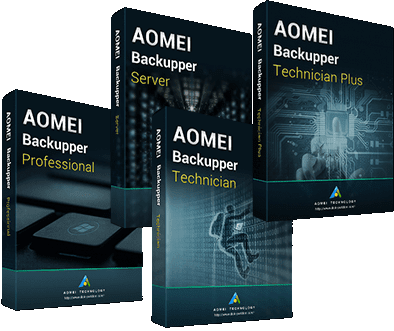
AOMEI Backupper All Editions v5

ota61mpr1kg0.png


AOMEI Backupper 5.7.0 All Editions (Professional / Technician / Technician Plus / Server) Multilingual + Fix-xanax | 146.01 MB

Information:


Aomei Backupper v5.7.0

Multilingual/Deutsch / inkl. Crack, Serial + Anleitung

Professional - Server - Technician - Technician Plus / + WinPE Editions [Legacy + UEFI]


aomeiw7j40.png


Beschreibung:

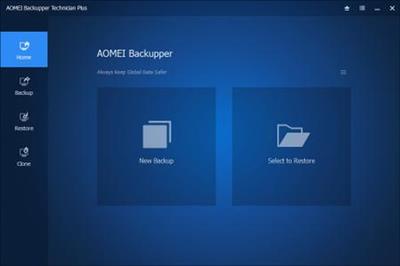
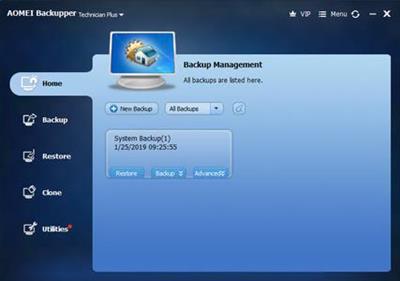
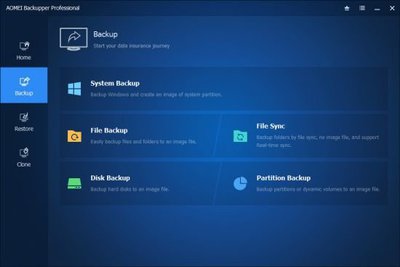
AOMEI Backupper verfügt über alle wichtigen Features, die man von einem Programm zur Datensicherung erwartet.
Sie können Backups von Festplatten und Partitionen, der Systempartition sowie von Ordnern und Dateien durchführen oder
alternativ ausgewählte Verzeichnisse synchronisieren.

Beim Backup stehen neben Komplettbackups auch inkrementelle und differentielle Sicherungen zur Auswahl.
Ebenso einfach klonen Sie Laufwerke und Partitionen, um so 1:1-Kopien auf neuen Datenträgern zu erstellen.
Beim Backup-Vorgang können Sie auf einen Passwortschutz zurückgreifen, Daten komprimieren oder auf mehrere Datenträger aufteilen (splitten).
Um Systemdateien im laufenden Betrieb zu sichern, unterstützt das Tool den „Volume Shadow Copy Service“ (VSS).
Als Zielmedium sind „Aomei Backupper“ interne und externe Festplatten, USB- und SSD-Laufwerke, Netzwerke und RAID-Systeme möglich.

Betriebssystem migrieren
Ein spezieller Fall ist das Kopieren bzw. Migrieren eines Betriebssystems auf eine neue, eventuell größere Festplatte.
Auch hierfür hält „Aomei Backupper“ eine Routine parat. Allerdings müssen Sie dieses Feature erst freischalten, indem Sie einen Werbetext des Programms auf Ihrem Twitter-, Facebook- oder Google+-Account posten.

Notfall-CD erstellen
Selbst für den Fall der Fälle können Sie mit „AOMEI Backupper“ vorsorgen, indem Sie ein Rettungsmedium anlegen.
Der bootfähige Datenträger (CD, DVD oder USB-Stick) wird wahlweise als Windows-PE-System oder Linux-Umgebung erzeugt.
Weitere Funktionen sind zeitgesteuerte Backups (täglich oder in festgelegten Intervallen, etwa alle vier Stunden) sowie das Einbinden der erstellten Images als virtuelle Laufwerke.

_________________________________________________

Größe: 149 MB
Sprache: Multi/Deutsch
Format: Exe/Iso
Plattform: Windows (32 oder 64-Bit)
Hoster: RapidGator.net, Alfafile.net, Ddownload.to (DDl.to)
________________________________________

2D6C4EE81C.png


Aomei Backupper Professional WinPE Edition [939 MB]

2AC668330D.png


Aomei Backupper Server WinPE Edition [939 MB]

8A8EADFD00.png


Aomei Backupper Technician WinPE Edition [939 MB]

51642F6F46.png


Aomei Backupper Technician Plus WinPE Edition [939 MB]

F4B5133EC1.png


Aomei Backupper All Editions WinPE Boot v5.8.0

5d4d160a073bfd7ff8280jjzp.jpeg


Aomei Backupper All Editions WinPE Boot v5.8.0

Größe: 2850 MB
Sprache: Multi
Format: Exe/ISO
Plattform: Windows

AOMEI Backupper ist eine professionelle, benutzerfreundliche Sicherungs- und Wiederherstellungssoftware. Ist jedoch für Privatanwender und gewerbliche Zwecke kostenlos und schützt Ihren Computer vollständig vor Datenverlust. Sie können PC und Server sicher sichern, Ihre Systempartition oder Festplatte mit einem Klick sichern und dies in wenigen Minuten erledigen. Diese Software kann das erstellte Image auch untersuchen und auf der Festplatte wiederherstellen, wenn Ihre Daten verloren gehen oder beschädigt werden. Darüber hinaus können Sie eine bootfähige Rettungsdiskette erstellen, um Ihre Daten wiederherzustellen, wenn das System abstürzt und über die Windows-Oberfläche nicht auf die Anwendung zugegriffen werden kann.

Uploaded.net
Oboom.com
Rapidgator.net

 
AOMEI Backupper v5.8.0 Multilingual


4792e0a695b0c8695efbb42b5d82ca94.jpeg


AOMEI Backupper v5.8.0 Multilingual | Professional / Technician / Technician Plus / Server | 119 MB | Language: Multilanguage


AOMEI Backupper is a professional-like, easy-to-use backup and recovery software. But is free for home users and commercial use, fully protects your computer from data loss. It lets you securely backup PC and Server, provides one-click backup your system partition or disk and does it in minutes.


This software also can explore the created image and restore it to the hard drive if your data gets lost or corrupted. In addition, you can create a bootable rescue disk for recovering your data when the system crashes and the application cannot be accessed from the Windows interface.

AOMEI Backupper lets you clone the partition or disk, too. The software already supports the Microsoft Volume Shadow Copy Service (VSS) that enables the data backup process and does not interfere the running applications. This option of AOMEI Backupper is very efficient because backup data can still be made when you're working.

System Backup. One-click back up all data of system drive, including system files and installed applications without interrupting system run.

Disk Backup. Backup your hard disk drives including MBR disk, GPT disk, external hard drive, USB disk, and other storage devices that can be recognized by Windows.
Partition and Volume Backup. If you just want to backup a partition or volume, not the entire disk, the feature will be your best choice. With it, you can backup one or multiple partitions/volumes (including dynamic volumes) to an image file.

When your computer occurs some problems, such as accidentally deleted files, the system can not start, virus damage, by using the created backup before, you can restore system to its previous normal state or retrieve lost data.

System Recovery. Easily and quickly restore system partition and ensure system bootable after completing the recovery process.
Disk and Partition Recovery. Reliably recover the whole hard disk drive, partition or dynamic volume to original state.
Selective file restore. Selectively restore individual files and folders from a backup image file without recovering the entire backup.


Supported OS: Windows XP, Vista, Windows 7, 8, 8.1, 10 (32-bit, 64-bit).
Supported File Systems: NTFS, FAT32, FAT16, EXT2, EXT3 and other file systems
Storage Devices: Internal hard disks, External hard disks, Solid-state drive (SSD), USB flash drives, Thumb Drives, Network-attached storage (NAS), cloud drive, Hardware RAID, Dynamic Disk and Virtual machine system, etc.


Home Page -
1d35bddc118641643d265c0202eeaaee.jpeg


DOWNLOAD LINKS:


AOMEI Backupper All Editions WinPE Boot Legacy & UEFI v5.8.0


68526c0166b81d31a21c9c9055f1715c.jpeg


AOMEI Backupper All Editions WinPE Boot Legacy and UEFI v5.8.0 | 2.66 GB | Language: English


AOMEI Backupper is a professional-like, easy-to-use backup and recovery software. But is free for home users and commercial use, fully protects your computer from data loss. It lets you securely backup PC and Server, provides one-click backup your system partition or disk and does it in minutes. This software also can explore the created image and restore it to the hard drive if your data gets lost or corrupted. In addition, you can create a bootable rescue disk for recovering your data when the system crashes and the application cannot be accessed from the Windows interface.


AOMEI Backupper lets you clone the partition or disk, too. The software already supports the Microsoft Volume Shadow Copy Service (VSS) that enables the data backup process and does not interfere the running applications. This option of AOMEI Backupper is very efficient because backup data can still be made when you're working.
To prevent data loss, so we need to make data backup, AOMEI Backupper with the following features to ensure the safety of your data.

System Backup. One-click back up all data of system drive, including system files and installed applications without interrupting system run.
Disk Backup. Backup your hard disk drives including MBR disk, GPT disk, external hard drive, USB disk, and other storage devices that can be recognized by Windows.
Partition and Volume Backup. If you just want to backup a partition or volume, not the entire disk, the feature will be your best choice. With it, you can backup one or multiple partitions/volumes (including dynamic volumes) to an image file.

When your computer occurs some problems, such as accidentally deleted files, the system can not start, virus damage, by using the created backup before, you can restore system to its previous normal state or retrieve lost data.

System Recovery. Easily and quickly restore system partition and ensure system bootable after completing the recovery process.
Disk and Partition Recovery. Reliably recover the whole hard disk drive, partition or dynamic volume to original state.
Selective file restore. Selectively restore individual files and folders from a backup image file without recovering the entire backup.

In addition to backup and restore functions, AOMEI Backupper supports cloning operations. If you need to upgrade hard drive, or replace old disk, or migrate hard drive to new one, this feature can be more convenient to your work.

Disk Clone: Directly copy one hard drive to another without creating an image file. The program allows you to resize partitions during this cloning process, and supports to clone small disk to larger disk as well as copy traditional hard drive to solid state drive.
Partition and Volume Clone: Directly create an exact duplication of partition or dynamic volume and exactly transfer it to another partition or volume.

AOMEI Backupper Other Features:
Incremental and differential backups. Based on a full backup, the software supports to create incremental or differential backups to taking less time and save storage space.
Encryption and Compression. You can set a password for each backups to prevent unauthorized access. When the backup process, specify an industry leading compression algorithm to compress image file in order to take up less disk space.

Image file checker and explorer. Check data integrity of image file to ensure the backups can be restored successfully. Mount image files to a virtual partition so that you can browse the contents of the backups in Windows Explorer.

Comment Backups and Splitting Backups. Add comments to backups so that the backups can be further identified and clarified. Let you know what a backup is for or what it contains. Splitting Backups can split backup an image file into proper sizes to fit storage media.

Create Bootable Rescue Media. You can create a bootable media (e.g. CD or USB media) to restore system drive on the condition that Windows can not boot.


Supported OS: Windows XP, Vista, Windows 7, Windows 8/8.1, Windows 10 (32-bit, 64-bit).
Supported OS: Windows XP, Vista, Windows 7, 8, 8.1, 10 (32-bit, 64-bit).
Supported File Systems: NTFS, FAT32, FAT16, EXT2, EXT3 and other file systems
Storage Devices: Internal hard disks, External hard disks, Solid-state drive (SSD), USB flash drives, Thumb Drives, Network-attached storage (NAS), cloud drive, Hardware RAID, Dynamic Disk and Virtual machine system, etc.


Home Page -


DOWNLOAD LINKS:


AOMEI Backupper v5.8

Multilingual/Deutsch / inkl. Crack, Serial + Anleitung

Professional - Server - Technician - Technician Plus / + WinPE Editions [Legacy + UEFI]


aomeiw7j40.png


Beschreibung:

AOMEI Backupper verfügt über alle wichtigen Features, die man von einem Programm zur Datensicherung erwartet.
Sie können Backups von Festplatten und Partitionen, der Systempartition sowie von Ordnern und Dateien durchführen oder
alternativ ausgewählte Verzeichnisse synchronisieren.

Beim Backup stehen neben Komplettbackups auch inkrementelle und differentielle Sicherungen zur Auswahl.
Ebenso einfach klonen Sie Laufwerke und Partitionen, um so 1:1-Kopien auf neuen Datenträgern zu erstellen.
Beim Backup-Vorgang können Sie auf einen Passwortschutz zurückgreifen, Daten komprimieren oder auf mehrere Datenträger aufteilen (splitten).
Um Systemdateien im laufenden Betrieb zu sichern, unterstützt das Tool den „Volume Shadow Copy Service“ (VSS).
Als Zielmedium sind „Aomei Backupper“ interne und externe Festplatten, USB- und SSD-Laufwerke, Netzwerke und RAID-Systeme möglich.

Betriebssystem migrieren
Ein spezieller Fall ist das Kopieren bzw. Migrieren eines Betriebssystems auf eine neue, eventuell größere Festplatte.
Auch hierfür hält „Aomei Backupper“ eine Routine parat. Allerdings müssen Sie dieses Feature erst freischalten, indem Sie einen Werbetext des Programms auf Ihrem Twitter-, Facebook- oder Google+-Account posten.

Notfall-CD erstellen
Selbst für den Fall der Fälle können Sie mit „AOMEI Backupper“ vorsorgen, indem Sie ein Rettungsmedium anlegen.
Der bootfähige Datenträger (CD, DVD oder USB-Stick) wird wahlweise als Windows-PE-System oder Linux-Umgebung erzeugt.
Weitere Funktionen sind zeitgesteuerte Backups (täglich oder in festgelegten Intervallen, etwa alle vier Stunden) sowie das Einbinden der erstellten Images als virtuelle Laufwerke.

_________________________________________________

Größe: 738 MB
Sprache: Multi/Deutsch
Format: Exe/Iso
Plattform: Windows (32 oder 64-Bit)
Hoster: RapidGator.net, Alfafile.net, Ddownload.com
________________________________________

65F20F588D.png


AOMEI Backupper Professional / Technician / Technician Plus / Server 5.9.0 Multilingual
+ AOMEI Backupper All Editions WinPE Boot Legacy & UEFI 5.9.0

aomeibackuppergykvqr469kry.png

Beschreibung:
All-in-One-Lösung für Datenschutz und Notfallwiederherstellung für PCs und Laptops.
Automatische, vollständige, inkrementelle und differenzielle Sicherungen vereinfachen Ihre
Sicherungsaufgaben.

Echtzeit-Synchronisierung von Dateien und Ordnern von Quell- zu Zielpfaden ohne Verzögerung.

HDD auf SSD, HDD auf HDD oder SSD auf SSD für Festplattenupgrades und Datenmigration.
Erstellen von einem bootfähigen WinPE- oder Linux-Laufwerk für Bare Metal oder nicht bootfähigen
Computer.

Unterstützt Windows 10, Windows 8.1 / 8, Windows 7, Vista und XP (alle Editionen, 32/64-Bit).


__________________________________________________

Plattform:
uyodujculrca4cy9p3snt3nfbo.png
Windows

Freischaltung:Registrator / serials
Größe: 119 / 770 / 840 / 840 / 840 MB
Sprache( n ) -> multi / German
Format: Rar / exe - Rar / iso
Hoster: uploaded /dropapk / rapidgator
Download:
g8rsdaty93jtb.gif


Setup


Technician.Plus.5.9 iso


Professional.5.9 iso


Server.5.9 iso


Technician.5.9 iso


otjtm2lj21s6d.gif
 
Zuletzt bearbeitet:
Aomei Backupper All Editions WinPE Boot v5.9.0

th_yecx9cdajebgy9tsrlf9k4e.jpg


Aomei Backupper All Editions WinPE Boot v5.9.0

Größe: 3330 MB
Sprache: Multi
Format: Exe/ISO
Plattform: Windows

AOMEI Backupper ist eine professionelle, benutzerfreundliche Sicherungs- und Wiederherstellungssoftware. Ist jedoch für Privatanwender und gewerbliche Zwecke kostenlos und schützt Ihren Computer vollständig vor Datenverlust. Sie können damit PC und Server sicher sichern, Ihre Systempartition oder Festplatte mit einem Klick sichern und dies in wenigen Minuten erledigen. Diese Software kann das erstellte Image auch untersuchen und auf der Festplatte wiederherstellen, wenn Ihre Daten verloren gehen oder beschädigt werden. Darüber hinaus können Sie eine bootfähige Rettungsdiskette erstellen, um Ihre Daten wiederherzustellen, wenn das System abstürzt und über die Windows-Oberfläche nicht auf die Anwendung zugegriffen werden kann.

Unterstützte Betriebssysteme: Windows XP, Vista, Windows 7, Windows 8 / 8.1, Windows 10 (32-Bit, 64-Bit).

Speichergeräte: Unterstützt alle von Windows erkannten Speichergeräte wie IDE, SATA, SCSI, SSD, externe USB-Festplatten, Hardware-RAID usw. Unterstützt außerdem MBR- und GPT-Stil und unterstützt Kapazitäten von mehr als 2 TB vollständig.

Editionen: Professional / Technician / Technician Plus / Server

Uploaded.net
Oboom.com
Rapidgator.net

 
AOMEI Backupper v5.9.0

Multilingual/Deutsch / inkl. Registrator, Serial + Anleitung

Professional - Server - Technician - Technician Plus / + WinPE Editions [Legacy + UEFI]


aomeiw7j40.png


Beschreibung:

AOMEI Backupper verfügt über alle wichtigen Features, die man von einem Programm zur Datensicherung erwartet.
Sie können Backups von Festplatten und Partitionen, der Systempartition sowie von Ordnern und Dateien durchführen oder
alternativ ausgewählte Verzeichnisse synchronisieren.

Beim Backup stehen neben Komplettbackups auch inkrementelle und differentielle Sicherungen zur Auswahl.
Ebenso einfach klonen Sie Laufwerke und Partitionen, um so 1:1-Kopien auf neuen Datenträgern zu erstellen.
Beim Backup-Vorgang können Sie auf einen Passwortschutz zurückgreifen, Daten komprimieren oder auf mehrere Datenträger aufteilen (splitten).
Um Systemdateien im laufenden Betrieb zu sichern, unterstützt das Tool den „Volume Shadow Copy Service“ (VSS).
Als Zielmedium sind „Aomei Backupper“ interne und externe Festplatten, USB- und SSD-Laufwerke, Netzwerke und RAID-Systeme möglich.

Betriebssystem migrieren
Ein spezieller Fall ist das Kopieren bzw. Migrieren eines Betriebssystems auf eine neue, eventuell größere Festplatte.
Auch hierfür hält „Aomei Backupper“ eine Routine parat. Allerdings müssen Sie dieses Feature erst freischalten, indem Sie einen Werbetext des Programms auf Ihrem Twitter-, Facebook- oder Google+-Account posten.

Notfall-CD erstellen
Selbst für den Fall der Fälle können Sie mit „AOMEI Backupper“ vorsorgen, indem Sie ein Rettungsmedium anlegen.
Der bootfähige Datenträger (CD, DVD oder USB-Stick) wird wahlweise als Windows-PE-System oder Linux-Umgebung erzeugt.
Weitere Funktionen sind zeitgesteuerte Backups (täglich oder in festgelegten Intervallen, etwa alle vier Stunden) sowie das Einbinden der erstellten Images als virtuelle Laufwerke.

_________________________________________________

Größe: 116 MB
Sprache: Multi/Deutsch
Format: Exe/Iso
Plattform: Windows (32 oder 64-Bit)
Hoster: RapidGator.net, Alfafile.net, Ddownload.com
________________________________________


B4A9B07C4E.png


Aomei Backupper v5.90 WinPE Edition Legacy [1.63 GB]

682BF3ADF4.png


Aomei Backupper v5.90 WinPE Edition UEFI [1.71 GB]

39BA389914.png


Zurück
Oben Unten