• Regeln für den Software-Bereich:


    Allgemeines:

    - In erster Linie sind unsere Boardregeln zu beachten, zu finden HIER.
    - Software zur Audiobearbeitung sollte ausschließlich im Unterforum "Audio" eingestellt werden.
    - Für Cracks, Keygens oder sonstige Freischaltungssoftware gibt es das Unterforum "Freischaltung".
    - Portable Software bitte im entsprechenden Unterforum "Portable Software" eintragen.
    - Diskussionen zur Installation und anderen Problemen mit der Software, bitte im enstprechenden Unterforum "Talk" führen.
    - Bei Unklarheiten und Fragen zu den Regeln bitte die Moderatoren kontaktieren.


    Angebot erstellen

    - Die Struktur des Threadtitels muss wie folgt umgesetzt werden: Herstellername - Softwarename - Versionsnummer
    - Unnötige Zusätze im Threadtitel wie "HOT", "NEW" oder Punkte zwischen den Wörtern sind nicht erlaubt.
    - Achtet darauf immer nur die Hauptversion und deren Updates in einem Thread zusammenfassen, konkretes Beispiel: SoftwareXY v3.12 gehört in den selben Thread mit SoftwareXY v3.13; SoftwareXY v.4.1 gehört in einen neuen eigenen Thread. Ausgenommen hiervon sind Sammelthreads und Dauerangebote.
    - Bei nicht bekannten Herstellern oder Angebote einer privaten Software, ist die Programmbezeichnung + Versionsnummer ausreichend.
    - Besondere Beachtung gilt für den ersten Beitrag eines Angebots. Dort muss eine kurze Beschreibung der Software in deutscher Sprache angegeben werden. Für offizielle Releases ist es Pflicht die NFO im Beitrag einzustellen(Spoiler, siehe nächster Punkt).
    - Weitere Informationen wie NFOs oder Changelogs, versteckt ihr bitte in einem Spoiler.


    Software Suche

    - Für Suchanfragen haben wir das Unterforum "Suche" erstellt.
    - Auch hier sollte vorher die Suchfunktion benutzt werden, um Doppelthreads vorzubeugen. Sollte es bereits eine Suchanfrage geben, könnt ihr den Thread gerne mit einem "Danke" pushen.


    Trojaner- und Virusalarm

    - Falls Euer Virenscanner bei einem Angebot Alarm schlägt, solltet ihr zunächst Ruhe bewahren. Viele Virenscanner erkennen Cracks/Keygens oft fälschlicherweise als Bedrohung.
    - Prüft die verdächtige Datei zuerst mit http://virustotal.com , sollte es sich hierbei wirklich um eine Bedrohung handeln, meldet den Beitrag und/oder wendet euch mit dem Bericht von VirusTotal.com an einen Moderator.


    Unerwünschte Angebote

    - Keylogger, Spionagetools, alles rund ums Thema Hacking/Cracking ist nicht erwünscht.
  • Bitte registriere dich zunächst um Beiträge zu verfassen und externe Links aufzurufen.


AnyMP4 iOS Toolkit v9

KAMAL

MyBoerse.bz Pro Member
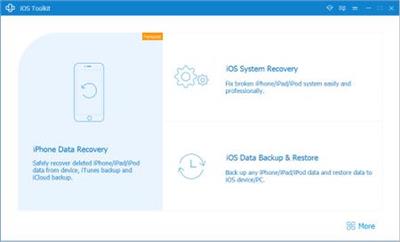
AnyMP4 iOS Toolkit 9.0.38 (x86/x64) Multilingual


d515c691a9f1c972abed24e617920762.jpeg


AnyMP4 iOS Toolkit 9.0.38 (x86/x64) Multilingual | 91 MB | Language: Multilanguage


Have you ever accidentally deleted your treasured data on iPhone? The best iPhone Data Recovery software has the capability to restore up to 20 data types from your iOS device to computer. Moreover, it can help you recover the lost/deleted iOS files from iTunes and iCloud Backup Files.


This powerful iPhone Data Recovery can recover many types of data from iPhone/iPad/iPod, such as photos, videos, audios, music, pictures, contacts, SMS, text messages, call history, calendar, notes, reminders, Safari bookmarks, recordings, voice memos, and WhatsApp chats, etc. It highly supports any popular iOS device like iPhone X/8/8 Plus/7/7 Plus/6s/6s Plus/6/6 Plus/SE/5s/5c/5/4s/4, iPad, iPad Pro/mini 4/mini 3/mini 2/mini/Air 2/Air/4/3/2, iPod touch/nano and so on.

Recover lost/deleted data from iTunes backup
Besides directly restore the lost/deleted files from iOS device, this excellent iOS Data Recovery allows you to retrieve the missing data from iTunes Backup Files. Even your iPhone/iPad/iPod is broken, smashed, cashed or damaged, you can still get your important iPhone data files back with this software.

9 types of Text content can be saved from the iTunes backup: Contacts, SMS/MMS, Call history, Calendar, Notes, Reminders, Safari bookmarks, Safari history, and WhatsApp chats. And 10 Types of Media content (Camera Roll, Photo Library, Photo Stream, Message attachments, Voice memos, WhatsApp Attachments, Voicemail, App Photos, App Videos, App Audio) can be directly scanned and exported to the computer.

Restore missing iOS data from iCloud Backup
In addition, this professional iPhone Data Recovery also provides you with the third recovery mode, "Restore from iCloud Backup". It allows you to recover deleted and lost data from the iCloud Backup to your PC.

A total of 9 types of Text content can be recovered from the iCloud: Contacts, SMS, Call log, Calendar, Notes, Reminder, Safari bookmarks, Safari history, WhatsApp history. The existing data in the iCloud Backup can also be downloaded and backed up to the computer.

Preview iPhone data before recovering
On the left side of the Recovery interface, you can preview the detailed files in individual categories in advance. Especially for pictures, with a double-click, you can check the images, rotate or switch up and down. AnyMP4 iPhone Data Recovery shows you all the data in details in the Scan results. For example, the detailed information of the Contacts, including name, company, phone, email, etc. Then you can select the desired contacts and then save them to your computer in CSV or VCF format.

Back up lost/existing iOS data to computer
After recovering deleted and lost files from iPhone or iTunes/iCloud Backup, you are free to choose the destination file folder for the restored iPhone files. AnyMP4 iPhone Data Recovery will export iPhone files to the selected location on the PC. You can also change the predefined location in Settings. In this way, you are able to back up the important data to computer for backup.

System requirements:
Supported systems: Windows 10, Windows 8/8.1, Windows 7, Windows Vista, Windows XP (SP2 or later)
RAM: 1GB RAM or more recommended
CPU: Intel® Core ™ 2 Duo Processor or AMD Athlon ™ Processor, 1.2 GHz or faster processor.


Home Page -


DOWNLOAD LINKS:



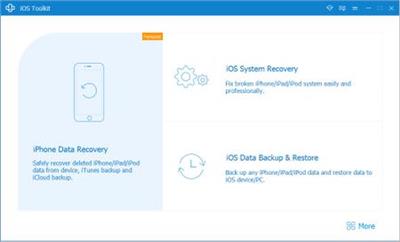
AnyMP4 iOS Toolkit 9.0.52 (x86/x64) Multilingual


57a599e811d4be385a95f34740da2bb1.jpeg


AnyMP4 iOS Toolkit 9.0.52 (x86/x64) Multilingual | 94 MB | Language: Multilanguage


Have you ever accidentally deleted your treasured data on iPhone? The best iPhone Data Recovery software has the capability to restore up to 20 data types from your iOS device to computer. Moreover, it can help you recover the lost/deleted iOS files from iTunes and iCloud Backup Files.


This powerful iPhone Data Recovery can recover many types of data from iPhone/iPad/iPod, such as photos, videos, audios, music, pictures, contacts, SMS, text messages, call history, calendar, notes, reminders, Safari bookmarks, recordings, voice memos, and WhatsApp chats, etc. It highly supports any popular iOS device like iPhone X/8/8 Plus/7/7 Plus/6s/6s Plus/6/6 Plus/SE/5s/5c/5/4s/4, iPad, iPad Pro/mini 4/mini 3/mini 2/mini/Air 2/Air/4/3/2, iPod touch/nano and so on.

Recover lost/deleted data from iTunes backup
Besides directly restore the lost/deleted files from iOS device, this excellent iOS Data Recovery allows you to retrieve the missing data from iTunes Backup Files. Even your iPhone/iPad/iPod is broken, smashed, cashed or damaged, you can still get your important iPhone data files back with this software.

9 types of Text content can be saved from the iTunes backup: Contacts, SMS/MMS, Call history, Calendar, Notes, Reminders, Safari bookmarks, Safari history, and WhatsApp chats. And 10 Types of Media content (Camera Roll, Photo Library, Photo Stream, Message attachments, Voice memos, WhatsApp Attachments, Voicemail, App Photos, App Videos, App Audio) can be directly scanned and exported to the computer.

Restore missing iOS data from iCloud Backup
In addition, this professional iPhone Data Recovery also provides you with the third recovery mode, "Restore from iCloud Backup". It allows you to recover deleted and lost data from the iCloud Backup to your PC.

A total of 9 types of Text content can be recovered from the iCloud: Contacts, SMS, Call log, Calendar, Notes, Reminder, Safari bookmarks, Safari history, WhatsApp history. The existing data in the iCloud Backup can also be downloaded and backed up to the computer.

Preview iPhone data before recovering
On the left side of the Recovery interface, you can preview the detailed files in individual categories in advance. Especially for pictures, with a double-click, you can check the images, rotate or switch up and down. AnyMP4 iPhone Data Recovery shows you all the data in details in the Scan results. For example, the detailed information of the Contacts, including name, company, phone, email, etc. Then you can select the desired contacts and then save them to your computer in CSV or VCF format.

Back up lost/existing iOS data to computer
After recovering deleted and lost files from iPhone or iTunes/iCloud Backup, you are free to choose the destination file folder for the restored iPhone files. AnyMP4 iPhone Data Recovery will export iPhone files to the selected location on the PC. You can also change the predefined location in Settings. In this way, you are able to back up the important data to computer for backup.

System requirements:
Supported systems: Windows 10, Windows 8/8.1, Windows 7, Windows Vista, Windows XP (SP2 or later)
RAM: 1GB RAM or more recommended
CPU: Intel® Core ™ 2 Duo Processor or AMD Athlon ™ Processor, 1.2 GHz or faster processor.


Home Page -


DOWNLOAD LINKS:



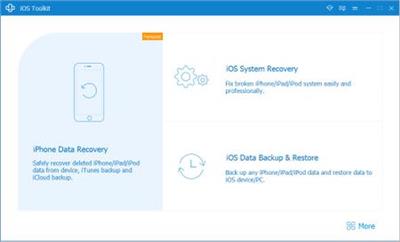
AnyMP4 iOS Toolkit v9.0.60 (x86/x64) Multilingual


7b9dbd8d9a30b6cae29e2cc51175bfad.jpeg


AnyMP4 iOS Toolkit v9.0.60 (x86/x64) Multilingual | 92 MB | Language: Multilanguage


Have you ever accidentally deleted your treasured data on iPhone? The best iPhone Data Recovery software has the capability to restore up to 20 data types from your iOS device to computer. Moreover, it can help you recover the lost/deleted iOS files from iTunes and iCloud Backup Files.


This powerful iPhone Data Recovery can recover many types of data from iPhone/iPad/iPod, such as photos, videos, audios, music, pictures, contacts, SMS, text messages, call history, calendar, notes, reminders, Safari bookmarks, recordings, voice memos, and WhatsApp chats, etc. It highly supports any popular iOS device like iPhone X/8/8 Plus/7/7 Plus/6s/6s Plus/6/6 Plus/SE/5s/5c/5/4s/4, iPad, iPad Pro/mini 4/mini 3/mini 2/mini/Air 2/Air/4/3/2, iPod touch/nano and so on.

Recover lost/deleted data from iTunes backup
Besides directly restore the lost/deleted files from iOS device, this excellent iOS Data Recovery allows you to retrieve the missing data from iTunes Backup Files. Even your iPhone/iPad/iPod is broken, smashed, cashed or damaged, you can still get your important iPhone data files back with this software.

9 types of Text content can be saved from the iTunes backup: Contacts, SMS/MMS, Call history, Calendar, Notes, Reminders, Safari bookmarks, Safari history, and WhatsApp chats. And 10 Types of Media content (Camera Roll, Photo Library, Photo Stream, Message attachments, Voice memos, WhatsApp Attachments, Voicemail, App Photos, App Videos, App Audio) can be directly scanned and exported to the computer.

Restore missing iOS data from iCloud Backup
In addition, this professional iPhone Data Recovery also provides you with the third recovery mode, "Restore from iCloud Backup". It allows you to recover deleted and lost data from the iCloud Backup to your PC.

A total of 9 types of Text content can be recovered from the iCloud: Contacts, SMS, Call log, Calendar, Notes, Reminder, Safari bookmarks, Safari history, WhatsApp history. The existing data in the iCloud Backup can also be downloaded and backed up to the computer.

Preview iPhone data before recovering
On the left side of the Recovery interface, you can preview the detailed files in individual categories in advance. Especially for pictures, with a double-click, you can check the images, rotate or switch up and down. AnyMP4 iPhone Data Recovery shows you all the data in details in the Scan results. For example, the detailed information of the Contacts, including name, company, phone, email, etc. Then you can select the desired contacts and then save them to your computer in CSV or VCF format.

Back up lost/existing iOS data to computer
After recovering deleted and lost files from iPhone or iTunes/iCloud Backup, you are free to choose the destination file folder for the restored iPhone files. AnyMP4 iPhone Data Recovery will export iPhone files to the selected location on the PC. You can also change the predefined location in Settings. In this way, you are able to back up the important data to computer for backup.

System requirements:
Supported systems: Windows 10, Windows 8/8.1, Windows 7, Windows Vista, Windows XP (SP2 or later)
RAM: 1GB RAM or more recommended
CPU: Intel® Core ™ 2 Duo Processor or AMD Athlon ™ Processor, 1.2 GHz or faster processor.


Home Page -


Größe: 92 MB
Sprache: Multilingual-Deutsch
Format: .rar / .exe
Plattform: Windows (32 Bit 64 Bit)


HOSTER:

K2s.cc (Keep2Share)

Rapidgator.net

Nitroflare.com

Uploadgig.com


DOWNLOAD


AnyMP4 iOS Toolkit v9.0.76 Multilingual


72787bf27e8d16bb4730000e2ac66627.jpeg


AnyMP4 iOS Toolkit v9.0.76 Multilingual | 92 MB | Language: Multilanguage


Größe: 92 MB
Sprache: Multilingual-Deutsch
Format: .rar / .exe
Medizin: Crack / Patch
Plattform: Windows 10 , Windows 8/8.1 , Windows 7
Bit depth: 32bit 64bit


HOSTER:

K2s.cc (Keep2share)

Rapidgator.net

Nitroflare.com

Uploadgig.com


DOWNLOAD


AnyMP4 iOS Toolkit 9.0.76 Multilingual


57fa3e768017e54450c38ca84d966503.png


AnyMP4 iOS Toolkit 9.0.76 Multilingual


Haben Sie jemals versehentlich Ihre wertvollen Daten auf dem iPhone gelöscht? Die beste iPhone-Datenwiederherstellungssoftware kann bis zu 20 Datentypen von Ihrem iOS-Gerät auf dem Computer wiederherstellen. Darüber hinaus kann es Ihnen helfen, verlorene/gelöschte iOS-Dateien aus iTunes und iCloud-Sicherungsdateien wiederherzustellen.


Sprache: Deutsch, Multi | Größe: 92 MB | Format: RAR, EXE | Plattform: Windows 7, 8, 8.1, 10 (32 oder 64Bit)


Hoster:
UploadGig.com | RapidGator.net | DDownload.com


DOWNLOAD Links:


31b2fa90326921b71f24tkj6c.jpeg


AnyMP4 iOS Toolkit v9.0.76

Größe: 186 MB
Sprache: Multi/Deutsch
Format: Exe
Plattform: Windows 7/8/10
x86- x64
Medizin: Crack/Patch

Haben Sie jemals versehentlich Ihre wertvollen Daten auf dem iPhone gelöscht? Die beste iPhone-Datenwiederherstellungssoftware kann bis zu 20 Datentypen von Ihrem iOS-Gerät auf dem Computer wiederherstellen. Darüber hinaus kann es Ihnen helfen, verlorene/gelöschte iOS-Dateien aus iTunes und iCloud-Sicherungsdateien wiederherzustellen.

Diese leistungsstarke iPhone-Datenwiederherstellung kann viele Arten von Daten vom iPhone/iPad/iPod wiederherstellen, z. B. Fotos, Videos, Audios, Musik, Bilder, Kontakte, SMS, Textnachrichten, Anrufverlauf, Kalender, Notizen, Erinnerungen, Safari-Lesezeichen, Aufnahmen , Sprachnotizen und WhatsApp-Chats usw. Es unterstützt in hohem Maße alle gängigen iOS-Geräte wie iPhone X/8/8 Plus/7/7 Plus/6s/6s Plus/6/6 Plus/SE/5s/5c/5/4s /4, iPad, iPad Pro/mini 4/mini 3/mini 2/mini/Air 2/Air/4/3/2, iPod touch/nano und so weiter.

Stellen Sie verlorene/gelöschte Daten aus dem iTunes-Backup wieder her
Neben der direkten Wiederherstellung der verlorenen / gelöschten Dateien vom iOS-Gerät können Sie mit dieser hervorragenden iOS-Datenwiederherstellung die fehlenden Daten aus iTunes-Sicherungsdateien wiederherstellen. Sogar Ihr iPhone/iPad/iPod ist kaputt, zertrümmert, eingelöst oder beschädigt, Sie können mit dieser Software immer noch Ihre wichtigen iPhone-Datendateien wiederherstellen.

9 Arten von Textinhalten können aus dem iTunes-Backup gespeichert werden: Kontakte, SMS/MMS, Anrufverlauf, Kalender, Notizen, Erinnerungen, Safari-Lesezeichen, Safari-Verlauf und WhatsApp-Chats. Und 10 Arten von Medieninhalten (Kamerarolle, Fotobibliothek, Fotostream, Nachrichtenanhänge, Sprachnotizen, WhatsApp-Anhänge, Voicemail, App-Fotos, App-Videos, App-Audio) können direkt gescannt und auf den Computer exportiert werden.

Wiederherstellen fehlender iOS-Daten aus iCloud Backup
Darüber hinaus bietet Ihnen diese professionelle iPhone-Datenwiederherstellung auch den dritten Wiederherstellungsmodus, "Aus iCloud Backup wiederherstellen". Es ermöglicht Ihnen, gelöschte und verlorene Daten aus dem iCloud-Backup auf Ihrem PC wiederherzustellen.
Insgesamt 9 Arten von Textinhalten können aus der iCloud wiederhergestellt werden: Kontakte, SMS, Anrufprotokoll, Kalender, Notizen, Erinnerung, Safari-Lesezeichen, Safari-Verlauf, WhatsApp-Verlauf. Die vorhandenen Daten im iCloud Backup können auch heruntergeladen und auf dem Computer gesichert werden.

Uploaded.net
Rapidgator.net
DDownload.com

A3C5B3BC8E.png


AnyMP4 iOS Toolkit v9.0.80 Multilingual


cf9006f296ce880e239b8c368b515013.jpeg


AnyMP4 iOS Toolkit v9.0.80 Multilingual | 95 MB | Language: Multilanguage


Homepage:


Größe: 95 MB
Sprache: Multilingual-Deutsch
Format: .rar / .exe
Medizin: Present
Plattform: Windows 11/10/8.1/8/7
Bit depth: 32bit 64bit


HOSTER:

K2s.cc (Keep2share)

Rapidgator.net

Nitroflare.com

Uploadgig.com


DOWNLOAD


AnyMP4 iOS Toolkit v9.0.86 (x86/x64) Multilingual


4e3f9dd27422620e609fxnkiy.jpeg


AnyMP4 iOS Toolkit v9.0.86 (x86/x64) Multilingual | 96 MB | Language: Multilanguage


Homepage:


Größe: 96 MB
Sprache: Multilingual-Deutsch
Format: .rar / .exe
Medizin: Present
Plattform: Windows 11/10/8.1/8/7
Bit depth: 32bit 64bit


HOSTER:

K2s.cc (Keep2share)

Rapidgator.net

Nitroflare.com

Uploadgig.com


DOWNLOAD


AnyMP4 iOS Toolkit 9.0.88 (x64) Multilingual


fccee22fc834fb6d52daef6709c45c72.png


AnyMP4 iOS Toolkit 9.0.88 (x64) Multilingual


Beste iOS-Datenwiederherstellungssoftware für iPhone/iPad/iPod, um verlorene und gelöschte Fotos, Textnachrichten, Kontakte, Notizen, App-Daten und mehr von iOS-Geräten, iTunes und iCloud-Backups zu retten.


Sprache: Deutsch, Multi | Größe: 44 MB | Format: RAR, EXE | Plattform: Windows 7, 8/8.1, 10, 11 (64Bit)


Hoster:
UploadGig.com | RapidGator.net | DDownload.com | NitroFlare.com


DOWNLOAD Links:


Zurück
Oben Unten