



Farid_Khan
MyBoerse.bz Pro Member
AnyMP4 iOS Toolkit 9.0.82 Multilingual
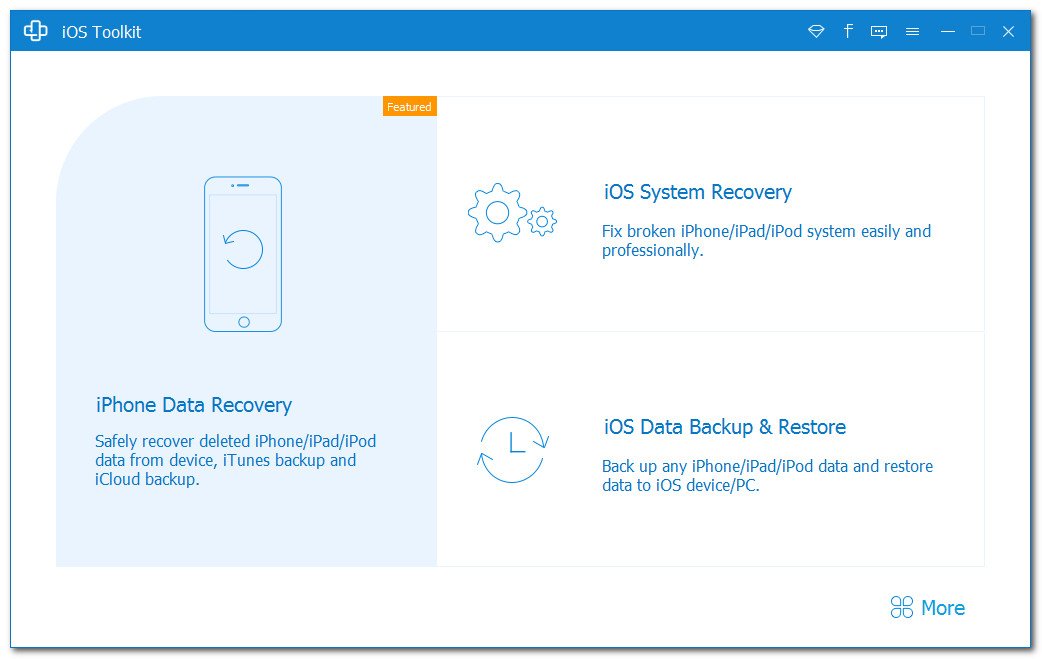
File size: 99 MB
Best iOS data recovery software for iPhone/iPad/iPod to rescue lost and deleted photos, text messages, contacts, notes, app data, and more from iOS device, iTunes, and iCloud backup. Recover lost and deleted photos, text messages, contacts, video, notes, and more from iPhone/iPad/iPod. Restore iPhone/iPad/iPod data including photos, contacts, messages, videos, and more from iTunes Backup and iCloud.
Recover from iOS Devices
Have you ever accidentally deleted your treasured data on iPhone? The best iPhone Data Recovery software has the capability to restore up to 20 data types from your iOS devices to computer. This powerful iPhone Data Recovery can recover many types of data from iPhone/iPad/iPod, such as photos, videos, audios, music, pictures, contacts, SMS, text messages, call history, calendar, notes, reminders, Safari bookmarks, recordings, voice memos, and WhatsApp chats, etc.
Retrieve from iTunes Backup
Besides directly restore the lost/deleted files from iOS devices, this excellent iOS Data Recovery allows you to retrieve the missing data from iTunes Backup Files. Even if your iPhone/iPad/iPod is broken, smashed, cashed, or damaged, you can still get your important iPhone data files (Contacts, SMS/MMS, Call history, Camera Roll, Voice memos, WhatsApp Attachments, Voicemail, App Photos,) back with this software, and export them to the computer.
Preview iPhone Data Before Recovery
On the left side of the Recovery interface, you can preview the detailed files in individual categories in advance. Especially for pictures, with a double-click, you can check the images, rotate or switch up and down. AnyMP4 iPhone Data Recovery shows you all the data in detail in the Scan results. For example, the detailed information of the Contacts, including name, company, phone, email, etc. Then you can select the desired contacts and then save them to your computer in CSV or VCF format.
Restore from iCloud Backup
In addition, this professional iPhone Data Recovery also provides you with the third recovery mode, Restore from iCloud Backup. It allows you to recover deleted and lost data from the iCloud Backup to your PC. A total of 9 types of Text content can be recovered from the iCloud: Contacts, SMS, Call log, Calendar, Notes, Reminder, Safari bookmarks, Safari history, WhatsApp history. The existing data in the iCloud Backup can also be downloaded and backed up to the computer.
Whats New
Updates: official site does not provide any info about changes in this version.

File size: 99 MB
Best iOS data recovery software for iPhone/iPad/iPod to rescue lost and deleted photos, text messages, contacts, notes, app data, and more from iOS device, iTunes, and iCloud backup. Recover lost and deleted photos, text messages, contacts, video, notes, and more from iPhone/iPad/iPod. Restore iPhone/iPad/iPod data including photos, contacts, messages, videos, and more from iTunes Backup and iCloud.
Recover from iOS Devices
Have you ever accidentally deleted your treasured data on iPhone? The best iPhone Data Recovery software has the capability to restore up to 20 data types from your iOS devices to computer. This powerful iPhone Data Recovery can recover many types of data from iPhone/iPad/iPod, such as photos, videos, audios, music, pictures, contacts, SMS, text messages, call history, calendar, notes, reminders, Safari bookmarks, recordings, voice memos, and WhatsApp chats, etc.
Retrieve from iTunes Backup
Besides directly restore the lost/deleted files from iOS devices, this excellent iOS Data Recovery allows you to retrieve the missing data from iTunes Backup Files. Even if your iPhone/iPad/iPod is broken, smashed, cashed, or damaged, you can still get your important iPhone data files (Contacts, SMS/MMS, Call history, Camera Roll, Voice memos, WhatsApp Attachments, Voicemail, App Photos,) back with this software, and export them to the computer.
Preview iPhone Data Before Recovery
On the left side of the Recovery interface, you can preview the detailed files in individual categories in advance. Especially for pictures, with a double-click, you can check the images, rotate or switch up and down. AnyMP4 iPhone Data Recovery shows you all the data in detail in the Scan results. For example, the detailed information of the Contacts, including name, company, phone, email, etc. Then you can select the desired contacts and then save them to your computer in CSV or VCF format.
Restore from iCloud Backup
In addition, this professional iPhone Data Recovery also provides you with the third recovery mode, Restore from iCloud Backup. It allows you to recover deleted and lost data from the iCloud Backup to your PC. A total of 9 types of Text content can be recovered from the iCloud: Contacts, SMS, Call log, Calendar, Notes, Reminder, Safari bookmarks, Safari history, WhatsApp history. The existing data in the iCloud Backup can also be downloaded and backed up to the computer.
Whats New
Updates: official site does not provide any info about changes in this version.
