




hopaxom869
MyBoerse.bz Pro Member
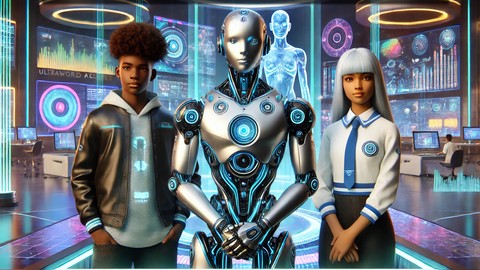
Ai Superkids: Fun & Practical Ai Skills For Beginners
Published 1/2025
MP4 | Video: h264, 1920x1080 | Audio: AAC, 44.1 KHz
Language: English | Size: 2.25 GB | Duration: 1h 59m
Help your child stay ahead in a tech-driven world with fun, creative AI skills.
What you'll learn
Understand and Use Ai Tools
Design Flyers & Posters
Create Music
Make Presentations
Simplify Studies with Ai
Set Up Google Account
Create Images
Design a Logo
Write Stories & Essays
Requirements
A laptop or desktop computer with internet access
Basic computer skills (typing and navigating a browser)
A free Google account for some activities
An eagerness to learn and explore AI Tools
No prior experience with Ai or design tools is required - this course is beginner friendly and perfect for young learners
Description
Course DescriptionAre you worried that your child might fall behind in a rapidly changing, tech-driven world? Do you want them to learn skills that are practical, fun, and future-ready? You're not alone-many parents struggle to find engaging ways to equip their children for the future.That's where AI Superkids comes in! This course is designed specifically for parents, guardians, and educators who want to guide **** through mastering 9 essential AI skills. Whether your child is naturally tech-savvy or needs a boost of confidence, this course will help them build skills they'll use for school, creativity, and beyond.What Will You Learn?By enrolling in this course, you'll gain the tools to teach your child how to:Understand and Use AI Tools: Make AI part of everyday tasks.Design Flyers & Posters: Create eye-catching visuals for projects and hobbies.Create Music: Compose unique tunes with AI music tools.Make Presentations: Build polished slideshows for school and personal ideas.Simplify Studies with AI: Use AI to assist with homework, research, and productivity.Set Up a Google Account: Navigate Gmail, Drive, and more.Create Images: Generate stunning AI-powered visuals.Design Logos: Spark creativity by making logos and branding ideas.Write Stories & Essays: Use AI to brainstorm, draft, and polish creative writing.Why This Course Is the Solution* 1: "I don't know how to teach my child about technology."Solution: We provide step-by-step lessons and hands-on projects that make it easy for you to guide your child, even if you're not tech-savvy.* 2: "I want my child to learn skills that matter for the future."Solution: Your child will develop practical, creative, and future-ready skills that are already shaping industries today.* 3: "I don't have time to create my own curriculum for my child."Solution: This ready-to-go course simplifies learning with clear instructions, fun projects, and no extra prep work for you!* 4: "Technology feels overwhelming for **** and parents alike."Solution: We break everything down into manageable lessons, helping **** and adults feel confident and excited about using AI.Who Is This Course For?This course is for adults who want to teach **** essential AI skills
 arents or guardians looking for an engaging, educational activity to share with their children.Educators who want to introduce students to technology in a fun, practical way.Anyone who wants to help children build confidence and creativity in a tech-driven world.RequirementsA laptop or desktop computer with internet access.A free Google account for some activities.Basic computer skills (e.g., navigating a browser).Willingness to guide and support your child as they explore AI!Don't let your child fall behind in a tech-driven world. Enroll in AI Superkids today and help them master the skills they need to thrive-with your guidance!
Overview
Section 1: I can Create a Google Account
Lecture 1 Google Account 1
Lecture 2 Google Account 2
Lecture 3 Google Account 3
Lecture 4 Google Account 4
Lecture 5 Google Account 5
Lecture 6 Google Account 6
Section 2: I can Design Flyers & Posters
Lecture 7 Design Flyers & Posters
Lecture 8 Flyers & Posters 2
Lecture 9 Flyers and Posters 3
Lecture 10 Flyers and Posters 4
Section 3: Create Music
Lecture 11 I can Create Music
Lecture 12 Music 2
Lecture 13 Music 3
Lecture 14 Music 4
Section 4: Create Presentations
Lecture 15 I can Create Presentations 1
Lecture 16 Presentation 2A
Lecture 17 Presentation 2B
Lecture 18 Presentation 3A
Lecture 19 Presentation 3B
Lecture 20 Presentation 4
Lecture 21 Presentation 5
Section 5: Ai for Studies
Lecture 22 Ai for Studies 1
Lecture 23 Ai for Studies 2
Lecture 24 Ai for Studies 3
Lecture 25 Ai for Studies 4
Lecture 26 Ai for Studies 5
Section 6: Ai for Logo
Lecture 27 Logo 1
Lecture 28 Logo 2
Lecture 29 Logo 2B
Lecture 30 Logo 2C
Lecture 31 Logo 3
Lecture 32 Logo 4
Lecture 33 Logo 5
Section 7: I can create Images
Lecture 34 Ai for Images 1
Lecture 35 Image 2
Lecture 36 Image 3
Lecture 37 Image 4
Lecture 38 Image 4B
Lecture 39 Image 5
Lecture 40 Image 6
Lecture 41 Example: Model Pictures
Section 8: I can Write Stories & Essays
Lecture 42 Stories & Essays 1
Lecture 43 Stories & Essays 2
Lecture 44 Stories & Essays 3
Lecture 45 Stories & Essay4
Lecture 46 Stories & Essays 5
Lecture 47 Stories & Essays 6
Lecture 48 Stories & Essays 7
Parents who want to empower their children with future-ready skills.,Educators looking for engaging ways to introduce technology to young learners.,Anyone new to AI who wants to learn practical, fun skills in an easy-to-follow format.
Screenshot
