



• Regeln für den Video-Bereich:

    In den Börsenbereich gehören nur Angebote die bereits den Allgemeinen Regeln entsprechen.

    Einteilung

    - Folgende Formate gehören in die angegeben Bereiche:
    - Filme: Encodierte Filme von BluRay, DVD, R5, TV, Screener sowie Telesyncs im Format DivX, XviD und x264.
    - DVD: Filme im Format DVD5, DVD9 und HD2DVD.
    - HD: Encodierte Filme mit der Auflösung 720p oder darüber von BluRay, DVD, R5, TV, Screener sowie Telesyncs im Format x264.
    - 3D: Encodierte Filme von BluRay, die in einem 3D Format vorliegen. Dies gilt auch für Dokus, Animation usw.
    - Serien: Cartoon/Zeichentrick, Anime, Tutorials, Dokumentationen, Konzerte/Musik, Sonstiges sind demnach in die entsprechenden Bereiche einzuordnen, auch wenn sie beispielsweise im High Definition-Format oder als DVD5/DVD9/HD2DVD vorliegen. Ausnahme 3D.
    - Bereich Englisch: Englische Releases gehören immer in diesen Bereich.
    - Bereich Talk: Der Bereich, in dem über die Releases diskutiert werden kann, darf, soll und erwünscht ist.


    Angebot/Beitrag erstellen

    - Ein Beitrag darf erst dann erstellt werden, wenn der Upload bei mindestens einem OCH komplett ist. Platzhalter sind untersagt.
    - Bei einem Scenerelease hat der Threadtitel ausschließlich aus dem originalen, unveränderten Releasenamen zu bestehen. Es dürfen keine Veränderungen wie z.B. Sterne, kleine Buchstaben o.ä. vorgenommen werden. Ausnahme Serienbörse:
    - Bei einem Sammelthread für eine Staffel entfällt aus dem Releasename natürlich der Name der Folge. Beispiel: Die Simpsons S21 German DVDRip XviD - ITG
    - Dementsprechend sind also u.a. verboten: Erweiterungen wie "Tipp", "empfehlenswert", "only", "reup", usw. / jegliche andere Zusatzinformation oder Ergänzung, welche nicht in obiger Beschreibung zu finden ist.

    Aufbau des Angebots und Threadtitel

    Der Titel nach folgendem Muster erstellt zu werden. <Name> [3D] [Staffel] [German] <Jahr> <Tonspur> [DL] [Auflösung] <Quelle> <Codec> - <Group>
    Beispiel: The Dark Knight German 2008 AC3 DVDRip XviD - iND
    Beispiel: The Dark Knight 2008 DTS DL BDRip x264 - iND
    Beispiel: The Dark Knight 2008 AC3 DL BDRip XviD - iND
    Beispiel: The Dark Knight German 2008 AC3 720p BluRay x264 iND
    Beispiel: The Dark Knight 2008 DTS DL 1080p BluRay x264 iND
    Beispiel: Die Simpsons S01 German AC3 DVDRip XviD iND
    Beispiel: Die Simpsons S20 German AC3 720p BluRay x264 iND
    Beispiel: Sword Art Online II Ger Sub 2014 AAC 1080p WEBRip x264 - peppermint
    Entsprechend sind also u.a. verboten: Sonderzeichen wie Klammern, Sterne, Ausrufezeichen, Unterstriche, Anführungszeichen / Erweiterungen wie "Tipp", "empfehlenswert", "only", "reup", usw. / jegliche andere Zusatzinformation oder Ergänzung, welche nicht in obiger Beschreibung zu finden ist
    Ausnahmen hiervon können in den Bereichen geregelt sein.

    Die Beiträge sollen wie folgt aufgebaut werden:
    Überschrift entspricht dem Threadtitel
    Cover
    kurze Inhaltsbeschreibung
    Format, Größe, Dauer sind gut lesbar für Downloader außerhalb des Spoilers zu vermerken
    Nfo sind immer Anzugeben und selbige immer im Spoiler in Textform.
    Sind keine Nfo vorhanden z.B. Eigenpublikationen, sind im Spoiler folgende Dateiinformationen zusätzlich anzugeben :
    Quelle
    Video (Auflösung und Bitrate)
    Ton (Sprache, Format und Bitrate der einzelnen Spuren)
    Untertitel (sofern vorhanden)
    Hosterangabe in Textform außerhalb eines Spoiler mit allen enthaltenen Hostern.
    Bei SD kann auf diese zusätzlichen Dateiinformationen verzichtet werden.

    Alle benötigten Passwörter sind, sofern vorhanden, in Textform im Angebot anzugeben.
    Spoiler im Spoiler mit Kommentaren :"Schon Bedankt?" sind unerwünscht.


    Releases

    - Sind Retail-Release verfügbar, sind alle anderen Variationen untersagt. Ausnahmen: Alle deutschen Retail-Release sind CUT, in diesem Fall sind dubbed UNCUT-Release zulässig.
    - Im Serien-Bereich gilt speziell: Wenn ein Retail vor Abschluss einer laufenden Staffel erscheint, darf diese Staffel noch zu Ende gebracht werden.62
    - Gleiche Releases sind unbedingt zusammenzufassen. Das bedeutet, es ist zwingend erforderlich, vor dem Erstellen eines Themas per Suchfunktion zu überprüfen, ob bereits ein Beitrag mit demselben Release besteht. Ist dies der Fall, ist der bereits vorhandene Beitrag zu verwenden.
    - P2P und Scene Releases dürfen nicht verändert oder gar unter einem iND Tag eingestellt werden.


    Support, Diskussionen und Suche

    - Supportanfragen sind entweder per PN oder im Bereich Talk zu stellen.
    - Diskussionen und Bewertungen sind im Talk Bereich zu führen. Fragen an die Uploader haben ausschließlich via PN zu erfolgen, und sind in den Angeboten untersagt.
    - Anfragen zu Upload-Wünschen sind nur im Bereich Suche Video erlaubt. Antworten dürfen nur auf Angebote von MyBoerse.bz verlinkt werden.


    Verbote

    - Untersagt sind mehrere Formate in einem einzigen Angebotsthread, wie beispielsweise das gleichzeitige Anbieten von DivX/XviD, 720p und 1080p in einem Thread. Pro Format, Release und Auflösung ist ein eigener Thread zu eröffnen.
    - Grundsätzlich ebenso verboten sind Dupes. Uploader haben sich an geeigneter Stelle darüber zu informieren, ob es sich bei einem Release um ein Dupe handelt.
    - Gefakte, nur teilweise lauffähige oder unvollständige Angebote sind untersagt. Dies gilt auch für eigene Publikationen, die augenscheinlich nicht selbst von z.B. einer DVD gerippt wurden. Laufende Serien, bei denen noch nicht alle Folgen verfügbar sind, dürfen erstellt und regelmäßig geupdatet werden.
    - Untersagt sind Angebote, welche nur und ausschließlich in einer anderen Sprache als deutsch oder englisch vorliegen. Ausnahmen sind VORHER mit den Moderatoren zu klären.


    Verstoß gegen die Regeln

    - Angebote oder Beiträge, die gegen die Forenregeln verstoßen, sind über den "Melden"-Button im Beitrag zu melden.
  • Bitte registriere dich zunächst um Beiträge zu verfassen und externe Links aufzurufen.

*** Bestes IPTV *** bester Preis *** gratis Test ***


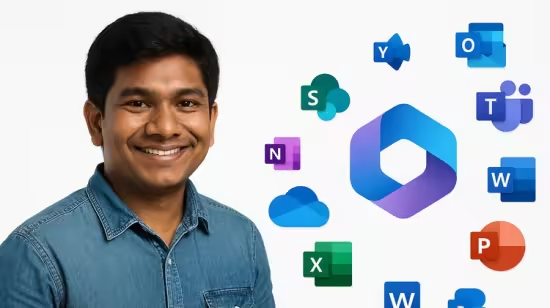
AI in Microsoft 365 Unlocking Productivity with Copilot

babymore87

MyBoerse.bz Pro Member
3641c4bad16fe6dc04ea13b203375b25.avif

Free Download AI in Microsoft 365 Unlocking Productivity with Copilot
Published 10/2025
MP4 | Video: h264, 1280x720 | Audio: AAC, 44.1 KHz, 2 Ch
Language: English | Duration: 6h 21m | Size: 3.56 GB
Master Microsoft 365 Copilot: Automate Tasks & Boost Productivity in Word, Excel & Outlook

What you'll learn
Explain the core functionalities of Microsoft Copilot across Microsoft 365 applications. (Knowledge)
Apply Copilot tools to automate workflows and improve task efficiency in Excel, Word, PowerPoint, Outlook, and Teams. (Application)
Analyze how Copilot enhances productivity and collaboration through real-time insights and automation. (Analysis)
Create professional documents, presentations, and communications using AI-generated content and design suggestions. (Synthesis)
Requirements
Microsoft 365 account and Microsoft Copilot For 365
Basics of Excel, Word & Power Point
Description
What you'll learnConfidently use Copilot in Word, Excel, PowerPoint, Outlook, and Teams to automate routine tasks and boost productivity.Draft, edit, and format documents in Word with AI-even from a blank page or external files.Analyze data, generate reports, and automate formulas in Excel with Copilot and Python integration.Create stunning presentations in PowerPoint, generate AI images, and repurpose content from other files.Manage meetings, summarize conversations, and extract action items in Teams.Draft, summarize, and organize emails in Outlook-achieve Inbox Zero with Copilot's smart features.Brainstorm, generate content, and create visuals using Copilot Chat and advanced AI tools.Apply best practices and prompt strategies to maximize Copilot's impact in your daily workflow.Course DescriptionUnlock the full potential of Microsoft Copilot for Microsoft 365 and transform the way you work! This hands-on, demo-driven course is your step-by-step guide to mastering Copilot across Word, Excel, PowerPoint, Outlook, Teams, and more. Whether you're a business professional, team leader, or new to Microsoft 365, you'll learn how to automate workflows, streamline communication, and harness AI for creative problem-solving.Course Highlights:8+ modules with short, focused video lessons and real-world demosInteractive hands-on labs and scenario-based projectsAssessments, quizzes, and a capstone project for practical masteryable quick-reference guides and prompt templatesAdditional Apps: Explore Copilot in OneNote, Loop, Whiteboard, OneDrive, SharePoint, Planner, Clipchamp, and FormsKey Takeaways:Master AI integration across Microsoft 365 appsStreamline data analysis and reportingCreate professional content effortlesslyEnhance team collaboration and communicationUnlock creative potential with Copilot ChatBy the end of this course, you will be able to:Explain the core functionalities of Microsoft Copilot across Microsoft 365 appsApply Copilot tools to automate workflows and improve efficiencyAnalyze how Copilot enhances productivity and collaborationCreate professional documents, presentations, and communications using AI-generated contentFAQs1. What is Copilot for Microsoft 365?Answer:Copilot for Microsoft 365 is an AI-powered assistant that integrates directly into popular apps like Excel, Word, PowerPoint, Outlook, and Teams. It helps automate tasks, improve productivity, and assist with everything from generating documents and data analysis to creating presentations and managing emails. By leveraging the power of AI, Copilot makes it easier for users to perform complex tasks with simple commands.2. What is Copilot Chat (formerly Bing Chat)?Answer:Copilot Chat (formerly Bing Chat) is an AI-powered chat tool that enhances creativity and problem-solving. It allows users to brainstorm ideas, generate text content, create images, and even receive quick research summaries. It's an intuitive conversational interface that interacts with users to deliver results, making it an essential tool for brainstorming, project planning, and more.3. How does Copilot work in the Microsoft 365 environment?Answer:Copilot integrates seamlessly into Microsoft 365 apps, such as Excel, Word, PowerPoint, Outlook, and Teams. Within each app, Copilot assists by automating tasks, offering suggestions, summarizing content, and generating insights. For example, in Excel, it can create complex formulas or visualizations, while in Word, it can help draft, format, and edit documents. It works by processing user commands and performing tasks based on the context of the application being used.4. How is Copilot related to ChatGPT?Answer:Copilot and ChatGPT are both powered by similar underlying AI technologies. While ChatGPT is a general-purpose conversational AI designed to engage in dialogue and provide information across various topics, Copilot is tailored specifically for enhancing productivity within Microsoft 365. It utilizes natural language processing and machine learning to understand commands and assist with tasks in Excel, Word, PowerPoint, Outlook, and Teams, making it a specialized tool for office productivity.5. What is Generative AI?Answer:Generative AI refers to AI systems that can create new content, such as text, images, code, or even audio. It works by learning from vast amounts of data and generating outputs based on patterns it recognizes. In the case of Microsoft Copilot, Generative AI helps with tasks like drafting emails, creating presentations, generating images, and summarizing content by producing human-like responses or content based on user input.
Who this course is for
Business professionals seeking workflow automation
Team leaders and managers aiming to boost team productivity
New Microsoft 365 users exploring AI capabilities
IT professionals integrating AI into daily operations
Project managers managing communications and reporting
Marketing and content creators using Copilot for ideation
HR professionals drafting and managing documents
Sales teams automating presentations and follow-ups
Admin staff streamlining scheduling and email tasks
AI and tech enthusiasts staying ahead of innovation trends
Homepage
Recommend Download Link Hight Speed | Please Say Thanks Keep Topic Live
No Password - Links are Interchangeable

 
Zurück
Oben Unten