• Regeln für den Software-Bereich:


    Allgemeines:

    - In erster Linie sind unsere Boardregeln zu beachten, zu finden HIER.
    - Software zur Audiobearbeitung sollte ausschließlich im Unterforum "Audio" eingestellt werden.
    - Für Cracks, Keygens oder sonstige Freischaltungssoftware gibt es das Unterforum "Freischaltung".
    - Portable Software bitte im entsprechenden Unterforum "Portable Software" eintragen.
    - Diskussionen zur Installation und anderen Problemen mit der Software, bitte im enstprechenden Unterforum "Talk" führen.
    - Bei Unklarheiten und Fragen zu den Regeln bitte die Moderatoren kontaktieren.


    Angebot erstellen

    - Die Struktur des Threadtitels muss wie folgt umgesetzt werden: Herstellername - Softwarename - Versionsnummer
    - Unnötige Zusätze im Threadtitel wie "HOT", "NEW" oder Punkte zwischen den Wörtern sind nicht erlaubt.
    - Achtet darauf immer nur die Hauptversion und deren Updates in einem Thread zusammenfassen, konkretes Beispiel: SoftwareXY v3.12 gehört in den selben Thread mit SoftwareXY v3.13; SoftwareXY v.4.1 gehört in einen neuen eigenen Thread. Ausgenommen hiervon sind Sammelthreads und Dauerangebote.
    - Bei nicht bekannten Herstellern oder Angebote einer privaten Software, ist die Programmbezeichnung + Versionsnummer ausreichend.
    - Besondere Beachtung gilt für den ersten Beitrag eines Angebots. Dort muss eine kurze Beschreibung der Software in deutscher Sprache angegeben werden. Für offizielle Releases ist es Pflicht die NFO im Beitrag einzustellen(Spoiler, siehe nächster Punkt).
    - Weitere Informationen wie NFOs oder Changelogs, versteckt ihr bitte in einem Spoiler.


    Software Suche

    - Für Suchanfragen haben wir das Unterforum "Suche" erstellt.
    - Auch hier sollte vorher die Suchfunktion benutzt werden, um Doppelthreads vorzubeugen. Sollte es bereits eine Suchanfrage geben, könnt ihr den Thread gerne mit einem "Danke" pushen.


    Trojaner- und Virusalarm

    - Falls Euer Virenscanner bei einem Angebot Alarm schlägt, solltet ihr zunächst Ruhe bewahren. Viele Virenscanner erkennen Cracks/Keygens oft fälschlicherweise als Bedrohung.
    - Prüft die verdächtige Datei zuerst mit http://virustotal.com , sollte es sich hierbei wirklich um eine Bedrohung handeln, meldet den Beitrag und/oder wendet euch mit dem Bericht von VirusTotal.com an einen Moderator.


    Unerwünschte Angebote

    - Keylogger, Spionagetools, alles rund ums Thema Hacking/Cracking ist nicht erwünscht.
  • Bitte registriere dich zunächst um Beiträge zu verfassen und externe Links aufzurufen.


Adobe XD v28

Murtadoc

MyBoerse.bz Pro Member
Adobe XD 28.0.12 (x64) Multilingual Pre-Activated
6axe7mrx.png


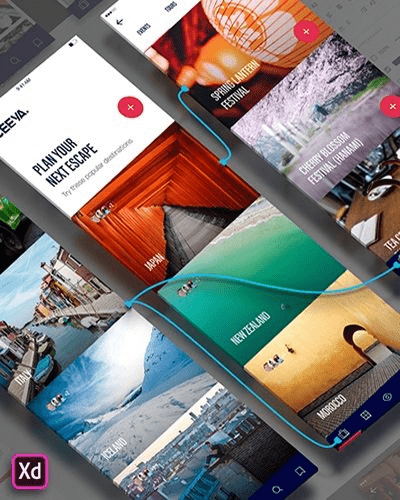
XD CC Adobe - ist das neue Kreativwerkzeug von Adobe für das Design hochwertiger Prototypen von Benutzeroberflächen für Mobil- und Webanwendungen. Dieses Tool wurde speziell für die Erstellung schneller Prototypen sowie für die Benutzeroberfläche und das Design mit hoher Wiedergabetreue entwickelt. Mit Hilfe von Adobe XD CC kann jeder Frames, interaktive High-Fidelity-Prototypen sowie Designanwendungen und Websites erstellen. Sobald Sie einen Prototyp haben, können Sie Visuals in Visual Studio oder eine IDE Ihrer Wahl importieren, um mit der Erstellung der endgültigen Anwendung zu beginnen.

Interaktive Prototypen
Gehen Sie mit einem Klick auf Design zum Prototyping. Kombinieren Sie Zeichenflächen miteinander, um die Navigation in großen Apps zu visualisieren. Verknüpfen Sie Designelemente über den Zeichenbereich, B. Zellen aus Wiederholungsbildschirmen. Fügen Sie Interaktionen mithilfe visueller Steuerelemente hinzu, um die Erfahrung zu testen und zu validieren.

Veröffentlichen Sie Prototypen und erhalten Sie Feedback
Generieren Sie Weblinks zu Ihren Designs, die Sie mit anderen teilen können, um Feedback zu erhalten. Oder binden Sie es in eine Webseite ein, zum Beispiel in Behance. Kommentare können direkt an den Prototyp oder an bestimmte Komponenten Ihres Designs angehängt werden. Sie werden benachrichtigt, sobald ein Kommentar hinzugefügt wurde. Um Ihre Änderungen zu sehen, müssen die Prüfer lediglich den Link im Browser neu laden.

Flüssigkeit arbeitet mit Zeichenflächen
Ob Sie mit einem oder Hunderten von Arbeitsbereichen arbeiten, spielt keine Rolle: Sie können sich auf die Leistung von XD verlassen. Erstellen Sie eine beliebige Anzahl von Designs für verschiedene Bildschirme und Geräte innerhalb eines Projekts. Schwenken und zoomen ohne zu ruckeln oder zu stottern. Wählen Sie eine Vorlage oder definieren Sie Ihren eigenen Zeichenbereich. Kopieren Sie Designelemente zwischen Zeichenflächen, während das Layout erhalten bleibt.

sich wiederholendes Gitter
Wählen Sie ein Element in Ihrem Design aus, z. B. eine Kontaktliste oder eine Fotogalerie, und duplizieren Sie es so oft in horizontaler oder vertikaler Richtung. Alle Stile und Abstände bleiben erhalten. Wenn Sie das Element bearbeiten, werden die Änderungen auf das gesamte Design angewendet.
Plattformweite Unterstützung

Bedienfeld "Elemente"
Farben und Zeichenformate sind praktisch und wiederverwendbar, wenn Sie sie dem Bedienfeld "Elemente" (früher "Symbole") hinzufügen. Dieses Bedienfeld enthält auch die Symbole. Wenn Sie eine Farbe oder ein Format im Bedienfeld bearbeiten, wird die Änderung automatisch im gesamten Dokument durchgeführt.

Symbole der nächsten Generation
Arbeiten Sie mit zeitsparenden Symbolen. Die gebrauchsfertigen Designkomponenten machen es unnötig, jede Instanz eines Elements in einem Dokument zu suchen und zu bearbeiten. Wenn Sie eine Instanz bearbeiten, werden alle anderen Instanzen automatisch aktualisiert. Das Überschreiben bestimmter Entitäten ist ebenfalls möglich. Die Symbole können Vektorgrafiken, Rasterbilder oder Textobjekte sein, die Sie auch als Objekte in sich wiederholenden Bildschirmen verwenden können.

Creative Cloud-Bibliotheken
Durch die Integration in Creative Cloud-Bibliotheken können Sie mit Adobe XD CC auf Farben und Zeichenformate zugreifen, die in Photoshop CC, Illustrator CC oder einer anderen Creative Cloud-Anwendung erstellt wurden, und diese in Ihrem Design verwenden.

404.5 MB
rar archive

Download Link:
 
Adobe XD v28.1.12 (x64)

Multilingual/Deutsch / Pre-Activated (Voraktiviert) / inkl. Adobe CC2019 2020 GenP v2.4 / 64-Bit

adobexd4akle.png


Beschreibung:

Adobe XD - ist das neue Kreativwerkzeug von Adobe für das Design hochwertiger Prototypen von Benutzeroberflächen für Mobil- und Webanwendungen. Dieses Tool wurde speziell für die Erstellung schneller Prototypen sowie für die Benutzeroberfläche und das Design mit hoher Wiedergabetreue entwickelt. Mit Hilfe von Adobe XD CC kann jeder Frames, interaktive High-Fidelity-Prototypen sowie Designanwendungen und Websites erstellen. Sobald Sie einen Prototyp haben, können Sie Visuals in Visual Studio oder eine IDE Ihrer Wahl importieren, um mit der Erstellung der endgültigen Anwendung zu beginnen.

Veröffentlichen Sie Prototypen und erhalten Sie Feedback

Generieren Sie Weblinks zu Ihren Designs, die Sie mit anderen teilen können, um Feedback zu erhalten. Oder binden Sie es in eine Webseite ein, zum Beispiel in Behance. Kommentare können direkt an den Prototyp oder an bestimmte Komponenten Ihres Designs angehängt werden. Sie werden benachrichtigt, sobald ein Kommentar hinzugefügt wurde. Um Ihre Änderungen zu sehen, müssen die Prüfer lediglich den Link im Browser neu laden.

_________________________________________________

Größe: 410 MB
Sprache: Multi/Deutsch
Format: Exe
Plattform: Windows 10 (64-Bit)
Hoster: RapidGator.net, Alfafile.net, DDl.to
________________________________________

75666177D2.png


​
 
Adobe XD v28.2.12 (x64)

Multilingual/Deutsch / Pre-Activated (Voraktiviert) / inkl. Adobe CC2019 2020 GenP v2.4 / 64-Bit

adobexd4akle.png


Beschreibung:

XD CC Adobe - ist das neue Kreativwerkzeug von Adobe für das Design hochwertiger Prototypen von Benutzeroberflächen für Mobil- und Webanwendungen. Dieses Tool wurde speziell für die Erstellung schneller Prototypen sowie für die Benutzeroberfläche und das Design mit hoher Wiedergabetreue entwickelt. Mit Hilfe von Adobe XD CC kann jeder Frames, interaktive High-Fidelity-Prototypen sowie Designanwendungen und Websites erstellen. Sobald Sie einen Prototyp haben, können Sie Visuals in Visual Studio oder eine IDE Ihrer Wahl importieren, um mit der Erstellung der endgültigen Anwendung zu beginnen.
Veröffentlichen Sie Prototypen und erhalten Sie Feedback
Generieren Sie Weblinks zu Ihren Designs, die Sie mit anderen teilen können, um Feedback zu erhalten. Oder binden Sie es in eine Webseite ein, zum Beispiel in Behance. Kommentare können direkt an den Prototyp oder an bestimmte Komponenten Ihres Designs angehängt werden. Sie werden benachrichtigt, sobald ein Kommentar hinzugefügt wurde. Um Ihre Änderungen zu sehen, müssen die Prüfer lediglich den Link im Browser neu laden.

_________________________________________________

Größe: 377 MB
Sprache: Multi/deutsch
Format: Exe
Plattform: Windows (64-Bit)
Hoster: RapidGator.net, Alfafile.net, DDl.to
________________________________________

C60A221DB0.png


​
 

Adobe XD 28.3.12 (x64) Repack


c5c705cd736b2fb5d67ab27e385d5e6e.jpg


Adobe XD 28.3.12 (x64) Repack | 377 MB


Adobe XD CC is the complete solution for design, prototyping and sharing user experiences for all products and services.


Interactive prototypes
Go to Prototyping with a click of Design. Combine drawing surfaces with each other to visualize navigation within large apps. Link design elements across the drawing area, B. Cells from repetition screens. Add interactions using visual controls to test and validate the experience.

Publish prototypes and get feedback
Generate weblinks to your designs that you can share with others to get feedback. Or embed it into a web page, For example on Behance. Comments can be attached directly to the prototype or to specific components of your design. You will be notified as soon as a comment has been added. To see your changes, checkers simply need to reload the link in the browser.

Liquid working with drawing surfaces
Whether you work with one or hundreds of workspaces, it does not matter: You can rely on the performance of XD. Create any number of designs for different screens and devices within a project. Pan and zoom without jerking or stuttering. Choose a template or define your own drawing area. Copy design elements between drawing faces while the layout is preserved.

repeating grid
Select an item in your design, Such as a contact list or a photo gallery, and duplicate it as often in the horizontal or vertical direction. All styles and distances are preserved. When you edit the item, the changes are applied to the entire design.

Platform-wide support
Control panel "Elements"
Colors and character formats are handy and reusable when you add them to the "Elements" panel (formerly "Symbols"). This panel also contains the icons. When you edit a color or format in the panel, the change is automatically performed throughout the document.

Next generation symbols
Work with time-saving symbols. The ready-to-use design components make it unnecessary to search for and edit each instance of an item in a document. When you edit an instance, all other instances are automatically updated. Overwriting certain entities is also possible. The symbols can be vector graphics, raster images or text objects, which you can also use as objects within repeating screens.

Creative Cloud libraries
With integration with Creative Cloud libraries, Adobe XD CC lets you access colors and character formats created in Photoshop CC, Illustrator CC, or any other Creative Cloud application, and use them in your design.

System Requirements:
OS:Windows 10 Creators Update OR higher
CPU:Multicore Intel processor with 64-bit support with 1.4 GHz
Display:1280 x 800
RAM:4 GB of RAM of which 2 GB of available hard-disk space for installation; more free space required during installation
Graphics:Minimum Direct 3D DDI Feature Set: 10. For Intel GPU, drivers released in 2014 or later are necessary. To find this information, launch "dxdiag" from the Runmenu and select the "Display" tab.

HomePage -
Language: English


DOWNLOAD LINKS:


Adobe XD v28.4.12 (x64) Repack


187ad824551f04d0ff1a09c80a767b9b.jpg


Adobe XD v28.4.12 (x64) Repack | 377 MB


Adobe XD CC is the complete solution for design, prototyping and sharing user experiences for all products and services.


Interactive prototypes
Go to Prototyping with a click of Design. Combine drawing surfaces with each other to visualize navigation within large apps. Link design elements across the drawing area, B. Cells from repetition screens. Add interactions using visual controls to test and validate the experience.

Publish prototypes and get feedback
Generate weblinks to your designs that you can share with others to get feedback. Or embed it into a web page, For example on Behance. Comments can be attached directly to the prototype or to specific components of your design. You will be notified as soon as a comment has been added. To see your changes, checkers simply need to reload the link in the browser.

Liquid working with drawing surfaces
Whether you work with one or hundreds of workspaces, it does not matter: You can rely on the performance of XD. Create any number of designs for different screens and devices within a project. Pan and zoom without jerking or stuttering. Choose a template or define your own drawing area. Copy design elements between drawing faces while the layout is preserved.

repeating grid
Select an item in your design, Such as a contact list or a photo gallery, and duplicate it as often in the horizontal or vertical direction. All styles and distances are preserved. When you edit the item, the changes are applied to the entire design.

Platform-wide support
Control panel "Elements"
Colors and character formats are handy and reusable when you add them to the "Elements" panel (formerly "Symbols"). This panel also contains the icons. When you edit a color or format in the panel, the change is automatically performed throughout the document.

Next generation symbols
Work with time-saving symbols. The ready-to-use design components make it unnecessary to search for and edit each instance of an item in a document. When you edit an instance, all other instances are automatically updated. Overwriting certain entities is also possible. The symbols can be vector graphics, raster images or text objects, which you can also use as objects within repeating screens.

Creative Cloud libraries
With integration with Creative Cloud libraries, Adobe XD CC lets you access colors and character formats created in Photoshop CC, Illustrator CC, or any other Creative Cloud application, and use them in your design.

System Requirements:
OS:Windows 10 Creators Update OR higher
CPU:Multicore Intel processor with 64-bit support with 1.4 GHz
Display:1280 x 800
RAM:4 GB of RAM of which 2 GB of available hard-disk space for installation; more free space required during installation
Graphics:Minimum Direct 3D DDI Feature Set: 10. For Intel GPU, drivers released in 2014 or later are necessary. To find this information, launch "dxdiag" from the Runmenu and select the "Display" tab.


HomePage -
Language: English


DOWNLOAD LINKS:


Adobe XD v28.3.12 (x64)

Multilingual/Deutsch / Pre-Activated (Voraktiviert) / inkl. Adobe CC2019 2020 GenP v2.4 / 64-Bit

adobexd4akle.png


Beschreibung:

Adobe XD - ist das neue Kreativwerkzeug von Adobe für das Design hochwertiger Prototypen von Benutzeroberflächen für Mobil- und Webanwendungen. Dieses Tool wurde speziell für die Erstellung schneller Prototypen sowie für die Benutzeroberfläche und das Design mit hoher Wiedergabetreue entwickelt. Mit Hilfe von Adobe XD CC kann jeder Frames, interaktive High-Fidelity-Prototypen sowie Designanwendungen und Websites erstellen. Sobald Sie einen Prototyp haben, können Sie Visuals in Visual Studio oder eine IDE Ihrer Wahl importieren, um mit der Erstellung der endgültigen Anwendung zu beginnen.
Veröffentlichen Sie Prototypen und erhalten Sie Feedback
Generieren Sie Weblinks zu Ihren Designs, die Sie mit anderen teilen können, um Feedback zu erhalten. Oder binden Sie es in eine Webseite ein, zum Beispiel in Behance. Kommentare können direkt an den Prototyp oder an bestimmte Komponenten Ihres Designs angehängt werden. Sie werden benachrichtigt, sobald ein Kommentar hinzugefügt wurde. Um Ihre Änderungen zu sehen, müssen die Prüfer lediglich den Link im Browser neu laden.

_________________________________________________

Größe: 383 MB
Sprache: Multi/Deutsch
Format: Exe
Plattform: Windows 10 (64-Bit)
Hoster: RapidGator.net, Alfafile.net, DDl.to
________________________________________

78D4445ACC.png


​
 
Adobe XD v28.4512 (x64) Repack


f71dd8a61134c5cc2b435e44dd21d0bd.jpg


Adobe XD v28.4512 (x64) Repack | 378 MB


Adobe XD CC is the complete solution for design, prototyping and sharing user experiences for all products and services.

Interactive prototypes
Go to Prototyping with a click of Design. Combine drawing surfaces with each other to visualize navigation within large apps. Link design elements across the drawing area, B. Cells from repetition screens. Add interactions using visual controls to test and validate the experience.

Publish prototypes and get feedback
Generate weblinks to your designs that you can share with others to get feedback. Or embed it into a web page, For example on Behance. Comments can be attached directly to the prototype or to specific components of your design. You will be notified as soon as a comment has been added. To see your changes, checkers simply need to reload the link in the browser.

Liquid working with drawing surfaces
Whether you work with one or hundreds of workspaces, it does not matter: You can rely on the performance of XD. Create any number of designs for different screens and devices within a project. Pan and zoom without jerking or stuttering. Choose a template or define your own drawing area. Copy design elements between drawing faces while the layout is preserved.

repeating grid
Select an item in your design, Such as a contact list or a photo gallery, and duplicate it as often in the horizontal or vertical direction. All styles and distances are preserved. When you edit the item, the changes are applied to the entire design.

Platform-wide support
Control panel "Elements"
Colors and character formats are handy and reusable when you add them to the "Elements" panel (formerly "Symbols"). This panel also contains the icons. When you edit a color or format in the panel, the change is automatically performed throughout the document.

Next generation symbols
Work with time-saving symbols. The ready-to-use design components make it unnecessary to search for and edit each instance of an item in a document. When you edit an instance, all other instances are automatically updated. Overwriting certain entities is also possible. The symbols can be vector graphics, raster images or text objects, which you can also use as objects within repeating screens.

Creative Cloud libraries
With integration with Creative Cloud libraries, Adobe XD CC lets you access colors and character formats created in Photoshop CC, Illustrator CC, or any other Creative Cloud application, and use them in your design.

System Requirements:
OS:Windows 10 Creators Update OR higher
CPU:Multicore Intel processor with 64-bit support with 1.4 GHz
Display:1280 x 800
RAM:4 GB of RAM of which 2 GB of available hard-disk space for installation; more free space required during installation
Graphics:Minimum Direct 3D DDI Feature Set: 10. For Intel GPU, drivers released in 2014 or later are necessary. To find this information, launch "dxdiag" from the Runmenu and select the "Display" tab.

Language: English


HomePage -


DOWNLOAD LINKS:


Adobe XD v28.6.12 (x64) Repack


59b4ac21302c12644d3750d951fcc33d.jpg


Adobe XD v28.6.12 (x64) Repack | 377 MB


Adobe XD CC is the complete solution for design, prototyping and sharing user experiences for all products and services.


Interactive prototypes
Go to Prototyping with a click of Design. Combine drawing surfaces with each other to visualize navigation within large apps. Link design elements across the drawing area, B. Cells from repetition screens. Add interactions using visual controls to test and validate the experience.

Publish prototypes and get feedback
Generate weblinks to your designs that you can share with others to get feedback. Or embed it into a web page, For example on Behance. Comments can be attached directly to the prototype or to specific components of your design. You will be notified as soon as a comment has been added. To see your changes, checkers simply need to reload the link in the browser.

Liquid working with drawing surfaces
Whether you work with one or hundreds of workspaces, it does not matter: You can rely on the performance of XD. Create any number of designs for different screens and devices within a project. Pan and zoom without jerking or stuttering. Choose a template or define your own drawing area. Copy design elements between drawing faces while the layout is preserved.

repeating grid
Select an item in your design, Such as a contact list or a photo gallery, and duplicate it as often in the horizontal or vertical direction. All styles and distances are preserved. When you edit the item, the changes are applied to the entire design.

Platform-wide support
Control panel "Elements"
Colors and character formats are handy and reusable when you add them to the "Elements" panel (formerly "Symbols"). This panel also contains the icons. When you edit a color or format in the panel, the change is automatically performed throughout the document.

Next generation symbols
Work with time-saving symbols. The ready-to-use design components make it unnecessary to search for and edit each instance of an item in a document. When you edit an instance, all other instances are automatically updated. Overwriting certain entities is also possible. The symbols can be vector graphics, raster images or text objects, which you can also use as objects within repeating screens.

Creative Cloud libraries
With integration with Creative Cloud libraries, Adobe XD CC lets you access colors and character formats created in Photoshop CC, Illustrator CC, or any other Creative Cloud application, and use them in your design.

System Requirements:
OS:Windows 10 Creators Update OR higher
CPU:Multicore Intel processor with 64-bit support with 1.4 GHz
Display:1280 x 800
RAM:4 GB of RAM of which 2 GB of available hard-disk space for installation; more free space required during installation
Graphics:Minimum Direct 3D DDI Feature Set: 10. For Intel GPU, drivers released in 2014 or later are necessary. To find this information, launch "dxdiag" from the Runmenu and select the "Display" tab.


Language: English

HomePage -

DOWNLOAD LINKS:


Adobe XD v28.4.12 (x64)

Multilingual/Deutsch / Pre-Activated (Voraktiviert) / inkl. Adobe CC2019 2020 GenP v2.5 / 64-Bit

adobexd4akle.png


Beschreibung:

XD CC Adobe - ist das neue Kreativwerkzeug von Adobe für das Design hochwertiger Prototypen von Benutzeroberflächen für Mobil- und Webanwendungen. Dieses Tool wurde speziell für die Erstellung schneller Prototypen sowie für die Benutzeroberfläche und das Design mit hoher Wiedergabetreue entwickelt. Mit Hilfe von Adobe XD CC kann jeder Frames, interaktive High-Fidelity-Prototypen sowie Designanwendungen und Websites erstellen. Sobald Sie einen Prototyp haben, können Sie Visuals in Visual Studio oder eine IDE Ihrer Wahl importieren, um mit der Erstellung der endgültigen Anwendung zu beginnen.
Veröffentlichen Sie Prototypen und erhalten Sie Feedback
Generieren Sie Weblinks zu Ihren Designs, die Sie mit anderen teilen können, um Feedback zu erhalten. Oder binden Sie es in eine Webseite ein, zum Beispiel in Behance. Kommentare können direkt an den Prototyp oder an bestimmte Komponenten Ihres Designs angehängt werden. Sie werden benachrichtigt, sobald ein Kommentar hinzugefügt wurde. Um Ihre Änderungen zu sehen, müssen die Prüfer lediglich den Link im Browser neu laden.

_________________________________________________

Größe: 384 MB
Sprache: Multi/Deutsch
Format: Exe
Plattform: Windows 10 (64-Bit)
Hoster: RapidGator.net, Alfafile.net, DDl.to
________________________________________

5EF242B346.png


​
 
Adobe XD v28.5.12 (x64)

Multilingual/Deutsch / Pre-Activated (Voraktiviert) / inkl. Adobe CC2019 2020 GenP v2.5 / 64-Bit

adobexd4akle.png


Beschreibung:

XD CC Adobe - ist das neue Kreativwerkzeug von Adobe für das Design hochwertiger Prototypen von Benutzeroberflächen für Mobil- und Webanwendungen. Dieses Tool wurde speziell für die Erstellung schneller Prototypen sowie für die Benutzeroberfläche und das Design mit hoher Wiedergabetreue entwickelt. Mit Hilfe von Adobe XD CC kann jeder Frames, interaktive High-Fidelity-Prototypen sowie Designanwendungen und Websites erstellen. Sobald Sie einen Prototyp haben, können Sie Visuals in Visual Studio oder eine IDE Ihrer Wahl importieren, um mit der Erstellung der endgültigen Anwendung zu beginnen.
Veröffentlichen Sie Prototypen und erhalten Sie Feedback
Generieren Sie Weblinks zu Ihren Designs, die Sie mit anderen teilen können, um Feedback zu erhalten. Oder binden Sie es in eine Webseite ein, zum Beispiel in Behance. Kommentare können direkt an den Prototyp oder an bestimmte Komponenten Ihres Designs angehängt werden. Sie werden benachrichtigt, sobald ein Kommentar hinzugefügt wurde. Um Ihre Änderungen zu sehen, müssen die Prüfer lediglich den Link im Browser neu laden.

_________________________________________________

Größe: 383 MB
Sprache: Multi/Deutsch
Format: Exe
Plattform: Windows 10 (64-Bit)
Hoster: RapidGator.net, Alfafile.net, Ddownload.to (DDl.to)
________________________________________

45E3F0D11E.png


​
 
Adobe XD v28.7.12 (x64) Repack


3fea495ac6864ceb1d7a6bbb5b6c6199.jpg


Adobe XD v28.7.12 (x64) Repack | 377 MB


Adobe XD CC is the complete solution for design, prototyping and sharing user experiences for all products and services.


Interactive prototypes
Go to Prototyping with a click of Design. Combine drawing surfaces with each other to visualize navigation within large apps. Link design elements across the drawing area, B. Cells from repetition screens. Add interactions using visual controls to test and validate the experience.

Publish prototypes and get feedback
Generate weblinks to your designs that you can share with others to get feedback. Or embed it into a web page, For example on Behance. Comments can be attached directly to the prototype or to specific components of your design. You will be notified as soon as a comment has been added. To see your changes, checkers simply need to reload the link in the browser.

Liquid working with drawing surfaces
Whether you work with one or hundreds of workspaces, it does not matter: You can rely on the performance of XD. Create any number of designs for different screens and devices within a project. Pan and zoom without jerking or stuttering. Choose a template or define your own drawing area. Copy design elements between drawing faces while the layout is preserved.

repeating grid
Select an item in your design, Such as a contact list or a photo gallery, and duplicate it as often in the horizontal or vertical direction. All styles and distances are preserved. When you edit the item, the changes are applied to the entire design.

Platform-wide support
Control panel "Elements"
Colors and character formats are handy and reusable when you add them to the "Elements" panel (formerly "Symbols"). This panel also contains the icons. When you edit a color or format in the panel, the change is automatically performed throughout the document.

Next generation symbols
Work with time-saving symbols. The ready-to-use design components make it unnecessary to search for and edit each instance of an item in a document. When you edit an instance, all other instances are automatically updated. Overwriting certain entities is also possible. The symbols can be vector graphics, raster images or text objects, which you can also use as objects within repeating screens.

Creative Cloud libraries
With integration with Creative Cloud libraries, Adobe XD CC lets you access colors and character formats created in Photoshop CC, Illustrator CC, or any other Creative Cloud application, and use them in your design.

Language: English


System Requirements:
OS:Windows 10 Creators Update OR higher
CPU:Multicore Intel processor with 64-bit support with 1.4 GHz
Display:1280 x 800
RAM:4 GB of RAM of which 2 GB of available hard-disk space for installation; more free space required during installation
Graphics:Minimum Direct 3D DDI Feature Set: 10. For Intel GPU, drivers released in 2014 or later are necessary. To find this information, launch "dxdiag" from the Runmenu and select the "Display" tab.


HomePage -


DOWNLOAD LINKS:


Zurück
Oben Unten