• Regeln für den Software-Bereich:


    Allgemeines:

    - In erster Linie sind unsere Boardregeln zu beachten, zu finden HIER.
    - Software zur Audiobearbeitung sollte ausschließlich im Unterforum "Audio" eingestellt werden.
    - Für Cracks, Keygens oder sonstige Freischaltungssoftware gibt es das Unterforum "Freischaltung".
    - Portable Software bitte im entsprechenden Unterforum "Portable Software" eintragen.
    - Diskussionen zur Installation und anderen Problemen mit der Software, bitte im enstprechenden Unterforum "Talk" führen.
    - Bei Unklarheiten und Fragen zu den Regeln bitte die Moderatoren kontaktieren.


    Angebot erstellen

    - Die Struktur des Threadtitels muss wie folgt umgesetzt werden: Herstellername - Softwarename - Versionsnummer
    - Unnötige Zusätze im Threadtitel wie "HOT", "NEW" oder Punkte zwischen den Wörtern sind nicht erlaubt.
    - Achtet darauf immer nur die Hauptversion und deren Updates in einem Thread zusammenfassen, konkretes Beispiel: SoftwareXY v3.12 gehört in den selben Thread mit SoftwareXY v3.13; SoftwareXY v.4.1 gehört in einen neuen eigenen Thread. Ausgenommen hiervon sind Sammelthreads und Dauerangebote.
    - Bei nicht bekannten Herstellern oder Angebote einer privaten Software, ist die Programmbezeichnung + Versionsnummer ausreichend.
    - Besondere Beachtung gilt für den ersten Beitrag eines Angebots. Dort muss eine kurze Beschreibung der Software in deutscher Sprache angegeben werden. Für offizielle Releases ist es Pflicht die NFO im Beitrag einzustellen(Spoiler, siehe nächster Punkt).
    - Weitere Informationen wie NFOs oder Changelogs, versteckt ihr bitte in einem Spoiler.


    Software Suche

    - Für Suchanfragen haben wir das Unterforum "Suche" erstellt.
    - Auch hier sollte vorher die Suchfunktion benutzt werden, um Doppelthreads vorzubeugen. Sollte es bereits eine Suchanfrage geben, könnt ihr den Thread gerne mit einem "Danke" pushen.


    Trojaner- und Virusalarm

    - Falls Euer Virenscanner bei einem Angebot Alarm schlägt, solltet ihr zunächst Ruhe bewahren. Viele Virenscanner erkennen Cracks/Keygens oft fälschlicherweise als Bedrohung.
    - Prüft die verdächtige Datei zuerst mit http://virustotal.com , sollte es sich hierbei wirklich um eine Bedrohung handeln, meldet den Beitrag und/oder wendet euch mit dem Bericht von VirusTotal.com an einen Moderator.


    Unerwünschte Angebote

    - Keylogger, Spionagetools, alles rund ums Thema Hacking/Cracking ist nicht erwünscht.
  • Bitte registriere dich zunächst um Beiträge zu verfassen und externe Links aufzurufen.

*** Bestes IPTV *** bester Preis *** gratis Test ***


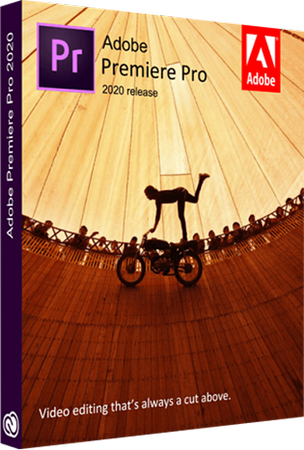
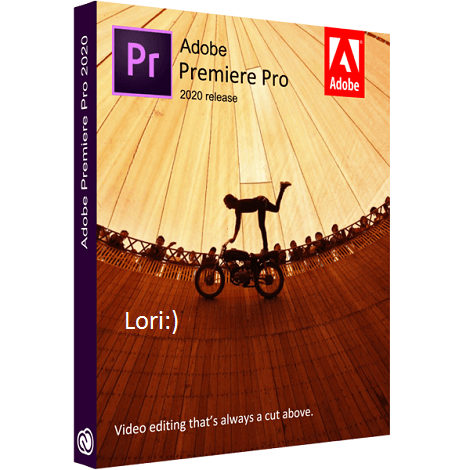
Adobe Premiere Pro 2020

9cf62ncbgkmt.jpg


Adobe Premiere Pro 2020 v14.0.2.104 (x64) Multilingual Pre-Activated | 1.5 GB

Information:


Adobe Premiere Pro 2020 14.0.4.18 x64 Multilingual


81824ebe5ba470c9b0a04fyky9.jpg


Adobe Premiere Pro 2020 14.0.4.18 x64 Multilingual | 1.56 GB


Video editing that's always a cut above. Premiere Pro is the leading video editing software for film, TV, and the web. Creative tools, integration with other Adobe apps and services, and the power of Adobe Sensei help you craft footage into polished films and videos in one seamless workflow. And Premiere Rush, our new app, is included with your subscription so you can capture footage and start editing on all your devices, anywhere.


Smart tools. Better storytelling.
Premiere Pro is used by Hollywood filmmakers, TV editors, YouTubers, videographers - anyone with a story to tell, including you.

Stay in your creative flow.
Premiere Pro is the industry leader for editing everything from fast-turn TV series to feature films. Integrated, efficient workflows let you polish your work without leaving your timeline. And automated tools powered by Adobe Sensei speed up time-consuming tasks, so you can focus on your story.

Any camera. Any format. Any platform.
Edit footage in any modern format, from 8K to virtual reality. Broad native file support and simple proxy workflows make it easy to work with your media, even on mobile workstations. Delivering content that's optimized for any screen or platform is faster than ever.

Everything you need. Right where you need it.
Along with tools for color, audio, and graphics, Premiere Pro works seamlessly with other apps and services, including After Effects, Adobe Audition, and Adobe Stock. Open a Motion Graphics template from After Effects or download one from Adobe Stock and customize it - all without leaving the app. And Premiere Pro integrates with hundreds of partner technologies.

Precise and simple color grading
Take the guesswork out of curve adjustments with innovative Lumetri Color tools. Each curve has two axes with paired values, making selective color grading easy and accurate.

Improve audio instantly
New sliders in the Essential Sound panel let you dial down or remove background noise and reverb for incredible results.

Infographics with Motion Graphics templates
Drag and drop spreadsheets into new infographics Motion Graphics templates to quickly generate visualizations of your data. Any updates to your spreadsheets are automatically updated in your infographic.


HomePage:


DOWNLOAD LINKS:


Adobe Premiere Pro 2020 v14.0.4.18 (x64)

Multilingual/Deutsch / Pre-Activated (Voraktiviert) / inkl. Adobe CC2019 2020 GenP v2.4 / 64-Bit

adobepremiereprocc202zxk42.png


Beschreibung:

Videobearbeitung, die immer einen Schritt weiter oben liegt. Premiere Pro ist die führende Videobearbeitungssoftware für Film, Fernsehen und das Internet. Kreative Tools, die Integration mit anderen Adobe-Apps und -Diensten sowie die Leistungsfähigkeit von Adobe Sensei ermöglichen es Ihnen, Filmmaterial in einem nahtlosen Workflow zu polierten Filmen und Videos zu verarbeiten. Und Premiere Rush, unsere neue App, ist in Ihrem Abonnement enthalten, sodass Sie Filmmaterial aufnehmen und überall auf all Ihren Geräten mit der Bearbeitung beginnen können.

Intelligente Werkzeuge. Besseres Geschichtenerzählen.
Premiere Pro wird von Hollywood-Filmemachern, TV-Redakteuren, YouTubern und Videofilmern verwendet - von jedem, der eine Geschichte zu erzählen hat, auch von Ihnen.

Bleiben Sie in Ihrem kreativen Fluss.
Premiere Pro ist der Branchenführer für die Bearbeitung von TV-Serien bis hin zu Spielfilmen. Mit integrierten, effizienten Workflows können Sie Ihre Arbeit optimieren, ohne die Zeitachse zu verlassen. Automatische Tools von Adobe Sensei beschleunigen zeitaufwändige Aufgaben, sodass Sie sich auf Ihre Story konzentrieren können.

Beliebige Kamera. Beliebiges Format. Beliebige Plattform.
Bearbeiten Sie Filmmaterial in jedem modernen Format, von 8K bis zur virtuellen Realität. Dank der umfassenden Unterstützung nativer Dateien und einfacher Proxy-Workflows können Sie auch auf mobilen Workstations problemlos mit Ihren Medien arbeiten. Die Bereitstellung von Inhalten, die für jeden Bildschirm oder jede Plattform optimiert sind, erfolgt schneller als je zuvor.

Alles, was du brauchst. Genau dort, wo Sie es brauchen.
Neben Tools für Farbe, Audio und Grafik arbeitet Premiere Pro nahtlos mit anderen Apps und Diensten zusammen, darunter After Effects, Adobe Audition und Adobe Stock. Öffnen Sie eine Motion Graphics-Vorlage in After Effects oder laden Sie eine Vorlage aus Adobe Stock herunter und passen Sie sie an, ohne die App zu verlassen. Und Premiere Pro lässt sich in Hunderte von Partnertechnologien integrieren.

Präzise und einfache Farbkorrektur
Nehmen Sie mit den innovativen Lumetri Color-Werkzeugen das Rätselraten von Kurvenanpassungen. Jede Kurve hat zwei Achsen mit gepaarten Werten, wodurch die selektive Farbkorrektur einfach und genau ist.

Audio sofort verbessern
Mit den neuen Schiebereglern im Essential Sound-Bedienfeld können Sie Hintergrundgeräusche und Nachhall reduzieren oder entfernen, um unglaubliche Ergebnisse zu erzielen.

Infografiken mit Motion Graphics-Vorlagen
Ziehen Sie Tabellenkalkulationen per Drag & Drop in neue Motion Graphics-Vorlagen für Infografiken, um schnell Visualisierungen Ihrer Daten zu erstellen. Alle Aktualisierungen Ihrer Tabellen werden automatisch in Ihrer Infografik aktualisiert.

_________________________________________________

Größe: 1.56 GB
Sprache: Multi/Deutsch
Format: Exe
Plattform: Windows (64-Bit)
Hoster: RapidGator.net, Alfafile.net, DDl.to
________________________________________

78D799BA91.png


Adobe Premiere Pro 2020 14.1.0.100 Beta x64 Multilingual


be4907258560e2bd7ea03d5k1s.png


Adobe Premiere Pro 2020 14.1.0.100 Beta x64 Multilingual | 1.49 GB


Video editing that's always a cut above. Premiere Pro is the leading video editing software for film, TV, and the web. Creative tools, integration with other Adobe apps and services, and the power of Adobe Sensei help you craft footage into polished films and videos in one seamless workflow. And Premiere Rush, our new app, is included with your subscription so you can capture footage and start editing on all your devices, anywhere.


Smart tools. Better storytelling.
Premiere Pro is used by Hollywood filmmakers, TV editors, YouTubers, videographers - anyone with a story to tell, including you.

Stay in your creative flow.
Premiere Pro is the industry leader for editing everything from fast-turn TV series to feature films. Integrated, efficient workflows let you polish your work without leaving your timeline. And automated tools powered by Adobe Sensei speed up time-consuming tasks, so you can focus on your story.

Any camera. Any format. Any platform.
Edit footage in any modern format, from 8K to virtual reality. Broad native file support and simple proxy workflows make it easy to work with your media, even on mobile workstations. Delivering content that's optimized for any screen or platform is faster than ever.

Everything you need. Right where you need it.
Along with tools for color, audio, and graphics, Premiere Pro works seamlessly with other apps and services, including After Effects, Adobe Audition, and Adobe Stock. Open a Motion Graphics template from After Effects or download one from Adobe Stock and customize it - all without leaving the app. And Premiere Pro integrates with hundreds of partner technologies.

Precise and simple color grading
Take the guesswork out of curve adjustments with innovative Lumetri Color tools. Each curve has two axes with paired values, making selective color grading easy and accurate.

Improve audio instantly
New sliders in the Essential Sound panel let you dial down or remove background noise and reverb for incredible results.

Infographics with Motion Graphics templates
Drag and drop spreadsheets into new infographics Motion Graphics templates to quickly generate visualizations of your data. Any updates to your spreadsheets are automatically updated in your infographic.

System Requirements:
- Processor: Intel® Intel 6thGen or newer CPU
- Operating system: Microsoft Windows 10 (64-bit) version 1703 or later (required)
- RAM: 16 GB of RAM (32 GB recommended)
- 4 GB of GPU VRAM
- Hard disk space
- Fast internal SSD (recommended) for app installation and cache - plus provisional space for media
- Monitor resolution 1920 x 1080 or greater display resolution
- Video card 32-bit video card

HomePage:
c43f0b2b60d6a0abe1f9eukjds.png


DOWNLOAD LINKS:


Adobe Premiere Pro 2020 v14.1.0.106 Beta x64 Multilingual


c1e3ba67c99972a3ba04b6f103cc55a7.jpg


Adobe Premiere Pro 2020 v14.1.0.106 Beta x64 Multilingual | 1.95 GB


Video editing that's always a cut above. Premiere Pro is the leading video editing software for film, TV, and the web. Creative tools, integration with other Adobe apps and services, and the power of Adobe Sensei help you craft footage into polished films and videos in one seamless workflow. And Premiere Rush, our new app, is included with your subscription so you can capture footage and start editing on all your devices, anywhere.


Smart tools. Better storytelling.
Premiere Pro is used by Hollywood filmmakers, TV editors, YouTubers, videographers - anyone with a story to tell, including you.

Stay in your creative flow.
Premiere Pro is the industry leader for editing everything from fast-turn TV series to feature films. Integrated, efficient workflows let you polish your work without leaving your timeline. And automated tools powered by Adobe Sensei speed up time-consuming tasks, so you can focus on your story.

Any camera. Any format. Any platform.
Edit footage in any modern format, from 8K to virtual reality. Broad native file support and simple proxy workflows make it easy to work with your media, even on mobile workstations. Delivering content that's optimized for any screen or platform is faster than ever.

Everything you need. Right where you need it.
Along with tools for color, audio, and graphics, Premiere Pro works seamlessly with other apps and services, including After Effects, Adobe Audition, and Adobe Stock. Open a Motion Graphics template from After Effects or download one from Adobe Stock and customize it - all without leaving the app. And Premiere Pro integrates with hundreds of partner technologies.

Precise and simple color grading
Take the guesswork out of curve adjustments with innovative Lumetri Color tools. Each curve has two axes with paired values, making selective color grading easy and accurate.

Improve audio instantly
New sliders in the Essential Sound panel let you dial down or remove background noise and reverb for incredible results.

Infographics with Motion Graphics templates
Drag and drop spreadsheets into new infographics Motion Graphics templates to quickly generate visualizations of your data. Any updates to your spreadsheets are automatically updated in your infographic.

End-to-end VR 180
Jump into immersive video with support for VR 180, including optimized ingest and effects.

System Requirements:
- Processor: Intel® Intel 6thGen or newer CPU
- Operating system: Microsoft Windows 10 (64-bit) version 1703 or later (required)
- RAM: 16 GB of RAM (32 GB recommended)
- 4 GB of GPU VRAM
- Hard disk space
- Fast internal SSD (recommended) for app installation and cache - plus provisional space for media
- Monitor resolution 1920 x 1080 or greater display resolution
- Video card 32-bit video card


Adobe Premiere Pro is available in the following languages:
- Deutsch, English, Español, Français, Italiano, Português (Brasil), Русский, 日本語, 한국어, 简体中文

HomePage:


DOWNLOAD LINKS:


Adobe Premiere Pro 2020 14.1 Multilingual Repack


f5cf869553ad509f507d9a173bfc870e.jpg


Adobe Premiere Pro 2020 14.1 Multilingual Repack | 1.56 GB


Video editing that's always a cut above. Premiere Pro is the leading video editing software for film, TV, and the web. Creative tools, integration with other Adobe apps and services, and the power of Adobe Sensei help you craft footage into polished films and videos in one seamless workflow. And Premiere Rush, our new app, is included with your subscription so you can capture footage and start editing on all your devices, anywhere.


Smart tools. Better storytelling.
Premiere Pro is used by Hollywood filmmakers, TV editors, YouTubers, videographers - anyone with a story to tell, including you.

Stay in your creative flow.
Premiere Pro is the industry leader for editing everything from fast-turn TV series to feature films. Integrated, efficient workflows let you polish your work without leaving your timeline. And automated tools powered by Adobe Sensei speed up time-consuming tasks, so you can focus on your story.

Any camera. Any format. Any platform.
Edit footage in any modern format, from 8K to virtual reality. Broad native file support and simple proxy workflows make it easy to work with your media, even on mobile workstations. Delivering content that's optimized for any screen or platform is faster than ever.

Everything you need. Right where you need it.
Along with tools for color, audio, and graphics, Premiere Pro works seamlessly with other apps and services, including After Effects, Adobe Audition, and Adobe Stock. Open a Motion Graphics template from After Effects or download one from Adobe Stock and customize it - all without leaving the app. And Premiere Pro integrates with hundreds of partner technologies.

Precise and simple color grading
Take the guesswork out of curve adjustments with innovative Lumetri Color tools. Each curve has two axes with paired values, making selective color grading easy and accurate.

Improve audio instantly
New sliders in the Essential Sound panel let you dial down or remove background noise and reverb for incredible results.

Infographics with Motion Graphics templates
Drag and drop spreadsheets into new infographics Motion Graphics templates to quickly generate visualizations of your data. Any updates to your spreadsheets are automatically updated in your infographic.

End-to-end VR 180
Jump into immersive video with support for VR 180, including optimized ingest and effects.

System Requirements:
- Processor: Intel® Intel 6thGen or newer CPU
- Operating system: Microsoft Windows 10 (64-bit) version 1703 or later (required)
- RAM: 16 GB of RAM (32 GB recommended)
- 4 GB of GPU VRAM
- Hard disk space
- Fast internal SSD (recommended) for app installation and cache - plus provisional space for media
- Monitor resolution 1920 x 1080 or greater display resolution
- Video card 32-bit video card

Languages: English, Deutsch, Español, Français, Italiano, Português (Brasil), Русский, 日本語, 한국어, 简体中文

Home Page -

Language: Multilingual


DOWNLOAD LINKS:


Adobe Premiere Pro 2020 v14.1

9cf62ncz3kre.jpg


Adobe Premiere Pro 2020 v14.1

Größe: 1570 MB
Sprache: Multi
Format: Exe
Plattform: Windows

Videobearbeitung, die immer einen Schnitt höher ist. Premiere Pro ist die führende Videobearbeitungssoftware für Film, Fernsehen und das Internet. Mit kreativen Tools, der Integration in andere Adobe-Apps und -Dienste und der Leistungsfähigkeit von Adobe Sensei können Sie Filmmaterial in einem nahtlosen Workflow in polierte Filme und Videos umwandeln. Premiere Rush, unsere neue App, ist in Ihrem Abonnement enthalten, sodass Sie überall auf allen Ihren Geräten Filmmaterial aufnehmen und mit der Bearbeitung beginnen können.

Intelligente Werkzeuge. Besseres Geschichtenerzählen.
Premiere Pro wird von Hollywood-Filmemachern, TV-Redakteuren, YouTubers und Videografen verwendet - von allen, die eine Geschichte zu erzählen haben, auch von Ihnen.

Uploaded.net
Oboom.com
Rapidgator.net


f62f789b6c6c53aa99bdcb9d88277e91.png

Adobe Premiere Pro 2020 Beta v14.2.0.33 (x64) Multilingual

Provider: Lori.Yagami

Adobe Premiere Pro 2020 Beta v14.2.0.33 (x64) Multilingual REPACK | 1.44 GB

Video editing that's always a cut above. Premiere Pro is the leading video editing software for film, TV, and the web. Creative tools, integration with other Adobe apps and services, and the power of Adobe Sensei help you craft footage into polished films and videos in one seamless workflow. And Premiere Rush, our new app, is included with your subscription so you can capture footage and start editing on all your devices, anywhere.


Smart tools. Better storytelling.
Premiere Pro is used by Hollywood filmmakers, TV editors, YouTubers, videographers - anyone with a story to tell, including you.

Stay in your creative flow.
Premiere Pro is the industry leader for editing everything from fast-turn TV series to feature films. Integrated, efficient workflows let you polish your work without leaving your timeline. And automated tools powered by Adobe Sensei speed up time-consuming tasks, so you can focus on your story.

Any camera. Any format. Any platform.
Edit footage in any modern format, from 8K to virtual reality. Broad native file support and simple proxy workflows make it easy to work with your media, even on mobile workstations. Delivering content that's optimized for any screen or platform is faster than ever.

Everything you need. Right where you need it.
Along with tools for color, audio, and graphics, Premiere Pro works seamlessly with other apps and services, including After Effects, Adobe Audition, and Adobe Stock. Open a Motion Graphics template from After Effects or download one from Adobe Stock and customize it - all without leaving the app. And Premiere Pro integrates with hundreds of partner technologies.

Precise and simple color grading
Take the guesswork out of curve adjustments with innovative Lumetri Color tools. Each curve has two axes with paired values, making selective color grading easy and accurate.

Improve audio instantly
New sliders in the Essential Sound panel let you dial down or remove background noise and reverb for incredible results.

Infographics with Motion Graphics templates
Drag and drop spreadsheets into new infographics Motion Graphics templates to quickly generate visualizations of your data. Any updates to your spreadsheets are automatically updated in your infographic.

End-to-end VR 180
Jump into immersive video with support for VR 180, including optimized ingest and effects.

System Requirements:
- Processor: Intel� Intel 6thGen or newer CPU
- Operating system: Microsoft Windows 10 (64-bit) version 1703 or later (required)
- RAM: 16 GB of RAM (32 GB recommended)
- 4 GB of GPU VRAM
- Hard disk space
- Fast internal SSD (recommended) for app installation and cache - plus provisional space for media
- Monitor resolution 1920 x 1080 or greater display resolution
- Video card 32-bit video card

 
Zurück
Oben Unten