



• Regeln für den Dokumente-Bereich:

    In den Börsenbereich gehören nur Angebote die bereits den Allgemeinen Regeln entsprechen.

    Allgemeines:

    Nicht erlaubt im Dokumente-Bereich sind:

    - indizierte Titel (inkl. Comics)
    - extremistische Werke, Zeitschriften und Comics (egal, welche Richtung)
    - jegliche Art von Pornographie
    - Anleitungen zu kriminellen Handlungen, gleich welcher Art
    - sadistische, menschenverachtende oder ähnliche Werke

    Nutzt den "Bedanken"-Button, bei Sammelthreads führen jegliche Kommentare, positiv wie negativ, sehr schnell zu einer Unübersichtlichkeit des Threads. Downmeldungen sind an den Uploader zu richten

    Vor dem Einstellen zu beachten:

    - Suchfunktion

    Vergewissert euch, dass es euer Dokument noch nicht im Board gibt, Doppelposts werden kommentarlos gelöscht. Ist es schon vorhanden, tragt es als Mirror im bestehenden Post ein.

    - Threadtitel

    Idealerweise ist sofort zu erkennen um was es sich handelt. Verseht euren Titel mit den relevanten Informationen, das hilft euch und damit auch uns und allen Suchenden erheblich weiter.

    Beispiel: [Thriller] Dan Brown - Inferno oder bei Magazinen:

    Computerbild - 14/2014 (es muss ersichtlich sein, um welche Ausgabe und welches Magazin es sich handelt)

    Folgende Präfixe stehen im Unterforum "Unterhaltung" zur Verfügung:

    [Humor]
    [Drama]
    [Erotik]
    [Fantasy]
    [Krimi]
    [Roman]
    [Thriller]
    [Horror]
    [Science Fiction]

    Inhalt des Beitrags:

    Folgende Pflichtangaben gilt es einzuhalten:

    - Autor
    - Titel
    - Präfix
    - Cover
    - Genre
    - Inhaltsbeschreibung
    - enthaltene Formate
    - Gesamtgröße des Downloads
    - Hoster
    - ggf. Passwort

    Nicht erlaubt sind alle Dateien, die den Download unnötig aufblähen um eine Affiliategrenze zu erreichen, wie zB. mp3-files, übergroße Bilder, etc.

    Ebenso nicht erlaubt sind sämtliche Dateien mit DRM, persönlichen Daten, etc., diese werden kommentarlos zu eurem eigenem Schutz gelöscht.

    Achtet bitte bei der Konvertierung der Formate auf die Lesbarkeit, ein epub, was nur einfach durch Calibre gejagt wird um ein PDF zu erhalten, ist zu 99% eben nicht lesbar. Wenn ihr es nicht könnt, dann lasst es besser oder lest euch ein, wie man es richtig macht.


    Unterforum Comics:

    Threadtitel:

    Ähnlich, wie bei Unterhaltung und Magazinen, sollte der Titel alle relevanten Informationen enthalten, hier bitte

    - den Titel des Comics
    - den Verlag (einige Comics sind in verschiedenen Verlagen erschienen)
    - das Erscheinungsjahr

    Erlaubt sind folgende Formate:

    - CBR
    - CBZ

    Grundsätzlich gilt: jede Version eines Comics erhält einen eigenen Thread, Ersteller eines Comics können ihre Bände gerne mit dem Zusatz (Original-Release) versehen.

    Bei Unsicherheiten zur korrekten Benennung bitte die Informationen von www.comicguide.de nutzen.

    Inhalt des Beitrags:

    Pflichtangaben hier sind:

    - Titel des Bandes und ggf. Nummer
    - Cover
    - falls bekannt technische Daten (DPI, Breite, Speicherqualität)
    - Größe des Downloads
    - Hoster
    - ggf. Passwort
    - falls bekannt Releasenamen
  • Bitte registriere dich zunächst um Beiträge zu verfassen und externe Links aufzurufen.

*** Bestes IPTV *** bester Preis *** gratis Test ***


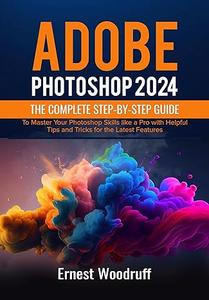
Adobe Photoshop 2024 The Complete Step-by-Step Guide

booktoday

MyBoerse.bz Pro Member
f14a14da8742234a214b380ac1c34ee2.jpeg

Free Download Adobe Photoshop 2024: The Complete Step-by-Step Guide to Master Your Photoshop Skills like a Pro with Helpful Tips and Tricks for the Latest Features
by Ernest Woodruff

English | 2023 | ISBN: N/A | ASIN: B0CPX79SXS | 243 Pages | PDF | 60 MB​

Adobe's latest release includes innovative features and tools that will revolutionize your editing process. Whether you're a graphic designer, professional photographer, or social media enthusiast, Adobe Photoshop 2024 will simplify your life and elevate your creativity. The new Photoshop 2024 comes with numerous new features and additions.
The tutorial covers downloading, installing, and navigating Adobe Photoshop, working with files, layers, selection tools, and troubleshooting.

New Features in Adobe Photoshop 2024
System Requirements for Mac and Windows
How to download and Install Adobe Photoshop 2024
Getting familiar with the Home Screen
Understanding the Tool Properties Panel
How to use the Status Bar
How to open Photoshop Files
How to save Photoshop Files
Adobe Photoshop Tools
How to use the selection tools
How to use the navigation tools
How to use the vector tools
How to use the brush tools
How to use the transformation tools
About Pixel Art
How to create Pixel Art
How to set up Adobe Photoshop for Pixel Art
How to turn on the Grid
How to enable Nearest Neighbor
How to create your Pixel Art image
About Adobe Photoshop Pencil Tool
How to use the Pencil Tool
Image Size and Resolution
How to resample an image size
How to use Adobe Photoshop Gradient Mask
How to resize an image using preset templates
How to use the transform tool to adjust the image size
How to adjust an image dimension
Adobe Camera Raw
How to open images in Camera Raw
How to edit images in Camera Raw
How to navigate the Camera Raw interface
How to use the graduated filter, radial filter, and adjustment brush in Camera Raw
How to apply lens correction and perspective adjustment in Camera Raw
How to make basic adjustments in Camera Raw
Understanding Camera Raw histogram
How to work with Presets and Profiles in Camera Raw
How to Create a Shape Using the Pen Tool
How to Draw Straight Lines
How to Edit Paths in Photoshop
How to Delete Your Path
How to Draw Curved Lines
How to use Adobe Photoshop's Dodge and Burn Tools
How to apply the Sponge Tool in Adobe Photoshop
How to use the Eraser Tools
Different types of Eraser Tools
Keyboard shortcuts for eraser tools
Working with Brushes
How to work with brushes
How to use square brushes
Advantages of using square brushes
How to erase little and large objects
How to use the Spot Healing Brush
How to remove a line
How to change the brush size
Tips and tricks for using Adobe Photoshop 2024
How to use the foreground and background tool
How to form a graphic shape
How to add texture to a photo
How to blur the background
How to use the rotate view tool
How to refine the effect
White Balance and Color Temperature
Understanding White Balance
How to use color temperatures
Advantages of Color Temperature in Photography
How to set the unit of measure
How to adjust color temperature
Troubleshooting Issues
How to export images
How to use the Photoshop lens correction filter
How to create shared albums in Photoshop
How to solve Photos not opening in Photoshop
And many more....

Links are Interchangeable - Single Extraction

 
Zurück
Oben Unten