



• Regeln für den Dokumente-Bereich:

    In den Börsenbereich gehören nur Angebote die bereits den Allgemeinen Regeln entsprechen.

    Allgemeines:

    Nicht erlaubt im Dokumente-Bereich sind:

    - indizierte Titel (inkl. Comics)
    - extremistische Werke, Zeitschriften und Comics (egal, welche Richtung)
    - jegliche Art von Pornographie
    - Anleitungen zu kriminellen Handlungen, gleich welcher Art
    - sadistische, menschenverachtende oder ähnliche Werke

    Nutzt den "Bedanken"-Button, bei Sammelthreads führen jegliche Kommentare, positiv wie negativ, sehr schnell zu einer Unübersichtlichkeit des Threads. Downmeldungen sind an den Uploader zu richten

    Vor dem Einstellen zu beachten:

    - Suchfunktion

    Vergewissert euch, dass es euer Dokument noch nicht im Board gibt, Doppelposts werden kommentarlos gelöscht. Ist es schon vorhanden, tragt es als Mirror im bestehenden Post ein.

    - Threadtitel

    Idealerweise ist sofort zu erkennen um was es sich handelt. Verseht euren Titel mit den relevanten Informationen, das hilft euch und damit auch uns und allen Suchenden erheblich weiter.

    Beispiel: [Thriller] Dan Brown - Inferno oder bei Magazinen:

    Computerbild - 14/2014 (es muss ersichtlich sein, um welche Ausgabe und welches Magazin es sich handelt)

    Folgende Präfixe stehen im Unterforum "Unterhaltung" zur Verfügung:

    [Humor]
    [Drama]
    [Erotik]
    [Fantasy]
    [Krimi]
    [Roman]
    [Thriller]
    [Horror]
    [Science Fiction]

    Inhalt des Beitrags:

    Folgende Pflichtangaben gilt es einzuhalten:

    - Autor
    - Titel
    - Präfix
    - Cover
    - Genre
    - Inhaltsbeschreibung
    - enthaltene Formate
    - Gesamtgröße des Downloads
    - Hoster
    - ggf. Passwort

    Nicht erlaubt sind alle Dateien, die den Download unnötig aufblähen um eine Affiliategrenze zu erreichen, wie zB. mp3-files, übergroße Bilder, etc.

    Ebenso nicht erlaubt sind sämtliche Dateien mit DRM, persönlichen Daten, etc., diese werden kommentarlos zu eurem eigenem Schutz gelöscht.

    Achtet bitte bei der Konvertierung der Formate auf die Lesbarkeit, ein epub, was nur einfach durch Calibre gejagt wird um ein PDF zu erhalten, ist zu 99% eben nicht lesbar. Wenn ihr es nicht könnt, dann lasst es besser oder lest euch ein, wie man es richtig macht.


    Unterforum Comics:

    Threadtitel:

    Ähnlich, wie bei Unterhaltung und Magazinen, sollte der Titel alle relevanten Informationen enthalten, hier bitte

    - den Titel des Comics
    - den Verlag (einige Comics sind in verschiedenen Verlagen erschienen)
    - das Erscheinungsjahr

    Erlaubt sind folgende Formate:

    - CBR
    - CBZ

    Grundsätzlich gilt: jede Version eines Comics erhält einen eigenen Thread, Ersteller eines Comics können ihre Bände gerne mit dem Zusatz (Original-Release) versehen.

    Bei Unsicherheiten zur korrekten Benennung bitte die Informationen von www.comicguide.de nutzen.

    Inhalt des Beitrags:

    Pflichtangaben hier sind:

    - Titel des Bandes und ggf. Nummer
    - Cover
    - falls bekannt technische Daten (DPI, Breite, Speicherqualität)
    - Größe des Downloads
    - Hoster
    - ggf. Passwort
    - falls bekannt Releasenamen
  • Bitte registriere dich zunächst um Beiträge zu verfassen und externe Links aufzurufen.

*** Bestes IPTV *** bester Preis *** gratis Test ***


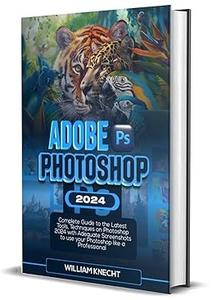
Adobe Photoshop 2024 Complete Guide to the Latest Tools, Techniques on Photoshop 2024

booktoday

MyBoerse.bz Pro Member
a0711a2bdd2db48e6f366178637512d5.jpeg

Free Download Adobe Photoshop 2024: Complete Guide to the Latest Tools, Techniques on Photoshop 2024 with Adequate to use Your Photoshop Like a Professional
by William Knecht

English | 5 Nov. 2023 | ISBN: 8866780839, 8866778761 | ASIN: B0CLKZK318 | 666 Pages | PNG | 93 MB​

Are you a passionate creative, enthusiastic graphic designer and zealous photographer with little or no expertise in photo editing who wants to master the fundamentals of picture editing and improve your digital graphics skills to a professional level in a short while?
Are your images marred by unsightly flaws and blemishes, and you long for image-editing software to restore their faultless beauty? What about a design suite that neatly organizes your tasks into layers, allowing you to focus on what really matters? What if you had software that could flawlessly repair your photographs by precisely replicating pixels? Look no further, Adobe Photoshop 2024 offers all of the tools you need to expand your graphic design business and improve your design, which this book has simplified for you with suitable tips, techniques and while you focus on making beautiful images.
With a host of new features and enhancements, Photoshop 2024 empowers both novice and professional creative people to bring their wildest ideas to life with precision and style. Whether you are a beginner who knows nothing about picture editing or a graphic design who wants to start from the elementary level or an expert who want to furnish his skills with the latest improvements and capabilities of the recently released Photoshop 2024. This book got you covered.
Whether you want to create a logo, animate a video, retouch a portrait, or get your files ready for the web, this guide offers detailed instructions to ensure your creations are both captivating and professional. This book will assist you in doing that. Reading through the pages of this book will make you feel like an expert user because they are filled with comprehensive step-by-step instructions and pictorial illustrations
It has become standard practice for photographers, graphic designers, image editors, picture illustrators, and others to handle a variety of photos and edit them skillfully. You wouldn't want to miss out on the new features of Adobe Photoshop 2024. This user guide will help you get the most out of Photoshop and increase your overall productivity.
Here's a sneak peek of what awaits you:
Unleash the Adobe Photoshop 2024 updates exciting new features
System requirement, downloading and installing of Photoshop 2024
Familiarizing yourself with the new features in Photoshop 2024
Creating and saving a new document.
Crucial shortcuts to explore your Photoshop
How to open/import photos
How to Edit raw images in Camera Raw.
How to use the pen tool
How to use Photoshop color modes and change the color mode
How to work with the brush tool
How to use Photoshop layers
Effortlessly working with Selection tools and Layer masks.
How to get started with type
How to Draw and edit shapes
Effortlessly remove background and refine images.
Using Adobe Camera Raw Filter and Liquify Filter.
Image editing and retouching made simple
How to Effortlessly use Photoshop to make colors pop
How to use Photoshop to create pixel art
How to Effortlessly make a gif in Photoshop
Creating masks and alpha channels
Tips & tricks all Photoshop users should know

Links are Interchangeable - Single Extraction

 
Zurück
Oben Unten