




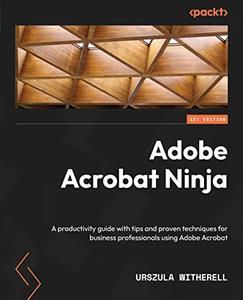
Free Download Adobe Acrobat Ninja: A productivity guide with tips and proven techniques for business professionals using Adobe Acrobat by Urszula Witherell
English | March 10, 2023 | ISBN: 1803248173 | 348 pages | MOBI | 24 Mb
Discover Adobe Acrobat's most important features and advanced functions that will help you to find easier ways to work
Key Features
Make better use of Adobe Acrobat with this all-in-one reference guide for users in all industries and professions
Build confidence by integrating Acrobat functions into day-to-day business tasks
Understand issues that go beyond PDF, such as legal implications of accessibility compliance, document security, and copyright protection
Book Description
Adobe Acrobat can help you solve a wide variety of problems that crop up when you work with PDF documents on a daily basis. The most common file type for business and communication, this compact portable document format is widely used to collect as well as present information, as well as being equipped with many lesser-known features that can keep your content secure while making it easy to share. From archive features that will keep your documents available for years to come to features related to accessibility, organizing, annotating, editing, and whatever else you use PDFs for, Acrobat has the answer if you know where to look.
Designed for professionals who likely already use Adobe Acrobat Pro, this guide introduces many ideas, features, and online services, sorted and organized for you to easily find the topics relevant to your work and requirements.
You can jump to any chapter without sifting through prior pages to explore the tools and functions explained through step-by-step instructions and examples. The information in some chapters may build on existing knowledge, but you are not expected to have an advanced level of prior experience.
By the end of this book, you'll have gained a solid understanding of the many capabilities of PDFs and how Acrobat makes it possible to work in a way that you will never miss good old ink and paper.
What you will learn
Use Adobe Acrobat Pro efficiently through shortcuts and preferences
Expand your knowledge of the functions that you already use
Understand the connection between PDFs, Acrobat, and other applications
Find out about unique settings in Adobe InDesign to create high-quality fully featured PDFs
Address legal concerns for information published in a digital format
Confidently move away from the use of ink and paper and help preserve physical resources
Who this book is for
This book is for anyone working with PDFs on a daily basis, including skilled professionals such as analysts, administrators, architects, engineers, scientists, lawyers, and anyone who can be described as communications workers, including but not limited to artworkers, researchers, technical writers, and accessibility workers who routinely work with PDF and some version of Acrobat.
Table of Contents
Understanding Different Adobe Acrobat Versions and Services
Creating and Enhancing PDF Files From Scans
Converting Microsoft Office files to Adobe PDF using PDFMaker
Modifying and Editing PDF Files
Remediation for Accessibility in PDF Publications
Using Acrobat in A Document Review Cycle
Creating and Modifying PDF Forms
Adding Digital Signatures and Security Settings
Designing Multimedia Presentations
Integration with Adobe InDesign
Using Acrobat in Professional Publishing
Privacy, Bates Numbering, and Other Specialized Features for A Law Office
Acrobat Pro Tools, Shortcuts, References, and Mac Notes
Links are Interchangeable - Single Extraction
