• Regeln für den Software-Bereich:


    Allgemeines:

    - In erster Linie sind unsere Boardregeln zu beachten, zu finden HIER.
    - Software zur Audiobearbeitung sollte ausschließlich im Unterforum "Audio" eingestellt werden.
    - Für Cracks, Keygens oder sonstige Freischaltungssoftware gibt es das Unterforum "Freischaltung".
    - Portable Software bitte im entsprechenden Unterforum "Portable Software" eintragen.
    - Diskussionen zur Installation und anderen Problemen mit der Software, bitte im enstprechenden Unterforum "Talk" führen.
    - Bei Unklarheiten und Fragen zu den Regeln bitte die Moderatoren kontaktieren.


    Angebot erstellen

    - Die Struktur des Threadtitels muss wie folgt umgesetzt werden: Herstellername - Softwarename - Versionsnummer
    - Unnötige Zusätze im Threadtitel wie "HOT", "NEW" oder Punkte zwischen den Wörtern sind nicht erlaubt.
    - Achtet darauf immer nur die Hauptversion und deren Updates in einem Thread zusammenfassen, konkretes Beispiel: SoftwareXY v3.12 gehört in den selben Thread mit SoftwareXY v3.13; SoftwareXY v.4.1 gehört in einen neuen eigenen Thread. Ausgenommen hiervon sind Sammelthreads und Dauerangebote.
    - Bei nicht bekannten Herstellern oder Angebote einer privaten Software, ist die Programmbezeichnung + Versionsnummer ausreichend.
    - Besondere Beachtung gilt für den ersten Beitrag eines Angebots. Dort muss eine kurze Beschreibung der Software in deutscher Sprache angegeben werden. Für offizielle Releases ist es Pflicht die NFO im Beitrag einzustellen(Spoiler, siehe nächster Punkt).
    - Weitere Informationen wie NFOs oder Changelogs, versteckt ihr bitte in einem Spoiler.


    Software Suche

    - Für Suchanfragen haben wir das Unterforum "Suche" erstellt.
    - Auch hier sollte vorher die Suchfunktion benutzt werden, um Doppelthreads vorzubeugen. Sollte es bereits eine Suchanfrage geben, könnt ihr den Thread gerne mit einem "Danke" pushen.


    Trojaner- und Virusalarm

    - Falls Euer Virenscanner bei einem Angebot Alarm schlägt, solltet ihr zunächst Ruhe bewahren. Viele Virenscanner erkennen Cracks/Keygens oft fälschlicherweise als Bedrohung.
    - Prüft die verdächtige Datei zuerst mit http://virustotal.com , sollte es sich hierbei wirklich um eine Bedrohung handeln, meldet den Beitrag und/oder wendet euch mit dem Bericht von VirusTotal.com an einen Moderator.


    Unerwünschte Angebote

    - Keylogger, Spionagetools, alles rund ums Thema Hacking/Cracking ist nicht erwünscht.
  • Bitte registriere dich zunächst um Beiträge zu verfassen und externe Links aufzurufen.

*** Bestes IPTV *** bester Preis *** gratis Test ***


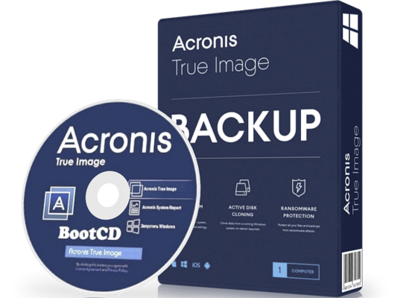
Acronis True Image 2020 v24

Acronis True Image 2020 24.6.1 Build 25700 Final

Deutsch/Multilingual // 32 + 64-Bit // Boot CD + Setup // Patch-GreenGnom // 07.04.2020


Beschreibung:

Mit "True Image 2019" von Acronis sichern Sie Ihren Windows-PC mit wenigen Mausklicks

Mit "True Image" von Acronis erstellen Sie Backups wichtiger Dateien sowie Sicherungen einzelner Partitionen oder der ganzen Festplatten. Versehentlich gelöschte Dateien oder ein Hardware-Defekt sind so in Zukunft kein Problem, da eine Vorversion des Systems jederzeit wieder hergestellt werden kann. Neben lokalen Backups etwa auf externen Festplatten können Sie Acronis "True Image" auch um eine Cloud-Komponente erweitern. Das Programm sichert das komplette System, einschließlich Bilder, Videos, Dokumente, Applikationen, Passwörter, Einstellungen, Kontakte und Veranstaltungen. Neben Windows und MacOS werden auch Mobilgeräte wie iPhone, iPad und Android-Geräte unterstützt. In Version 2019 können Sie mit der Software ein so genanntes Survival-Kit auf einem externen Laufwerk erstellen, das neben Boot-Medium und System-Volume auch alles andere enthält, um zuverlässig und schnell Ihr gesamtes System wiederherzustellen.

Acronis True Image 2019:
• Umfassendes Backup & schnelles Recovery
• Einfaches Klonen von Laufwerken & vollständiges Image-Backup
• Lokales Backup, Cloud Backup oder Hybrid Backup


Hoster:
Uploaded
Größe
658 / 662 Mb (RAR/EXE/ISO)
Sprache
Deutsch/Englisch
Plattform
Microsoft Windows Vista/7/8/8.1/10 (32 oder 64-Bit)


========================================


Zuletzt bearbeitet:

Acronis True Image 2020 Build 25700 Bootable ISO Multilingual


0bb8cfe47e2325426698e6ba4cbbf678.jpg


Acronis True Image 2020 Build 25700 Bootable ISO Multilingual | 626 MB


Combining reliable backup with proven anti-malware technology, our unique cyber protection solution effectively safeguards all of your data, apps and systems.


Backup and Recovery
Mirror imaging. Disk cloning. All‑in‑one recovery drives. It's easy to ensure your data is available for recovery, no matter what happens.

Anywhere Access
Retrieve any file from your cloud backup, wherever you are, on any device. Manage backups remotely. Enjoy secure file sync and share.

Innovative Protections
The only personal backup solution that uses AI to stop ransomware and cryptojacking in real time. Offers blockchain data notarization.

Enhanced 2020 Vision
How we access and use data is constantly changing, as are the threats to that data. Your protection must evolve too. With 100+ enhancements and new features, Acronis True Image 2020 keeps you current.

Automated Dual Protection
Back up locally while simultaneously replicating it in the cloud so you've always got a secure off-site copy for recovery.

Custom Power Management
Avoid draining your battery by efficiently managing laptop backups. Set a minimum power level or block backups on battery power.

Improved Cloud Restores
Enjoy faster performance and a more intuitive experience. Enhanced for even easier navigatation.

Tray Notification Center
Messages pushed to your desktop tray enable you to monitor the status of backups so you can quickly respond to any issues.

Back Up on Select Wi-Fi
Where you back up is your choice. Now you can easily avoid the metered connections and public networks that put data at risk.

File Systems (Windows)
NTFS
Ext2/Ext3/Ext4
ReiserFS(3)
Linux SWAP
HFS+/HFSX
FAT16/32/exFAT

What's New in 2020:
Effective cyber protection needs to evolve based on how we use and access data, and what the latest cyberthreats are. That's why Acronis True Image 2020 includes 100+ enhancements, including these great new features.

Dual Protection
Experts agree that the 3-2-1 backup strategy is the most effective approach to data protection. Now Acronis makes the process easy and efficient by replicating local backups in the cloud automatically so you always have an off-site copy available for recovery. Once you've successfully completed the first backup, the backup and replication occur simultaneously.

Tray Notification Center
Safeguarding data requires you stay informed about your system, your files, and your protection. With Acronis True Image 2020, you can get messages pushed to your desktop tray that allow you to easily monitor the status of your backups, receive timely tips on how to enhance your protection, and quickly respond to any issues.

Back Up on Selected Wi-Fi
Where you back up should be your choice. Now you can easily avoid the metered connections and unsecure public networks that put your data at risk by selecting the Wi-Fi networks you use to back up your data - keeping your uploads secure.

Custom Power Management
Backups are great, but creating them uses electricity. Manage your backups so they don't drain the battery, ensuring your laptop will run when you need it. You can set a minimum power level for backups, or completely block backups on battery power.

Power Nap Backups
How efficient would it be if you could get tasks done while you were asleep? Mac users come close now that they can choose to back up their machine's data when it enters Power Nap mode. Not only will your Mac's data be updated during its Power Nap, your backups will capture those changes too.

Enhancement Highlights:
Cloud Restores
Restoring from the cloud should be just as easy and efficient as backing up. Now it is. We've enhanced the underlying backup technology to deliver a better overall performance of our already fast cloud restores, resulting in an even faster, more reliable and more stable cloud restore experience.

Enhanced Backup Technology
To retain control over their data, users need easy, efficient access to their backed up content. Our new backup format delivers a better overall performance, enabling faster browsing of cloud backups, improved backup / recovery speeds and data deduplication.

Enriched Anti-Ransomware
As cyberthreats continue to evolve, we constantly enhance Acronis Active Protection to stay ahead of them. Our new machine learning models make it more effective, and the latest version now stops illicit service termination attacks. You will be informed of the reason a particular process is being monitored or blocked as malicious.

Mac Restores
Restore your data to a new Mac machine more easily, even if it is spread across APFS volumes on your current system. It's a much more efficient way to migrate your APFS volumes.

System Requirments:
Windows 10 (all editions, including May 2019 Update)
Windows 8.1 (all editions)
Windows 8 (all editions)
Windows 7 SP1 (all editions)
Windows Home Server 2011


Home Page -


DOWNLOAD LINKS:


Acronis True Image 2020 Build 25700 Multilingual


93ee66b2d94adc09271e6fbbb05f3745.jpg


Acronis True Image 2020 Build 25700 Multilingual | 620 MB


Combining reliable backup with proven anti-malware technology, our unique cyber protection solution effectively safeguards all of your data, apps and systems.


Backup and Recovery
Mirror imaging. Disk cloning. All‑in‑one recovery drives. It's easy to ensure your data is available for recovery, no matter what happens.

Anywhere Access
Retrieve any file from your cloud backup, wherever you are, on any device. Manage backups remotely. Enjoy secure file sync and share.

Innovative Protections
The only personal backup solution that uses AI to stop ransomware and cryptojacking in real time. Offers blockchain data notarization.

Enhanced 2020 Vision
How we access and use data is constantly changing, as are the threats to that data. Your protection must evolve too. With 100+ enhancements and new features, Acronis True Image 2020 keeps you current.

Automated Dual Protection
Back up locally while simultaneously replicating it in the cloud so you've always got a secure off-site copy for recovery.

Custom Power Management
Avoid draining your battery by efficiently managing laptop backups. Set a minimum power level or block backups on battery power.

Improved Cloud Restores
Enjoy faster performance and a more intuitive experience. Enhanced for even easier navigatation.

Tray Notification Center
Messages pushed to your desktop tray enable you to monitor the status of backups so you can quickly respond to any issues.

Back Up on Select Wi-Fi
Where you back up is your choice. Now you can easily avoid the metered connections and public networks that put data at risk.

File Systems (Windows)
NTFS
Ext2/Ext3/Ext4
ReiserFS(3)
Linux SWAP
HFS+/HFSX
FAT16/32/exFAT

What's New in 2020:
Effective cyber protection needs to evolve based on how we use and access data, and what the latest cyberthreats are. That's why Acronis True Image 2020 includes 100+ enhancements, including these great new features.

Dual Protection
Experts agree that the 3-2-1 backup strategy is the most effective approach to data protection. Now Acronis makes the process easy and efficient by replicating local backups in the cloud automatically so you always have an off-site copy available for recovery. Once you've successfully completed the first backup, the backup and replication occur simultaneously.

Tray Notification Center
Safeguarding data requires you stay informed about your system, your files, and your protection. With Acronis True Image 2020, you can get messages pushed to your desktop tray that allow you to easily monitor the status of your backups, receive timely tips on how to enhance your protection, and quickly respond to any issues.

Back Up on Selected Wi-Fi
Where you back up should be your choice. Now you can easily avoid the metered connections and unsecure public networks that put your data at risk by selecting the Wi-Fi networks you use to back up your data - keeping your uploads secure.

Custom Power Management
Backups are great, but creating them uses electricity. Manage your backups so they don't drain the battery, ensuring your laptop will run when you need it. You can set a minimum power level for backups, or completely block backups on battery power.

Power Nap Backups
How efficient would it be if you could get tasks done while you were asleep? Mac users come close now that they can choose to back up their machine's data when it enters Power Nap mode. Not only will your Mac's data be updated during its Power Nap, your backups will capture those changes too.

Enhancement Highlights:
Cloud Restores
Restoring from the cloud should be just as easy and efficient as backing up. Now it is. We've enhanced the underlying backup technology to deliver a better overall performance of our already fast cloud restores, resulting in an even faster, more reliable and more stable cloud restore experience.

Enhanced Backup Technology
To retain control over their data, users need easy, efficient access to their backed up content. Our new backup format delivers a better overall performance, enabling faster browsing of cloud backups, improved backup / recovery speeds and data deduplication.

Enriched Anti-Ransomware
As cyberthreats continue to evolve, we constantly enhance Acronis Active Protection to stay ahead of them. Our new machine learning models make it more effective, and the latest version now stops illicit service termination attacks. You will be informed of the reason a particular process is being monitored or blocked as malicious.

Mac Restores
Restore your data to a new Mac machine more easily, even if it is spread across APFS volumes on your current system. It's a much more efficient way to migrate your APFS volumes.

System Requirments:
Windows 10 (all editions, including May 2019 Update)
Windows 8.1 (all editions)
Windows 8 (all editions)
Windows 7 SP1 (all editions)
Windows Home Server 2011


Home Page -


DOWNLOAD LINKS:


Acronis.AIO.BootCD.2020.v24.6.1.Build.25700-Senftube


Acronis True Image 2020
Sprache: Deutsch / Multilingual
Version: 24.6.1
Buildnummer: 25700

enthalten in der All in One BootCD sind.

Acronis True Image 2020 v24.6.1 Build 25700 ( 64bit )
Acronis True Image 2020 v24.6.1 Build 25700 ( 32bit )

Acronis Universal Restore v.11.7 Build 40250 (64 Bit mit UEFI unterstuetzung)
Acronis Universal Restore v.11.7 Build 40250 (32 Bit)

Acronis System Report v24.6.1 Build 25700 ( 64bit )
Acronis System Report v24.6.1 Build 25700 ( 32bit )

Acronis Disk Director 12.5 Build 163 ( 64 bit )
Acronis Disk Director 12.5 Build 163 ( 32bit )


- Einzelne Boot CDs

- Acronis True Image 2020 v24.6.1 Build 25700 ( WinPE x86 basierende )
- Acronis True Image 2020 v24.6.1 Build 25700 ( WinPE x64 basierende )
- Acronis True Image 2020 v24.6.1 Build 25700 ( Linux basierende )
- Acronis True Image 2020 v24.6.1 Build 25700 ( Linux AIO basierende )


Format: ISO
Plattform - Windows XP / Vista / 7 / 8(.1) / 10 (32/64 bit)

File Hoster: easyupload.io ( Free Hoster )
Größe: 2,78GB
Parts: 1X
Passwort: P2P

Download:
 
Acronis True Image 2020 Build 25700

32edcb734d3810aa1f660snj8n.jpg


Acronis True Image 2020 Build 25700

Größe: 491 MB
Sprache: Multi
Format: Exe
Plattform: Windows

Acronis True Image ist eine vollständige System-Image-Backup-Lösung für Ihren PC, Mac, mobile Geräte und Konten in sozialen Netzwerken. Es kann Ihre Dokumente, Fotos, E-Mails und ausgewählten Partitionen sowie das gesamte Festplattenlaufwerk einschließlich Betriebssystem, Anwendungen, Einstellungen und all Ihren Daten sichern. Acronis True Image 2018 ist eine integrierte Sicherungs- und Wiederherstellungssoftware, die die Sicherheit aller Informationen auf Ihrem PC gewährleistet. Mithilfe von Sicherungen können Sie Ihr Computersystem wiederherstellen, falls eine Katastrophe eintritt, z. B. Datenverlust, versehentliches Löschen kritischer Dateien oder Ordner oder ein vollständiger Festplattenabsturz.

Uploaded.net
Oboom.com
Rapidgator.net

 
Acronis True Image 2020 v24.6.1.25700

Multilingual/Deutsch / inkl. Patch + Anleitung / + BootCD

acronisx2jh4.png


Beschreibung:

Mit "True Image 2020" von Acronis sichern Sie Ihren Windows-PC mit wenigen Mausklicks

Mit "True Image" von Acronis erstellen Sie Backups wichtiger Dateien sowie Sicherungen einzelner Partitionen oder der ganzen Festplatten. Versehentlich gelöschte Dateien oder ein Hardware-Defekt sind so in Zukunft kein Problem, da eine Vorversion des Systems jederzeit wieder hergestellt werden kann. Neben lokalen Backups etwa auf externen Festplatten können Sie Acronis "True Image" auch um eine Cloud-Komponente erweitern. Das Programm sichert das komplette System, einschließlich Bilder, Videos, Dokumente, Applikationen, Passwörter, Einstellungen, Kontakte und Veranstaltungen. Neben Windows und MacOS werden auch Mobilgeräte wie iPhone, iPad und Android-Geräte unterstützt. In Version 2019 können Sie mit der Software ein so genanntes Survival-Kit auf einem externen Laufwerk erstellen, das neben Boot-Medium und System-Volume auch alles andere enthält, um zuverlässig und schnell Ihr gesamtes System wiederherzustellen.

Acronis True Image 2020:

• Umfassendes Backup & schnelles Recovery
• Einfaches Klonen von Laufwerken & vollständiges Image-Backup
• Lokales Backup, Cloud Backup oder Hybrid Backup

_________________________________________________

Größe: 606 MB bzw. 671 MB
Sprache: Multi/Deutsch
Format: Exe/Iso
Plattform: Windows (32 oder 64-Bit)
Hoster: RapidGator.net, Alfafile.net, DDl.to
________________________________________

SETUP

50212FE0DD.png


BOOTCD

A7C5F0E763.png


Acronis True Image 2020 v24.6.1 Build 25700 Bootable

screenshot_2020-05-05e3kov.png


Acronis True Image 2020 v24.6.1 Build 25700 Bootable

Größe: 648 MB
Sprache: Multi
Format: Exe
Plattform: Windows

Acronis True Image ist seit Jahren ein guter Griff, um das Thema Backups umfangreich abzudecken. Das hat sich auch im letzten Test von Backup-Software bestätigt, in dem das Programm die beste Gesamtleistung eingefahren und mit der Note "sehr gut" abgeschnitten hat. Die Kernfunktionen umfassen Backups für das gesamte System und gezielt für wichtige Daten, Klon-Funktionen im laufenden Betrieb, Backup und Recovery mit wenigen Klicks, Ransomware-Schutz und Backup für Smartphones. Doch der große Funktionsumfang bedeutet natürlich nicht, dass es nicht auch noch Luft nach oben gibt. Jetzt ist die Version Acronis True Image 2020 mit interessanten Neuheiten erschienen.

Uploaded.net
Oboom.com
Rapidgator.net

 
Acronis True Image 2020 v24.6.1 Build 25700

screenshot_2020-05-07i0kxs.png


Acronis True Image 2020 v24.6.1 Build 25700

Größe: 612 MB
Sprache: Multi
Format: Exe
Plattform: Windows

Acronis True Image ist seit Jahren ein guter Griff, um das Thema Backups umfangreich abzudecken. Das hat sich auch im letzten Test von Backup-Software bestätigt, in dem das Programm die beste Gesamtleistung eingefahren und mit der Note "sehr gut" abgeschnitten hat. Die Kernfunktionen umfassen Backups für das gesamte System und gezielt für wichtige Daten, Klon-Funktionen im laufenden Betrieb, Backup und Recovery mit wenigen Klicks, Ransomware-Schutz und Backup für Smartphones. Doch der große Funktionsumfang bedeutet natürlich nicht, dass es nicht auch noch Luft nach oben gibt. Jetzt ist die Version Acronis True Image 2020 mit interessanten Neuheiten erschienen.

INSTALLATION:
1. Unrar & Run CleanupTool.exe
2. Install
3. Use Patch.exe with Admin rights in the installation directory and use the Key from the RaedMe.txt

Uploaded.net
Oboom.com
Rapidgator.net

 
Acronis True Image 2020 24.6.1 build 25700 Final with BootCD


e4ed63ebe17c940015637d7773ad3b42.png


Acronis True Image 2020 24.6.1 build 25700 Final with BootCD | 1.25 GB


Acronis True Image allows you to backup the operating system, applications, user settings and all of your data, while also securely destroying any confidential data you no longer need.


C using Acronis True Image, you can back up selected files and folders, email settings and messages of customers Microsoft and even the entire disk drive or selected partitions. Online storage allows you to store your most important files in the remote repository. Your data will be protected even in the event of loss, theft or destruction of the computer. Try & Decide feature available again - in an improved version. Try & Decide feature allows creating a secure, controlled temporary workspace on your computer without having to install special virtualization software. Test the new software, visit untrusted web sites and open suspicious files without exposing your computer to possible vulnerabilities.


Version: 24.6.1 Build 25700
Developer: Acronis International GmbH.
Website Developer: Acronis International GmbH. - Acronis True Image 2020
Bit depth: 32bit
Language: Multilingual (Russian present)
Medicine: Present
System requirements: Processor with support for SSE instructions
Windows 10 (all editions, including an update of November 2019, except for the IoT Windows editions)
Windows 8.1 (except for Windows Embedded editions)
Windows 8 (except for Windows Embedded editions)
Windows 7 SP1 (all editions)
Windows Home Server 2011


DOWNLOAD LINKS:


Acronis True Image 2020 Build 25700 Multilingual RePack by KpoJIuK + Bootable ISO
ua7kpd2laq625dkfidnyeeukjz.png

Beschreibung:
Mit "True Image 2020" von Acronis sichern Sie Ihren Windows-PC mit wenigen Mausklicks

Plattform: Windows 10, 8.1, 7
Freischaltung: silent mode install (einfach beigefpügte cmd ausführen...fertig!)
Größe: 1,10 GB
Parts: 2
Sprache(n) -> Multi / deutsch
Format: cmd/exe nach entpacken
Hoster: uploaded /dropapk / rapidgator
Download:
download-button-2ecug4.gif


otjtm2lj21s6d.gif
 
Zurück
Oben Unten