• Regeln für den Software-Bereich:


    Allgemeines:

    - In erster Linie sind unsere Boardregeln zu beachten, zu finden HIER.
    - Software zur Audiobearbeitung sollte ausschließlich im Unterforum "Audio" eingestellt werden.
    - Für Cracks, Keygens oder sonstige Freischaltungssoftware gibt es das Unterforum "Freischaltung".
    - Portable Software bitte im entsprechenden Unterforum "Portable Software" eintragen.
    - Diskussionen zur Installation und anderen Problemen mit der Software, bitte im enstprechenden Unterforum "Talk" führen.
    - Bei Unklarheiten und Fragen zu den Regeln bitte die Moderatoren kontaktieren.


    Angebot erstellen

    - Die Struktur des Threadtitels muss wie folgt umgesetzt werden: Herstellername - Softwarename - Versionsnummer
    - Unnötige Zusätze im Threadtitel wie "HOT", "NEW" oder Punkte zwischen den Wörtern sind nicht erlaubt.
    - Achtet darauf immer nur die Hauptversion und deren Updates in einem Thread zusammenfassen, konkretes Beispiel: SoftwareXY v3.12 gehört in den selben Thread mit SoftwareXY v3.13; SoftwareXY v.4.1 gehört in einen neuen eigenen Thread. Ausgenommen hiervon sind Sammelthreads und Dauerangebote.
    - Bei nicht bekannten Herstellern oder Angebote einer privaten Software, ist die Programmbezeichnung + Versionsnummer ausreichend.
    - Besondere Beachtung gilt für den ersten Beitrag eines Angebots. Dort muss eine kurze Beschreibung der Software in deutscher Sprache angegeben werden. Für offizielle Releases ist es Pflicht die NFO im Beitrag einzustellen(Spoiler, siehe nächster Punkt).
    - Weitere Informationen wie NFOs oder Changelogs, versteckt ihr bitte in einem Spoiler.


    Software Suche

    - Für Suchanfragen haben wir das Unterforum "Suche" erstellt.
    - Auch hier sollte vorher die Suchfunktion benutzt werden, um Doppelthreads vorzubeugen. Sollte es bereits eine Suchanfrage geben, könnt ihr den Thread gerne mit einem "Danke" pushen.


    Trojaner- und Virusalarm

    - Falls Euer Virenscanner bei einem Angebot Alarm schlägt, solltet ihr zunächst Ruhe bewahren. Viele Virenscanner erkennen Cracks/Keygens oft fälschlicherweise als Bedrohung.
    - Prüft die verdächtige Datei zuerst mit http://virustotal.com , sollte es sich hierbei wirklich um eine Bedrohung handeln, meldet den Beitrag und/oder wendet euch mit dem Bericht von VirusTotal.com an einen Moderator.


    Unerwünschte Angebote

    - Keylogger, Spionagetools, alles rund ums Thema Hacking/Cracking ist nicht erwünscht.
  • Bitte registriere dich zunächst um Beiträge zu verfassen und externe Links aufzurufen.


3DQuickPress v6

mikemike

MyBoerse.bz Pro Member

3DQuickPress 6.1.2


003d70d8_mediumaostx.jpg


3D QuickTools Ltd., a the leader in 3D die design automation and Strategic Technology Solutions, has released update of 3DQuickPress 6.0 - is a last release SolidWorks add-on for progressive die design.

The flagship product - 3DQuickPress was introduced to the international market in 2003 and was the Certified Gold Product by SolidWorks in June 2006. In 2005, 3DQuickForm was launched and soon became one of the most preferred stamping simulation software offering accurate blank prediction at affordable price. 3DQuickMold was introduced in 2009 to the world market to compliment the need for plastic mold design solution.

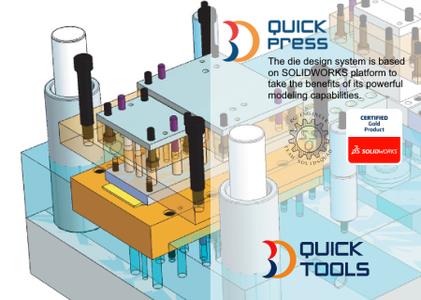
3DQuickPress is a SolidWorks add-on for progressive die design. With a 3D solid model of the part, a 3D strip can be created quickly and easily, and also be communicated clearly throughout the work group using the free SolidWorks eDrawings viewer before further detailing of the die without time wasted.

Powerful Unfold, a feature recognition technology, can handle native SolidWorks® sheet metal parts for imported data, and provide a knowledge base for spring back and bend allowance. Form features can save valuable time from die designs and give them more design productivity tasks.

Strip Layout Manager provides users with intuitive tools to quickly complete the strip simply by drag & drop command with instant graphical feedback. It has extensive functionality including optimization and support for multiple parts.

Die Set Design begins after finishing the strip layout. 3DQuickPress® will automatically create all punches defined in the strip design. It supports user definable databases, tools for component placement, standard components library and support for compound die & transfer die etc.

Production-Ready-Libraries (PRL) assists users to insert home-made components into die sets structure with minimal manual operations

3DQuickTools users are mainly coming from automobile, aircraft, electronics, and medical industries located in over 20 countries including USA, Canada, Germany, and Japan. The demand from China and India market has been increasing significantly in recent years.


OS: Windows
Lang: Englisch
Size: 147,69 MB
Format: .exe
Hoster: Uploaded
PW: boerse


Directload

 

3DQuickPress 6.1.3


003d70d8_mediumaostx.jpg


3D QuickTools Ltd., a the leader in 3D die design automation and Strategic Technology Solutions, has released update of 3DQuickPress 6.0 - is a last release SolidWorks add-on for progressive die design.

The flagship product - 3DQuickPress was introduced to the international market in 2003 and was the Certified Gold Product by SolidWorks in June 2006. In 2005, 3DQuickForm was launched and soon became one of the most preferred stamping simulation software offering accurate blank prediction at affordable price. 3DQuickMold was introduced in 2009 to the world market to compliment the need for plastic mold design solution.

3DQuickPress is a SolidWorks add-on for progressive die design. With a 3D solid model of the part, a 3D strip can be created quickly and easily, and also be communicated clearly throughout the work group using the free SolidWorks eDrawings viewer before further detailing of the die without time wasted.

Powerful Unfold, a feature recognition technology, can handle native SolidWorks® sheet metal parts for imported data, and provide a knowledge base for spring back and bend allowance. Form features can save valuable time from die designs and give them more design productivity tasks.

Strip Layout Manager provides users with intuitive tools to quickly complete the strip simply by drag & drop command with instant graphical feedback. It has extensive functionality including optimization and support for multiple parts.

Die Set Design begins after finishing the strip layout. 3DQuickPress® will automatically create all punches defined in the strip design. It supports user definable databases, tools for component placement, standard components library and support for compound die & transfer die etc.

Production-Ready-Libraries (PRL) assists users to insert home-made components into die sets structure with minimal manual operations

3DQuickTools users are mainly coming from automobile, aircraft, electronics, and medical industries located in over 20 countries including USA, Canada, Germany, and Japan. The demand from China and India market has been increasing significantly in recent years.


OS: Windows
Lang: Englisch
Size: 269 MB
Format: .exe
Hoster: Uploaded
PW: boerse


Directload
 
3DQuickPress v6.3.0 for SolidWorks 2012-2020 x64


bf1ec26ad316f30f139abf06ad9ba15e.jpg


3DQuickPress v6.3.0 for SolidWorks 2012-2020 x64 | 1.77 GB | Language: English


Module for designing sequential action stamps performing dividing (cutting, punching) and shaping (bending, stretching) stamping operation. It allows the designer to use the equipment ready algorithm die design, special design tools, as well as a library of standard components. The initial data for the development of the stamp is a 3D-model components, developed in SolidWorks or imported from other CAD systems.

Included in the construction of modules 3DQuickPress scans; forming the working zone and the die stamp spatial arrangement allows a designer to carry out the process stamp development sequentially, based on the results of the preceding program modules


Year / Release Date: 2020
Version: 6.3.0
Developer: Bit depth: 64bit
Language: English, Chinese Simplified
Medicine: Present (TeAM SolidSQUAD-SSQ)
System Requirements: Pre-installed SolidWorks 2012-2020 64bit!


DOWNLOAD LINKS:


3DQuickPress v6.3.3 (x64)


cdbd9ed9f48243efabe38cd43c665aa0.jpeg


3DQuickPress v6.3.3 (x64) | 1.98 GB | Language: English


Homepage:


Größe: 1.98 GB
Sprache: English
Format: .rar / .exe
Medizin: Present
Plattform: Windows 11/10/8.1/8/7
Bit depth: 64bit


HOSTER:

K2s.cc (Keep2share)

Rapidgator.net

Nitroflare.com

Uploadgig.com


DOWNLOAD


Zurück
Oben Unten