




wowojeh111
MyBoerse.bz Pro Member
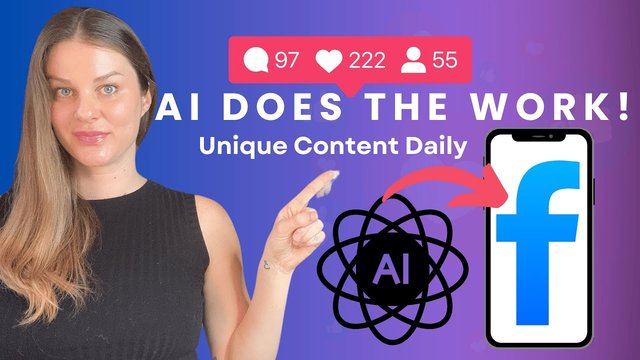
27 Ai Hacks: No-Fluff Guide To Social Media Content Creation
Published 6/2025
MP4 | Video: h264, 1920x1080 | Audio: AAC, 44.1 KHz
Language: English | Size: 881.46 MB | Duration: 3h 54m
Practical AI Content Creation, Workflow Automation, Analytics & Growth Strategies with Ready-to-Use Templates
What you'll learn
Create platform-specific social media content 5x faster using 12 proven AI frameworks while maintaining brand voice and audience engagement.
Build AI workflows for content scheduling, community management, and optimization that save 15+ hours weekly and improve response rates.
Develop AI-assisted strategies for trending topics, optimal posting times, and viral content to drive follower growth in 30 days.
Master AI analytics tools to analyze competitors, track performance, and generate actionable insights for continuous ROI improvement.
Requirements
Perfect for beginners! No programming experience, AI knowledge, or technical skills required. Whether you're a social media newbie or seasoned marketer, you'll master these AI techniques with our beginner-friendly approach.
Description
27 AI Hacks: No-Fluff Guide to Social Media Content Creation is the definitive course for busy marketers, entrepreneurs, and content creators who want to leverage artificial intelligence to dramatically improve their social media productivity and results.What Makes This Course DifferentThis isn't another theoretical social media course filled with outdated tactics. Instead, you'll get 27 proven, Hacks that solve real content creation challenges. Each hack is designed to save you hours while improving the quality and effectiveness of your content across all major platforms.Module breakdown:Module 1: Platform-Specific Audience Analysis - Create detailed audience personas for each platform, understand content preferences, and analyze competitor strategies with surgical precision.Module 2: Content Strategy & Planning - Generate strategic content pillars aligned with business goals, build comprehensive content calendars, and forecast emerging trends before your competitors.Module 3: Engaging Copy Creation - Craft platform-optimized captions, develop scroll-stopping hooks and compelling CTAs, and create strategic hashtag approaches that expand your reach.Module 4: Visual Content Enhancement - Create compelling image descriptions for engagement and accessibility, design effective multi-slide content, and repurpose visuals across multiple platforms efficiently.Module 5: Video Content Optimization - Generate platform-optimized scripts for any video format, design attention-grabbing opening sequences, and develop engaging subtitles that perform even without sound.Module 6: Community Engagement & Response - Create authentic, on-brand responses that build relationships, develop helpful answers to audience questions, and extract valuable content insights from social listening.Module 7: Content Repurposing & Cross-Platform Strategy - Transform single content pieces across multiple platforms, convert between different formats seamlessly, and customize content for each platform's unique features.Module 8: Performance Analysis & Optimization - Extract actionable insights from content metrics, design systematic A/B tests, and identify the patterns that consistently drive engagement.Module 9: Advanced Social Content Strategies - Create user-generated content campaigns that drive engagement, design social-first product launches, and develop viral content structures for maximum shareability.Perfect For:Marketing professionals managing multiple social accounts with limited timeSmall business owners who need professional-quality content without hiring agenciesContent creators looking to scale their output without sacrificing qualityEntrepreneurs who want to build authentic online communities efficientlyAgency professionals seeking to streamline client work and improve resultsYour Investment, Your ReturnInstead of spending 20+ hours per week creating social content from scratch, you'll reduce that time to just 5-7 hours while dramatically improving your results. Each hack pays for itself by saving you time, improving engagement, and driving better business outcomes.Stop guessing about what content will work. Stop spending endless hours creating content that gets ignored. Start using AI strategically to build the social media presence your business deserves.
Overview
Section 1: Platform-Specific Audience Analysis
Lecture 1 About This module
Lecture 2 Video - Platform-Specific Audience Analysis
Lecture 3 Hack #1: The Platform Audience Profiler
Lecture 4 Usecase Exmaple
Lecture 5 Implementation Tips
Lecture 6 Hack #2: The Content Preference Analyzer
Lecture 7 Example Use Case
Lecture 8 Implementation Tips
Lecture 9 Hack #3: The Competitor Content Auditor
Lecture 10 Example Use Case
Lecture 11 Implementation Tips
Lecture 12 Module 1 Implementation Plan
Section 2: Module 2: Content Strategy and Planning
Lecture 13 About This Module
Lecture 14 Video - Content Strategy and Planning
Lecture 15 Hack #4: The Content Pillar Generator
Lecture 16 Example Use Case
Lecture 17 Implementation Tips
Lecture 18 Hack #5: The Content Calendar Builder
Lecture 19 Example Use Case
Lecture 20 Implementation Tips
Lecture 21 Hack #6: The Trend Forecaster
Lecture 22 Example Use Case
Lecture 23 Implementation Tips
Lecture 24 Module 2 Implementation Plan
Section 3: Module 3: Engaging Copy Creation
Lecture 25 About This Module
Lecture 26 Engaging Copy Creation - Video
Lecture 27 Hack #7: The Platform-Optimized Caption Writer
Lecture 28 Example Use Case
Lecture 29 Implementation Tips
Lecture 30 Hack #8: The Hook & CTA Optimizer
Lecture 31 Example Use Case
Lecture 32 Implementation Tips
Lecture 33 Hack #9: The Hashtag Strategy Developer
Lecture 34 Example Use Case
Lecture 35 Implementation Tips
Lecture 36 Module 3 Implementation Plan
Section 4: Module 4: Visual Content Enhancement
Lecture 37 About This Module
Lecture 38 Video - Visual Content Enhancement
Lecture 39 Hack #10: The Image Description Generator
Lecture 40 Example Use Case
Lecture 41 Implementation Tips
Lecture 42 Example Use Case
Lecture 43 Implementation Tips
Lecture 44 Hack #11: The Carousel & Slideshow Designer
Lecture 45 Hack #12: The Visual Content Repurposer
Lecture 46 Example Use Case
Lecture 47 Implementation Tips
Lecture 48 Module 4 Implementation Plan
Section 5: Module 5: Video Content Optimization
Lecture 49 About This Module
Lecture 50 Video Content Optimization - Video
Lecture 51 Hack #13: The Video Script Generator
Lecture 52 Example Use Case
Lecture 53 Implementation Tips
Lecture 54 Hack #14: The Hook & Pattern Interruption Creator
Lecture 55 Example Use Case
Lecture 56 Implementation Tips
Lecture 57 Hack #15: The Subtitle & Caption Optimizer
Lecture 58 Example Use Case
Lecture 59 Implementation Tips
Lecture 60 Module 5 Implementation Plan
Section 6: Community Engagement & Response
Lecture 61 About This Module
Lecture 62 Video - Community Engagement & Response
Lecture 63 Hack #16: The Engagement Response Generator
Lecture 64 Example Use Case
Lecture 65 Implementation Tips
Lecture 66 Hack #17: The Community Question Answerer
Lecture 67 Example Use Case
Lecture 68 Implementation Tips
Lecture 69 Hack #18: The Social Listening Insight Extractor
Lecture 70 Example Use Case
Lecture 71 Implementation Tips
Lecture 72 Module 6 Implementation Plan
Section 7: Content Repurposing & Cross-Platform Strategy
Lecture 73 About This Module
Lecture 74 Video - Content Repurposing & Cross-Platform Strategy
Lecture 75 Hack #19: The Content Transformation Matrix
Lecture 76 Example Use Case
Lecture 77 Implementation Tips
Lecture 78 Hack #20: The Format Converter
Lecture 79 Example Use Case
Lecture 80 Implementation Tips
Lecture 81 Hack #21: The Platform Adaptation Guide
Lecture 82 Example Use Case
Lecture 83 Implementation Tips
Lecture 84 Module 7 Implementation Plan
Section 8: Performance Analysis & Optimization
Lecture 85 About This Module
Lecture 86 Video - Performance Analysis & Optimization
Lecture 87 Hack #22: The Content Performance Analyzer
Lecture 88 Example Use Case
Lecture 89 Implementation Tips
Lecture 90 Hack #23: The A/B Test Designer
Lecture 91 Example Use Case
Lecture 92 Implementation Tips
Lecture 93 Hack #24: The Performance Pattern Identifier
Lecture 94 Example Use Case
Lecture 95 Implementation Tips
Lecture 96 Module 8 Implementation Plan
Section 9: Module 9: Advanced Social Content Strategies
Lecture 97 About This Module
Lecture 98 Video - Advanced Social Content Strategies
Lecture 99 Hack #25: The UGC Campaign Designer
Lecture 100 Example Use Case
Lecture 101 Implementation Tips
Lecture 102 Hack #26: The Social-First Launch Framework
Lecture 103 Example Use Case
Lecture 104 Implementation Tips
Lecture 105 Hack #27: The Viral Hook Generator
Lecture 106 Example Use Case
Lecture 107 Implementation Tips
Lecture 108 Module 9 Implementation Plan
Designed for marketing professionals seeking competitive advantages, graduates entering the digital workforce, business owners managing their own social media, and entrepreneurs scaling their online presence. No matter your experience level, you'll gain practical AI skills that drive real results.
