




MP4 | Video: h264, 1280x720 | Audio: AAC, 44.1 KHz, 2 Ch
Genre: eLearning | Language: English | Duration: 20 Lessons (7h 25m) | Size: 5.77 GB
Until recently, producing, editing, and sharing photos could be a complicated undertaking. The process would require state-of-the-art cameras, pricy lighting equipment, and elaborate backdrops. It would warrant access to editing software that was often expensive and unintuitive. And finding the perfect level of exposure, shopping for the right light sources, and putting together the proper composition-artistic considerations necessary to produce a good photograph-took lots of time and practice. However, the advent of the smartphone has now changed photography dramatically, putting a host of new tools at your fingertips. You just need to know how to use them.
Smartphones are often equipped with robust cameras with multiple lenses and extensive editing features available. The only equipment you need for taking and editing quality photos now fits inside your back pocket-a remarkable technological and artistic achievement that has fundamentally changed the way human beings capture and view the world around them. In just over a decade, smartphones have eliminated many of the steepest barriers to effective photo-taking, editing, and distribution. With the right know-how, anyone with a smartphone can take a quality photo.
But what kinds of features do smartphones offer? In what ways are Androids and iPhones different when it comes to their cameras, lenses, editing options, and photo sharing capabilities? Which downloadable editing applications and affordable photography accessories can you get to build on your smartphone's existing features if they are not enough for your photo-taking or editing needs? And how can you most effectively combine basic photography skills with cutting-edge technology to produce beautiful pictures?
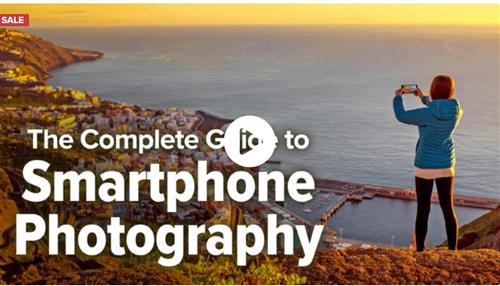
Look no further than The Complete Guide to Smartphone Photography, a comprehensive course focused on exploring the ins and outs of taking, tweaking, organizing, storing, and sharing photos exclusively on your smartphone. These 20 lessons are designed for photographers of all levels who want to produce slicker, more technically proficient photographs. All you need is some motivation and a smartphone.
Join Jared Platt, a working professional photographer, as he walks you through the photo-taking and editing functionality of both the iPhone and the Android phone, giving you detailed tutorials of each camera type, native galleries, and editing applications. Learn about the fundamentals of photography, from how to effectively manipulate the lighting of a photo to how to compose a picture using the rule of thirds. Jared will explore the benefits of downloadable applications like Snapseed and Lightroom, which are not built into your smartphone, to expand the scope of your phone's photo editing abilities. And tag along to watch him take photos of his son, the Seattle Discovery Park landscape, precious family heirlooms, and more. He will show you how to apply everything you have learned about your smartphone and photography and how to use that knowledge in real-world scenarios.
Getting to Know Your Smartphone
Whether you own an iPhone or Android, the key to taking good photos on any smartphone is a clear understanding of what the phone itself has to offer. In The Complete Guide to Smartphone Photography, get to know your smartphone's photo-taking capabilities through a series of demonstrations. With Jared as your guide, you will explore:
The most important feature on your smartphone when it comes to taking photos is the camera, or more specifically, the front and back lenses. Learn how your phone's camera differs from other cameras on the market, in terms of function and lens quality.
Native Camera Applications. On any smartphone, you control your camera through what is known as a native camera application. Perhaps you are aware of some of the basic functions your camera application has to offer, but more complex features are available if you know where to look. Luckily for you, this course will explore the full breadth of your phone's camera application.
Native Editing Applications. Editing capabilities are also built into your smartphone. On the iPhone, they live in the Photo app whereas Android phones typically offer two options for editing photos. Become familiar with all three applications and learn how to use them to edit your photos intelligently and effectively.
Photo Organization, Storage, and Distribution Abilities. Now that you have taken and edited polished photos on your phone, how can you best organize them? What is "the Cloud" for photo storage and how, precisely, does it work? And what applications can you use to share your new photos with family and friends?
Add-ons. Beyond the existing features and software built into your smartphone, you can enhance the photo-taking and editing functions with additional accessories and downloadable applications. Jared will walk you through the options available to you, per what suits you best, whether it's a detachable lens or a more robust editing application.
This course will provide you with a solid and clear understanding of how to use your smartphone device for taking high-quality photos, as well as how to use available applications to edit, organize, store, and share photos.
The Art of Photography: Getting Down to Basics
Your smartphone, however, is just one of many tools that you can use to photograph the world around you. Ultimately, you cannot take or edit a good photo-with a phone or any other camera device, for that matter-if you do not know what to look for. Luckily, The Complete Guide to Smartphone Photography dedicates many of its lessons to the basic elements that are foundational for the field of photography more broadly. In this course, you will define key vocabulary terms like frame rates, JPEG, and megapixels and you'll spend whole lessons exploring exposure, composition, and lighting. Plus, you will learn how to tell a story, evoke a feeling, or accurately capture an activity through your images.
Perhaps most important, you will be asked to combine what you've learned about your smartphone, and its applications, with these fundamental photography skills in two complementary ways. First, join your expert guide Jared on a series of live photo-taking and photo-editing sessions. See how a firm grasp on exposure and lighting come into play when taking photos with your phone outside. Discover the role composition plays when you snap tabletop photos of food or other objects. And explore how a keen eye for artistry and detail helps when you step into the virtual editing booth. Second, you will be asked to apply what you have learned while watching what you saw Jared do. It's now your turn to go out into the world and take photographs yourself. Work on taking photos intelligently, using only what you've got in your back pocket, and become truly comfortable photographing people, places, and things with your smartphone's camera.
Lastly, this course will not only deepen your technological knowledge of how to operate the iPhone or Android to suit your photography needs, but it will also show you how photography works fundamentally. You'll be taught all about the artistry and creativity that are involved at the root of the photo-taking process.
Homepage
Recommend Download Link Hight Speed | Please Say Thanks Keep Topic Live
Links are Interchangeable - No Password - Single Extraction
