• Regeln für den Video-Bereich:

    In den Börsenbereich gehören nur Angebote die bereits den Allgemeinen Regeln entsprechen.

    Einteilung

    - Folgende Formate gehören in die angegeben Bereiche:
    - Filme: Encodierte Filme von BluRay, DVD, R5, TV, Screener sowie Telesyncs im Format DivX, XviD und x264.
    - DVD: Filme im Format DVD5, DVD9 und HD2DVD.
    - HD: Encodierte Filme mit der Auflösung 720p oder darüber von BluRay, DVD, R5, TV, Screener sowie Telesyncs im Format x264.
    - 3D: Encodierte Filme von BluRay, die in einem 3D Format vorliegen. Dies gilt auch für Dokus, Animation usw.
    - Serien: Cartoon/Zeichentrick, Anime, Tutorials, Dokumentationen, Konzerte/Musik, Sonstiges sind demnach in die entsprechenden Bereiche einzuordnen, auch wenn sie beispielsweise im High Definition-Format oder als DVD5/DVD9/HD2DVD vorliegen. Ausnahme 3D.
    - Bereich Englisch: Englische Releases gehören immer in diesen Bereich.
    - Bereich Talk: Der Bereich, in dem über die Releases diskutiert werden kann, darf, soll und erwünscht ist.


    Angebot/Beitrag erstellen

    - Ein Beitrag darf erst dann erstellt werden, wenn der Upload bei mindestens einem OCH komplett ist. Platzhalter sind untersagt.
    - Bei einem Scenerelease hat der Threadtitel ausschließlich aus dem originalen, unveränderten Releasenamen zu bestehen. Es dürfen keine Veränderungen wie z.B. Sterne, kleine Buchstaben o.ä. vorgenommen werden. Ausnahme Serienbörse:
    - Bei einem Sammelthread für eine Staffel entfällt aus dem Releasename natürlich der Name der Folge. Beispiel: Die Simpsons S21 German DVDRip XviD - ITG
    - Dementsprechend sind also u.a. verboten: Erweiterungen wie "Tipp", "empfehlenswert", "only", "reup", usw. / jegliche andere Zusatzinformation oder Ergänzung, welche nicht in obiger Beschreibung zu finden ist.

    Aufbau des Angebots und Threadtitel

    Der Titel nach folgendem Muster erstellt zu werden. <Name> [3D] [Staffel] [German] <Jahr> <Tonspur> [DL] [Auflösung] <Quelle> <Codec> - <Group>
    Beispiel: The Dark Knight German 2008 AC3 DVDRip XviD - iND
    Beispiel: The Dark Knight 2008 DTS DL BDRip x264 - iND
    Beispiel: The Dark Knight 2008 AC3 DL BDRip XviD - iND
    Beispiel: The Dark Knight German 2008 AC3 720p BluRay x264 iND
    Beispiel: The Dark Knight 2008 DTS DL 1080p BluRay x264 iND
    Beispiel: Die Simpsons S01 German AC3 DVDRip XviD iND
    Beispiel: Die Simpsons S20 German AC3 720p BluRay x264 iND
    Beispiel: Sword Art Online II Ger Sub 2014 AAC 1080p WEBRip x264 - peppermint
    Entsprechend sind also u.a. verboten: Sonderzeichen wie Klammern, Sterne, Ausrufezeichen, Unterstriche, Anführungszeichen / Erweiterungen wie "Tipp", "empfehlenswert", "only", "reup", usw. / jegliche andere Zusatzinformation oder Ergänzung, welche nicht in obiger Beschreibung zu finden ist
    Ausnahmen hiervon können in den Bereichen geregelt sein.

    Die Beiträge sollen wie folgt aufgebaut werden:
    Überschrift entspricht dem Threadtitel
    Cover
    kurze Inhaltsbeschreibung
    Format, Größe, Dauer sind gut lesbar für Downloader außerhalb des Spoilers zu vermerken
    Nfo sind immer Anzugeben und selbige immer im Spoiler in Textform.
    Sind keine Nfo vorhanden z.B. Eigenpublikationen, sind im Spoiler folgende Dateiinformationen zusätzlich anzugeben :
    Quelle
    Video (Auflösung und Bitrate)
    Ton (Sprache, Format und Bitrate der einzelnen Spuren)
    Untertitel (sofern vorhanden)
    Hosterangabe in Textform außerhalb eines Spoiler mit allen enthaltenen Hostern.
    Bei SD kann auf diese zusätzlichen Dateiinformationen verzichtet werden.

    Alle benötigten Passwörter sind, sofern vorhanden, in Textform im Angebot anzugeben.
    Spoiler im Spoiler mit Kommentaren :"Schon Bedankt?" sind unerwünscht.


    Releases

    - Sind Retail-Release verfügbar, sind alle anderen Variationen untersagt. Ausnahmen: Alle deutschen Retail-Release sind CUT, in diesem Fall sind dubbed UNCUT-Release zulässig.
    - Im Serien-Bereich gilt speziell: Wenn ein Retail vor Abschluss einer laufenden Staffel erscheint, darf diese Staffel noch zu Ende gebracht werden.62
    - Gleiche Releases sind unbedingt zusammenzufassen. Das bedeutet, es ist zwingend erforderlich, vor dem Erstellen eines Themas per Suchfunktion zu überprüfen, ob bereits ein Beitrag mit demselben Release besteht. Ist dies der Fall, ist der bereits vorhandene Beitrag zu verwenden.
    - P2P und Scene Releases dürfen nicht verändert oder gar unter einem iND Tag eingestellt werden.


    Support, Diskussionen und Suche

    - Supportanfragen sind entweder per PN oder im Bereich Talk zu stellen.
    - Diskussionen und Bewertungen sind im Talk Bereich zu führen. Fragen an die Uploader haben ausschließlich via PN zu erfolgen, und sind in den Angeboten untersagt.
    - Anfragen zu Upload-Wünschen sind nur im Bereich Suche Video erlaubt. Antworten dürfen nur auf Angebote von MyBoerse.bz verlinkt werden.


    Verbote

    - Untersagt sind mehrere Formate in einem einzigen Angebotsthread, wie beispielsweise das gleichzeitige Anbieten von DivX/XviD, 720p und 1080p in einem Thread. Pro Format, Release und Auflösung ist ein eigener Thread zu eröffnen.
    - Grundsätzlich ebenso verboten sind Dupes. Uploader haben sich an geeigneter Stelle darüber zu informieren, ob es sich bei einem Release um ein Dupe handelt.
    - Gefakte, nur teilweise lauffähige oder unvollständige Angebote sind untersagt. Dies gilt auch für eigene Publikationen, die augenscheinlich nicht selbst von z.B. einer DVD gerippt wurden. Laufende Serien, bei denen noch nicht alle Folgen verfügbar sind, dürfen erstellt und regelmäßig geupdatet werden.
    - Untersagt sind Angebote, welche nur und ausschließlich in einer anderen Sprache als deutsch oder englisch vorliegen. Ausnahmen sind VORHER mit den Moderatoren zu klären.


    Verstoß gegen die Regeln

    - Angebote oder Beiträge, die gegen die Forenregeln verstoßen, sind über den "Melden"-Button im Beitrag zu melden.
  • Bitte registriere dich zunächst um Beiträge zu verfassen und externe Links aufzurufen.

*** Bestes IPTV *** bester Preis *** gratis Test ***


Prometheus & Grafana Bootcamp Monitoring for DevOps & SRE

babymore87

MyBoerse.bz Pro Member
bb124338835cbedd30420465a3156cfe.avif

Free Download Prometheus & Grafana Bootcamp Monitoring for DevOps & SRE
Published 8/2025
MP4 | Video: h264, 1280x720 | Audio: AAC, 44.1 KHz, 2 Ch
Language: English | Duration: 22h 8m | Size: 11.5 GB
Hands-on Prometheus & Grafana to master observability, alerts & dashboards for DevOps, Cloud Engineers & SREs.

What you'll learn
Learn Full In & Out of Prometheus toolkit with proper HANDS-ON examples from scratch.
Start with the implementation of Prometheus core concepts - Architecture, Installation, PromQL, Exporters, Functions, Operators, etc.
Pushgateway, Service Discovery, Recording Rules, Routing Trees, Create Custom Exporter, HTTP API, and many more...
Grafana Basics & UI Navigation
Query Building & Data Transformation
Apply monitoring skills in DevOps, SRE & Cloud Engineering roles to boost career growth.
Requirements
Basic knowledge of Linux commands (helpful but not mandatory).
Internet Connection & Browser Access
Description
Are you ready to master monitoring and observability with the world's most popular open-source tools - Prometheus and Grafana?In today's fast-paced DevOps and Cloud environments, effective monitoring is no longer optional - it's a must-have skill for every DevOps Engineer, SRE, and Cloud Professional. This hands-on course will guide you step by step, from setting up Prometheus and Grafana to building real-world dashboards, alerts, and monitoring pipelines.You'll learn how to:Install and configure Prometheus for metrics collection.Build powerful Grafana dashboards to visualize data.Set up alerting rules & notifications for proactive incident management.Monitor applications, servers, containers, and cloud infrastructure.Apply your skills with hands-on labs & real-world projects.This course is designed for beginners and professionals alike. Even if you've never worked with Prometheus or Grafana before, we'll cover everything from scratch with practical demos and examples.By the end of this course, you'll have the confidence to set up production-ready monitoring solutions that will give you - and your team - complete visibility into your systems.Whether you are preparing for your next DevOps role, improving your SRE skill set, or simply want to upgrade your monitoring stack, this course will help you achieve your goals.Enroll now and take the first step toward becoming a Prometheus & Grafana expert!
Who this course is for
DevOps Engineers & SREs
Someone who is curious and wants a better understanding of what Prometheus is and what Prometheus is good at
Homepage


Recommend Download Link Hight Speed | Please Say Thanks Keep Topic Live
No Password - Links are Interchangeable
 

a95676821167c19fbe4c701f58214eaa.jpg

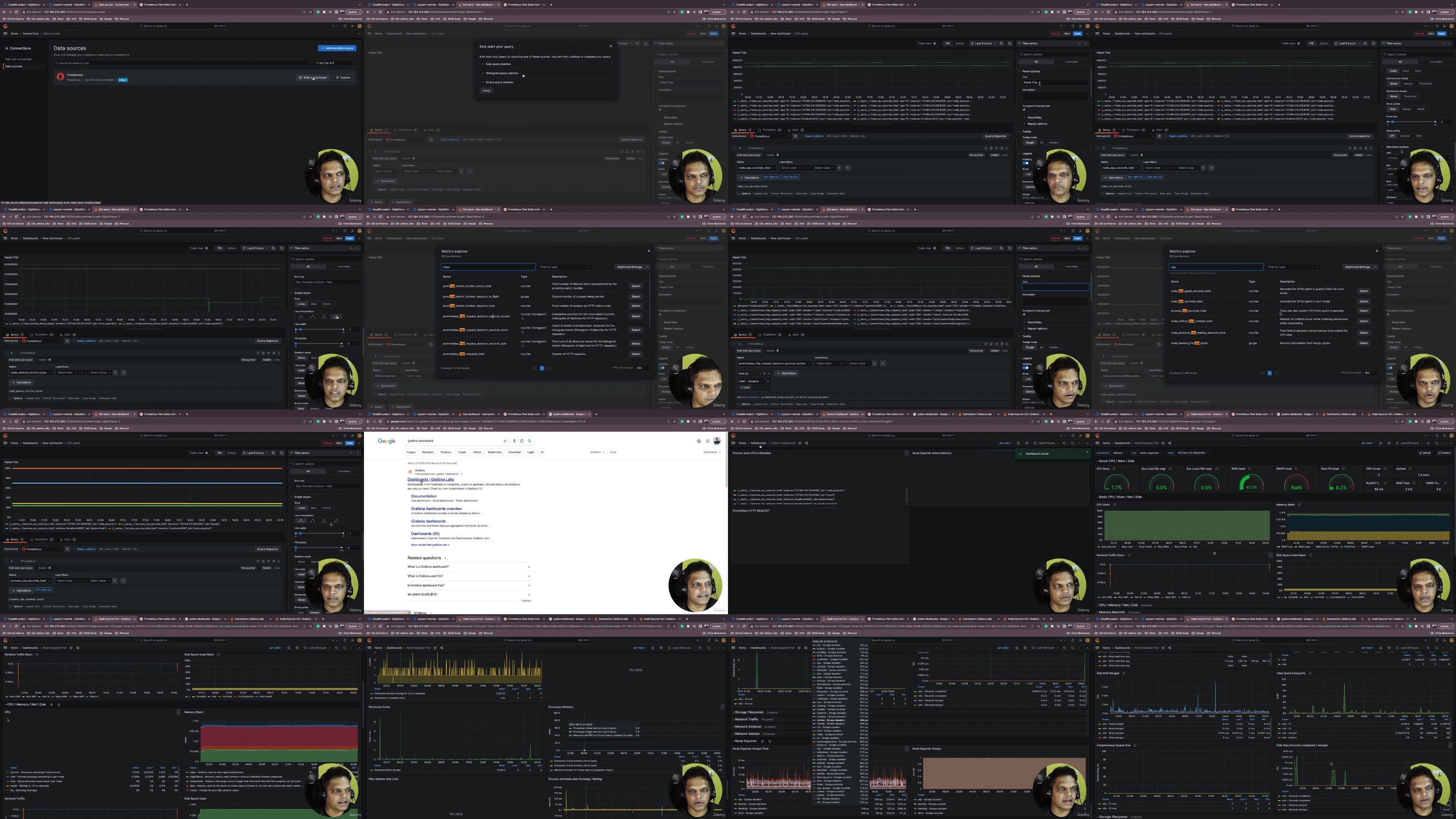
Prometheus & Grafana Bootcamp: Monitoring For Devops & Sre
Published 8/2025
MP4 | Video: h264, 1920x1080 | Audio: AAC, 44.1 KHz
Language: English | Size: 7.69 GB | Duration: 14h 9m​

Hands-on Prometheus & Grafana to master observability, alerts & dashboards for DevOps, Cloud Engineers & SREs.

What you'll learn

Learn Full In & Out of Prometheus toolkit with proper HANDS-ON examples from scratch.

Start with the implementation of Prometheus core concepts - Architecture, Installation, PromQL, Exporters, Functions, Operators, etc.

Pushgateway, Service Discovery, Recording Rules, Routing Trees, Create Custom Exporter, HTTP API, and many more.

Grafana Basics & UI Navigation

Query Building & Data Transformation

Apply monitoring skills in DevOps, SRE & Cloud Engineering roles to boost career growth.

Requirements

Basic knowledge of Linux commands (helpful but not mandatory).

Internet Connection & Browser Access

Description

Are you ready to master monitoring and observability with the world's most popular open-source tools - Prometheus and Grafana?In today's fast-paced DevOps and Cloud environments, effective monitoring is no longer optional - it's a must-have skill for every DevOps Engineer, SRE, and Cloud Professional. This hands-on course will guide you step by step, from setting up Prometheus and Grafana to building real-world dashboards, alerts, and monitoring pipelines.You'll learn how to:Install and configure Prometheus for metrics collection.Build powerful Grafana dashboards to visualize data.Set up alerting rules & notifications for proactive incident management.Monitor applications, servers, containers, and cloud infrastructure.Apply your skills with hands-on labs & real-world projects.This course is designed for beginners and professionals alike. Even if you've never worked with Prometheus or Grafana before, we'll cover everything from scratch with practical demos and examples.By the end of this course, you'll have the confidence to set up production-ready monitoring solutions that will give you - and your team - complete visibility into your systems.Whether you are preparing for your next DevOps role, improving your SRE skill set, or simply want to upgrade your monitoring stack, this course will help you achieve your goals.Enroll now and take the first step toward becoming a Prometheus & Grafana expert!

Overview

Section 1: Start Monitoring with Prometheus & Grafana

Lecture 1 Prometheus & Grafana Basics: Setup, Concepts & First Steps

Lecture 2 Why Prometheus

Lecture 3 Terminology of Prometheus

Lecture 4 Download Course Source Code From GIT

Lecture 5 Course Chat with Students and Tech Community

Lecture 6 Prometheus Architecture Overview

Section 2: How Prometheus Works

Lecture 7 What makes Prometheus so Awesome

Lecture 8 Understanding Prometheus Metric Types

Lecture 9 Understanding Prometheus Metric Types II

Section 3: Running and Configuring Prometheus

Lecture 10 Prometheus Installation Overview

Lecture 11 Create Cloud Machine for Installation

Lecture 12 $200 Digital Ocean Referral Link

Lecture 13 Install Prometheus on Unix/Linux Machines

Lecture 14 Explore Prometheus User Interface

Lecture 15 Understand the Prometheus Default Configuration

Lecture 16 Run Prometheus in Back Ground

Section 4: Getting Started with Prometheus Exporters

Lecture 17 Using Prometheus Exporters

Lecture 18 Monitoring Linux Servers with Node Exporters

Lecture 19 Demo : Install and Configure Node Exporter

Lecture 20 WMI Exporter - Windows Monitoring System

Section 5: Monitoring Databases with Prometheus

Lecture 21 Monitoring MySQL Databases with Prometheus

Lecture 22 Using MySQL Exporter

Lecture 23 Reload Prometheus Configuration without Restart

Lecture 24 Demo: Installing MySQL Exporter

Lecture 25 Text Direction : Demo - Installing MySQL Exporter

Lecture 26 Demo: Configure MySQL Exporter as System Service II

Lecture 27 Text Direction: Demo - Configure MySQL Exporter as System Service II

Section 6: BlackBox Exporter | Monitoring Network Endpoints in Prometheus

Lecture 28 What is BlackBox Exporter

Lecture 29 Download and Configure BlackBox Exporter

Lecture 30 HTTP Probe Module I

Lecture 31 HTTP Probe Module II

Lecture 32 HTTP Probe Module III

Lecture 33 TCP Probe Module

Lecture 34 DNS Probe Module

Lecture 35 Scrape Target From Blackbox

Lecture 36 Relabelling in Prometheus

Section 7: Monitoring Kubernetes Cluster with Prometheus

Lecture 37 Using Prometheus with Kubernetes

Lecture 38 Demo : Installing Prometheus in Kubernetes

Lecture 39 Access Prometheus Installed on Kubernetes Cluster

Lecture 40 Explore Prometheus Kubernetes Metrics

Section 8: Application Instrumentation - Client Library Metrics Guidelines

Lecture 41 Client Libraries and Metric Type

Lecture 42 SetUp Python Application For instrumentation

Lecture 43 Exposing Metrics using Client Libs

Lecture 44 Monitor Application using Prometheus

Lecture 45 Expose Counter Metrics

Lecture 46 Adding Labels to Exposed Metrics

Lecture 47 Expose Gauge Metrics

Lecture 48 Expose Summy Metrics

Lecture 49 Expose Histogram Metrics

Section 9: Application Instrumentation : Docker Environment

Lecture 50 Create a Machine For Docker Application Execution

Lecture 51 Adding Instrumentation in Docker Application

Lecture 52 Create Docker Image and Execute Application in Container

Lecture 53 Monitor Docker Application in Prometheus

Section 10: Application Instrumentation - Instrument GO Application

Lecture 54 SetUp GO Application

Lecture 55 Expose Counter Metric on GO App

Lecture 56 Expose Gauge Metric on GO App

Lecture 57 Expose Summary Metric on GO App

Lecture 58 Expose Histogram Metric on GO App

Section 11: Quantification of Instrumentation

Lecture 59 What to Instrument

Section 12: Prometheus Query Language - PromQL

Lecture 60 Datatypes in PromQL

Lecture 61 Selectors and Matchers in PromQL

Lecture 62 Binary Operator

Lecture 63 Groupers in PromQL

Lecture 64 Aggregation operators

Lecture 65 PromQL Functions - Part 1

Lecture 66 PromQL Functions - Part 2

Section 13: Recording Rules in Prometheus

Lecture 67 What is Recording Rule?

Lecture 68 Reload Prometheus Config at Runtime

Lecture 69 Writing Recording Rules

Lecture 70 Writing Recording Rules Part 2

Lecture 71 Add Multiple Rules

Section 14: Alerting Rules in Prometheus

Lecture 72 What is Alerting ?

Lecture 73 Writing and Firing the Alert

Lecture 74 Avoid False Alerts in System

Lecture 75 Add Labels on Alerts

Lecture 76 Installing Alert Manager

Lecture 77 Adding Alert Notifier - GMAIL

Lecture 78 Create GMAIL App Password

Lecture 79 Sending Alert Notification - GMAIL

Lecture 80 Send Additional Information in Alert

Section 15: Creating Routing Tree for Alerts

Lecture 81 Why do you need Routing Tree?

Lecture 82 Understanding Routing Tree Use-Case

Lecture 83 Prepare Alerting Rules

Lecture 84 Implementing the Routing Tree - 1

Lecture 85 Implementing the Routing Tree - 2

Lecture 86 Implementing the Routing Tree - 3

Lecture 87 Run Routing Tree Alerts

Lecture 88 Grouping Alerts

Lecture 89 Silencing the Alerts

Lecture 90 Send Alerts to Multiple StakeHolders

Section 16: Service Discovery in Prometheus

Lecture 91 Service Discovery Introduction

Lecture 92 File Bases Service Discovery

Section 17: Connect to multiple data sources like Prometheus, InfluxDB, MySQL, PostgreSQL

Lecture 93 Meet Grafana: The Artist of Metrics & Logs

Lecture 94 Why Use Grafana? Key Features, Benefits, and Comparisons

Lecture 95 Installing & Setting Up Grafana Across Environments

Lecture 96 Download Course Source Code From GIT

Lecture 97 Course Chat with Students and Tech Community

Section 18: Grafana Configuration & Administration

Lecture 98 Grafana Basic Configuration

Lecture 99 Dashboard Construction Process and Components

Lecture 100 Creating a Dashboard with Grafana Using Test Data

Section 19: Start Playing with Realtime Dashboards

Lecture 101 Learn How to Install Plugin in Grafana

Lecture 102 Create a Data Source for CSV Data

Lecture 103 Build DashBoards for CSV Data

Lecture 104 Build DashBoards for CSV Data II

DevOps Engineers & SREs,Someone who is curious and wants a better understanding of what Prometheus is and what Prometheus is good at

wGcYrVnC_o.jpg

 
Zurück
Oben Unten