



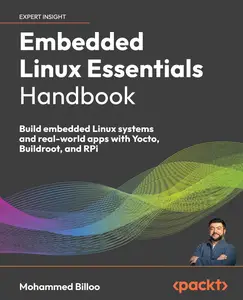
Embedded Linux Essentials Handbook
by Mohammed Billoo;
English | 2026 | ISBN: 1835469302 | 450 pages | True EPUB | 29.92 MB
Get a complete overview of Embedded Linux, from the Kernel to Qt, and work through hands-on examples to build, simulate, and deploy real-world systems on Raspberry Pi 5
Key Features
Learn by coding with real examples on Raspberry Pi 5 and QEMU (for those who don't have access to hardware)
Get introduced to Rust and see how it fits within an embedded Linux system
Use Qt, a modern GUI framework, to create applications like a scientific instrument with live temperature sensor data
Purchase of the print or Kindle book includes a free PDF eBook
Book Description
Embedded Linux now powers everything from IoT devices to industrial systems, making it essential for embedded software engineers to be skilled at customizing, deploying, and developing for these platforms. This hands-on guide walks you through the core concepts of Embedded Linux using practical, real-world examples on Raspberry Pi 4 and 5. For those without access to hardware, it also demonstrates how to simulate embedded Linux systems using QEMU.
This book contains code samples that you can follow along and build three real-world projects: a Python web-based dashboard that retrieves and displays data from a temperature sensor and two GUI applications demonstrating how to use the Qt framework on Embedded Linux using two different development paradigms. You'll also step into advanced territory with Linux kernel debugging techniques and discover how to harness eBPF, building the experience employers want and the confidence to tackle complex embedded challenges.
By the end of this book, you'll have a solid grasp of Embedded Linux development and the skills to build and deploy production-ready, modern embedded applications.
What you will learn
Understand the architecture, components, and use cases of embedded Linux systems
Debug and secure the Linux kernel and modern tools like eBPF
Build custom embedded Linux images using Yocto and Buildroot
Simulate custom embedded Linux images using QEMU
Flash, boot, and validate images on Raspberry Pi hardware
Develop, deploy, and debug applications using C/C++, Python, and Qt
Automate image and application builds with Docker and GitHub Actions
Apply your skills through hands-on projects such as web interfaces and complex GUI-based instruments
Who this book is for
This book is for beginner to intermediate embedded systems engineers, software developers, and enthusiasts seeking hands-on experience with Embedded Linux. It's ideal for those eager to build real-world projects using accessible hardware like the Raspberry Pi.
To get the most out of this book, you should understand basic embedded systems concepts, be comfortable writing simple programs in C, C++, or Python, and feel confident using the terminal and working with basic hardware.
Table of Contents
Exploring Embedded Linux Architecture and Its Use Cases
Navigating the Linux Kernel
Describing Hardware Using the Devicetree
Debugging The Linux Kernel
Securing Code Execution with eBPF
Exploring Frameworks to Build an Image
Building an Image Using the Yocto Project
Building an Image Using Buildroot
Flashing and Testing an Image
Debugging Build Issues
Building, Debugging, and Launching Applications on Startup
Project 1: Using Python to Build a Web Server to Display Sensor Data
Project 2: Using Qt to Build a Scientific Instrument
Project 3: Using Qt to Build a Medical Device
Implementing Continuous Integration/Continuous Delivery (CI/CD)
Applying Best Practices and Looking into the Future
Links are Interchangeable - Single Extraction

