



• Regeln für den Dokumente-Bereich:

    In den Börsenbereich gehören nur Angebote die bereits den Allgemeinen Regeln entsprechen.

    Allgemeines:

    Nicht erlaubt im Dokumente-Bereich sind:

    - indizierte Titel (inkl. Comics)
    - extremistische Werke, Zeitschriften und Comics (egal, welche Richtung)
    - jegliche Art von Pornographie
    - Anleitungen zu kriminellen Handlungen, gleich welcher Art
    - sadistische, menschenverachtende oder ähnliche Werke

    Nutzt den "Bedanken"-Button, bei Sammelthreads führen jegliche Kommentare, positiv wie negativ, sehr schnell zu einer Unübersichtlichkeit des Threads. Downmeldungen sind an den Uploader zu richten

    Vor dem Einstellen zu beachten:

    - Suchfunktion

    Vergewissert euch, dass es euer Dokument noch nicht im Board gibt, Doppelposts werden kommentarlos gelöscht. Ist es schon vorhanden, tragt es als Mirror im bestehenden Post ein.

    - Threadtitel

    Idealerweise ist sofort zu erkennen um was es sich handelt. Verseht euren Titel mit den relevanten Informationen, das hilft euch und damit auch uns und allen Suchenden erheblich weiter.

    Beispiel: [Thriller] Dan Brown - Inferno oder bei Magazinen:

    Computerbild - 14/2014 (es muss ersichtlich sein, um welche Ausgabe und welches Magazin es sich handelt)

    Folgende Präfixe stehen im Unterforum "Unterhaltung" zur Verfügung:

    [Humor]
    [Drama]
    [Erotik]
    [Fantasy]
    [Krimi]
    [Roman]
    [Thriller]
    [Horror]
    [Science Fiction]

    Inhalt des Beitrags:

    Folgende Pflichtangaben gilt es einzuhalten:

    - Autor
    - Titel
    - Präfix
    - Cover
    - Genre
    - Inhaltsbeschreibung
    - enthaltene Formate
    - Gesamtgröße des Downloads
    - Hoster
    - ggf. Passwort

    Nicht erlaubt sind alle Dateien, die den Download unnötig aufblähen um eine Affiliategrenze zu erreichen, wie zB. mp3-files, übergroße Bilder, etc.

    Ebenso nicht erlaubt sind sämtliche Dateien mit DRM, persönlichen Daten, etc., diese werden kommentarlos zu eurem eigenem Schutz gelöscht.

    Achtet bitte bei der Konvertierung der Formate auf die Lesbarkeit, ein epub, was nur einfach durch Calibre gejagt wird um ein PDF zu erhalten, ist zu 99% eben nicht lesbar. Wenn ihr es nicht könnt, dann lasst es besser oder lest euch ein, wie man es richtig macht.


    Unterforum Comics:

    Threadtitel:

    Ähnlich, wie bei Unterhaltung und Magazinen, sollte der Titel alle relevanten Informationen enthalten, hier bitte

    - den Titel des Comics
    - den Verlag (einige Comics sind in verschiedenen Verlagen erschienen)
    - das Erscheinungsjahr

    Erlaubt sind folgende Formate:

    - CBR
    - CBZ

    Grundsätzlich gilt: jede Version eines Comics erhält einen eigenen Thread, Ersteller eines Comics können ihre Bände gerne mit dem Zusatz (Original-Release) versehen.

    Bei Unsicherheiten zur korrekten Benennung bitte die Informationen von www.comicguide.de nutzen.

    Inhalt des Beitrags:

    Pflichtangaben hier sind:

    - Titel des Bandes und ggf. Nummer
    - Cover
    - falls bekannt technische Daten (DPI, Breite, Speicherqualität)
    - Größe des Downloads
    - Hoster
    - ggf. Passwort
    - falls bekannt Releasenamen
  • Bitte registriere dich zunächst um Beiträge zu verfassen und externe Links aufzurufen.


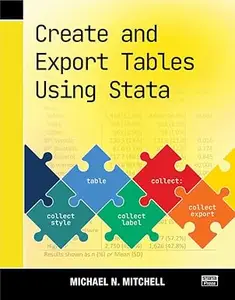
Create and Export Tables Using Stata

nakara

MyBoerse.bz Pro Member
0195685d8f3d39b3ab540912bf05aaca.webp

Create and Export Tables Using Stata
by Michael N. Mitchell;

English | 2025 | ISBN: 1597183695 | 461 pages | True EPUB | 35.7 MB​

In Create and Export Tables Using Stata, Michael Mitchell teaches you how to expertly craft custom, publication-quality tables of summary statistics, regression results, and more. Mitchell examined hundreds of published journal articles from many disciplines, searching for commonly used table layouts. This book breaks down how to create the most popularly used tables by guiding you through examples using Stata'stable,dtable, andetablecommands, as well as thecollectsuite of commands.
This book begins with 24 sample tables, including 6 examples of a Table 1, 8 examples of regression models, 4 examples with Student's t tests, and an example of reporting results from a pretest-posttest design. Each sample table is illustrated step by step, showing you how to create it, customize it, and export it as a Word document. You'll also learn how you can export your table as a PDF or an Excel spreadsheet.
After the quick examples, the book takes a more thorough look at the process of creating a Table 1-a table of descriptive statistics that optionally includes a comparison across groups. This discussion also includes extensive instruction on how to create different types of composite results to include in your table; composite results combine multiple statistics into one cell, such as the mean (SE) or median (IQR).
Next Mitchell focuses on creating tables from regression models, such as multiple regression, multivariate regression, logistic, and multinomial logistic models, and illustrates how to make tables that combine results from several models.
The book ends with a look under the hood, describing what a collection looks like and the steps used by thecollectsuite of commands for creating a table and filling it in based on the contents of the collection. This information can help you more deeply understand the process of creating tables and help you make more complex tables using Stata.
Create and Export Tables Using Stata is integral to anyone reporting data characteristics or analysis. You will learn how to create tables with the layout, formatting, and style you need. Optimize your workflow by using your styles to automate the creation of any future tables. You will take this book off your shelf over and over again as it quickly becomes your go-to reference for creating tables in Stata.


​
Links are Interchangeable - Single Extraction​
 
Zurück
Oben Unten

