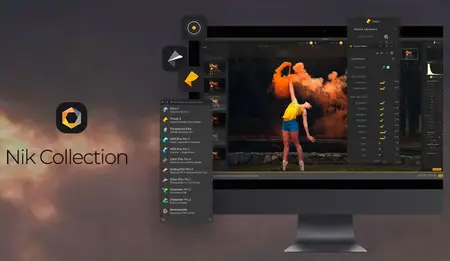
Free Download Nik Collection by DxO 9.2.0 (x64) Multilingual | 904 Mb
Nik Collection by DxO is a comprehensive collection of photographic editing plug-ins designed to give photographers greater creative control over their images. It combines specialized tools for color enhancement, black-and-white conversion, vintage effects, HDR processing, sharpening, noise reduction, and perspective correction.
The collection integrates with popular photo-editing applications, including Adobe Photoshop, Lightroom Classic, and DxO PhotoLab. Each plug-in can also operate as a standalone application, allowing users to incorporate individual editing tools into different workflows.
With a broad selection of customizable presets and DxO's U Point technology, Nik Collection makes it possible to apply both quick visual adjustments and carefully controlled local edits.
Software Overview
Nik Collection brings together eight dedicated photographic tools, each designed to handle a particular aspect of image processing. Rather than relying on a single all-purpose editor, photographers can choose the appropriate plug-in for the task, whether they are refining colors, recreating analog film aesthetics, producing monochrome images, or correcting optical imperfections.
A central feature of the collection is U Point technology, which provides intuitive local adjustments. Users can target specific areas of an image and modify properties such as brightness, contrast, color, and sharpness without applying the same changes uniformly across the entire photograph.
The collection also includes more than 250 presets that can serve as starting points for creative edits. These presets are customizable, making it easier to develop consistent visual styles while retaining control over the final result.
Key Features
- Eight Specialized Plug-ins: Access a collection of dedicated tools for different photographic editing tasks, from color processing and HDR creation to noise reduction and geometric correction.
- U Point Technology: Make targeted local adjustments to selected areas, including changes to color, brightness, contrast, and sharpness.
- Extensive Preset Library: Explore more than 250 customizable presets for quickly establishing a particular photographic style.
- Color Enhancement: Use Nik Color Efex to apply creative filters, refine image colors, and develop custom effects.
- Professional Black-and-White Conversion: Nik Silver Efex provides detailed tonal controls, local adjustments, presets, and classic film simulations.
- Vintage and Analog Effects: Nik Analog Efex recreates traditional photographic aesthetics with effects such as double exposures, color leaks, collodion-inspired looks, and bokeh.
- HDR Processing: Nik HDR Efex combines multiple exposures to produce images with an expanded dynamic range and natural-looking tonal detail.
- Image Sharpening: Refine photographic sharpness according to the intended output, whether preparing images for printing or screen display.
- Perspective Correction: Nik Perspective Efex helps correct wide-angle distortion and restore more natural proportions to subjects near image edges.
- Optical Distortion Correction: Use DxO optical modules to address issues such as barrel distortion, pincushion distortion, and misaligned vertical or horizontal lines.
- Noise Reduction: Nik Dfine analyzes high-ISO image noise and reduces unwanted grain while aiming to preserve important image details.
- Flexible Workflow Integration: Run the plug-ins through supported host applications or use their standalone versions to process images independently.
Why Choose Nik Collection by DxO?
Nik Collection is particularly useful for photographers who want specialized editing capabilities without moving between numerous unrelated applications. Its eight plug-ins cover a wide range of common photographic tasks, allowing users to select individual tools according to the needs of each image.
The combination of U Point technology and customizable presets provides two complementary approaches to editing. Presets help establish a look quickly, while local adjustment controls allow more precise refinement when a photograph requires additional attention.
Its support for both plug-in and standalone workflows also offers flexibility. Photographers can incorporate Nik Collection into an existing editing environment or launch individual applications when a separate workflow is more convenient.
System Requirements
Operating System:
- Microsoft Windows 10 version 1809 (64-bit) or later.
- Microsoft Windows 11 (64-bit).
- Microsoft Surface devices are not supported.
Processor:
- Intel Core 2 or higher.
- Recommended: Intel Core i7 4th generation or higher, or AMD Ryzen.
Memory:
- 8 GB RAM.
- 16 GB RAM recommended.
Storage:
- 4 GB or more of available hard-disk space.
Supported Applications:
- Adobe Photoshop CC 2021 through 2022.
- Adobe Photoshop Elements 2021 through 2022. Nik HDR Efex is not compatible with Photoshop Elements.
- Adobe Photoshop Lightroom Classic 2021 through 2022.
- DxO PhotoLab 4 and later.
- Serif Affinity 1.8 and later. Nik Perspective Efex is not compatible with Affinity.
GPU Compatibility:
- Minimum compatibility starts with NVIDIA GeForce 8 Series, ATI Radeon HD 2000 Series, and Intel HD Graphics 2000 Series.
- Recommended for Windows: NVIDIA GTX 1060, AMD Radeon RX 5500, or a better compatible graphics card with the latest drivers.
- GPU acceleration is disabled when no compatible graphics card is available, and processing uses the CPU instead.
Frequently Asked Questions
1. What is Nik Collection by DxO used for?
It is a suite of photographic editing tools for enhancing colors, creating black-and-white images, applying vintage effects, processing HDR photographs, sharpening images, reducing noise, and correcting perspective or lens distortion.
2. Can Nik Collection work without Photoshop?
Yes. The collection's plug-ins can also run as standalone applications, so Photoshop is not required for every editing workflow.
3. What is U Point technology?
U Point is a local adjustment technology that lets users target specific image areas and modify selected visual properties without applying identical changes to the entire photograph.
4. Does Nik Collection support Lightroom Classic?
Yes. The supplied compatibility information lists Adobe Photoshop Lightroom Classic 2021 through 2022 among the supported host applications.
5. Can every Nik plug-in be used with Photoshop Elements and Affinity?
No. Nik HDR Efex is not compatible with Photoshop Elements, while Nik Perspective Efex is not compatible with Serif Affinity.
Home Page
Product Information
- Software Name: Nik Collection by DxO
- Version: 9.2.0
- Architecture: x64
- Languages: Multilingual
- License type: Full Version
- File Size: 904 Mb
FileHost : RapidGator | FreeDL | DDownload | AlfaFile