• Regeln für den Software-Bereich:


    Allgemeines:

    - In erster Linie sind unsere Boardregeln zu beachten, zu finden HIER.
    - Software zur Audiobearbeitung sollte ausschließlich im Unterforum "Audio" eingestellt werden.
    - Für Cracks, Keygens oder sonstige Freischaltungssoftware gibt es das Unterforum "Freischaltung".
    - Portable Software bitte im entsprechenden Unterforum "Portable Software" eintragen.
    - Diskussionen zur Installation und anderen Problemen mit der Software, bitte im enstprechenden Unterforum "Talk" führen.
    - Bei Unklarheiten und Fragen zu den Regeln bitte die Moderatoren kontaktieren.


    Angebot erstellen

    - Die Struktur des Threadtitels muss wie folgt umgesetzt werden: Herstellername - Softwarename - Versionsnummer
    - Unnötige Zusätze im Threadtitel wie "HOT", "NEW" oder Punkte zwischen den Wörtern sind nicht erlaubt.
    - Achtet darauf immer nur die Hauptversion und deren Updates in einem Thread zusammenfassen, konkretes Beispiel: SoftwareXY v3.12 gehört in den selben Thread mit SoftwareXY v3.13; SoftwareXY v.4.1 gehört in einen neuen eigenen Thread. Ausgenommen hiervon sind Sammelthreads und Dauerangebote.
    - Bei nicht bekannten Herstellern oder Angebote einer privaten Software, ist die Programmbezeichnung + Versionsnummer ausreichend.
    - Besondere Beachtung gilt für den ersten Beitrag eines Angebots. Dort muss eine kurze Beschreibung der Software in deutscher Sprache angegeben werden. Für offizielle Releases ist es Pflicht die NFO im Beitrag einzustellen(Spoiler, siehe nächster Punkt).
    - Weitere Informationen wie NFOs oder Changelogs, versteckt ihr bitte in einem Spoiler.


    Software Suche

    - Für Suchanfragen haben wir das Unterforum "Suche" erstellt.
    - Auch hier sollte vorher die Suchfunktion benutzt werden, um Doppelthreads vorzubeugen. Sollte es bereits eine Suchanfrage geben, könnt ihr den Thread gerne mit einem "Danke" pushen.


    Trojaner- und Virusalarm

    - Falls Euer Virenscanner bei einem Angebot Alarm schlägt, solltet ihr zunächst Ruhe bewahren. Viele Virenscanner erkennen Cracks/Keygens oft fälschlicherweise als Bedrohung.
    - Prüft die verdächtige Datei zuerst mit http://virustotal.com , sollte es sich hierbei wirklich um eine Bedrohung handeln, meldet den Beitrag und/oder wendet euch mit dem Bericht von VirusTotal.com an einen Moderator.


    Unerwünschte Angebote

    - Keylogger, Spionagetools, alles rund ums Thema Hacking/Cracking ist nicht erwünscht.
  • Bitte registriere dich zunächst um Beiträge zu verfassen und externe Links aufzurufen.

++ Premium IPTV ++ 7000 Live Sender ++ UHD Qualität ++ Mediathek mit 18.000 Inhalten ++


VenneTV


DxO PureRAW v6


DxO PureRAW 6.8.0.7 (x64) Multilingual


9d5a0c2431f1ce93909bec24f5cdf70a.avif


DxO PureRAW 6.8.0.7 (x64) Multilingual


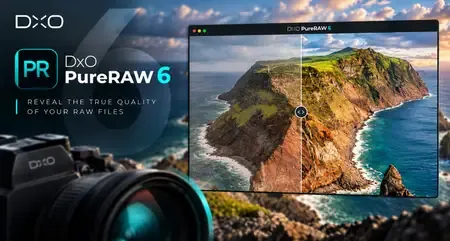
DxO PureRAW ist eine fortschrittliche, KI-gestützte Software zur RAW-Bildoptimierung, die die Bildqualität vor der Bearbeitung maximiert. Sie entfernt automatisch Rauschen, verbessert die Schärfe, korrigiert optische Fehler und optimiert Details, ohne den natürlichen Look Ihrer Fotos zu beeinträchtigen. Ideal für Fotografen, die sauberere, schärfere und professionellere RAW-Dateien wünschen, ohne ihren gewohnten Bearbeitungsablauf zu ändern.


Sprache: Deutsch, Multi | Größe: 1.37 GB | Format: RAR, EXE | Plattform: Windows 10, 11 (64Bit)


Hoster:
RapidGator.net | NitroFlare.com | DDownload.com


DOWNLOAD Links:


​
 
DxO PureRAW 6.8.1.3 (x64) Multi-Deutsch


49569755lc.png


DxO PureRAW 6.8.1.3 (x64) Multi-Deutsch


.: Beschreibung :.

Exklusive Objektivschärfeoptimierung basierend auf DxO-Modulen.Branchenführende Rauschunterdrückung dank DeepPRIME.Einzigartiges Demosaicing für unübertroffene Detailextraktion. Überlegene Verzerrungskorrektur für ein maximales Sichtfeld.Chromatische Aberrationskorrektur, maßgeschneidert für Ihr Objektiv.Vignettierungskorrektur basierend auf präzisen Messungen.Schärfer, klarer, detailreicher, unglaublich detailreich, satte, wunderschöne Farben,
herrlich weiches Bokeh.Höchste
Optimieren Sie präzise selbst
Sie perfekte Ergebnisse.


.: Hoster :.
.: Rapidgator :. .: Ddownload :.
.: Größe :.
1.37 GB
.: Format :.
(RAR/EXE)
.: Sprache :.
Deutsch/Englisch/Multi
.: Plattform :.
Microsoft Windows 10/11 (64-Bit)


​
 

DxO PureRAW 6.8.1.3 (x64) Deutsch-Multilanguage

156d9f002110c8a61772bcdded29be5a.webp


DxO PureRAW 6.8.1.3 (x64) Deutsch-Multilanguage || 1.37 GB || Sprache: Deutsch-Multilanguage


Beschreibung:


Sprache: Deutsch und Multilanguage
File Size: 1.37 GB
Format: .Rar und .Exe
Plattform: Windows 11, 10 (64 Bit)
Passwort: Wird nicht benötigt
Hoster: nitroflare.com , ddownload.com , rapidgator.net

Mirrors sind untereinander kompatibel


​
 
9238d35ebbbf85be9f0bc93c3809d648.webp

Free Download DxO PureRAW 6.9.0.4 (x64) Multilingual | 1.38 GB
DxO PureRAW is a dedicated RAW image processing application designed to improve photographic quality before images enter a conventional editing workflow. Using advanced demosaicing, noise reduction, and optical correction technologies, it helps photographers recover fine details, reduce unwanted noise, and correct lens-related imperfections while preserving the flexibility of RAW files.
The software works alongside established photo-editing applications such as Adobe Photoshop and Lightroom. It processes camera RAW files and produces optimized output that can be opened in a preferred editing environment, allowing photographers to improve image quality without changing their existing workflow.​

Software Overview
DxO PureRAW focuses on the technical quality of RAW photographs rather than replacing a full-featured photo editor. Its processing combines DxO DeepPRIME technology with camera and lens-specific optical corrections to reduce noise, improve detail, and address distortions, vignetting, and chromatic aberrations.
The application is useful across a wide range of photography styles, including wildlife, landscapes, portraits, astrophotography, live music, drone photography, and street photography. It can also help improve older RAW images that contain visible noise or softness, making previously overlooked photographs more suitable for further editing.
Supported RAW formats include CR3, ARW, NEF, RAF, DNG, and other camera formats. Processed images can be exported as Linear DNG or JPEG for use in compatible editing applications.
Key Features
  • DxO DeepPRIME Processing: Uses deep learning-based demosaicing and noise reduction to improve RAW image quality while retaining important photographic details.
  • Advanced Noise Reduction: Reduces high-ISO noise and helps preserve texture in challenging lighting conditions, including night scenes and indoor photography.
  • Optical Corrections: Applies camera and lens-specific corrections to address distortion, vignetting, chromatic aberrations, and other optical imperfections.
  • Improved Image Sharpness: Enhances fine detail and helps recover a cleaner, sharper appearance from supported RAW photographs.
  • RAW Format Support: Processes a range of camera RAW formats, including CR3, ARW, NEF, RAF, and DNG.
  • Fujifilm X-Trans Support: Supports Fujifilm X-Trans RAW files, extending DxO processing technology to compatible Fujifilm cameras.
  • Linear DNG and JPEG Export: Creates optimized image files that can be used in compatible photo-editing applications.
  • Photography Workflow Integration: Works with established applications such as Adobe Photoshop and Lightroom, allowing photographers to enhance RAW files before continuing their usual editing process.
  • HiDPI Display Support: Provides support for high-resolution displays on Windows systems.
  • Extensive Optics Modules: Uses camera and lens profiles developed through laboratory testing, with support for more than 70,000 camera and lens combinations described in the supplied feature information.
  • Simplified Processing: Provides a streamlined workflow for converting RAW files without requiring users to manage numerous manual adjustment sliders.
Why Choose DxO PureRAW
DxO PureRAW is particularly valuable when image quality is affected by high ISO settings, difficult lighting, older camera equipment, or optical limitations. Its processing can help wildlife photographers work with faster shutter speeds, landscape photographers recover detail from shadows, and astrophotographers reduce noise while preserving stars and other fine structures.
The software also benefits photographers working with compact sensors, wide-angle lenses, and long exposures. By addressing noise and lens imperfections before the main editing stage, it provides a cleaner starting point for further adjustments in a preferred RAW editor.
What's New
The supplied release information describes several improvements introduced in the PureRAW 2 generation. These features are historical product highlights and should not be interpreted as a complete changelog for the current release.
  • DxO DeepPRIME Performance: Optimized RAW processing, with the original release information reporting up to four times faster processing on Apple Silicon Macs and up to 1.5 times faster performance on high-end Windows computers compared with its previous version.
  • Fujifilm X-Trans Compatibility: Added support for Fujifilm X-Trans RAW files.
  • Expanded Optics Modules: Introduced 8,000 additional optics modules covering new camera and lens combinations, including several Leica M lenses.
  • HiDPI Support: Added support for HiDPI displays on Windows computers.
  • Simplified Workflow: Introduced three integration options for processing RAW files through a more streamlined workflow.
System Requirements
  • Operating System: Microsoft Windows 10 version 1809 (64-bit) or later, or Microsoft Windows 11.
  • Processor: Intel Core 2 or AMD Athlon 64 X2 or higher. Intel Core i5 or higher recommended.
  • Memory: 4 GB RAM (8 GB recommended).
  • Storage: 4 GB or more of available hard-disk space.
  • GPU Compatibility: NVIDIA GeForce 8 Series, ATI Radeon HD 2000 Series, or Intel HD Graphics 2000 Series and later compatible hardware.
  • GPU Acceleration: If no compatible graphics card is available, GPU acceleration will be disabled and processing will use the CPU.
Frequently Asked Questions
What is DxO PureRAW used for?
DxO PureRAW processes camera RAW files to reduce noise, improve detail, and correct lens-related imperfections before the images are edited in a dedicated photo-editing application.
Does DxO PureRAW replace Lightroom or Photoshop?
No. It is designed to complement existing editing software by optimizing RAW files before they are opened in applications such as Adobe Lightroom or Photoshop.
Which RAW formats does the software support?
The supplied information lists CR3, ARW, NEF, RAF, DNG, and other RAW formats. Compatibility depends on the camera model and the supported file type.
Can DxO PureRAW improve high-ISO photographs?
Yes. Its DeepPRIME processing is designed to reduce high-ISO noise while preserving image details, helping improve photographs captured in low-light conditions.
What output formats are available?
The supplied product information identifies Linear DNG and JPEG as supported output formats.
Home Page
Product Information
  • Software Name: DxO PureRAW
  • Version: 6.9.0.4
  • Architecture: x64
  • Languages: Multilingual
  • License type: Full Version
  • File Size: 1.38 GB

FileHost : RapidGator | FreeDL | DDownload | AlfaFile​
 

DxO PureRAW 6.9.0.4 (x64) Deutsch-Multilanguage

9238d35ebbbf85be9f0bc93c3809d648.webp


DxO PureRAW 6.9.0.4 (x64) Deutsch-Multilanguage || 1.38 GB || Sprache: Deutsch-Multilanguage


Beschreibung:


Sprache: Deutsch und Multilanguage
File Size: 1.38 GB
Format: .Rar und .Exe
Plattform: Windows 11, 10 (64 Bit)
Passwort: Wird nicht benötigt
Hoster: nitroflare.com , ddownload.com , rapidgator.net

Mirrors sind untereinander kompatibel


​
 
DxO PureRAW 6.9.0.4 (x64) Multi-Deutsch


49569755lc.png


DxO PureRAW 6.9.0.4 (x64) Multi-Deutsch


.: Beschreibung :.

Exklusive Objektivschärfeoptimierung basierend auf DxO-Modulen.Branchenführende Rauschunterdrückung dank DeepPRIME.Einzigartiges Demosaicing für unübertroffene Detailextraktion. Überlegene Verzerrungskorrektur für ein maximales Sichtfeld.Chromatische Aberrationskorrektur, maßgeschneidert für Ihr Objektiv.Vignettierungskorrektur basierend auf präzisen Messungen.Schärfer, klarer, detailreicher, unglaublich detailreich, satte, wunderschöne Farben,
herrlich weiches Bokeh.Höchste
Optimieren Sie präzise selbst
Sie perfekte Ergebnisse.


.: Hoster :.
.: Rapidgator :. .: Ddownload :.
.: Größe :.
1.38 GB
.: Format :.
(RAR/EXE)
.: Sprache :.
Deutsch/Englisch/Multi
.: Plattform :.
Microsoft Windows 10/11 (64-Bit)


​
 
b64d3c9448424bb0d7c8bc059de9e3c9.webp

Free Download DxO PureRAW 6.9.0.4 (x64) Portable | 2.36 GB

DxO PureRAW Portable is a RAW image processing application designed to improve image quality before photographs are imported into a traditional editing workflow. It combines advanced demosaicing, noise reduction, and optical corrections to help photographers recover detail, reduce image noise, and produce cleaner results from their camera files.

The software uses DxO's image-processing technology and camera-and-lens profiles to address common optical imperfections, including distortion, vignetting, softness, and chromatic aberrations. Its processing workflow is designed to work alongside applications such as Adobe Lightroom and Photoshop rather than replace them.

DxO PureRAW is useful for a wide range of photography styles, from landscapes and wildlife to portraits, street photography, astrophotography, and images captured in challenging lighting conditions.​

Software Overview
DxO PureRAW 6 provides a dedicated processing stage for RAW photographs, allowing users to enhance their original files before performing detailed edits in their preferred photo editor. Its processing combines demosaicing, denoising, and lens-specific corrections to improve the quality of the resulting images.

The application uses DxO DeepPRIME technology to reduce noise while preserving important image details. DxO Optics Modules provide camera-and-lens-specific corrections, helping address optical imperfections and improve sharpness across the image.

Supported RAW files can be processed into formats such as Linear DNG or JPEG, depending on the selected workflow. This makes it possible to continue editing the processed results in Lightroom, Photoshop, or other compatible photo applications.

Key Features
  • RAW Image Enhancement: Processes camera RAW files to improve image clarity, detail, and overall quality before further editing.
  • DxO DeepPRIME Technology: Uses deep-learning-based processing for demosaicing and noise reduction while retaining important photographic details.
  • Advanced Noise Reduction: Reduces image noise in high-ISO photographs, low-light scenes, shadows, and other challenging shooting conditions.
  • Optical Corrections: Uses DxO Optics Modules to correct supported lens distortions, vignetting, chromatic aberrations, and other optical imperfections.
  • Improved Sharpness: Applies camera-and-lens-specific corrections to help recover detail and improve image definition.
  • RAW Format Support: Supports numerous camera RAW formats, including CR3, ARW, NEF, RAF, and DNG. Compatibility depends on the camera model.
  • Linear DNG and JPEG Export: Converts processed photographs into output formats suitable for subsequent editing and sharing.
  • Shadow Detail Recovery: Helps reveal additional detail in darker areas while controlling the noise that can become visible during shadow adjustments.
  • High-ISO Photography: Helps photographers work with higher ISO settings while maintaining cleaner image results.
  • Astrophotography Processing: Reduces noise while aiming to preserve stars and other fine details in night-sky photographs.
  • Wide Range of Photography Styles: Suitable for wildlife, landscapes, portraits, live music, drone photography, street photography, and long exposures.
  • Existing Workflow Integration: Prepares enhanced RAW files for continued editing in Adobe Lightroom, Photoshop, and other compatible applications.
  • Simplified Processing: Provides a dedicated RAW enhancement workflow without requiring users to manually adjust numerous traditional image-processing sliders.

Why Choose DxO PureRAW
DxO PureRAW is particularly useful when the original RAW file contains visible noise, optical imperfections, or fine details that could benefit from specialized processing. Rather than applying corrections manually to every photograph, the application uses camera and lens profiles to perform adjustments tailored to supported equipment.

Its noise-reduction technology can be valuable for wildlife photographers working with long lenses, landscape photographers shooting at higher ISO settings, and photographers capturing subjects in dimly lit environments. It can also help improve older RAW photographs that may no longer meet current image-quality expectations.

Another advantage is its position within an existing editing workflow. Photographers can process their RAW files first and then continue making creative adjustments in their preferred photo-editing software.

Photography Applications
  • Wildlife Photography: Helps reduce noise in photographs captured with higher ISO settings or in challenging natural lighting.
  • Landscape Photography: Applies optical corrections and helps recover fine details across supported camera-and-lens combinations.
  • Portrait Photography: Reduces noise in skin tones, shadows, and out-of-focus areas while preserving important image details.
  • Night and Astrophotography: Helps clean up dark skies and low-light photographs while retaining fine points of light.
  • Live Music Photography: Provides additional flexibility when balancing shutter speed and ISO in poorly lit venues.
  • Drone Photography: Helps improve images captured with smaller camera sensors, particularly in low-light or high-contrast conditions.
  • Street Photography: Supports cleaner results when shooting in dimly lit streets or working with higher ISO settings.
  • Long-Exposure Photography: Helps reduce unwanted noise in smooth areas of long-exposure images.

RAW Formats and Output
  • Supported Input Examples: CR3, ARW, NEF, RAF, DNG, and other supported RAW formats.
  • Processing Technology: DxO DeepPRIME demosaicing and noise reduction.
  • Optical Corrections: DxO Optics Modules for supported camera and lens combinations.
  • Available Output Formats: Linear DNG and JPEG.
  • Further Editing: Processed images can be transferred into compatible photo-editing applications for additional adjustments.

System Requirements
The supplied release information does not specify detailed minimum hardware or operating system requirements for this portable package. Requirements may vary depending on the processing technology used, image resolution, camera RAW format, and available hardware. Refer to the official DxO documentation for the requirements applicable to version 6.9.0.4.

Supported Languages
English only.

Homepage

Product Information
  • Software Name: DxO PureRAW
  • Version: 6.9.0.4
  • Architecture: x64
  • Languages: English
  • License type: Portable
  • File Size: 2.36 GB

FileHost : RapidGator | FreeDL | DDownload | AlfaFile​
 
Zurück
Oben Unten