• Regeln für den Video-Bereich:

    In den Börsenbereich gehören nur Angebote die bereits den Allgemeinen Regeln entsprechen.

    Einteilung

    - Folgende Formate gehören in die angegeben Bereiche:
    - Filme: Encodierte Filme von BluRay, DVD, R5, TV, Screener sowie Telesyncs im Format DivX, XviD und x264.
    - DVD: Filme im Format DVD5, DVD9 und HD2DVD.
    - HD: Encodierte Filme mit der Auflösung 720p oder darüber von BluRay, DVD, R5, TV, Screener sowie Telesyncs im Format x264.
    - 3D: Encodierte Filme von BluRay, die in einem 3D Format vorliegen. Dies gilt auch für Dokus, Animation usw.
    - Serien: Cartoon/Zeichentrick, Anime, Tutorials, Dokumentationen, Konzerte/Musik, Sonstiges sind demnach in die entsprechenden Bereiche einzuordnen, auch wenn sie beispielsweise im High Definition-Format oder als DVD5/DVD9/HD2DVD vorliegen. Ausnahme 3D.
    - Bereich Englisch: Englische Releases gehören immer in diesen Bereich.
    - Bereich Talk: Der Bereich, in dem über die Releases diskutiert werden kann, darf, soll und erwünscht ist.


    Angebot/Beitrag erstellen

    - Ein Beitrag darf erst dann erstellt werden, wenn der Upload bei mindestens einem OCH komplett ist. Platzhalter sind untersagt.
    - Bei einem Scenerelease hat der Threadtitel ausschließlich aus dem originalen, unveränderten Releasenamen zu bestehen. Es dürfen keine Veränderungen wie z.B. Sterne, kleine Buchstaben o.ä. vorgenommen werden. Ausnahme Serienbörse:
    - Bei einem Sammelthread für eine Staffel entfällt aus dem Releasename natürlich der Name der Folge. Beispiel: Die Simpsons S21 German DVDRip XviD - ITG
    - Dementsprechend sind also u.a. verboten: Erweiterungen wie "Tipp", "empfehlenswert", "only", "reup", usw. / jegliche andere Zusatzinformation oder Ergänzung, welche nicht in obiger Beschreibung zu finden ist.

    Aufbau des Angebots und Threadtitel

    Der Titel nach folgendem Muster erstellt zu werden. <Name> [3D] [Staffel] [German] <Jahr> <Tonspur> [DL] [Auflösung] <Quelle> <Codec> - <Group>
    Beispiel: The Dark Knight German 2008 AC3 DVDRip XviD - iND
    Beispiel: The Dark Knight 2008 DTS DL BDRip x264 - iND
    Beispiel: The Dark Knight 2008 AC3 DL BDRip XviD - iND
    Beispiel: The Dark Knight German 2008 AC3 720p BluRay x264 iND
    Beispiel: The Dark Knight 2008 DTS DL 1080p BluRay x264 iND
    Beispiel: Die Simpsons S01 German AC3 DVDRip XviD iND
    Beispiel: Die Simpsons S20 German AC3 720p BluRay x264 iND
    Beispiel: Sword Art Online II Ger Sub 2014 AAC 1080p WEBRip x264 - peppermint
    Entsprechend sind also u.a. verboten: Sonderzeichen wie Klammern, Sterne, Ausrufezeichen, Unterstriche, Anführungszeichen / Erweiterungen wie "Tipp", "empfehlenswert", "only", "reup", usw. / jegliche andere Zusatzinformation oder Ergänzung, welche nicht in obiger Beschreibung zu finden ist
    Ausnahmen hiervon können in den Bereichen geregelt sein.

    Die Beiträge sollen wie folgt aufgebaut werden:
    Überschrift entspricht dem Threadtitel
    Cover
    kurze Inhaltsbeschreibung
    Format, Größe, Dauer sind gut lesbar für Downloader außerhalb des Spoilers zu vermerken
    Nfo sind immer Anzugeben und selbige immer im Spoiler in Textform.
    Sind keine Nfo vorhanden z.B. Eigenpublikationen, sind im Spoiler folgende Dateiinformationen zusätzlich anzugeben :
    Quelle
    Video (Auflösung und Bitrate)
    Ton (Sprache, Format und Bitrate der einzelnen Spuren)
    Untertitel (sofern vorhanden)
    Hosterangabe in Textform außerhalb eines Spoiler mit allen enthaltenen Hostern.
    Bei SD kann auf diese zusätzlichen Dateiinformationen verzichtet werden.

    Alle benötigten Passwörter sind, sofern vorhanden, in Textform im Angebot anzugeben.
    Spoiler im Spoiler mit Kommentaren :"Schon Bedankt?" sind unerwünscht.


    Releases

    - Sind Retail-Release verfügbar, sind alle anderen Variationen untersagt. Ausnahmen: Alle deutschen Retail-Release sind CUT, in diesem Fall sind dubbed UNCUT-Release zulässig.
    - Im Serien-Bereich gilt speziell: Wenn ein Retail vor Abschluss einer laufenden Staffel erscheint, darf diese Staffel noch zu Ende gebracht werden.62
    - Gleiche Releases sind unbedingt zusammenzufassen. Das bedeutet, es ist zwingend erforderlich, vor dem Erstellen eines Themas per Suchfunktion zu überprüfen, ob bereits ein Beitrag mit demselben Release besteht. Ist dies der Fall, ist der bereits vorhandene Beitrag zu verwenden.
    - P2P und Scene Releases dürfen nicht verändert oder gar unter einem iND Tag eingestellt werden.


    Support, Diskussionen und Suche

    - Supportanfragen sind entweder per PN oder im Bereich Talk zu stellen.
    - Diskussionen und Bewertungen sind im Talk Bereich zu führen. Fragen an die Uploader haben ausschließlich via PN zu erfolgen, und sind in den Angeboten untersagt.
    - Anfragen zu Upload-Wünschen sind nur im Bereich Suche Video erlaubt. Antworten dürfen nur auf Angebote von MyBoerse.bz verlinkt werden.


    Verbote

    - Untersagt sind mehrere Formate in einem einzigen Angebotsthread, wie beispielsweise das gleichzeitige Anbieten von DivX/XviD, 720p und 1080p in einem Thread. Pro Format, Release und Auflösung ist ein eigener Thread zu eröffnen.
    - Grundsätzlich ebenso verboten sind Dupes. Uploader haben sich an geeigneter Stelle darüber zu informieren, ob es sich bei einem Release um ein Dupe handelt.
    - Gefakte, nur teilweise lauffähige oder unvollständige Angebote sind untersagt. Dies gilt auch für eigene Publikationen, die augenscheinlich nicht selbst von z.B. einer DVD gerippt wurden. Laufende Serien, bei denen noch nicht alle Folgen verfügbar sind, dürfen erstellt und regelmäßig geupdatet werden.
    - Untersagt sind Angebote, welche nur und ausschließlich in einer anderen Sprache als deutsch oder englisch vorliegen. Ausnahmen sind VORHER mit den Moderatoren zu klären.


    Verstoß gegen die Regeln

    - Angebote oder Beiträge, die gegen die Forenregeln verstoßen, sind über den "Melden"-Button im Beitrag zu melden.
  • Bitte registriere dich zunächst um Beiträge zu verfassen und externe Links aufzurufen.

++ Premium IPTV ++ 7000 Live Sender ++ UHD Qualität ++ Mediathek mit 18.000 Inhalten ++


VenneTV


Udemy - Jumpstart to 2D Game Development Godot 4 3+ for Beginners

0daytutorial

MyBoerse.bz Pro Member
537368816_que-es-udemy-analisis-opiniones.jpg

27.76 GB | 31min 10s | mp4 | 1920X1080 | 16:9
Genre:eLearning |Language:English​


Rapidgator links are free direct download only for my subscriber, other hosts are free download for free users
 

642529fe378bb76f71b3f5ac75d467ef.jpg

Jumpstart to 2D Game Development: Godot 4.3+ for Beginners
2025-02-06
MP4 | Video: h264, 1920x1080 | Audio: AAC, 44.1 KHz
Language: English (US) | Size: 28.06 GB | Duration: 71h 34m​

Master the Godot 4 Engine, Build Engaging 2D Games, Learn GDScript and Ignite Your Game Development Journey!

What you'll learn
Master Godot 4: Learn scene creation, input handling, collision detection, and more in the powerful Godot 4 game engine.
Create Diverse Games: Develop Flappy Bird, Angry Birds, memory games, platformers, puzzles, space shooters, and maze escapes.
Acquire Game Dev Skills: Gain level design, animation, enemy AI, power-ups, UI design, and apply design patterns like singletons and event buses.
Explore Mechanics & Patterns: Understand parallax scrolling, physics-based gameplay, pathfinding AI, state machines, and dynamic level loading.

Requirements
Computer with Adequate Specifications: A computer capable of using the Vulkan renderer is required to work on the projects effectively - the course contains a free video to make a check!
This course assumes no prior knowledge of the Godot 4 engine but does assume a basic understanding of programming concepts. However, even individuals without programming experience can benefit from the course by leveraging the visual scripting system provided by Godot 4.

Description
Welcome to "Jumpstart to 2D Game Development: Godot 4 for Beginners" - an immersive video course designed to empower aspiring game developers with the skills and knowledge needed to create captivating 2D games using the powerful Godot 4 game engine with it's built in GDScript programming language.** NOW UPDATED FOR GODOT 4.3** The course has been fully updated for Godot 4.3. TileMapLayer, Parallax2D. and full static typing.In this comprehensive course, you'll embark on a thrilling journey through a variety of game projects, each carefully designed to enhance your understanding of essential game development concepts and techniques. Whether you're a complete beginner or have some programming knowledge, this course is tailored to provide a solid foundation for your game development aspirations.Throughout the course, you will:- Create a Flappy Bird clone, where you'll learn about scene creation, input handling, collision detection, and the implementation of parallax scrolling for enhanced visuals.- Replicate the addictive mechanics of Angry Birds, developing physics-based gameplay with projectile motion and mastering level design with destructible environments.- Dive into the world of UI-driven game development with the creation of a captivating memory game. You'll gain experience in building intuitive and visually appealing user interfaces.- Recreate the charm of 80s platformers with the CJ Elephant Antics project. Master level design, character animation, and controls to create challenging levels filled with diverse obstacles. You'll also learn to use GoDot's built in State Machine to create and end of level boss!- Explore the realm of puzzle games with a Sokoban-inspired project. Dynamically load levels from files, understand puzzle-solving mechanics, and apply design patterns to create elegant and robust solutions.- Engage in an intergalactic adventure as you construct a thrilling space shooter. Design and implement enemy AI with path following for dynamic enemy waves, integrate power-up systems, and enhance visuals with particle effects and other enhancements.- Experience the thrill of artefact collection and escape in an immersive game. Utilize Godot 4's 2D navigation AI to program guard behaviour, plan strategic escapes, and create tension-filled gameplay moments.By the end of this course, you'll have built a diverse portfolio of 2D game projects, showcasing your abilites with Godot 4 and your ability to create captivating gameplay experiences. Enroll now and let's embark on this exciting journey into the world of 2D game development with Godot 4!Note: On the course I write Godot as "GoDot" - when I do, I mean Godot. In case it causes confusion.

Who this course is for:
This course is designed for aspiring game developers who are interested in 2D game development using the Godot 4 game engine., Beginners: Individuals with little to no prior experience in game development or programming, who are eager to learn the foundations of 2D game development and start building their own games., Hobbyists: Game enthusiasts who want to turn their passion into practical skills. This course provides a structured learning path to enhance their game development abilities and create engaging 2D games., Self-taught Developers: Individuals who have already dabbled in game development or programming on their own and want to strengthen their skills, learn best practices, and deepen their understanding of the Godot 4 engine.

For More Courses Visit & Bookmark Your Preferred Language Blog
From Here: - - - - - - - -


87IYnsWD_o.jpg


16c522b0e455830bf15147d1f57bab85.jpg

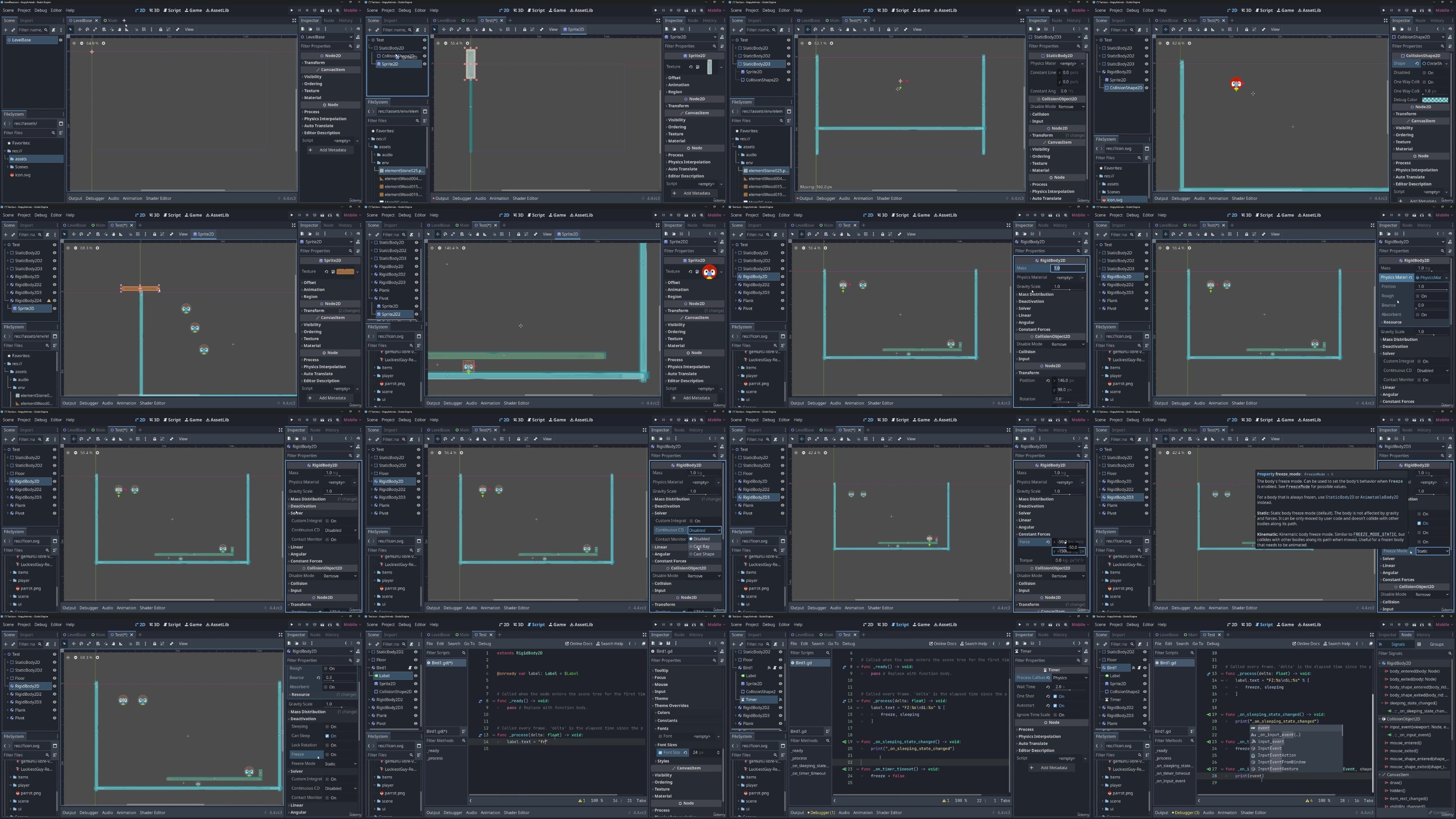
Jumpstart To 2D Game Development: Godot 4 For Beginners
Published 6/2023
MP4 | Video: h264, 1280x720 | Audio: AAC, 44.1 KHz
Language: English | Size: 10.66 GB | Duration: 24h 27m​

Master the Godot 4 Engine, Build Engaging 2D Games, and Ignite Your Game Development Journey!

What you'll learn

Master Godot 4: Learn scene creation, input handling, collision detection, and more in the powerful Godot 4 game engine.

Create Diverse Games: Develop Flappy Bird, Angry Birds, memory games, platformers, puzzles, space shooters, and maze escapes.

Acquire Game Dev Skills: Gain level design, animation, enemy AI, power-ups, UI design, and apply design patterns like singletons and event buses.

Explore Mechanics & Patterns: Understand parallax scrolling, physics-based gameplay, pathfinding AI, state machines, and dynamic level loading.

Requirements

Computer with Adequate Specifications: A computer capable of using the Vulkan renderer is required to work on the projects effectively - the course contains a free video to make a check!

This course assumes no prior knowledge of the Godot 4 engine but does assume a basic understanding of programming concepts. However, even individuals without programming experience can benefit from the course by leveraging the visual scripting system provided by Godot 4.

Description

Welcome to "Jumpstart to 2D Game Development: Godot 4 for Beginners" - an immersive video course designed to empower aspiring game developers with the skills and knowledge needed to create captivating 2D games using the powerful Godot 4 game engine.In this comprehensive course, you'll embark on a thrilling journey through a variety of game projects, each carefully designed to enhance your understanding of essential game development concepts and techniques. Whether you're a complete beginner or have some programming knowledge, this course is tailored to provide a solid foundation for your game development aspirations.Throughout the course, you will:- Create a Flappy Bird clone, where you'll learn about scene creation, input handling, collision detection, and the implementation of parallax scrolling for enhanced visuals.- Replicate the addictive mechanics of Angry Birds, developing physics-based gameplay with projectile motion and mastering level design with destructible environments.- Dive into the world of UI-driven game development with the creation of a captivating memory game. You'll gain experience in building intuitive and visually appealing user interfaces.- Recreate the charm of 80s platformers with the CJ Elephant Antics project. Master level design, character animation, and controls to create challenging levels filled with diverse obstacles. You'll also learn to use GoDot's built in State Machine to create and end of level boss!- Explore the realm of puzzle games with a Sokoban-inspired project. Dynamically load levels from files, understand puzzle-solving mechanics, and apply design patterns to create elegant and robust solutions.- Engage in an intergalactic adventure as you construct a thrilling space shooter. Design and implement enemy AI with path following for dynamic enemy waves, integrate power-up systems, and enhance visuals with particle effects and other enhancements.- Experience the thrill of artefact collection and escape in an immersive game. Utilize Godot 4's 2D navigation AI to program guard behaviour, plan strategic escapes, and create tension-filled gameplay moments.Throughout the course, you'll harness the power of Godot 4's intuitive visual scripting system. Gain insights into basic programming concepts, allowing you to take your skills to the next level and unlock the full potential of Godot 4.By the end of this course, you'll have built a diverse portfolio of 2D game projects, showcasing your abilites with Godot 4 and your ability to create captivating gameplay experiences. Enroll now and let's embark on this exciting journey into the world of 2D game development with Godot 4!

Overview

Section 1: Introduction

Lecture 1 Introduction

Lecture 2 GoDot is constantly being updated - what happens here?

Section 2: Introduction To GoDot

Lecture 3 Introduction

Lecture 4 IMPORTANT: Setup and test of GoDot

Lecture 5 Scenes

Lecture 6 Inheritance

Lecture 7 Multiple Scenes

Lecture 8 Creating A Script

Lecture 9 Variables

Lecture 10 Operators

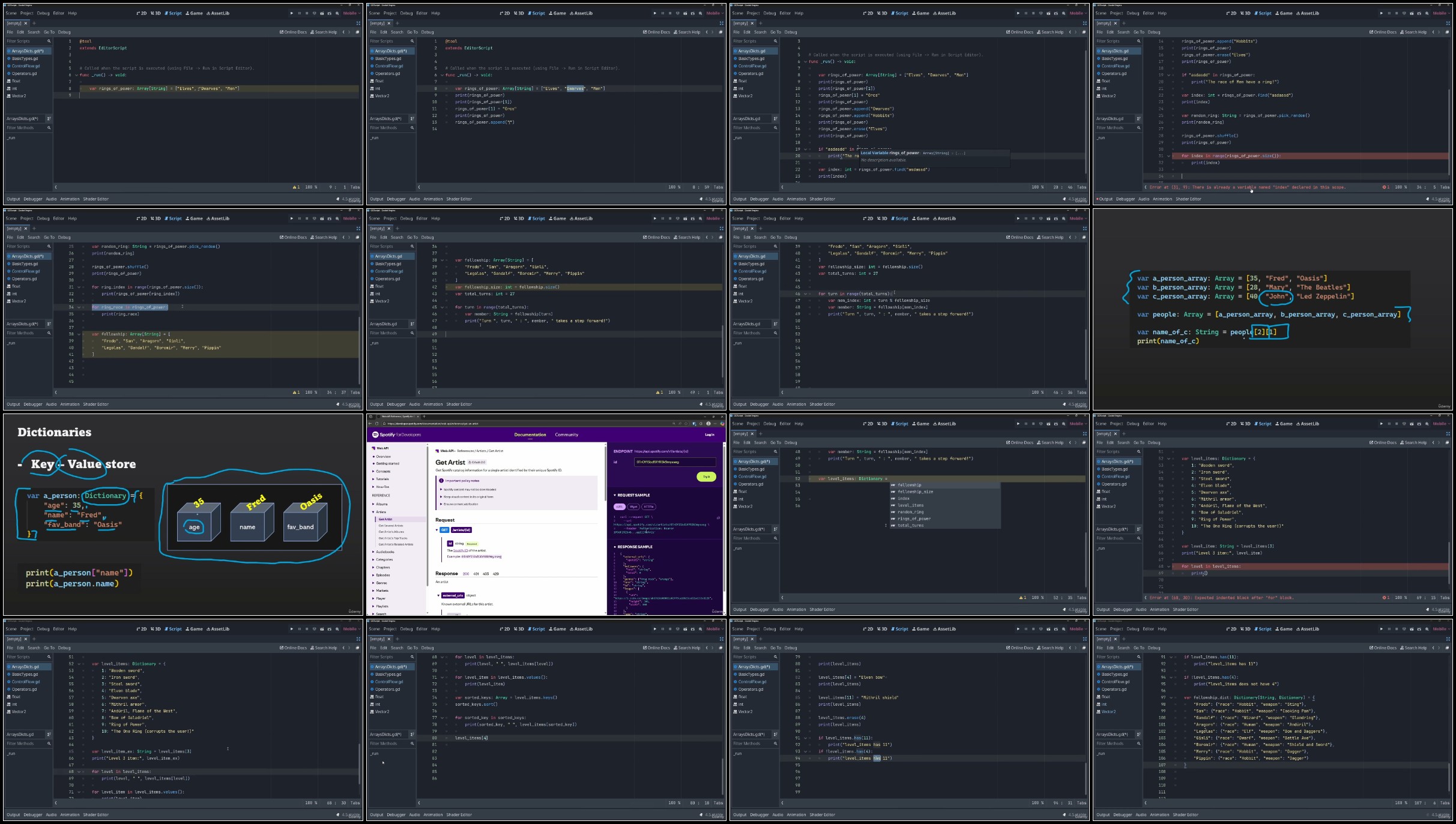
Lecture 11 Arrays and Loops

Lecture 12 Dictionaries

Lecture 13 Functions

Lecture 14 Classes

Lecture 15 Scripting a scene

Lecture 16 Setters and Getters

Lecture 17 Aspect Ratios

Section 3: Pre-flight

Lecture 18 The assets we will use

Lecture 19 I have a retina display and the games are very small!

Lecture 20 A short message and good luck :)

Section 4: Game 1 - Tappy Plane

Lecture 21 Introduction

Lecture 22 Project Setup

Lecture 23 Game Scene

Lecture 24 Physics Nodes

Lecture 25 Plane Scene

Lecture 26 Resources

Lecture 27 Plane Movement

Lecture 28 Animation Player

Lecture 29 Ground Collision

Lecture 30 Pipes Scene

Lecture 31 The RESET Animation

Lecture 32 Pipe Removal

Lecture 33 Pipe Spawn

Lecture 34 Singletons

Lecture 35 Main Scene

Lecture 36 Navigation

Lecture 37 Game Over Scene

Lecture 38 Signal Hub

Lecture 39 Pipe Collision

Lecture 40 Laser Collision

Lecture 41 Main Menu

Lecture 42 Hud

Lecture 43 Parallax

Lecture 44 Parallax Scene

Lecture 45 Layers and Masks Explained

Section 5: Game 2: Angry Animals!

Lecture 46 Introduction

Lecture 47 Project Setup

Lecture 48 Rigidbody2D

Lecture 49 Debug Label

Lecture 50 Animal Regeneration

Lecture 51 Input Detection

Lecture 52 Animal Logic

Lecture 53 Animal Grab

Lecture 54 Animal Drag

Lecture 55 Stretch Sound

Lecture 56 Animal Launch

Lecture 57 Collision Detection

Lecture 58 Cup Detection

Lecture 59 Cup Vanish

Lecture 60 Water

Lecture 61 Main Scene

Lecture 62 Level Button

Lecture 63 Navigation

Lecture 64 Score Manager

Lecture 65 Score Update

Lecture 66 Game UI

Lecture 67 The Arrow

Lecture 68 Launch Area

Section 6: Game 3 : Memory Madness

Lecture 69 Introduction

Lecture 70 Project Setup

Lecture 71 Image Loading

Lecture 72 Main Screen

Lecture 73 Front Sprite

Lecture 74 Tweens!

Lecture 75 Level Button

Lecture 76 Sound Manager

Lecture 77 Game Screen

Lecture 78 Navigation

Lecture 79 Level Setup

Lecture 80 Level Selection

Lecture 81 Level Creation

Lecture 82 Selecting a tile

Lecture 83 Scorer Node

Lecture 84 Tile Selections

Lecture 85 Game Logic

Lecture 86 UI Updates

Lecture 87 Game Over Scene

Lecture 88 Final Logic

Section 7: Game 4 : Fox Antics!

Lecture 89 Introduction

Lecture 90 Project Setup

Lecture 91 Game Overview

Lecture 92 Tile Maps

Lecture 93 Player Camera

Lecture 94 Player Scene

Lecture 95 Platform Collisions

Lecture 96 player Movement

Lecture 97 Player State

Lecture 98 Player Sound

Lecture 99 Singletons

Lecture 100 Base Enemy

Lecture 101 Snail

Lecture 102 Snail Movement

Lecture 103 Frog

Lecture 104 Frog movement

Lecture 105 Easgle

Lecture 106 Eagle movement

Lecture 107 Layers

Lecture 108 Hitbox

Lecture 109 Bullet Scene

Lecture 110 Object Maker

Lecture 111 Shooter Scene

Lecture 112 Enemy Shooting

Lecture 113 Collision Setuo

Lecture 114 Enemy Explosion

Lecture 115 Fruit Pickup Scene

Lecture 116 Fruit movement

Lecture 117 Pickup Collection

Lecture 118 Player Invincible

Lecture 119 Hurt State

Lecture 120 Boss Scene

Lecture 121 State Machine

Lecture 122 Boss Behaviour

Lecture 123 Checkpoint Scene

Lecture 124 Checkpoint Logic

Lecture 125 One Way platform

Lecture 126 Moving Platform

Lecture 127 Spinning Spikes

Lecture 128 Floor Spikes

Lecture 129 Parallax Background

Lecture 130 Parallax Scene

Lecture 131 Shake Camera

Lecture 132 Camera Limits

Lecture 133 Game HUD

Lecture 134 Main Scene

Lecture 135 Mulitple Levels

Lecture 136 Navigation

Lecture 137 Level Advance

Lecture 138 Level Complete

Lecture 139 Game Over

Lecture 140 Hearts

Lecture 141 Falling Off

Lecture 142 Score Manager

Lecture 143 UI Updates

Lecture 144 Tree Pause

Lecture 145 Level Inspiration

Lecture 146 Final Game

Section 8: Game 5 : Sokoban

Lecture 147 Introduction

Lecture 148 Project Setup

Lecture 149 Project Outline

Lecture 150 Tilemap Layers

Lecture 151 Player Scene

Lecture 152 Level Data

Lecture 153 Loading Level Data

Lecture 154 Level Setup Part 1

Lecture 155 Level Setup Part 2

Lecture 156 Player Position

Lecture 157 Camera position

Lecture 158 Player Movement

Lecture 159 Player Movement 2

Lecture 160 Player Movement 3

Lecture 161 Game Over

Lecture 162 Level Button

Lecture 163 Main Screen

Lecture 164 Loading Level Buttons

Lecture 165 Navigation

Lecture 166 Game HUD

Lecture 167 Game Over UI

Lecture 168 Score Sync

Lecture 169 UI Updates

Section 9: Game 6 : Space Ace

Lecture 170 Introduction

Lecture 171 Outline

Lecture 172 Main Scene

Lecture 173 Background

Lecture 174 Player Scene

Lecture 175 Singletons

Lecture 176 Explosion Scene

Lecture 177 Boom Scene

Lecture 178 Enemy Scene

Lecture 179 Wave Manager

Lecture 180 Bullet Scene

Lecture 181 Collisions

Lecture 182 Explosion Position

Lecture 183 Enemy Shoots

Lecture 184 PowerUp Scene

Lecture 185 Health Bar Scene

Lecture 186 Enemy Explosion

Lecture 187 Homing Missile

Lecture 188 Missile Logic

Lecture 189 Missile Implementation

Lecture 190 Saucer

Lecture 191 Saucer Logic

Lecture 192 Shoot missile

Lecture 193 Shield

Lecture 194 Shield Logic

Lecture 195 Saucer Health

Lecture 196 Player Hit

Lecture 197 Game UI

Lecture 198 Scoring

Lecture 199 Shake Camera

Lecture 200 Tree Root / Current Scene

Lecture 201 Health Power Up

Lecture 202 Game Over

Lecture 203 Sounds

Lecture 204 Wave Upgrades

Lecture 205 Custom Resources

Section 10: Game 7 : Do not Mind Me

Lecture 206 Introduction

Lecture 207 Game Intro

Lecture 208 Level map

Lecture 209 Terrains / Autotile

Lecture 210 Floors

Lecture 211 Tile Navigation

Lecture 212 Navigation Regions

Lecture 213 Patrol Path

Lecture 214 player Detection

Lecture 215 FOV calculation

Lecture 216 FOV implementation

Lecture 217 Player Movement

Lecture 218 Seeing the player

Lecture 219 Enemy States

Lecture 220 NPC Visuals

Lecture 221 Firing Bullets

Lecture 222 Explosions

Lecture 223 Pickups

Lecture 224 Pickup Count

Lecture 225 Exit Scene

Lecture 226 Main Scene

Lecture 227 Game Time

Lecture 228 Player Death

Lecture 229 Multiple Navigation Regions

Lecture 230 Final Map

Section 11: Deployment

Lecture 231 Introduction

Lecture 232 Tappy

Lecture 233 Memory Madness - Fail

Lecture 234 The problem

Lecture 235 Using Editor Tool

Lecture 236 Resource Creation

Lecture 237 Working application

This course is designed for aspiring game developers who are interested in 2D game development using the Godot 4 game engine.,Beginners: Individuals with little to no prior experience in game development or programming, who are eager to learn the foundations of 2D game development and start building their own games.,Hobbyists: Game enthusiasts who want to turn their passion into practical skills. This course provides a structured learning path to enhance their game development abilities and create engaging 2D games.,Self-taught Developers: Individuals who have already dabbled in game development or programming on their own and want to strengthen their skills, learn best practices, and deepen their understanding of the Godot 4 engine.

LW8NnYBU_o.jpg


e24a00ea6a59c5983889c2c1eacf3d1d.jpg

Jumpstart To 2D Game Development: Godot 4 For Beginners
Published 6/2023
MP4 | Video: h264, 1280x720 | Audio: AAC, 44.1 KHz
Language: English | Size: 10.66 GB | Duration: 24h 27m​

What you'll learn

Master Godot 4: Learn scene creation, input handling, collision detection, and more in the powerful Godot 4 game engine.

Create Diverse Games: Develop Flappy Bird, Angry Birds, memory games, platformers, puzzles, space shooters, and maze escapes.

Acquire Game Dev Skills: Gain level design, animation, enemy AI, power-ups, UI design, and apply design patterns like singletons and event buses.

Explore Mechanics & Patterns: Understand parallax scrolling, physics-based gameplay, pathfinding AI, state machines, and dynamic level loading.

Requirements

Computer with Adequate Specifications: A computer capable of using the Vulkan renderer is required to work on the projects effectively - the course contains a free video to make a check!

This course assumes no prior knowledge of the Godot 4 engine but does assume a basic understanding of programming concepts. However, even individuals without programming experience can benefit from the course by leveraging the visual scripting system provided by Godot 4.

Description

Welcome to "Jumpstart to 2D Game Development: Godot 4 for Beginners" - an immersive video course designed to empower aspiring game developers with the skills and knowledge needed to create captivating 2D games using the powerful Godot 4 game engine.In this comprehensive course, you'll embark on a thrilling journey through a variety of game projects, each carefully designed to enhance your understanding of essential game development concepts and techniques. Whether you're a complete beginner or have some programming knowledge, this course is tailored to provide a solid foundation for your game development aspirations.Throughout the course, you will:- Create a Flappy Bird clone, where you'll learn about scene creation, input handling, collision detection, and the implementation of parallax scrolling for enhanced visuals.- Replicate the addictive mechanics of Angry Birds, developing physics-based gameplay with projectile motion and mastering level design with destructible environments.- Dive into the world of UI-driven game development with the creation of a captivating memory game. You'll gain experience in building intuitive and visually appealing user interfaces.- Recreate the charm of 80s platformers with the CJ Elephant Antics project. Master level design, character animation, and controls to create challenging levels filled with diverse obstacles. You'll also learn to use GoDot's built in State Machine to create and end of level boss!- Explore the realm of puzzle games with a Sokoban-inspired project. Dynamically load levels from files, understand puzzle-solving mechanics, and apply design patterns to create elegant and robust solutions.- Engage in an intergalactic adventure as you construct a thrilling space shooter. Design and implement enemy AI with path following for dynamic enemy waves, integrate power-up systems, and enhance visuals with particle effects and other enhancements.- Experience the thrill of artefact collection and escape in an immersive game. Utilize Godot 4's 2D navigation AI to program guard behaviour, plan strategic escapes, and create tension-filled gameplay moments.Throughout the course, you'll harness the power of Godot 4's intuitive visual scripting system. Gain insights into basic programming concepts, allowing you to take your skills to the next level and unlock the full potential of Godot 4.By the end of this course, you'll have built a diverse portfolio of 2D game projects, showcasing your abilites with Godot 4 and your ability to create captivating gameplay experiences. Enroll now and let's embark on this exciting journey into the world of 2D game development with Godot 4!

Overview

Section 1: Introduction

Lecture 1 Introduction

Lecture 2 GoDot is constantly being updated - what happens here?

Section 2: Introduction To GoDot

Lecture 3 Introduction

Lecture 4 IMPORTANT: Setup and test of GoDot

Lecture 5 Scenes

Lecture 6 Inheritance

Lecture 7 Multiple Scenes

Lecture 8 Creating A Script

Lecture 9 Variables

Lecture 10 Operators

Lecture 11 Arrays and Loops

Lecture 12 Dictionaries

Lecture 13 Functions

Lecture 14 Classes

Lecture 15 Scripting a scene

Lecture 16 Setters and Getters

Lecture 17 Aspect Ratios

Section 3: Pre-flight

Lecture 18 The assets we will use

Lecture 19 I have a retina display and the games are very small!

Lecture 20 A short message and good luck :)

Section 4: Game 1 - Tappy Plane

Lecture 21 Introduction

Lecture 22 Project Setup

Lecture 23 Game Scene

Lecture 24 Physics Nodes

Lecture 25 Plane Scene

Lecture 26 Resources

Lecture 27 Plane Movement

Lecture 28 Animation Player

Lecture 29 Ground Collision

Lecture 30 Pipes Scene

Lecture 31 The RESET Animation

Lecture 32 Pipe Removal

Lecture 33 Pipe Spawn

Lecture 34 Singletons

Lecture 35 Main Scene

Lecture 36 Navigation

Lecture 37 Game Over Scene

Lecture 38 Signal Hub

Lecture 39 Pipe Collision

Lecture 40 Laser Collision

Lecture 41 Main Menu

Lecture 42 Hud

Lecture 43 Parallax

Lecture 44 Parallax Scene

Lecture 45 Layers and Masks Explained

Section 5: Game 2: Angry Animals!

Lecture 46 Introduction

Lecture 47 Project Setup

Lecture 48 Rigidbody2D

Lecture 49 Debug Label

Lecture 50 Animal Regeneration

Lecture 51 Input Detection

Lecture 52 Animal Logic

Lecture 53 Animal Grab

Lecture 54 Animal Drag

Lecture 55 Stretch Sound

Lecture 56 Animal Launch

Lecture 57 Collision Detection

Lecture 58 Cup Detection

Lecture 59 Cup Vanish

Lecture 60 Water

Lecture 61 Main Scene

Lecture 62 Level Button

Lecture 63 Navigation

Lecture 64 Score Manager

Lecture 65 Score Update

Lecture 66 Game UI

Lecture 67 The Arrow

Lecture 68 Launch Area

Section 6: Game 3 : Memory Madness

Lecture 69 Introduction

Lecture 70 Project Setup

Lecture 71 Image Loading

Lecture 72 Main Screen

Lecture 73 Front Sprite

Lecture 74 Tweens!

Lecture 75 Level Button

Lecture 76 Sound Manager

Lecture 77 Game Screen

Lecture 78 Navigation

Lecture 79 Level Setup

Lecture 80 Level Selection

Lecture 81 Level Creation

Lecture 82 Selecting a tile

Lecture 83 Scorer Node

Lecture 84 Tile Selections

Lecture 85 Game Logic

Lecture 86 UI Updates

Lecture 87 Game Over Scene

Lecture 88 Final Logic

Section 7: Game 4 : Fox Antics!

Lecture 89 Introduction

Lecture 90 Project Setup

Lecture 91 Game Overview

Lecture 92 Tile Maps

Lecture 93 Player Camera

Lecture 94 Player Scene

Lecture 95 Platform Collisions

Lecture 96 player Movement

Lecture 97 Player State

Lecture 98 Player Sound

Lecture 99 Singletons

Lecture 100 Base Enemy

Lecture 101 Snail

Lecture 102 Snail Movement

Lecture 103 Frog

Lecture 104 Frog movement

Lecture 105 Easgle

Lecture 106 Eagle movement

Lecture 107 Layers

Lecture 108 Hitbox

Lecture 109 Bullet Scene

Lecture 110 Object Maker

Lecture 111 Shooter Scene

Lecture 112 Enemy Shooting

Lecture 113 Collision Setuo

Lecture 114 Enemy Explosion

Lecture 115 Fruit Pickup Scene

Lecture 116 Fruit movement

Lecture 117 Pickup Collection

Lecture 118 Player Invincible

Lecture 119 Hurt State

Lecture 120 Boss Scene

Lecture 121 State Machine

Lecture 122 Boss Behaviour

Lecture 123 Checkpoint Scene

Lecture 124 Checkpoint Logic

Lecture 125 One Way platform

Lecture 126 Moving Platform

Lecture 127 Spinning Spikes

Lecture 128 Floor Spikes

Lecture 129 Parallax Background

Lecture 130 Parallax Scene

Lecture 131 Shake Camera

Lecture 132 Camera Limits

Lecture 133 Game HUD

Lecture 134 Main Scene

Lecture 135 Mulitple Levels

Lecture 136 Navigation

Lecture 137 Level Advance

Lecture 138 Level Complete

Lecture 139 Game Over

Lecture 140 Hearts

Lecture 141 Falling Off

Lecture 142 Score Manager

Lecture 143 UI Updates

Lecture 144 Tree Pause

Lecture 145 Level Inspiration

Lecture 146 Final Game

Section 8: Game 5 : Sokoban

Lecture 147 Introduction

Lecture 148 Project Setup

Lecture 149 Project Outline

Lecture 150 Tilemap Layers

Lecture 151 Player Scene

Lecture 152 Level Data

Lecture 153 Loading Level Data

Lecture 154 Level Setup Part 1

Lecture 155 Level Setup Part 2

Lecture 156 Player Position

Lecture 157 Camera position

Lecture 158 Player Movement

Lecture 159 Player Movement 2

Lecture 160 Player Movement 3

Lecture 161 Game Over

Lecture 162 Level Button

Lecture 163 Main Screen

Lecture 164 Loading Level Buttons

Lecture 165 Navigation

Lecture 166 Game HUD

Lecture 167 Game Over UI

Lecture 168 Score Sync

Lecture 169 UI Updates

Section 9: Game 6 : Space Ace

Lecture 170 Introduction

Lecture 171 Outline

Lecture 172 Main Scene

Lecture 173 Background

Lecture 174 Player Scene

Lecture 175 Singletons

Lecture 176 Explosion Scene

Lecture 177 Boom Scene

Lecture 178 Enemy Scene

Lecture 179 Wave Manager

Lecture 180 Bullet Scene

Lecture 181 Collisions

Lecture 182 Explosion Position

Lecture 183 Enemy Shoots

Lecture 184 PowerUp Scene

Lecture 185 Health Bar Scene

Lecture 186 Enemy Explosion

Lecture 187 Homing Missile

Lecture 188 Missile Logic

Lecture 189 Missile Implementation

Lecture 190 Saucer

Lecture 191 Saucer Logic

Lecture 192 Shoot missile

Lecture 193 Shield

Lecture 194 Shield Logic

Lecture 195 Saucer Health

Lecture 196 Player Hit

Lecture 197 Game UI

Lecture 198 Scoring

Lecture 199 Shake Camera

Lecture 200 Tree Root / Current Scene

Lecture 201 Health Power Up

Lecture 202 Game Over

Lecture 203 Sounds

Lecture 204 Wave Upgrades

Lecture 205 Custom Resources

Section 10: Game 7 : Do not Mind Me

Lecture 206 Introduction

Lecture 207 Game Intro

Lecture 208 Level map

Lecture 209 Terrains / Autotile

Lecture 210 Floors

Lecture 211 Tile Navigation

Lecture 212 Navigation Regions

Lecture 213 Patrol Path

Lecture 214 player Detection

Lecture 215 FOV calculation

Lecture 216 FOV implementation

Lecture 217 Player Movement

Lecture 218 Seeing the player

Lecture 219 Enemy States

Lecture 220 NPC Visuals

Lecture 221 Firing Bullets

Lecture 222 Explosions

Lecture 223 Pickups

Lecture 224 Pickup Count

Lecture 225 Exit Scene

Lecture 226 Main Scene

Lecture 227 Game Time

Lecture 228 Player Death

Lecture 229 Multiple Navigation Regions

Lecture 230 Final Map

Section 11: Deployment

Lecture 231 Introduction

Lecture 232 Tappy

Lecture 233 Memory Madness - Fail

Lecture 234 The problem

Lecture 235 Using Editor Tool

Lecture 236 Resource Creation

Lecture 237 Working application

This course is designed for aspiring game developers who are interested in 2D game development using the Godot 4 game engine.,Beginners: Individuals with little to no prior experience in game development or programming, who are eager to learn the foundations of 2D game development and start building their own games.,Hobbyists: Game enthusiasts who want to turn their passion into practical skills. This course provides a structured learning path to enhance their game development abilities and create engaging 2D games.,Self-taught Developers: Individuals who have already dabbled in game development or programming on their own and want to strengthen their skills, learn best practices, and deepen their understanding of the Godot 4 engine.

24905-Gdscript-Dictionaries-Arrays.jpg


b299d6bd3b96962a0641b351bcd11a02.jpg

Jumpstart to 2D Game Development: Godot 4.3+ for Beginners
2025-02-06
MP4 | Video: h264, 1920x1080 | Audio: AAC, 44.1 KHz
Language: English (US) | Size: 28.06 GB | Duration: 71h 34m​

What you'll learn
Master Godot 4: Learn scene creation, input handling, collision detection, and more in the powerful Godot 4 game engine.
Create Diverse Games: Develop Flappy Bird, Angry Birds, memory games, platformers, puzzles, space shooters, and maze escapes.
Acquire Game Dev Skills: Gain level design, animation, enemy AI, power-ups, UI design, and apply design patterns like singletons and event buses.
Explore Mechanics & Patterns: Understand parallax scrolling, physics-based gameplay, pathfinding AI, state machines, and dynamic level loading.

Requirements
Computer with Adequate Specifications: A computer capable of using the Vulkan renderer is required to work on the projects effectively - the course contains a free video to make a check!
This course assumes no prior knowledge of the Godot 4 engine but does assume a basic understanding of programming concepts. However, even individuals without programming experience can benefit from the course by leveraging the visual scripting system provided by Godot 4.

Description
Welcome to "Jumpstart to 2D Game Development: Godot 4 for Beginners" - an immersive video course designed to empower aspiring game developers with the skills and knowledge needed to create captivating 2D games using the powerful Godot 4 game engine with it's built in GDScript programming language.** NOW UPDATED FOR GODOT 4.3** The course has been fully updated for Godot 4.3. TileMapLayer, Parallax2D. and full static typing.In this comprehensive course, you'll embark on a thrilling journey through a variety of game projects, each carefully designed to enhance your understanding of essential game development concepts and techniques. Whether you're a complete beginner or have some programming knowledge, this course is tailored to provide a solid foundation for your game development aspirations.Throughout the course, you will:- Create a Flappy Bird clone, where you'll learn about scene creation, input handling, collision detection, and the implementation of parallax scrolling for enhanced visuals.- Replicate the addictive mechanics of Angry Birds, developing physics-based gameplay with projectile motion and mastering level design with destructible environments.- Dive into the world of UI-driven game development with the creation of a captivating memory game. You'll gain experience in building intuitive and visually appealing user interfaces.- Recreate the charm of 80s platformers with the CJ Elephant Antics project. Master level design, character animation, and controls to create challenging levels filled with diverse obstacles. You'll also learn to use GoDot's built in State Machine to create and end of level boss!- Explore the realm of puzzle games with a Sokoban-inspired project. Dynamically load levels from files, understand puzzle-solving mechanics, and apply design patterns to create elegant and robust solutions.- Engage in an intergalactic adventure as you construct a thrilling space shooter. Design and implement enemy AI with path following for dynamic enemy waves, integrate power-up systems, and enhance visuals with particle effects and other enhancements.- Experience the thrill of artefact collection and escape in an immersive game. Utilize Godot 4's 2D navigation AI to program guard behaviour, plan strategic escapes, and create tension-filled gameplay moments.By the end of this course, you'll have built a diverse portfolio of 2D game projects, showcasing your abilites with Godot 4 and your ability to create captivating gameplay experiences. Enroll now and let's embark on this exciting journey into the world of 2D game development with Godot 4!Note: On the course I write Godot as "GoDot" - when I do, I mean Godot. In case it causes confusion.

Who this course is for:
This course is designed for aspiring game developers who are interested in 2D game development using the Godot 4 game engine., Beginners: Individuals with little to no prior experience in game development or programming, who are eager to learn the foundations of 2D game development and start building their own games., Hobbyists: Game enthusiasts who want to turn their passion into practical skills. This course provides a structured learning path to enhance their game development abilities and create engaging 2D games., Self-taught Developers: Individuals who have already dabbled in game development or programming on their own and want to strengthen their skills, learn best practices, and deepen their understanding of the Godot 4 engine.

For More Courses Visit & Bookmark Your Preferred Language Blog
From Here:--------


249-05-Gdscript-Dictionaries-Arrays.jpg

 
Zurück
Oben Unten