iOS Development Masterclass 2026 - SwiftUI, SwiftData, AI
Last updated 5/2026
MP4 | Video: h264, 1920x1080 | Audio: AAC, 44.1 KHz, 2 Ch
Language: English + subtitle | Duration: 37h 45m | Size: 26.49 GB
Build 19+ Apps - iOS App Development Course with Apple Intelligence, Agentic Coding, SwiftUI, SwiftData, ChatGPT, AI
What you'll learn
Agentic coding with Anthropic's Claude / OpenAI's Codex AI-powered agents directly into Xcode
Master Apple's greatest UI framework, SwiftUI - Practical App Development
Using Generative AI APIs from Apple - Understanding how to use APIs for generative AI and implement them in SwiftUI projects
Apple Intelligence with the Foundation Models framework - On-device AI development
Apple New Design System - SwiftUI Liquid Glass 2026
Vibe coding with ChatGPT AI in Xcode editor - GenAI
Create modern app icons with Apple Icon Composer
Build data-driven apps with SwiftData framework - Save, Load, Refresh and Delete data
Develop real iOS 26, iPadOS 26, macOS 26 and watchOS 26 apps
Learn Swift programming language
Learn how to fetch data from internal and external JSON file using Web APIs
SwiftUI Concurrency / Async / Await
Develop iOS iPhone and iPad apps with gorgeous layout and design
Learn how to integrate SwiftData with CloudKit
Learn macOS desktop app development
The Complete iOS App Development Course with SwiftUI
Learn how to integrate various iOS frameworks (MapKit, AVFoundation, etc)
Create custom user interfaces with the SwiftUI framework
Learn how to publish iOS and macOS apps to the App Store
Gorgeous in-app interactions and animations
Create a top-notch portfolio of real apps and apply for iOS developer jobs
Test-driven iOS iPhone and iPadOS app development
Xcode editor tips and tricks for app Developers
Introduction to Apple Developers Progam
Requirements
Xcode 26 from Apple (free)
The latest macOS from Apple (free)
Willing to create awesome apps by following the instructor step by step
You do not need any other prior programming experience or knowledge
Macintosh computer
Description
SWIFTUI COURSE UPDATES
A major course update is planned following WWDC26. The new content will focus on modern iOS development with SwiftUI, SwiftData, app architecture, Apple's latest AI and Apple Intelligence technologies, testing, and production-ready development practices. The goal is to keep the course aligned with the current Apple ecosystem and the way real-world iOS apps are built today.
APPLE INTELLIGENCE and AGENTIC CODING
Agentic coding in Xcode refers to using AI agents that don't just autocomplete code, but reason, plan, refactor, debug, and execute multi-step development tasks inside your project. With Apple's growing investment in on-device intelligence and development tooling, this represents a shift from "code assistant" to "engineering collaborator."
- Faster Feature Development
- Deep Swift & Apple Framework Awareness
- Architectural Guidance (Not Just Syntax)
- Automated Debugging & Fixing
- Better Prompt-to-Prototype Workflow
- Contextual Awareness Across Files
- Continuous Refactoring Without Fear
- Great for Solo Developers & Small Teams
- Strategic Advantage in the AI Era
Additionally, we'll explore the latest features and enhancements introduced in iOS26, macOS26, and watchOS26, ensuring that you are up-to-date with the most current tools and frameworks available for app development.
Stay tuned for more information on these updates, and get ready for an engaging learning experience!
- Robert
LEARNING SECTIONS
- SWIFTUI REFERENCE GUIDE
- SWIFTUI RECIPES & HOW-TOS
- SWIFTDATA - Store and load data on Apple Devices
- APPLE INTELLIGENCE - On-Device AI and ChatGPT
- APPLE DESIGN SYSTEM - Liquid Glass
WHY THIS COURSE?
Kickstart 2026 by mastering Apple app development with our best-selling SwiftUI & SwiftData Masterclass with ChatGPT AI course, which includes 37+ hours of high-quality video content. More than 48,400+ students cannot be wrong.
No1 - As you may know, Apple sent a clear message at the last WWDC developer conference: "The best way to build an app is with Swift and SwiftUI."
That being said, I will focus on adding more fresh content covering many important topics, such as the following new features
- iOS 26, iPadOS 26, macOS 26, watchOS 26 platforms
- Agentic coding with free OpenAI account in Xcode,
- Xcode 26 with Apple Intelligence,
- SF Symbols 7,
- Liquid Glass Design,
- Icon Composer,
- Apple Intelligence,
- Vibe coding with ChatGPT AI agent,
- SwiftData,
- On-device AI with Foundation Models,
- TipKit,
- Photos Picker,
- Swift Charts,
- Resizable Bottom Sheet,
- New NavigationSplitView, NavigationStack,
- Table for iPadOS,
- MultiDatePicker,
- Expandable Text Field,
- ViewThatFits,
- Improved Grid API,
- Layout Protocol,
- and so on.
No2 - I have already started uploading new content about what is new in the SwiftUI framework.
Not only that, but the entire course, including ALL projects, will be updated to the latest Apple platforms, including iOS 26, iPadOS 26, macOS 26, watchOS, and visionOS 26. Older projects will also get a refreshed and unified Liquid Glass design with enhanced features like on-device AI integration, modern UI design, and so on.
No3 - Every project is compatible with the latest iOS 2026, so if you run the finished project on the latest operating system, then Xcode will compile it.
I would also highlight that Apple did not deprecate previous SwiftUI versions. That said, the latest iteration of SwiftUI is nothing more than some new features and exciting additions to the base of all SwiftUI releases.
No4 - We are building applications from scratch with resources made by professionals.
Creating the Bestseller SwiftUI Course with high-quality production value takes a lot of time.
This SwiftUI course is already over 38 hours long and will continue to expand, including exciting topics such as voice coding with ChatGPT AI by the end of this year.
No5 - You will experience the "LEARNING BY DOING" teaching method during the course-taking.
Having said that, this is a project-based course, with 80% practical activities and only 20% theory.
I am aware of no other instructor in this category who offers more free previews than I do, so you can educate yourself about how things are done in this course.
I hope this information helps those who are new to app development.
PRACTICAL PROJECTS
- HIYA - Apple AI project with iOS26 and Foundation Models framework
- PIXIE - Generate images with Apple AI
- HIKE- SwiftUI with Alternate App Icons
- WISHLIST - iOS app with SwiftData
- GROCERY LIST- iOS app with SwiftData
- PAWS- iOS app with SwiftData
- WATCHLIST- iOS app with SwiftData
- RESTART- iPhone app design
- PINCH- iPhone app development
- FRUITS -iOS app with SwiftUI and Xcode
- AFRICA - iOS, iPadOS, and macOS desktop app
- TOUCHDOWN- iOS E-commerce app
- DEVOTE- Core Data with SwiftUI integration
- NOTES - watchOS with SwiftUI
- DEVELOPERS- iOS and iPadOS app
- AVOCADO RECIPES- iOS and iPadOS app
- SLOT MACHINE- iPhone, iPad, Mac Game
- TODO- Core Data, App Themes, and Alternate App Icons
- HONEYMOON- iOS and iPadOS app
"Tell me, and I forget.
Show me, and I remember.
Let me do it, and I understand."
- Confucius
Why should you take this best-selling SwiftUI course that features Xcode's built-in AI coding assistant?
Visually learn SwiftUI, SwiftData, and build top-notch iOS and iPadOS mobile apps, Apple Watch apps, and even macOS desktop applications. This complete iOS application development course is designed to teach you how to become an advanced multiplatform app developer using Apple's native user interface framework: SwiftUI.
This class teaches programming concepts through a project-based approach. You will improve your app design and development skills while creating many hands-on applications.
What kind of advanced topics will be covered?
- Swift Programming Language,
- SwiftUI framework foundation,
- Create iPhone apps by chatting with AI,
- Xcode AI pair programming with ChatGPT,
- Swift Charts,
- Swift Concurrency,
- SwiftUI Async/Await feature,
- SwiftData persistent framework,
- Core Data with SwiftUI,
- MVVM Architecture - Design Pattern,
- External REST API integration,
- Combine Framework,
- SwiftUI Animation,
- Advanced Core Data with Apple's CloudKit integration,
- App Clips,
- WidgetKit framework,
- SpriteKit with SwiftUI,
- Apple Intelligence,
- Version control with Git,
- Native macOS app development,
- watchOS for Apple Watches,
- App design, UI design, UX design,
- HealthKit,
- MapKit,
- PencilKit,
- Foundation Models,
- Push Notification,
- SwiftUI WebView,
- Face ID and Touch ID,
- App distributions to the App Store,
- and so on.
Learn mobile app development with hands-on tutorials!
Master app design and development with the SwiftUI framework and create remarkable applications. This SwiftUI Masterclass provides practical, engaging activities, the right learning materials, and a teacher.
Let's be honest: Most SwiftUI and SwiftData courses only teach you how to build unattractive applications-but not this one.
Do you want to create outstanding apps with SwiftUI? Then this course is for you!
Would you like to show your apps to your friends, co-workers, and even family members and make them look up to you?
If yes, enroll in the best SwiftUI course and create first-class apps by coding in the Swift programming language!
Moreover, are you eager to build up your professional portfolio and confidently present yourself in your next job interview? Your new employer will be impressed by your work.
You should definitely take this SwiftUI and iOS Masterclass featuring AI-powered coding!
Learn faster with the up-to-date SwiftUI code examples. You are in good hands.
- Do not waste time getting lost and bored while browsing endless, outdated tutorials and code examples on the Internet!
- You will quickly and easily grasp Apple's latest SwiftUI framework by following the instructor line by line.
Welcome to the world's best-selling iOS 2026 Development Course with SwiftUI and Apple AI
This up-to-date SwiftUI course contains step-by-step instructions to teach you how to program in Swift to build several fully-fledged iOS, iPadOS, macOS, and watchOS applications.
What's in it for you?
As a student in this masterclass, you're going to create dozens of eye-catching apps with the latest and greatest technologies that Apple has recently released, such as
An Xcode code assistant powered by ChatGPT (or another large language model like Claude) can be really useful. Here's what it brings to the table - and some caveats
What ChatGPT in Xcode is good for
- In-IDE code generation and modification
You can ask the assistant to scaffold new Swift/SwiftUI code, generate data-model structs from JSON, propose UI layouts, or refactor existing code - all without leaving Xcode.
- Context-aware suggestions
Xcode's AI assistant can see your open files, or even your whole project context, which helps it make relevant suggestions or edits.
- On-the-fly explanations and documentation by Apple Intelligence
You can ask "what does this function do?", "Why is this error happening?", or "how can I better structure this ViewModel?", and get natural language explanations, documentation stubs, or rewrite suggestions.
- Automated fixes and cleanups
The built-in ChatGPT assistant can help with migrating deprecated APIs, fixing compiler or warning errors, simplifying overly complex code, or improving concurrency usage.
- Faster iteration, less context switching
Because you don't have to alt-tab to a browser or separate chat app, you can keep your flow going. Asking questions, tweaking code, and trying again-all in line.
- Learning/mentorship aid
Especially if you're less familiar with a framework or newer Swift features, the assistant can act like a tutor: explain idioms, suggest better patterns, or point out subtle bugs or inefficiencies.
- Flexible model providers
In Xcode 26, Apple lets you choose from various models (ChatGPT, Anthropic's Claude, or even local on-device models). You can switch based on speed, privacy, cost or accuracy.
If you want to get a job as an iOS or macOS developer, this masterclass is perfect for building up your professional portfolio to show off at your next interview. They will be interested in your work, after all.
On the other hand, if you want to build your own apps for your startup business, I've included full exercises on user interface design and app animation in addition to the coding tutorials.
You should know that this course assumes absolutely no programming experience. So, if you're a complete beginner, I'll be there to guide you through this program.
Finally, if you're an experienced developer, I'm sure that you will find plenty of advanced Swift programming best practices using the Xcode editor.
That being said, by the end of the course, you'll know how to develop, design, and publish your next app in the Apple App Store.
So what are you waiting for? Enroll in the SwiftUI Masterclass with AI Programming today!
Who this course is for
If you want to master SwiftUI and SwiftData frameworks
If you are a beginner iPhone developers curious about iOS development, then jump straight into this course
For Advanced iOS and macOS developers eager to learn SwiftUI framework
If you want to get a job as an App developer, then take this course
If you are going to build and publish your App to Apple's App Store, then start this SwiftUI course and get up speed quickly with the latest iOS development
Homepage









 Design data center networks that support AI workloads, lossless Ethernet, and high-speed fabrics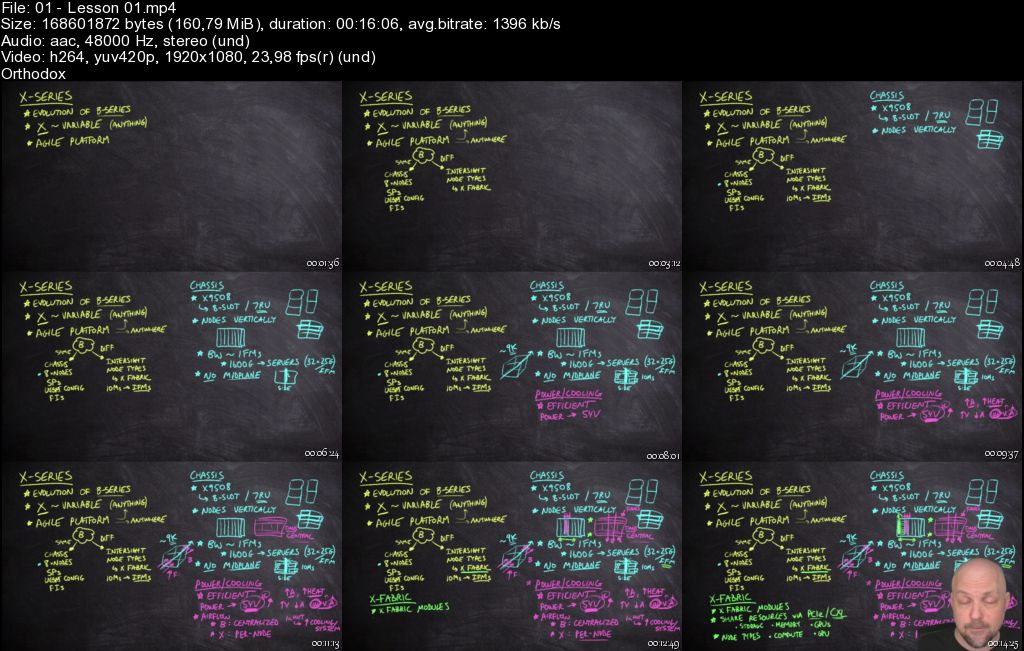

 Each lecture starts with a list of objectives/speaking noteso Every example covered in the lecture is available for download in the resources section including the objectives/speaking noteso Almost every lecture has a set of Practice problems with full solutions providedo My style of writing and teaching follows the KISS principle : Keep It Super Simple. I try to stay away from fancy computer terminology and try to teach like am speaking to a brand new user with little to no previous knowledge on the subject matter and I am always available for help replying most times within a day. And finally please do not judge a book by it's cover don't judge the course by the title or this small description section, if you want to know exactly all the topics covered please go to: COURSE CONTENT Sections Lectures (press the down arrow) This will open up literally thousands of lines of very detailed lecture descriptions leaving no doubt what is and what is not covered.


 Basic understanding of business processes or supply chain operations.
 SAP beginners aiming to start a career in Materials Management (MM).

