• Regeln für den Video-Bereich:

    In den Börsenbereich gehören nur Angebote die bereits den Allgemeinen Regeln entsprechen.

    Einteilung

    - Folgende Formate gehören in die angegeben Bereiche:
    - Filme: Encodierte Filme von BluRay, DVD, R5, TV, Screener sowie Telesyncs im Format DivX, XviD und x264.
    - DVD: Filme im Format DVD5, DVD9 und HD2DVD.
    - HD: Encodierte Filme mit der Auflösung 720p oder darüber von BluRay, DVD, R5, TV, Screener sowie Telesyncs im Format x264.
    - 3D: Encodierte Filme von BluRay, die in einem 3D Format vorliegen. Dies gilt auch für Dokus, Animation usw.
    - Serien: Cartoon/Zeichentrick, Anime, Tutorials, Dokumentationen, Konzerte/Musik, Sonstiges sind demnach in die entsprechenden Bereiche einzuordnen, auch wenn sie beispielsweise im High Definition-Format oder als DVD5/DVD9/HD2DVD vorliegen. Ausnahme 3D.
    - Bereich Englisch: Englische Releases gehören immer in diesen Bereich.
    - Bereich Talk: Der Bereich, in dem über die Releases diskutiert werden kann, darf, soll und erwünscht ist.


    Angebot/Beitrag erstellen

    - Ein Beitrag darf erst dann erstellt werden, wenn der Upload bei mindestens einem OCH komplett ist. Platzhalter sind untersagt.
    - Bei einem Scenerelease hat der Threadtitel ausschließlich aus dem originalen, unveränderten Releasenamen zu bestehen. Es dürfen keine Veränderungen wie z.B. Sterne, kleine Buchstaben o.ä. vorgenommen werden. Ausnahme Serienbörse:
    - Bei einem Sammelthread für eine Staffel entfällt aus dem Releasename natürlich der Name der Folge. Beispiel: Die Simpsons S21 German DVDRip XviD - ITG
    - Dementsprechend sind also u.a. verboten: Erweiterungen wie "Tipp", "empfehlenswert", "only", "reup", usw. / jegliche andere Zusatzinformation oder Ergänzung, welche nicht in obiger Beschreibung zu finden ist.

    Aufbau des Angebots und Threadtitel

    Der Titel nach folgendem Muster erstellt zu werden. <Name> [3D] [Staffel] [German] <Jahr> <Tonspur> [DL] [Auflösung] <Quelle> <Codec> - <Group>
    Beispiel: The Dark Knight German 2008 AC3 DVDRip XviD - iND
    Beispiel: The Dark Knight 2008 DTS DL BDRip x264 - iND
    Beispiel: The Dark Knight 2008 AC3 DL BDRip XviD - iND
    Beispiel: The Dark Knight German 2008 AC3 720p BluRay x264 iND
    Beispiel: The Dark Knight 2008 DTS DL 1080p BluRay x264 iND
    Beispiel: Die Simpsons S01 German AC3 DVDRip XviD iND
    Beispiel: Die Simpsons S20 German AC3 720p BluRay x264 iND
    Beispiel: Sword Art Online II Ger Sub 2014 AAC 1080p WEBRip x264 - peppermint
    Entsprechend sind also u.a. verboten: Sonderzeichen wie Klammern, Sterne, Ausrufezeichen, Unterstriche, Anführungszeichen / Erweiterungen wie "Tipp", "empfehlenswert", "only", "reup", usw. / jegliche andere Zusatzinformation oder Ergänzung, welche nicht in obiger Beschreibung zu finden ist
    Ausnahmen hiervon können in den Bereichen geregelt sein.

    Die Beiträge sollen wie folgt aufgebaut werden:
    Überschrift entspricht dem Threadtitel
    Cover
    kurze Inhaltsbeschreibung
    Format, Größe, Dauer sind gut lesbar für Downloader außerhalb des Spoilers zu vermerken
    Nfo sind immer Anzugeben und selbige immer im Spoiler in Textform.
    Sind keine Nfo vorhanden z.B. Eigenpublikationen, sind im Spoiler folgende Dateiinformationen zusätzlich anzugeben :
    Quelle
    Video (Auflösung und Bitrate)
    Ton (Sprache, Format und Bitrate der einzelnen Spuren)
    Untertitel (sofern vorhanden)
    Hosterangabe in Textform außerhalb eines Spoiler mit allen enthaltenen Hostern.
    Bei SD kann auf diese zusätzlichen Dateiinformationen verzichtet werden.

    Alle benötigten Passwörter sind, sofern vorhanden, in Textform im Angebot anzugeben.
    Spoiler im Spoiler mit Kommentaren :"Schon Bedankt?" sind unerwünscht.


    Releases

    - Sind Retail-Release verfügbar, sind alle anderen Variationen untersagt. Ausnahmen: Alle deutschen Retail-Release sind CUT, in diesem Fall sind dubbed UNCUT-Release zulässig.
    - Im Serien-Bereich gilt speziell: Wenn ein Retail vor Abschluss einer laufenden Staffel erscheint, darf diese Staffel noch zu Ende gebracht werden.62
    - Gleiche Releases sind unbedingt zusammenzufassen. Das bedeutet, es ist zwingend erforderlich, vor dem Erstellen eines Themas per Suchfunktion zu überprüfen, ob bereits ein Beitrag mit demselben Release besteht. Ist dies der Fall, ist der bereits vorhandene Beitrag zu verwenden.
    - P2P und Scene Releases dürfen nicht verändert oder gar unter einem iND Tag eingestellt werden.


    Support, Diskussionen und Suche

    - Supportanfragen sind entweder per PN oder im Bereich Talk zu stellen.
    - Diskussionen und Bewertungen sind im Talk Bereich zu führen. Fragen an die Uploader haben ausschließlich via PN zu erfolgen, und sind in den Angeboten untersagt.
    - Anfragen zu Upload-Wünschen sind nur im Bereich Suche Video erlaubt. Antworten dürfen nur auf Angebote von MyBoerse.bz verlinkt werden.


    Verbote

    - Untersagt sind mehrere Formate in einem einzigen Angebotsthread, wie beispielsweise das gleichzeitige Anbieten von DivX/XviD, 720p und 1080p in einem Thread. Pro Format, Release und Auflösung ist ein eigener Thread zu eröffnen.
    - Grundsätzlich ebenso verboten sind Dupes. Uploader haben sich an geeigneter Stelle darüber zu informieren, ob es sich bei einem Release um ein Dupe handelt.
    - Gefakte, nur teilweise lauffähige oder unvollständige Angebote sind untersagt. Dies gilt auch für eigene Publikationen, die augenscheinlich nicht selbst von z.B. einer DVD gerippt wurden. Laufende Serien, bei denen noch nicht alle Folgen verfügbar sind, dürfen erstellt und regelmäßig geupdatet werden.
    - Untersagt sind Angebote, welche nur und ausschließlich in einer anderen Sprache als deutsch oder englisch vorliegen. Ausnahmen sind VORHER mit den Moderatoren zu klären.


    Verstoß gegen die Regeln

    - Angebote oder Beiträge, die gegen die Forenregeln verstoßen, sind über den "Melden"-Button im Beitrag zu melden.
  • Bitte registriere dich zunächst um Beiträge zu verfassen und externe Links aufzurufen.

*** Bestes IPTV *** bester Preis *** gratis Test ***


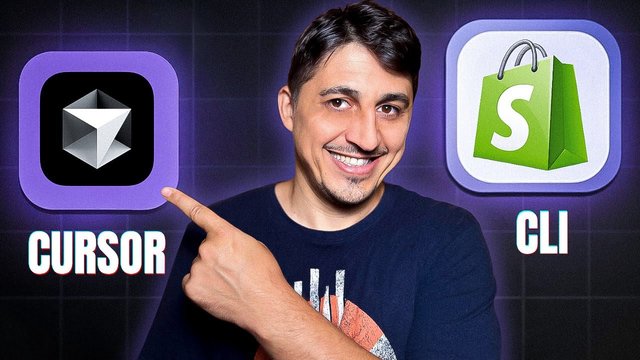
Build Shopify Themes With Ai: Chatgpt, Cursor, Copilot

wowojeh111

MyBoerse.bz Pro Member
hq720.jpg

Build Shopify Themes With Ai: Chatgpt, Cursor, Copilot
Published 5/2025
Created by Vaga Notes
MP4 | Video: h264, 1280x720 | Audio: AAC, 44.1 KHz, 2 Ch
Level: Beginner | Genre: eLearning | Language: English | Duration: 33 Lectures ( 1h 48m ) | Size: 1 GB​


Use AI to create custom Shopify theme sections fast. Perfect for developers, designers, and freelancers
What you'll learn
How to build professional Shopify theme sections using AI tools like ChatGPT, Cursor, and GitHub Copilot
How to design reusable, schema-powered Liquid sections for the Shopify Theme Editor
How to write effective AI prompts to generate Liquid, JSON schema, and TailwindCSS
How to install and configure TailwindCSS inside a custom Shopify theme
How to style sections using AI-generated Tailwind utility classes and traditional CSS
How to refactor, debug, and extend sections using Cursor AI code editor
How to use GitHub Copilot for intelligent, inline Liquid and CSS completions
How to preview and test sections live in a Shopify development store
How to package, reuse, and prepare your sections for clients or Shopify Theme Store submission
How to accelerate your development workflow using a modern AI-assisted toolchain
Requirements
Basic understanding of HTML and CSS (no need to be advanced)
A computer with macOS, Windows, or Linux
A GitHub account (for using Copilot)
Visual Studio Code or Cursor installed (we'll show how to set these up)
Curiosity to learn with AI tools like ChatGPT - no AI experience needed!
Description
Are you ready to build Shopify themes smarter, faster, and with the help of cutting-edge AI tools?In this hands-on course, you'll learn how to design and develop a custom Shopify theme section using ChatGPT, GitHub Copilot, and Cursor AI - with zero fluff and 100% practical workflows. Whether you're a developer, designer, freelancer, or curious entrepreneur, this course shows how AI can supercharge your Shopify theme development processWhat You'll LearnHow to use ChatGPT to generate Shopify Liquid code and JSON schemasHow to write smarter code with GitHub Copilot or CursorHow to design your theme layout in Figma and turn it into codeHow to use Shopify CLI to preview and test your themesHow to package and reuse your AI-generated theme sectionsWhat You'll BuildBy the end of the course, you'll create a fully functional, responsive "Hero Section" with heading, button, image (and optional video), styled to match your Figma design - all powered by AI.Tools You'll UseChatGPT (or any LLM)Cursor (or GitHub Copilot with VS Code)Figma (for UI layout)Shopify CLI (for local development)GitHub (to store your code)If you've ever wanted to build your own Shopify theme but felt overwhelmed by code, or if you're looking to accelerate your workflow with AI, this course is for you.Join now and start building Shopify themes - the smart, AI-powered way.
Who this course is for
Shopify developers who want to build sections faster using AI
Web designers looking to turn Figma designs into editable Shopify sections
Freelancers and agencies who want to speed up theme customization for clients
Frontend developers transitioning into Shopify theme work
Beginners comfortable with HTML/CSS who want to learn Shopify theme development with modern tools
Anyone interested in combining ChatGPT, Cursor, and Copilot to build real-world Shopify features efficiently


 

aab6ae532c5d1508fc652cf23d713468.jpg

Build Shopify Themes with AI: ChatGPT, Cursor, Copilot
Published 5/2025
Duration: 1h 48m | .MP4 1920x1080 30 fps(r) | AAC, 44100 Hz, 2ch | 1 GB
Genre: eLearning | Language: English​

Use AI to create custom Shopify theme sections fast. Perfect for developers, designers, and freelancers

What you'll learn
- How to build professional Shopify theme sections using AI tools like ChatGPT, Cursor, and GitHub Copilot
- How to design reusable, schema-powered Liquid sections for the Shopify Theme Editor
- How to write effective AI prompts to generate Liquid, JSON schema, and TailwindCSS
- How to install and configure TailwindCSS inside a custom Shopify theme
- How to style sections using AI-generated Tailwind utility classes and traditional CSS
- How to refactor, debug, and extend sections using Cursor AI code editor
- How to use GitHub Copilot for intelligent, inline Liquid and CSS completions
- How to preview and test sections live in a Shopify development store
- How to package, reuse, and prepare your sections for clients or Shopify Theme Store submission
- How to accelerate your development workflow using a modern AI-assisted toolchain

Requirements
- Basic understanding of HTML and CSS (no need to be advanced)
- A computer with macOS, Windows, or Linux
- A GitHub account (for using Copilot)
- Visual Studio Code or Cursor installed (we'll show how to set these up)
- Curiosity to learn with AI tools like ChatGPT - no AI experience needed!

Description
Are you ready to build Shopify themes smarter, faster, and with the help of cutting-edge AI tools?

In this hands-on course, you'll learn how todesign and develop a custom Shopify theme section using ChatGPT, GitHub Copilot, and Cursor AI- with zero fluff and 100% practical workflows. Whether you're a developer, designer, freelancer, or curious entrepreneur, this course shows howAI can supercharge your Shopify theme development process

What You'll Learn

How to useChatGPT to generate Shopify Liquid code and JSON schemas

How to write smarter code withGitHub Copilot or Cursor

How to design your theme layout inFigmaand turn it into code

How to useShopify CLIto preview and test your themes

How to package and reuse your AI-generated theme sections

What You'll Build

By the end of the course, you'll create a fully functional, responsive"Hero Section"with heading, button, image (and optional video), styled to match your Figma design - all powered by AI.

Tools You'll Use

ChatGPT (or any LLM)

Cursor (or GitHub Copilot with VS Code)

Figma (for UI layout)

Shopify CLI (for local development)

GitHub (to store your code)

If you've ever wanted tobuild your own Shopify theme but felt overwhelmed by code, or if you're looking toaccelerate your workflow with AI, this course is for you.

Join now and start building Shopify themes - the smart, AI-powered way.

Who this course is for:
- Shopify developers who want to build sections faster using AI
- Web designers looking to turn Figma designs into editable Shopify sections
- Freelancers and agencies who want to speed up theme customization for clients
- Frontend developers transitioning into Shopify theme work
- Beginners comfortable with HTML/CSS who want to learn Shopify theme development with modern tools
- Anyone interested in combining ChatGPT, Cursor, and Copilot to build real-world Shopify features efficiently


Please check out others courses in your favourite language and bookmark them
- - - -

szxARUxH_o.jpg


539499712_359020115_tuto.jpg

Published 5/2025 Created by Vaga Notes MP4 | Video: h264, 1280x720 | Audio: AAC, 44.1 KHz, 2 Ch Level: Beginner | Genre: eLearning | Language: English | Duration: 33 Lectures ( 1h 48m ) | Size: 1 GB​

Use AI to create custom Shopify theme sections fast. Perfect for developers, designers, and freelancers

What you'll learn
How to build professional Shopify theme sections using AI tools like ChatGPT, Cursor, and GitHub Copilot
How to design reusable, schema-powered Liquid sections for the Shopify Theme Editor
How to write effective AI prompts to generate Liquid, JSON schema, and TailwindCSS
How to install and configure TailwindCSS inside a custom Shopify theme
How to style sections using AI-generated Tailwind utility classes and traditional CSS
How to refactor, debug, and extend sections using Cursor AI code editor
How to use GitHub Copilot for intelligent, inline Liquid and CSS completions
How to preview and test sections live in a Shopify development store
How to package, reuse, and prepare your sections for clients or Shopify Theme Store submission
How to accelerate your development workflow using a modern AI-assisted toolchain

Requirements
Basic understanding of HTML and CSS (no need to be advanced)
A computer with macOS, Windows, or Linux
A GitHub account (for using Copilot)
Visual Studio Code or Cursor installed (we'll show how to set these up)
Curiosity to learn with AI tools like ChatGPT - no AI experience needed!

Description
Are you ready to build Shopify themes smarter, faster, and with the help of cutting-edge AI tools?In this hands-on course, you'll learn how to design and develop a custom Shopify theme section using ChatGPT, GitHub Copilot, and Cursor AI - with zero fluff and 100% practical workflows. Whether you're a developer, designer, freelancer, or curious entrepreneur, this course shows how AI can supercharge your Shopify theme development processWhat You'll LearnHow to use ChatGPT to generate Shopify Liquid code and JSON schemasHow to write smarter code with GitHub Copilot or CursorHow to design your theme layout in Figma and turn it into codeHow to use Shopify CLI to preview and test your themesHow to package and reuse your AI-generated theme sectionsWhat You'll BuildBy the end of the course, you'll create a fully functional, responsive "Hero Section" with heading, button, image (and optional video), styled to match your Figma design - all powered by AI.Tools You'll UseChatGPT (or any LLM)Cursor (or GitHub Copilot with VS Code)Figma (for UI layout)Shopify CLI (for local development)GitHub (to store your code)If you've ever wanted to build your own Shopify theme but felt overwhelmed by code, or if you're looking to accelerate your workflow with AI, this course is for you.Join now and start building Shopify themes - the smart, AI-powered way.

Who this course is for
Shopify developers who want to build sections faster using AI
Web designers looking to turn Figma designs into editable Shopify sections
Freelancers and agencies who want to speed up theme customization for clients
Frontend developers transitioning into Shopify theme work
Beginners comfortable with HTML/CSS who want to learn Shopify theme development with modern tools
Anyone interested in combining ChatGPT, Cursor, and Copilot to build real-world Shopify features efficiently

Welcome to - Check it Every Days
If you have any troubles with downloading, PM me

Happy Learning!!

702782416_yxusj-l0b291obu03k.jpg

HP8PQhak_o.jpg


572892a9b0ba0ada18dcce2aafd6b79f.jpg

Build Shopify Themes with AI: ChatGPT, Cursor, Copilot
Published 5/2025
Duration: 1h 48m | .MP4 1920x1080 30 fps(r) | AAC, 44100 Hz, 2ch | 1 GB
Genre: eLearning | Language: English​

Use AI to create custom Shopify theme sections fast. Perfect for developers, designers, and freelancers

What you'll learn
- How to build professional Shopify theme sections using AI tools like ChatGPT, Cursor, and GitHub Copilot
- How to design reusable, schema-powered Liquid sections for the Shopify Theme Editor
- How to write effective AI prompts to generate Liquid, JSON schema, and TailwindCSS
- How to install and configure TailwindCSS inside a custom Shopify theme
- How to style sections using AI-generated Tailwind utility classes and traditional CSS
- How to refactor, debug, and extend sections using Cursor AI code editor
- How to use GitHub Copilot for intelligent, inline Liquid and CSS completions
- How to preview and test sections live in a Shopify development store
- How to package, reuse, and prepare your sections for clients or Shopify Theme Store submission
- How to accelerate your development workflow using a modern AI-assisted toolchain

Requirements
- Basic understanding of HTML and CSS (no need to be advanced)
- A computer with macOS, Windows, or Linux
- A GitHub account (for using Copilot)
- Visual Studio Code or Cursor installed (we'll show how to set these up)
- Curiosity to learn with AI tools like ChatGPT - no AI experience needed!

Description
Are you ready to build Shopify themes smarter, faster, and with the help of cutting-edge AI tools?

In this hands-on course, you'll learn how todesign and develop a custom Shopify theme section using ChatGPT, GitHub Copilot, and Cursor AI- with zero fluff and 100% practical workflows. Whether you're a developer, designer, freelancer, or curious entrepreneur, this course shows howAI can supercharge your Shopify theme development process

What You'll Learn

How to useChatGPT to generate Shopify Liquid code and JSON schemas

How to write smarter code withGitHub Copilot or Cursor

How to design your theme layout inFigmaand turn it into code

How to useShopify CLIto preview and test your themes

How to package and reuse your AI-generated theme sections

What You'll Build

By the end of the course, you'll create a fully functional, responsive"Hero Section"with heading, button, image (and optional video), styled to match your Figma design - all powered by AI.

Tools You'll Use

ChatGPT (or any LLM)

Cursor (or GitHub Copilot with VS Code)

Figma (for UI layout)

Shopify CLI (for local development)

GitHub (to store your code)

If you've ever wanted tobuild your own Shopify theme but felt overwhelmed by code, or if you're looking toaccelerate your workflow with AI, this course is for you.

Join now and start building Shopify themes - the smart, AI-powered way.

Who this course is for:
- Shopify developers who want to build sections faster using AI
- Web designers looking to turn Figma designs into editable Shopify sections
- Freelancers and agencies who want to speed up theme customization for clients
- Frontend developers transitioning into Shopify theme work
- Beginners comfortable with HTML/CSS who want to learn Shopify theme development with modern tools
- Anyone interested in combining ChatGPT, Cursor, and Copilot to build real-world Shopify features efficiently


Please check out others courses in your favourite language and bookmark them
- - - -

oV7FWYFZ_o.jpg

 
Zurück
Oben Unten