• Regeln für den Software-Bereich:


    Allgemeines:

    - In erster Linie sind unsere Boardregeln zu beachten, zu finden HIER.
    - Software zur Audiobearbeitung sollte ausschließlich im Unterforum "Audio" eingestellt werden.
    - Für Cracks, Keygens oder sonstige Freischaltungssoftware gibt es das Unterforum "Freischaltung".
    - Portable Software bitte im entsprechenden Unterforum "Portable Software" eintragen.
    - Diskussionen zur Installation und anderen Problemen mit der Software, bitte im enstprechenden Unterforum "Talk" führen.
    - Bei Unklarheiten und Fragen zu den Regeln bitte die Moderatoren kontaktieren.


    Angebot erstellen

    - Die Struktur des Threadtitels muss wie folgt umgesetzt werden: Herstellername - Softwarename - Versionsnummer
    - Unnötige Zusätze im Threadtitel wie "HOT", "NEW" oder Punkte zwischen den Wörtern sind nicht erlaubt.
    - Achtet darauf immer nur die Hauptversion und deren Updates in einem Thread zusammenfassen, konkretes Beispiel: SoftwareXY v3.12 gehört in den selben Thread mit SoftwareXY v3.13; SoftwareXY v.4.1 gehört in einen neuen eigenen Thread. Ausgenommen hiervon sind Sammelthreads und Dauerangebote.
    - Bei nicht bekannten Herstellern oder Angebote einer privaten Software, ist die Programmbezeichnung + Versionsnummer ausreichend.
    - Besondere Beachtung gilt für den ersten Beitrag eines Angebots. Dort muss eine kurze Beschreibung der Software in deutscher Sprache angegeben werden. Für offizielle Releases ist es Pflicht die NFO im Beitrag einzustellen(Spoiler, siehe nächster Punkt).
    - Weitere Informationen wie NFOs oder Changelogs, versteckt ihr bitte in einem Spoiler.


    Software Suche

    - Für Suchanfragen haben wir das Unterforum "Suche" erstellt.
    - Auch hier sollte vorher die Suchfunktion benutzt werden, um Doppelthreads vorzubeugen. Sollte es bereits eine Suchanfrage geben, könnt ihr den Thread gerne mit einem "Danke" pushen.


    Trojaner- und Virusalarm

    - Falls Euer Virenscanner bei einem Angebot Alarm schlägt, solltet ihr zunächst Ruhe bewahren. Viele Virenscanner erkennen Cracks/Keygens oft fälschlicherweise als Bedrohung.
    - Prüft die verdächtige Datei zuerst mit http://virustotal.com , sollte es sich hierbei wirklich um eine Bedrohung handeln, meldet den Beitrag und/oder wendet euch mit dem Bericht von VirusTotal.com an einen Moderator.


    Unerwünschte Angebote

    - Keylogger, Spionagetools, alles rund ums Thema Hacking/Cracking ist nicht erwünscht.
  • Bitte registriere dich zunächst um Beiträge zu verfassen und externe Links aufzurufen.

*** Bestes IPTV *** bester Preis *** gratis Test ***


WSCC - Windows System Control Center v10

Kalpatru

MyBoerse.bz Pro Member
WSCC - Windows System Control Center 10.0.0.5 Commercial
th-FGo-S7-EYEFo-SApi1a0rv2ym3-D3-BAa-Xma-D.jpg


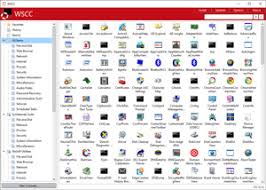
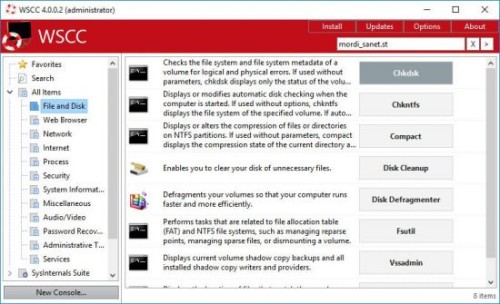
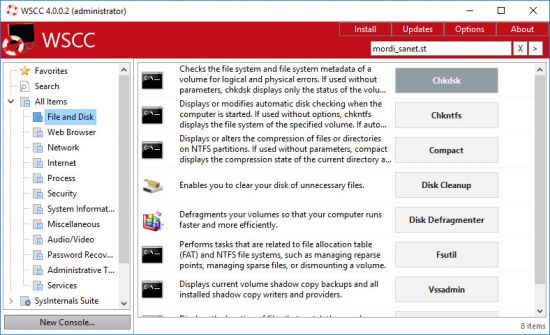
WSCC allows you to install, update, execute and organize the utilities from various system utility suites. WSCC can install and update the supported utilities automatically. Alternatively, WSCC can use thehttp protocol to download and run the programs.

The interface is very simple and intuitive, thus allowing any type of user to find their way around it, regardless of their previous experience with the IT world. Aside from that, it consists of a folder structure and a panel in which to view details.
Upon first launching the utility, you can see a list of software products you can install, such as DiskMon, PortMon, TagsReport, Page Defrag and Autoruns, along with some short descriptions.
This tool also enables you to quickly access a console, so that you can execute command line applications.


Language: English

File Size: 9.6 MB

Format: RAR, EXE

Platform: Windows 7, 8/8.1, 10, 11 (32/64Bit)


DOWNLOAD



WSCC - Windows System Control Center v10.0.0.5 Commercial

gvF5VRk.png


WSCC - Windows System Control Center v10.0.0.5 Commercial || Cracked || 63.85 MB || Sprache: Englisch


Beschreibung:


Sprache: Englisch
File Size: 63.85 MB
Format: .Rar und .Exe
Plattform: Windows 11, 10, 8.1, 8, 7 (32 und 64 Bit)
Passwort: Wird nicht benötigt
Hoster: nitroflare.com , ddownload.com , rapidgator.net

Mirrors sind untereinander kompatibel


Download Links


Z7d3aS.windows-system-controegfzu.png


WSCC - Windows System Control Center 10.0.0.5 Commercial (32 oder 64-Bit)


Plattform: windows 10 , 8 , 8.1 , 7 , 11 (32 oder 64-Bit)
Größe: 63.85 MB
Sprache(n) -> Englisch
Format: rar / exe
Hoster: rapidgator / ddownload / nitroflare


Mit WSCC können Sie die Dienstprogramme verschiedener Systemdienstprogrammpakete installieren, aktualisieren, ausführen und organisieren.WSCC kann die unterstützten Dienstprogramme automatisch installieren und aktualisieren.Alternativ kann WSCC das HTTP-Protokoll verwenden, um die Programme herunterzuladen und auszuführen.Abgesehen davon besteht es aus einer Ordnerstruktur in dem Details angezeigt werden.zusammen mit einigen kurzen Beschreibungen.Mit diesem Tool können Sie auch schnell auf eine Konsole zugreifen, sodass Sie Befehlszeilenanwendungen ausführen können.Der Ansichtstyp kann geändert werden, von einer detaillierten Ansicht zu Symbolen und Berichten.

Download:
jndlpic.gif


WSCC - Windows System Control Center v10.0.1.1 Commercial

gvF5VRk.png


WSCC - Windows System Control Center v10.0.1.1 Commercial || Patch-xanax || 13.14 MB || Sprache: Englisch


Beschreibung:


Sprache: Englisch
File Size: 13.14 MB
Format: .Rar und .Exe
Plattform: Windows 11, 10, 8.1, 8, 7 (32 und 64 Bit)
Passwort: Wird nicht benötigt
Hoster: nitroflare.com , ddownload.com , rapidgator.net

Mirrors sind untereinander kompatibel


Download Links


WSCC - Windows System Control Center v10.0.1.2 Commercial

gvF5VRk.png


WSCC - Windows System Control Center v10.0.1.2 Commercial || Patch-xanax || 13.14 MB || Sprache: Englisch


Beschreibung:


Sprache: Englisch
File Size: 13.14 MB
Format: .Rar und .Exe
Plattform: Windows 11, 10, 8.1, 8, 7 (32 und 64 Bit)
Passwort: Wird nicht benötigt
Hoster: nitroflare.com , ddownload.com , rapidgator.net

Mirrors sind untereinander kompatibel


Download Links


WSCC - Windows System Control Center v10.0.2.6 (x64) Commercial

gvF5VRk.png


WSCC - Windows System Control Center v10.0.2.6 (x64) Commercial || Patch-xanax || 5.26 MB || Sprache: Englisch


Beschreibung:


Sprache: Englisch
File Size: 5.26 MB
Format: .Rar und .Exe
Plattform: Windows 11, 10, 8.1, 8, 7 (64 Bit)
Passwort: Wird nicht benötigt
Hoster: nitroflare.com , ddownload.com , rapidgator.net

Mirrors sind untereinander kompatibel


WSCC - Windows System Control Center 10.0.2.6 (x64) Commercial


3cdc3c89af0127177ac6222ce7bc153e.jpg


WSCC - Windows System Control Center 10.0.2.6 (x64) Commercial


WSCC ermöglicht die Installation, Aktualisierung, Ausführung und Organisation von Dienstprogrammen verschiedener System-Utility-Suites. Unterstützte Dienstprogramme können automatisch installiert und aktualisiert werden. Alternativ können Programme über das HTTP-Protokoll heruntergeladen und ausgeführt werden.


Sprache: English | Größe: 5.26 MB | Format: RAR, EXE | Plattform: Windows 7, 8/8.1, 10, 11 (64Bit)


Hoster:
RapidGator.net | NitroFlare.com | DDownload.com


DOWNLOAD Links:


WSCC - Windows System Control Center 10.0.3.8 Commercial

gvF5VRk.png


WSCC - Windows System Control Center 10.0.3.8 Commercial || Crack-UZ1 || 18.71 MB || Sprache: Englisch


Beschreibung:


Sprache: Englisch
File Size: 18.71 MB
Format: .Rar und .Exe
Plattform: Windows 11, 10, 8.1, 8, 7 (64 Bit)
Passwort: Wird nicht benötigt
Hoster: nitroflare.com , ddownload.com , rapidgator.net

Mirrors sind untereinander kompatibel


WSCC - Windows System Control Center 10.0.3.8 Commercial

th-FGo-S7-EYEFo-SApi1a0rv2ym3-D3-BAa-Xma-D.jpg


WSCC allows you to install, update, execute and organize the utilities from various system utility suites. WSCC can install and update the supported utilities automatically. Alternatively, WSCC can use thehttp protocol to download and run the programs.

The interface is very simple and intuitive, thus allowing any type of user to find their way around it, regardless of their previous experience with the IT world. Aside from that, it consists of a folder structure and a panel in which to view details.

Upon first launching the utility, you can see a list of software products you can install, such as DiskMon, PortMon, TagsReport, Page Defrag and Autoruns, along with some short descriptions.

This tool also enables you to quickly access a console, so that you can execute command line applications.

The view type can be changed, from a detailed one, to icons and reports. In addition to that, you can show hidden items, add tools to favorites, search for them online and view properties.

From the settings panel, the application can be minimized to the tray, so as not to become obtrusive. Plus, you can view tooltips, check for updates, configure the search to look in software descriptions, scan while typing, as well as customize the console (background color, opacity and font).

To sum up, WSCC - Windows System Control Center is a useful piece of software, when it comes to managing utilities from the Windows Sysinternals suit, view, execute and add them to favorites. It does not put a strain on your PC's performance and the response time is very good. Our tests did not reveal any errors, bugs, or crashes.

Language: English

File Size: 19.27 MB

Format: RAR, EXE

Platform: Windows 7, 8/8.1, 10, 11 (32/64Bit)


DOWNLOAD

 
Zurück
Oben Unten