• Regeln für den Video-Bereich:

    In den Börsenbereich gehören nur Angebote die bereits den Allgemeinen Regeln entsprechen.

    Einteilung

    - Folgende Formate gehören in die angegeben Bereiche:
    - Filme: Encodierte Filme von BluRay, DVD, R5, TV, Screener sowie Telesyncs im Format DivX, XviD und x264.
    - DVD: Filme im Format DVD5, DVD9 und HD2DVD.
    - HD: Encodierte Filme mit der Auflösung 720p oder darüber von BluRay, DVD, R5, TV, Screener sowie Telesyncs im Format x264.
    - 3D: Encodierte Filme von BluRay, die in einem 3D Format vorliegen. Dies gilt auch für Dokus, Animation usw.
    - Serien: Cartoon/Zeichentrick, Anime, Tutorials, Dokumentationen, Konzerte/Musik, Sonstiges sind demnach in die entsprechenden Bereiche einzuordnen, auch wenn sie beispielsweise im High Definition-Format oder als DVD5/DVD9/HD2DVD vorliegen. Ausnahme 3D.
    - Bereich Englisch: Englische Releases gehören immer in diesen Bereich.
    - Bereich Talk: Der Bereich, in dem über die Releases diskutiert werden kann, darf, soll und erwünscht ist.


    Angebot/Beitrag erstellen

    - Ein Beitrag darf erst dann erstellt werden, wenn der Upload bei mindestens einem OCH komplett ist. Platzhalter sind untersagt.
    - Bei einem Scenerelease hat der Threadtitel ausschließlich aus dem originalen, unveränderten Releasenamen zu bestehen. Es dürfen keine Veränderungen wie z.B. Sterne, kleine Buchstaben o.ä. vorgenommen werden. Ausnahme Serienbörse:
    - Bei einem Sammelthread für eine Staffel entfällt aus dem Releasename natürlich der Name der Folge. Beispiel: Die Simpsons S21 German DVDRip XviD - ITG
    - Dementsprechend sind also u.a. verboten: Erweiterungen wie "Tipp", "empfehlenswert", "only", "reup", usw. / jegliche andere Zusatzinformation oder Ergänzung, welche nicht in obiger Beschreibung zu finden ist.

    Aufbau des Angebots und Threadtitel

    Der Titel nach folgendem Muster erstellt zu werden. <Name> [3D] [Staffel] [German] <Jahr> <Tonspur> [DL] [Auflösung] <Quelle> <Codec> - <Group>
    Beispiel: The Dark Knight German 2008 AC3 DVDRip XviD - iND
    Beispiel: The Dark Knight 2008 DTS DL BDRip x264 - iND
    Beispiel: The Dark Knight 2008 AC3 DL BDRip XviD - iND
    Beispiel: The Dark Knight German 2008 AC3 720p BluRay x264 iND
    Beispiel: The Dark Knight 2008 DTS DL 1080p BluRay x264 iND
    Beispiel: Die Simpsons S01 German AC3 DVDRip XviD iND
    Beispiel: Die Simpsons S20 German AC3 720p BluRay x264 iND
    Beispiel: Sword Art Online II Ger Sub 2014 AAC 1080p WEBRip x264 - peppermint
    Entsprechend sind also u.a. verboten: Sonderzeichen wie Klammern, Sterne, Ausrufezeichen, Unterstriche, Anführungszeichen / Erweiterungen wie "Tipp", "empfehlenswert", "only", "reup", usw. / jegliche andere Zusatzinformation oder Ergänzung, welche nicht in obiger Beschreibung zu finden ist
    Ausnahmen hiervon können in den Bereichen geregelt sein.

    Die Beiträge sollen wie folgt aufgebaut werden:
    Überschrift entspricht dem Threadtitel
    Cover
    kurze Inhaltsbeschreibung
    Format, Größe, Dauer sind gut lesbar für Downloader außerhalb des Spoilers zu vermerken
    Nfo sind immer Anzugeben und selbige immer im Spoiler in Textform.
    Sind keine Nfo vorhanden z.B. Eigenpublikationen, sind im Spoiler folgende Dateiinformationen zusätzlich anzugeben :
    Quelle
    Video (Auflösung und Bitrate)
    Ton (Sprache, Format und Bitrate der einzelnen Spuren)
    Untertitel (sofern vorhanden)
    Hosterangabe in Textform außerhalb eines Spoiler mit allen enthaltenen Hostern.
    Bei SD kann auf diese zusätzlichen Dateiinformationen verzichtet werden.

    Alle benötigten Passwörter sind, sofern vorhanden, in Textform im Angebot anzugeben.
    Spoiler im Spoiler mit Kommentaren :"Schon Bedankt?" sind unerwünscht.


    Releases

    - Sind Retail-Release verfügbar, sind alle anderen Variationen untersagt. Ausnahmen: Alle deutschen Retail-Release sind CUT, in diesem Fall sind dubbed UNCUT-Release zulässig.
    - Im Serien-Bereich gilt speziell: Wenn ein Retail vor Abschluss einer laufenden Staffel erscheint, darf diese Staffel noch zu Ende gebracht werden.62
    - Gleiche Releases sind unbedingt zusammenzufassen. Das bedeutet, es ist zwingend erforderlich, vor dem Erstellen eines Themas per Suchfunktion zu überprüfen, ob bereits ein Beitrag mit demselben Release besteht. Ist dies der Fall, ist der bereits vorhandene Beitrag zu verwenden.
    - P2P und Scene Releases dürfen nicht verändert oder gar unter einem iND Tag eingestellt werden.


    Support, Diskussionen und Suche

    - Supportanfragen sind entweder per PN oder im Bereich Talk zu stellen.
    - Diskussionen und Bewertungen sind im Talk Bereich zu führen. Fragen an die Uploader haben ausschließlich via PN zu erfolgen, und sind in den Angeboten untersagt.
    - Anfragen zu Upload-Wünschen sind nur im Bereich Suche Video erlaubt. Antworten dürfen nur auf Angebote von MyBoerse.bz verlinkt werden.


    Verbote

    - Untersagt sind mehrere Formate in einem einzigen Angebotsthread, wie beispielsweise das gleichzeitige Anbieten von DivX/XviD, 720p und 1080p in einem Thread. Pro Format, Release und Auflösung ist ein eigener Thread zu eröffnen.
    - Grundsätzlich ebenso verboten sind Dupes. Uploader haben sich an geeigneter Stelle darüber zu informieren, ob es sich bei einem Release um ein Dupe handelt.
    - Gefakte, nur teilweise lauffähige oder unvollständige Angebote sind untersagt. Dies gilt auch für eigene Publikationen, die augenscheinlich nicht selbst von z.B. einer DVD gerippt wurden. Laufende Serien, bei denen noch nicht alle Folgen verfügbar sind, dürfen erstellt und regelmäßig geupdatet werden.
    - Untersagt sind Angebote, welche nur und ausschließlich in einer anderen Sprache als deutsch oder englisch vorliegen. Ausnahmen sind VORHER mit den Moderatoren zu klären.


    Verstoß gegen die Regeln

    - Angebote oder Beiträge, die gegen die Forenregeln verstoßen, sind über den "Melden"-Button im Beitrag zu melden.
  • Bitte registriere dich zunächst um Beiträge zu verfassen und externe Links aufzurufen.

*** Bestes IPTV *** bester Preis *** gratis Test ***


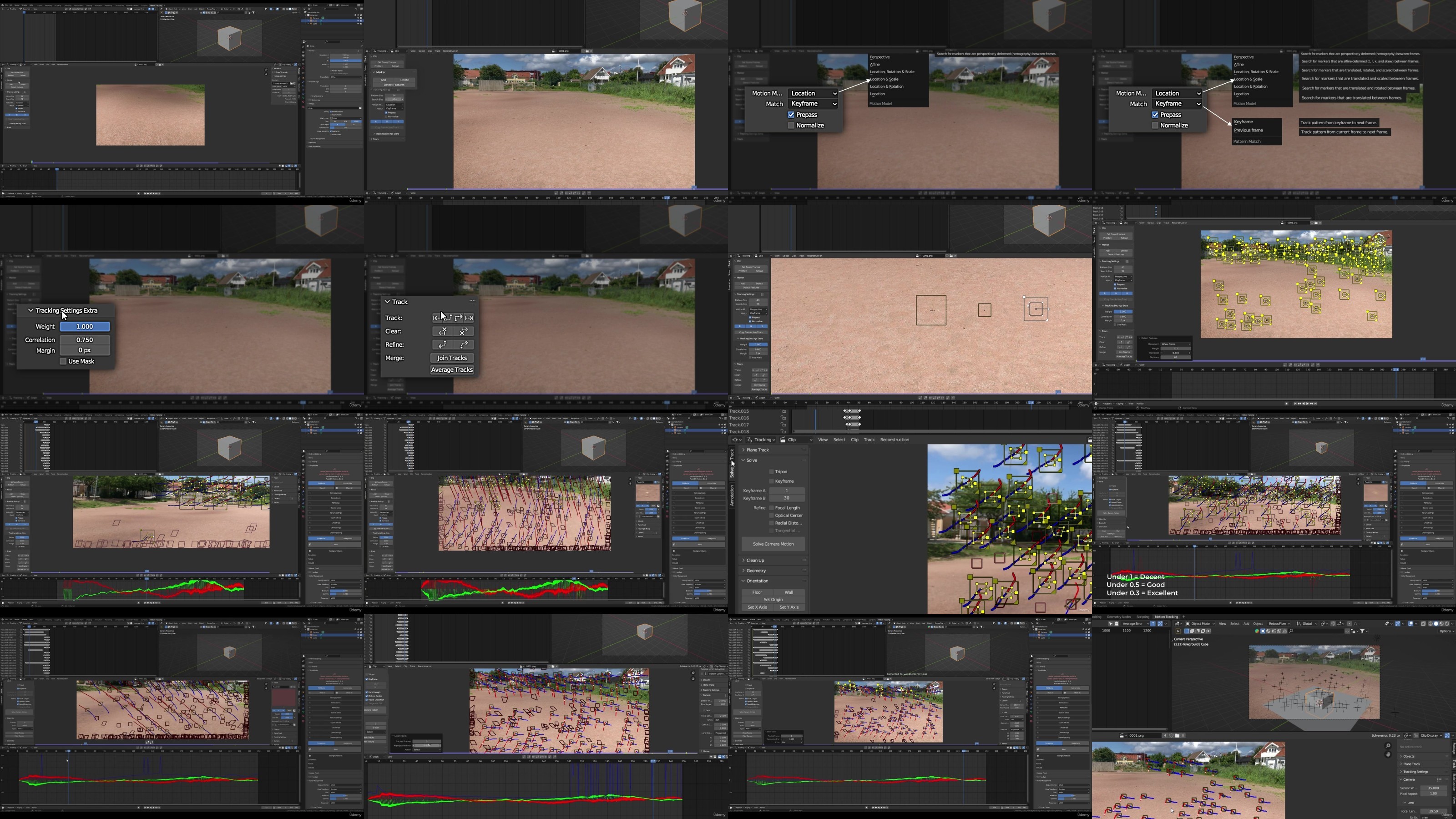
Complete Blender Vfx Course

AgentofHeart

MyBoerse.bz Pro Member

ccd3ab1699864882501fd6de4b89369a.jpg

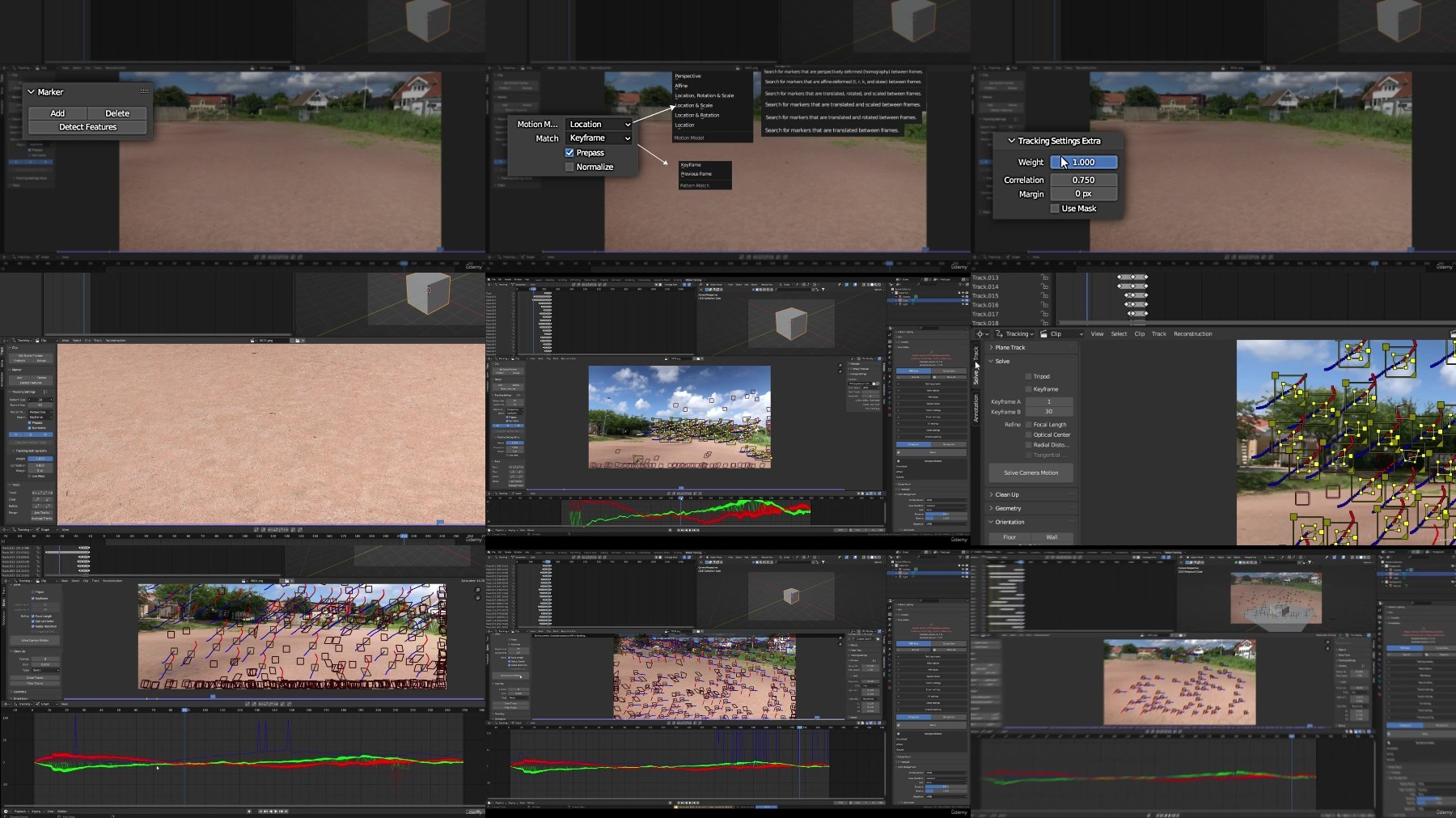
Complete Blender Vfx Course
Published 8/2023
MP4 | Video: h264, 1280x720 | Audio: AAC, 44.1 KHz
Language: English | Size: 825.06 MB | Duration: 1h 0m​

Use Blender and DaVinci Resolve to create stunning visual effects, learn how to track, solve, composite, and more!

What you'll learn

Develop proficiency in effectively tracking 3D scenes within Blender.

Acquire the skills needed for precise lighting matching and seamless integration of your CGI footage into real-life scenes.

Dive into the application of realistic post-production effects in composition, utilizing both Blender and DaVinci Resolve, to enhance visual realism.

Master the techniques for cleaning and refining your tracking information.

Explore the fundamental principles of animation.

Import realistic assets with precision in transformations.

Gain basic insights into planning your VFX shots.

Discover valuable tips and tricks for filming your VFX shots.

Learn how to capture high-quality HDRI images using just an iPhone.

Efficiently import and export content in the correct formats.

Learn the art of solving 3D tracked information.

Get familiar with the basics of using Blender's smoke simulator, in conjunction with force effectors and colliders.

Requirements

You should be familiar with the Blender interface

You do not need past experience in 3D tracking or solving

Some basic knowledge how to use Davinci Resolve

Mac or PC capable of Running Blender Version 3.0 or above

Description

Description:Welcome to this comprehensive course on Visual Effects (VFX) creation using Blender and Davinci Resolve! Whether you're a beginner or an intermediate user, this course is designed to take you through the entire process of crafting stunning visual effects in just 59 minutes.Course Highlights:Section 1: IntroductionLecture 1: Get started with an Introduction to the course.Section 2: Footage & HDRI CaptureLecture 2: Learn the essentials of Planning & Recording.Lecture 3: Dive into the world of Capturing custom HDRIs and finding premade HDRIs.Section 3: Blender ProcessLecture 4: Part 4 - Converting to Image SequenceLecture 5: Part 5 - Master Tracking & Solving TechniquesLecture 6: Part 6 - Asset Importation & ScalingLecture 7: Part 7 - HDRI & Lighting SetupLecture 8: Part 8 - Animation & View Layer SetupLecture 9: Discover Extra Tips for Realism EnhancementLecture 10: Explore Step 9 - Smoke SimulationLecture 11: Master Step 10 - Render SettingsLecture 12: Uncover Part 11 - Advanced Compositing Settings for Blender.Section 4: Davinci ResolveLecture 13: Implement Part 12 - Importing & Compositing in FusionLecture 14: Finalize with Part 13 - Adding the Perfect Touch in Davinci ResolveWhy Choose This Course?In this course, we provide a concise and informative journey through the world of VFX creation. Here's why you should join us:Efficiency: With a runtime of just 38 minutes, we've condensed the most critical information, making this course perfect for those with busy schedules.Beginner to Intermediate: Whether you're taking your first steps into VFX or looking to enhance your skills, this course caters to both beginners and intermediates.Proven Instructors: While this is our first course on Udemy, we come with nearly a decade of experience using Blender. We're passionate about sharing our knowledge with you.Professional Voiceover: To make your learning experience even more satisfying, we've incorporated a professional voiceover, ensuring clarity and engagement throughout the course.Exclusive Offer: 100% Off on Advanced Automatic Tracking and Solving Addon!As a special bonus, we're thrilled to offer you an exclusive 100% discount on our Advanced Automatic Tracking and Solving Addon. This powerful tool automates the entire tracking process, from adding trackers to cleaning and filtering trackers, to solving. What's more, it allows you to set your target solve error, giving you full control over your tracking results. This addon is the result of nearly a decade of experience using Blender, and it's designed to streamline your workflow and boost your efficiency.Why Few Reviews?You might wonder why this course doesn't have many reviews yet. That's because it's brand new! We're excited to share this course with you, and we're confident that the knowledge and skills you'll gain will leave you satisfied and inspired.Whether you're an aspiring artist, coder, or just curious about VFX, this course will equip you with the fundamentals of 3D modeling and rendering. Join us now and dive into the exciting world of Visual Effects creation with confidence!

Overview

Section 1: Introduction

Lecture 1 Introduction

Section 2: Footage & HDRI capture

Lecture 2 Planning & Recording

Lecture 3 Capturing custom HDRsI & finding premade HDRIs

Section 3: Blender Process

Lecture 4 Part 4 - Converting to Image Sequence

Lecture 5 Part 5 - Tracking & Solving

Lecture 6 Part 6 - Asset Importation & Scaling

Lecture 7 Part 7 - HDRI & Lightning Setup

Lecture 8 Part 8 - Animation & View Layer Setup

Lecture 9 Extra Tip for increased Realism

Lecture 10 Step 9 - Smoke Simulation

Lecture 11 Step 10 - Render Settings

Lecture 12 Part 11 - Compositing Settings for Blender.

Section 4: Davinci Resolve

Lecture 13 Part 12 - Importing & Compositing in Fusion

Lecture 14 Part 13 - Final Touches in Davinci Resolve

Section 5: Bonus

Lecture 15 Bonus Addon

Beginners seeking the knowledge to create their own VFX.,Artists trying to create more realistic VFX footage.,Filmmakers,Visual Effects Artists,VFX artists
5Kn9M0yg_o.jpg


2f22546f4eb9612dfe4e2f743bebee38.jpg

Complete Blender Vfx Course
Published 8/2023
MP4 | Video: h264, 1280x720 | Audio: AAC, 44.1 KHz
Language: English | Size: 825.06 MB | Duration: 1h 0m​

Use Blender and DaVinci Resolve to create stunning visual effects, learn how to track, solve, composite, and more!

What you'll learn

Develop proficiency in effectively tracking 3D scenes within Blender.

Acquire the skills needed for precise lighting matching and seamless integration of your CGI footage into real-life scenes.

Dive into the application of realistic post-production effects in composition, utilizing both Blender and DaVinci Resolve, to enhance visual realism.

Master the techniques for cleaning and refining your tracking information.

Explore the fundamental principles of animation.

Import realistic assets with precision in transformations.

Gain basic insights into planning your VFX shots.

Discover valuable tips and tricks for filming your VFX shots.

Learn how to capture high-quality HDRI images using just an iPhone.

Efficiently import and export content in the correct formats.

Learn the art of solving 3D tracked information.

Get familiar with the basics of using Blender's smoke simulator, in conjunction with force effectors and colliders.

Requirements

You should be familiar with the Blender interface

You do not need past experience in 3D tracking or solving

Some basic knowledge how to use Davinci Resolve

Mac or PC capable of Running Blender Version 3.0 or above

Description

Description:Welcome to this comprehensive course on Visual Effects (VFX) creation using Blender and Davinci Resolve! Whether you're a beginner or an intermediate user, this course is designed to take you through the entire process of crafting stunning visual effects in just 59 minutes.Course Highlights:Section 1: IntroductionLecture 1: Get started with an Introduction to the course.Section 2: Footage & HDRI CaptureLecture 2: Learn the essentials of Planning & Recording.Lecture 3: Dive into the world of Capturing custom HDRIs and finding premade HDRIs.Section 3: Blender ProcessLecture 4: Part 4 - Converting to Image SequenceLecture 5: Part 5 - Master Tracking & Solving TechniquesLecture 6: Part 6 - Asset Importation & ScalingLecture 7: Part 7 - HDRI & Lighting SetupLecture 8: Part 8 - Animation & View Layer SetupLecture 9: Discover Extra Tips for Realism EnhancementLecture 10: Explore Step 9 - Smoke SimulationLecture 11: Master Step 10 - Render SettingsLecture 12: Uncover Part 11 - Advanced Compositing Settings for Blender.Section 4: Davinci ResolveLecture 13: Implement Part 12 - Importing & Compositing in FusionLecture 14: Finalize with Part 13 - Adding the Perfect Touch in Davinci ResolveWhy Choose This Course?In this course, we provide a concise and informative journey through the world of VFX creation. Here's why you should join us:Efficiency: With a runtime of just 38 minutes, we've condensed the most critical information, making this course perfect for those with busy schedules.Beginner to Intermediate: Whether you're taking your first steps into VFX or looking to enhance your skills, this course caters to both beginners and intermediates.Proven Instructors: While this is our first course on Udemy, we come with nearly a decade of experience using Blender. We're passionate about sharing our knowledge with you.Professional Voiceover: To make your learning experience even more satisfying, we've incorporated a professional voiceover, ensuring clarity and engagement throughout the course.Exclusive Offer: 100% Off on Advanced Automatic Tracking and Solving Addon!As a special bonus, we're thrilled to offer you an exclusive 100% discount on our Advanced Automatic Tracking and Solving Addon. This powerful tool automates the entire tracking process, from adding trackers to cleaning and filtering trackers, to solving. What's more, it allows you to set your target solve error, giving you full control over your tracking results. This addon is the result of nearly a decade of experience using Blender, and it's designed to streamline your workflow and boost your efficiency.Why Few Reviews?You might wonder why this course doesn't have many reviews yet. That's because it's brand new! We're excited to share this course with you, and we're confident that the knowledge and skills you'll gain will leave you satisfied and inspired.Whether you're an aspiring artist, coder, or just curious about VFX, this course will equip you with the fundamentals of 3D modeling and rendering. Join us now and dive into the exciting world of Visual Effects creation with confidence!

Overview

Section 1: Introduction

Lecture 1 Introduction

Section 2: Footage & HDRI capture

Lecture 2 Planning & Recording

Lecture 3 Capturing custom HDRsI & finding premade HDRIs

Section 3: Blender Process

Lecture 4 Part 4 - Converting to Image Sequence

Lecture 5 Part 5 - Tracking & Solving

Lecture 6 Part 6 - Asset Importation & Scaling

Lecture 7 Part 7 - HDRI & Lightning Setup

Lecture 8 Part 8 - Animation & View Layer Setup

Lecture 9 Extra Tip for increased Realism

Lecture 10 Step 9 - Smoke Simulation

Lecture 11 Step 10 - Render Settings

Lecture 12 Part 11 - Compositing Settings for Blender.

Section 4: Davinci Resolve

Lecture 13 Part 12 - Importing & Compositing in Fusion

Lecture 14 Part 13 - Final Touches in Davinci Resolve

Section 5: Bonus

Lecture 15 Bonus Addon

Beginners seeking the knowledge to create their own VFX.,Artists trying to create more realistic VFX footage.,Filmmakers,Visual Effects Artists,VFX artists

6sEh5WA9_o.jpg


afed63a312f748fac57e9f2570cf73d1.jpg

Complete Blender Vfx Course
Published 8/2023
MP4 | Video: h264, 1280x720 | Audio: AAC, 44.1 KHz
Language: English | Size: 825.06 MB | Duration: 1h 0m​

Use Blender and DaVinci Resolve to create stunning visual effects, learn how to track, solve, composite, and more!

What you'll learn

Develop proficiency in effectively tracking 3D scenes within Blender.

Acquire the skills needed for precise lighting matching and seamless integration of your CGI footage into real-life scenes.

Dive into the application of realistic post-production effects in composition, utilizing both Blender and DaVinci Resolve, to enhance visual realism.

Master the techniques for cleaning and refining your tracking information.

Explore the fundamental principles of animation.

Import realistic assets with precision in transformations.

Gain basic insights into planning your VFX shots.

Discover valuable tips and tricks for filming your VFX shots.

Learn how to capture high-quality HDRI images using just an iPhone.

Efficiently import and export content in the correct formats.

Learn the art of solving 3D tracked information.

Get familiar with the basics of using Blender's smoke simulator, in conjunction with force effectors and colliders.

Requirements

You should be familiar with the Blender interface

You do not need past experience in 3D tracking or solving

Some basic knowledge how to use Davinci Resolve

Mac or PC capable of Running Blender Version 3.0 or above

Description

Description:Welcome to this comprehensive course on Visual Effects (VFX) creation using Blender and Davinci Resolve! Whether you're a beginner or an intermediate user, this course is designed to take you through the entire process of crafting stunning visual effects in just 59 minutes.Course Highlights:Section 1: IntroductionLecture 1: Get started with an Introduction to the course.Section 2: Footage & HDRI CaptureLecture 2: Learn the essentials of Planning & Recording.Lecture 3: Dive into the world of Capturing custom HDRIs and finding premade HDRIs.Section 3: Blender ProcessLecture 4: Part 4 - Converting to Image SequenceLecture 5: Part 5 - Master Tracking & Solving TechniquesLecture 6: Part 6 - Asset Importation & ScalingLecture 7: Part 7 - HDRI & Lighting SetupLecture 8: Part 8 - Animation & View Layer SetupLecture 9: Discover Extra Tips for Realism EnhancementLecture 10: Explore Step 9 - Smoke SimulationLecture 11: Master Step 10 - Render SettingsLecture 12: Uncover Part 11 - Advanced Compositing Settings for Blender.Section 4: Davinci ResolveLecture 13: Implement Part 12 - Importing & Compositing in FusionLecture 14: Finalize with Part 13 - Adding the Perfect Touch in Davinci ResolveWhy Choose This Course?In this course, we provide a concise and informative journey through the world of VFX creation. Here's why you should join us:Efficiency: With a runtime of just 38 minutes, we've condensed the most critical information, making this course perfect for those with busy schedules.Beginner to Intermediate: Whether you're taking your first steps into VFX or looking to enhance your skills, this course caters to both beginners and intermediates.Proven Instructors: While this is our first course on Udemy, we come with nearly a decade of experience using Blender. We're passionate about sharing our knowledge with you.Professional Voiceover: To make your learning experience even more satisfying, we've incorporated a professional voiceover, ensuring clarity and engagement throughout the course.Exclusive Offer: 100% Off on Advanced Automatic Tracking and Solving Addon!As a special bonus, we're thrilled to offer you an exclusive 100% discount on our Advanced Automatic Tracking and Solving Addon. This powerful tool automates the entire tracking process, from adding trackers to cleaning and filtering trackers, to solving. What's more, it allows you to set your target solve error, giving you full control over your tracking results. This addon is the result of nearly a decade of experience using Blender, and it's designed to streamline your workflow and boost your efficiency.Why Few Reviews?You might wonder why this course doesn't have many reviews yet. That's because it's brand new! We're excited to share this course with you, and we're confident that the knowledge and skills you'll gain will leave you satisfied and inspired.Whether you're an aspiring artist, coder, or just curious about VFX, this course will equip you with the fundamentals of 3D modeling and rendering. Join us now and dive into the exciting world of Visual Effects creation with confidence!

Overview

Section 1: Introduction

Lecture 1 Introduction

Section 2: Footage & HDRI capture

Lecture 2 Planning & Recording

Lecture 3 Capturing custom HDRsI & finding premade HDRIs

Section 3: Blender Process

Lecture 4 Part 4 - Converting to Image Sequence

Lecture 5 Part 5 - Tracking & Solving

Lecture 6 Part 6 - Asset Importation & Scaling

Lecture 7 Part 7 - HDRI & Lightning Setup

Lecture 8 Part 8 - Animation & View Layer Setup

Lecture 9 Extra Tip for increased Realism

Lecture 10 Step 9 - Smoke Simulation

Lecture 11 Step 10 - Render Settings

Lecture 12 Part 11 - Compositing Settings for Blender.

Section 4: Davinci Resolve

Lecture 13 Part 12 - Importing & Compositing in Fusion

Lecture 14 Part 13 - Final Touches in Davinci Resolve

Section 5: Bonus

Lecture 15 Bonus Addon

Beginners seeking the knowledge to create their own VFX.,Artists trying to create more realistic VFX footage.,Filmmakers,Visual Effects Artists,VFX artists

5ET6aOLR_o.jpg

 
Zurück
Oben Unten